
1. 서론
This manual provides essential instructions for the proper installation, operation, and maintenance of the Traxon TI.IC.0030000 TX-Connect Smart Indoor Interconnection Cable. Please read this manual thoroughly before using the product to ensure safe and efficient functionality.
The Traxon TI.IC.0030000 is an 11.82-inch interconnection cable designed exclusively for use with the Traxon TX-Connect System in indoor environments. It facilitates reliable data and power transmission between compatible Traxon devices.
2. 제품 오버view
The Traxon TI.IC.0030000 cable is a compact and durable solution for connecting components within the Traxon TX-Connect ecosystem. Its design ensures secure and stable connections for various indoor applications.
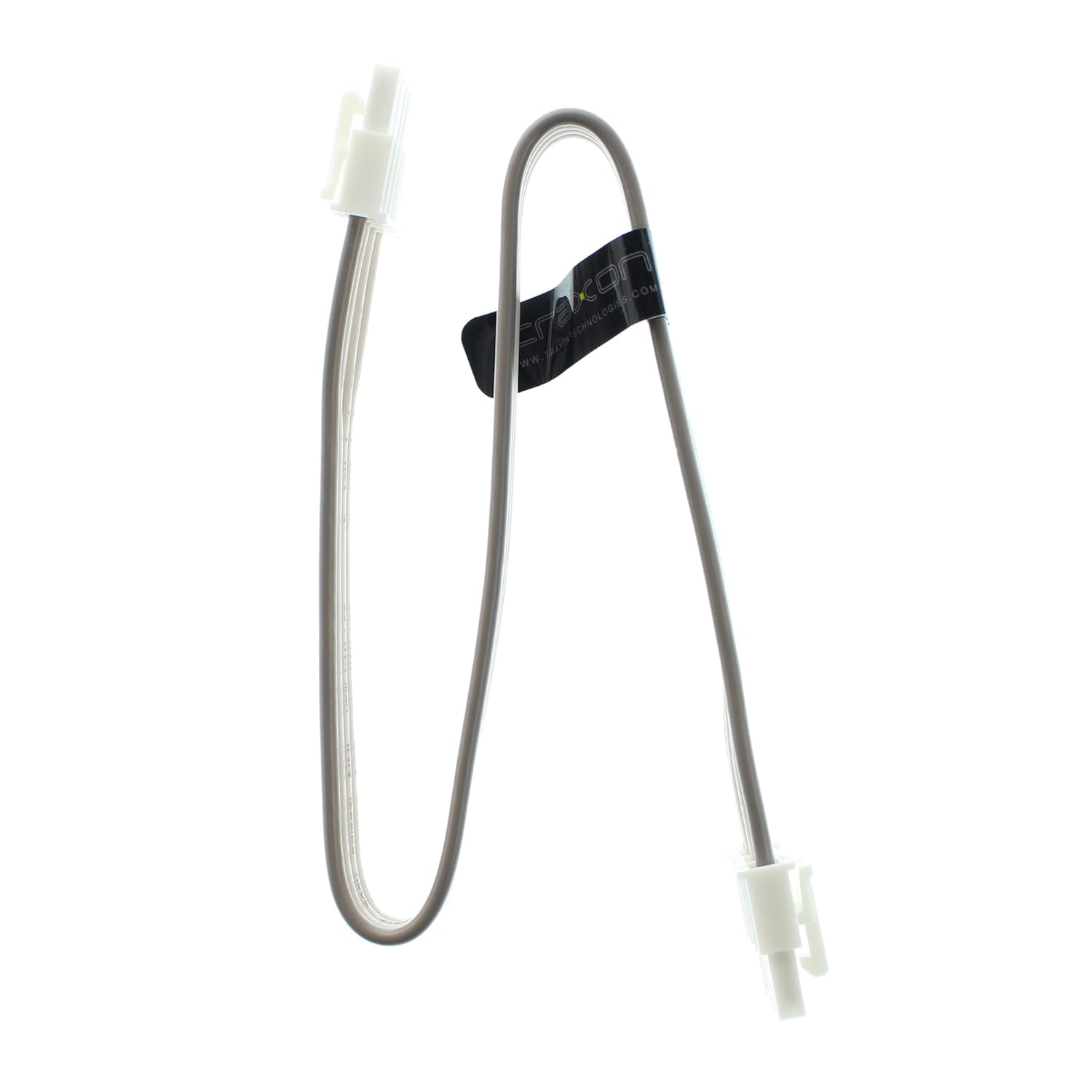
Figure 1: Traxon TI.IC.0030000 TX-Connect Smart Indoor Interconnection Cable. This image displays the full length of the 11.82-inch cable with its white connectors at each end.
3. 설정 및 설치
This cable is designed for plug-and-play functionality within the specified system. Ensure all devices are powered off before making connections.
- 호환되는 포트 식별: Locate the designated TX-Connect ports on your Traxon devices. These ports are typically labeled or identifiable by their specific connector shape.
- 케이블 연결: Gently insert one end of the TI.IC.0030000 cable into the TX-Connect output port of the first device. Ensure the connector is fully seated and secure.
- Connect to Second Device: Insert the other end of the cable into the TX-Connect input port of the second device. Verify a firm connection.
- 전원 켜기: Once all connections are secure, power on your Traxon TX-Connect System components.
중요 참고 사항: This cable is exclusively for indoor use and must only be connected to Traxon TX-Connect System components. Using it with incompatible systems or in outdoor environments may result in damage or malfunction.

그림 2: 클로즈업 view of the cable's connector. This image highlights the specific design of the connector, which ensures proper fit and secure connection within the Traxon TX-Connect System.
4. 운영
Once properly connected, the Traxon TI.IC.0030000 cable operates passively, facilitating the intended communication and power transfer between the connected Traxon TX-Connect devices. No user interaction is required for its operation beyond initial setup.
5. 유지관리 및 관리
To ensure the longevity and optimal performance of your Traxon TI.IC.0030000 cable, follow these guidelines:
- 청소: 부드럽고 마른 천으로 케이블과 커넥터를 살살 닦아주세요. 액체 세척제나 연마성 재질은 사용하지 마십시오.
- 저장: Store the cable in a cool, dry place away from direct sunlight and extreme temperatures when not in use. Avoid sharp bends or kinks in the cable.
- 손질: Always grasp the connector housing when plugging or unplugging the cable. Do not pull on the cable itself, as this can damage the internal wiring.
- 환경: Ensure the cable is used strictly in indoor environments, as it is not designed to withstand outdoor elements.
6. 문제 해결
If you experience issues with your Traxon TX-Connect System that you suspect are related to the interconnection cable, consider the following:
- 연결 안 됨/간헐적 연결:
- Ensure both ends of the cable are fully and securely seated in their respective ports.
- Verify that the cable is not visibly damaged (e.g., cuts, severe kinks).
- Test with a known working Traxon TI.IC.0030000 cable if available, to rule out the cable as the source of the problem.
- 시스템 전원이 켜지지 않음:
- Confirm that all power supplies for the Traxon TX-Connect System components are correctly connected and functioning.
- Ensure the cable is properly connected between the power-distributing and power-receiving components.
If problems persist after following these steps, consult the user manuals for your specific Traxon TX-Connect devices or contact Traxon customer support.
7. 사양
The following are the technical specifications for the Traxon TI.IC.0030000 TX-Connect Smart Indoor Interconnection Cable:
| 모델 번호 | TI.IC.0030000 |
| 상표 | Traxon |
| 길이 | 11.82인치(약 30cm) |
| 커넥터 유형 | Proprietary TX-Connect (RJ45-like) |
| 케이블 유형 | Interconnection Cable (Ethernet-based signaling) |
| 호환 장치 | Traxon TX-Connect System components |
| 추천 용도 | Indoor networking, Connecting electronic devices, Stage/studio equipment |
| 제품 치수 | 12 x 0.6 x 0.1 인치 |
| 품목 무게 | 1 파운드 |

Figure 3: Close-up of the cable's identification label. This image clearly shows the model number TI.IC.0030000 printed on the cable's label, confirming the product's identity.
8. 보증 및 지원
For information regarding warranty coverage, technical support, or service inquiries for your Traxon TI.IC.0030000 cable, please refer to the documentation provided with your complete Traxon TX-Connect System or visit the official Traxon web고객 지원 연락처 정보는 일반적으로 제조업체 웹사이트에서 확인할 수 있습니다. web대지.