
Amazon Basics B074SVCYZY
Amazon Basics Heavy-Duty Tilting TV Wall Mount & High-Speed HDMI Cable User Manual
Model: B074SVCYZY
소개
This manual provides comprehensive instructions for the safe and proper installation, operation, and maintenance of your Amazon Basics Heavy-Duty Tilting TV Wall Mount and High-Speed HDMI Cable. This wall mount is designed to securely hold flat-panel televisions ranging from 37 inches to 80 inches, with a maximum weight capacity of 120 pounds. The included HDMI cable supports Ethernet, 3D, and 4K video, along with Audio Return Channel (ARC) for versatile connectivity.
Please read this manual thoroughly before beginning installation to ensure correct setup and to prevent damage to the product or injury.
안전 정보
경고: Failure to read and follow all instructions can result in personal injury or property damage. The manufacturer is not responsible for damage or injury caused by incorrect mounting, incorrect assembly, or incorrect use.
- 벽 구조가 마운트와 텔레비전의 총 무게를 안전하게 지탱할 수 있는지 확인하십시오. 확실하지 않은 경우 자격을 갖춘 전문가에게 문의하십시오.
- 최대 중량 용량인 120파운드(54.4kg)를 초과하지 마십시오.
- This mount is intended for use with flat-panel TVs between 37 and 80 inches.
- Always use appropriate safety gear, including eye protection, during installation.
- Verify the location of electrical wires, water pipes, and gas lines behind the wall before drilling.
- Two people are recommended for installation due to the size and weight of TVs.
- 모든 작은 부품과 포장재는 어린이의 손이 닿지 않는 곳에 보관하세요.
패키지 내용
Carefully unpack the box and ensure all components are present and undamaged. If any parts are missing or damaged, do not attempt to install. Contact customer support for assistance.
- 벽판 조립체 (1)
- TV 장착 브래킷 (2)
- High-Speed HDMI Cable (1)
- 하드웨어 키트(다양한 나사, 와셔, 스페이서, 앵커)
- 사용 설명서(본 문서)


설정 및 설치
필요한 도구 (포함되지 않음):
- 스터드 파인더
- 적절한 드릴 비트(목재/콘크리트용)를 사용하여 구멍을 뚫으세요.
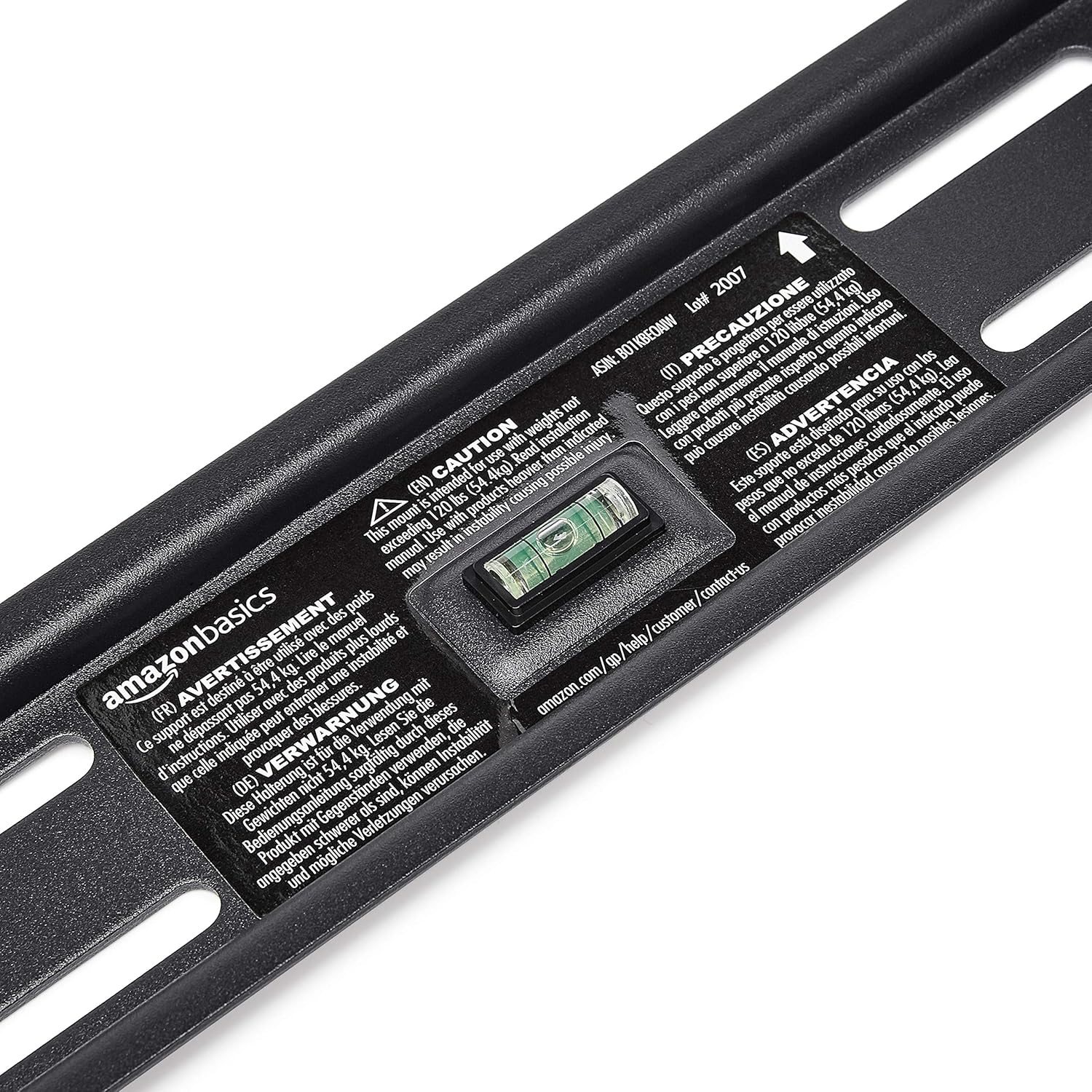
- Level (though one is built into the mount)
- 십자 드라이버
- 소켓 렌치 또는 조절식 렌치
- 연필
- 줄자
1단계: 장착 위치 결정
Choose a location on your wall that is structurally sound and free from electrical wires, water pipes, or gas lines. Use a stud finder to locate wood studs if mounting to drywall, or ensure you have appropriate concrete anchors if mounting to masonry.
2단계: 벽면 플레이트를 장착합니다.
- Hold the wall plate against the wall at the desired height. Use the built-in level to ensure it is perfectly horizontal.
- 벽면 플레이트의 구멍을 통해 연필로 드릴 위치를 표시하세요.
- Drill pilot holes at the marked locations. The size of the drill bit will depend on your wall type and the anchors/lag bolts being used.
- 제공된 나사못과 와셔를 사용하여 벽판을 벽에 고정하십시오. 벽판이 단단히 고정되고 수평인지 확인하십시오.

3단계: TV 마운팅 브래킷을 TV에 부착합니다.
- 화면 손상을 방지하기 위해 TV를 부드럽고 깨끗한 표면에 화면이 아래로 향하게 놓으십시오.
- TV 뒷면에 있는 VESA 장착 구멍을 확인하세요.
- TV 장착 구멍에 맞는 나사, 와셔, 스페이서를 하드웨어 키트에서 선택하십시오.
- Attach the two vertical TV mounting brackets to the back of your TV, ensuring they are centered and aligned with the VESA pattern. The hooks on the brackets should face upwards.

4단계: TV를 벽면 고정판에 장착합니다.
- With assistance, carefully lift the TV and hook the brackets onto the top edge of the wall plate.
- Gently lower the TV until the brackets fully engage with the wall plate. You should hear a click or feel it lock into place.
- Pull the release strings (if applicable) to ensure the TV is securely latched to the mount. Some models have safety screws to further secure the TV; tighten these if present.


Step 5: Connect HDMI Cable
Connect one end of the included High-Speed HDMI cable to the HDMI output port on your source device (e.g., Blu-ray player, game console, streaming device) and the other end to an HDMI input port on your TV.

작동 지침
TV 기울이기:
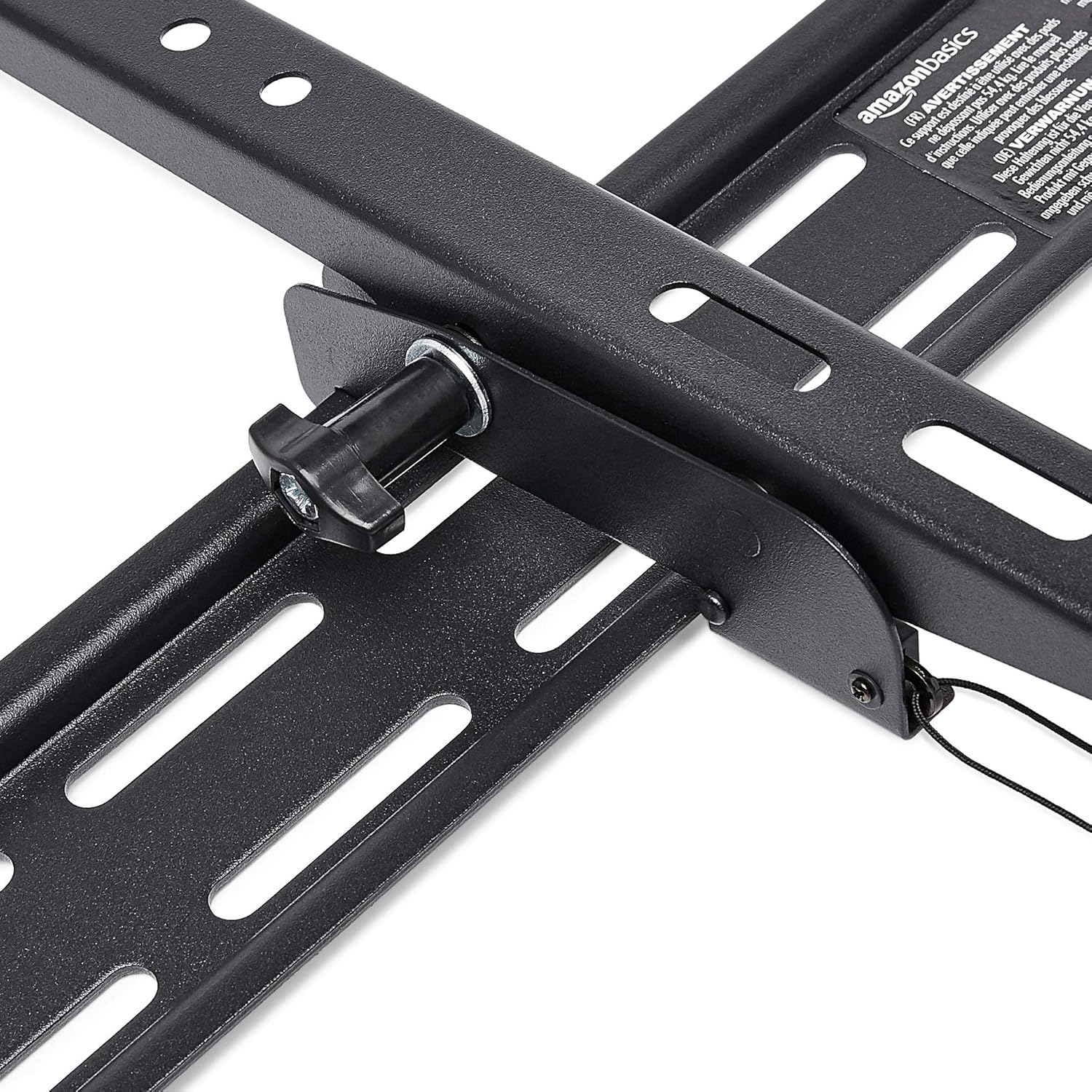
This wall mount allows for 18 degrees of tilt, ranging from +15 degrees (upward) to -3 degrees (downward), to achieve an optimal viewing angle and reduce glare. To adjust the tilt:
- Locate the tilt adjustment knobs or levers on the side of the TV mounting brackets.
- Loosen the knobs or levers to allow the TV to tilt freely.
- 원하는 각도로 TV를 조심스럽게 기울이세요.
- Tighten the knobs or levers to secure the TV in place.
유지
- 모든 나사와 볼트가 단단히 조여져 있는지 주기적으로 확인하십시오.
- Clean the mount and HDMI cable with a soft, dry cloth. Avoid abrasive cleaners or solvents.
- Do not hang anything from the mount or TV that exceeds the weight capacity.
문제 해결
| 문제 | 가능한 원인 | 해결책 |
|---|---|---|
| 설치 후 TV가 수평이 아닙니다. | 설치 중 벽판이 수평이 아닙니다. | Carefully remove TV, loosen wall plate screws, adjust level using built-in bubble level, and re-tighten. Re-mount TV. |
| TV not securely attached to mount. | Brackets not fully engaged or safety screws not tightened. | Ensure brackets are fully seated on the wall plate. Tighten any safety screws on the bottom of the brackets. |
| HDMI로 화면/소리가 나오지 않습니다. | Incorrect input selected on TV, loose cable connection, or faulty source device. | Verify TV input matches the connected HDMI port. Ensure HDMI cable is firmly connected at both ends. Test with another HDMI cable or source device if possible. |
명세서
- 상표: 아마존 기본 정보
- 모델: Heavy-Duty Tilting TV Wall Mount & High-Speed HDMI Cable
- ASIN: B074SVCYZY
- 장착 유형: 경사
- 호환 가능한 TV 크기: 37 ~ 80 인치
- 최대 중량 용량: 120파운드(54.4kg)
- 경사각: +15 to -3 degrees (18 degrees total)
- HDMI 케이블 길이: 10 피트
- HDMI 기능: Supports Ethernet, 3D, 4K video, Audio Return Channel (ARC)
보증 및 지원
보증 정보 및 고객 지원에 대해서는 아마존 베이직스 공식 웹사이트를 참조하십시오. web해당 웹사이트를 방문하거나 아마존 고객 서비스에 직접 문의하십시오. 보증 청구를 위해 구매 영수증을 보관하십시오.
Web대지: 아마존 베이직스 스토어
Ask a question about this manual
Ask about setup, troubleshooting, compatibility, parts, safety, or missing instructions. Manuals+ will review the question and use this page’s manual context to help answer it.