
1. 제품 오버view
The ADATA HD710 Pro is a ruggedized 1TB external hard drive designed for extreme mobile data protection. It features a durable, triple-layered construction that makes it waterproof, dustproof, and military-grade shockproof. This device is ideal for users requiring robust storage on the go, compatible with Mac, PC, and Linux systems.
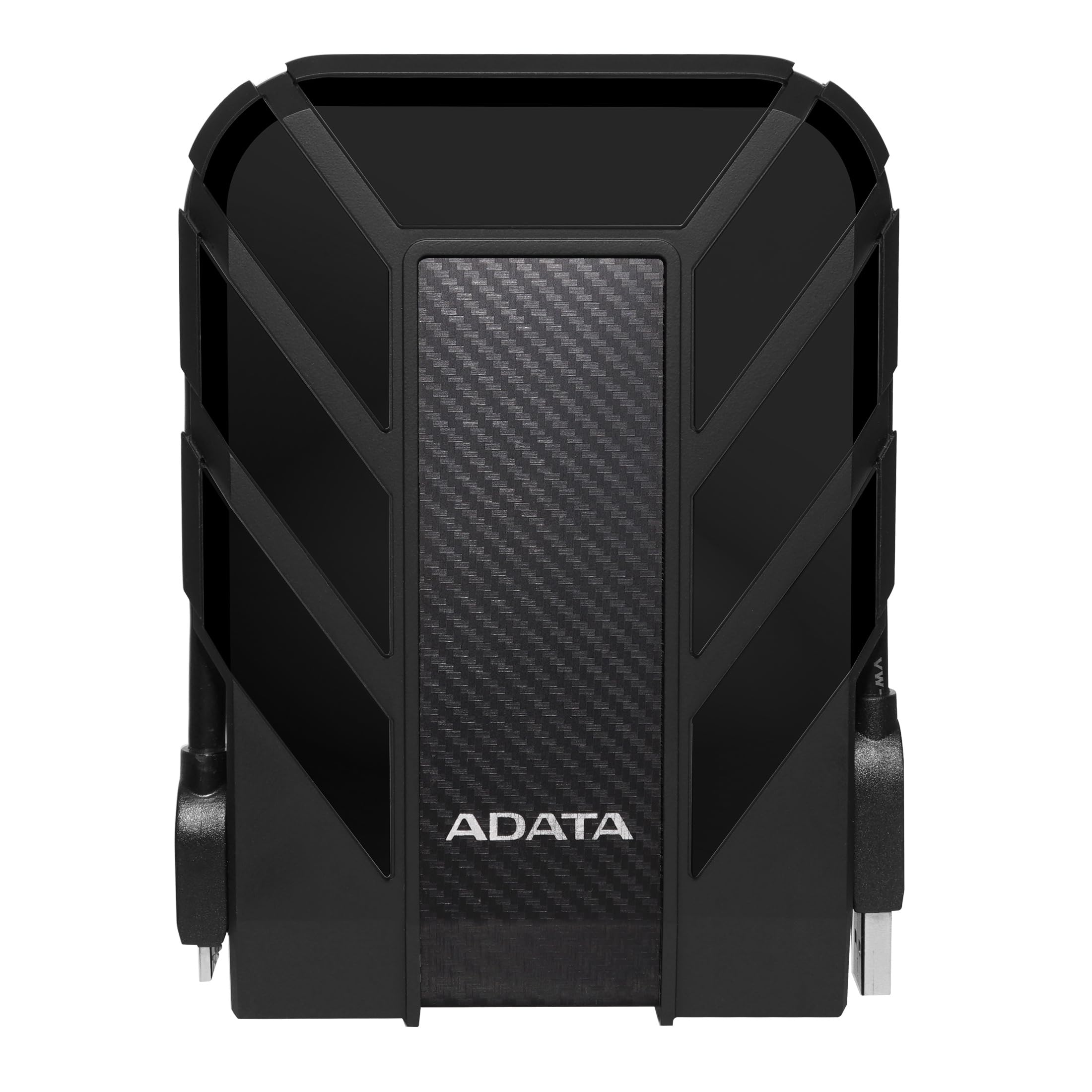
Figure 1: ADATA HD710 Pro 1TB External Hard Drive (Black)
2. 주요 특징
- IP68 Waterproof and IP6X Dustproof: Certified to exceed stringent International Electrotechnical Commission (IEC) standards, offering protection against water immersion and total dust ingress.
- Military-Grade Shockproof (MIL-STD-810G 516.6): Designed to withstand drops from up to 1.5 meters, ensuring data safety even in challenging environments.
- Triple-Layered Protection: Features a tough silicone outer layer, a shock-absorbing buffer, and a robust plastic shell for enhanced durability.
- USB 3.1 인터페이스: Provides ultra-fast data transfer rates of up to 5 gigabits per second.
- 통합 케이블 관리: A convenient groove around the drive allows for neat storage of the USB cable, preventing loss and tangles.
- 외부 전원 필요 없음: Powered directly via the USB connection, enhancing portability.

Figure 2: Illustration of the HD710 Pro's triple-layered protective design.
3. 설정
- 장치 포장 풀기: Carefully remove the ADATA HD710 Pro from its packaging.
- USB 케이블을 찾으세요: The integrated USB 3.1 cable is wrapped around the drive's casing. Gently unwrap it.
- 컴퓨터에 연결: Plug the USB connector into an available USB port on your computer (PC, Mac, or Linux). For optimal performance, use a USB 3.0/3.1 port.
- 초기 인식: Your operating system should automatically detect the drive. A blue LED indicator on the drive will illuminate, signifying power and activity.
- 서식 지정(필요한 경우): The drive comes pre-formatted for general use. If you encounter issues or wish to change the file system (e.g., for specific operating system compatibility or larger file support), you may need to format the drive. Refer to your operating system's documentation for instructions on how to format an external drive. Warning: Formatting will erase all data on the drive. Back up any important file진행하기 전에 s.

Figure 3: The HD710 Pro is compatible with PC, Mac, and Linux systems.
4. 운영
- 드라이브에 액세스하기: Once connected and recognized, the drive will appear as a removable storage device in your computer's file 탐색기(Windows), Finder(macOS) 또는 file manager (Linux).
- 전송 중 Files: 끌어서 놓을 수 있습니다. files or folders to and from the HD710 Pro just like any other storage device.
- 안전한 배출: To prevent data corruption, always safely eject the drive before disconnecting it.
- 윈도우: Right-click the drive icon in 'This PC' or the system tray and select 'Eject'.
- 맥 OS : 드라이브 아이콘을 휴지통으로 드래그하거나 Finder에서 드라이브 이름 옆에 있는 꺼내기 버튼을 클릭합니다.
- 리눅스: Right-click the drive icon in your file 관리자에서 '꺼내기' 또는 '마운트 해제'를 선택하세요.
- LED 표시등: The blue LED light indicates the drive's status:
- 솔리드 블루: 드라이브 전원이 켜져 있지만 유휴 상태입니다.
- 파란색 깜박임: 데이터 전송이 진행 중입니다.
비디오 1: 오버view of the ADATA External Hard Drive, demonstrating its features and usage.
5. 유지관리
- Keep Ports Sealed: Ensure the rubber flap covering the USB port is securely closed when the drive is not in use to maintain its waterproof and dustproof integrity.
- 부드럽게 청소하세요: 드라이브 외부를 닦을 때는 부드럽고 마른 천을 사용하십시오. 강한 화학 약품이나 연마성 물질은 사용하지 마십시오.
- 극한의 환경을 피하세요: While rugged, prolonged exposure to extreme temperatures, direct sunlight, or corrosive substances should be avoided.
- 조심스럽게 다루십시오: Despite its shockproof design, avoid intentionally dropping or subjecting the drive to excessive force.

Figure 4: The HD710 Pro offers IP68 waterproof, IP6X dustproof, and military-grade shock resistance.
6. 문제 해결
- 드라이브가 인식되지 않음:
- USB 케이블이 드라이브와 컴퓨터에 모두 단단히 연결되어 있는지 확인하세요.
- 컴퓨터의 다른 USB 포트에 연결해 보십시오.
- 컴퓨터 자체의 문제인지 확인하기 위해 다른 컴퓨터에서 드라이브를 테스트해 보세요.
- Check your computer's Disk Management (Windows) or Disk Utility (macOS) to see if the drive is detected but unformatted or has a partition issue.
- 느린 전송 속도:
- Ensure you are using a USB 3.0/3.1 port on your computer for maximum speed. Connecting to a USB 2.0 port will result in slower speeds.
- 컴퓨터 드라이버가 최신 버전인지 확인하십시오.
- 다수의 작은 것들 files는 더 적은 수의 큰 것보다 더 느리게 전송할 수 있습니다. files.
- 데이터 손상:
- Always safely eject the drive before disconnecting to prevent data loss or corruption.
- If data corruption occurs, data recovery software may be an option, but success is not guaranteed.
7. 사양
| 특징 | 세부 사항 |
|---|---|
| 디지털 저장 용량 | 1테라바이트 |
| 하드 디스크 인터페이스 | USB 3.2 |
| 연결 기술 | USB |
| 상표 | 아다타 |
| 특징 | 가지고 다닐 수 있는 |
| 하드 디스크 폼 팩터 | 2.5 인치 |
| 하드 디스크 설명 | 기계식 하드 디스크 |
| 호환 장치 | 노트북, PC |
| 설치 유형 | 외장 하드 드라이브 |
| 색상 | BLACK PRO |
| 추가 기능 | 가지고 다닐 수 있는 |
| 하드 디스크 회전 속도 | 5400 RPM |
| 제품의 특정 용도 | personal, gaming, business |
| 읽기 속도 | 초당 90메가바이트 |
| 미디어 속도 | 초당 90메가바이트 |
| 캐시 메모리 설치 크기 | 1 |
| 데이터 전송 속도 | 초당 5000메가비트 |
| 폼 팩터 | 가지고 다닐 수 있는 |
| 하드웨어 연결 | USB 3.0 |
| 인클로저 재료 | 알류미늄 |
| 모델 번호 | AHD710P-1TU31-CBK |
| 내장 미디어 | External HDD, Quick start guide |
| 모델명 | HD 710 프로 |
| 제조업체 | 아다타 |
| 국제 무역 식별 번호 | 04713218460394 |
| 품목 유형 이름 | ADATA USB 3.1 IP68 Waterproof/Shockproof/Dustproof Ruggedized External Hard Drive, Black (AHD710P-1TU31-CBK) |
| 보증 설명 | 3년 보증 |
| 베스트셀러 순위 | #35 in External Hard Drives |
| ASIN | B0744NWZTM |
| Hard-Drive Size | 1000GB (XNUMX기가바이트) |
| 품목 무게 | 9.6 온스 |
| 제품 크기 (길이 x 너비 x 두께) | 5.2인치 길이 x 3.8인치 너비 x 0.8인치 두께 |
| 항목 수 | 1 |
| 단위 수 | 1.0 카운트 |
| 고객 패키지 유형 | 표준 포장 |
8. 보증
The ADATA HD710 Pro comes with a 3년 한정 보증. This warranty covers defects in materials and workmanship under normal use. For specific terms and conditions, please refer to the official ADATA web사이트에 접속하거나 제품에 포함된 보증 카드를 확인하세요.
9. 지원
For further assistance, technical support, or to download the latest drivers and software, please visit the official ADATA web대지:
You may also find helpful resources and FAQs on the ADATA support pages.