
1. 서론
This manual provides instructions for the EJEAS Vnetphone V4/V6 Bluetooth Intercom Headset Accessory. This product is designed to enhance your motorcycle communication experience by providing a high-quality headset and microphone solution compatible with Vnetphone V4-1200 and V6-1200 series Bluetooth intercom systems. It offers clear audio and ease of use for riders.
2. 제품 오버view
The EJEAS Vnetphone V4/V6 Headset Accessory includes a universal microphone and headset unit with a 3.5mm jack, along with a mounting clip. It is engineered for optimal performance in motorcycle helmet environments.
주요 특징:
- 호환성: Specifically designed for Vnetphone V4/V6 series Bluetooth intercoms (V4-1200, V6-1200).
- 고품질 오디오: Features noise and wind isolation for clear sound, even in noisy environments.
- 범용 맞춤 : Suitable for most full-face helmets.
- 다양한 연결성: Equipped with a 3.5mm jack for connection to MP3 players, GPS devices, and mobile phones.
- 컴팩트한 디자인: Lightweight and easy to install, with a removable ear hook for user preference.
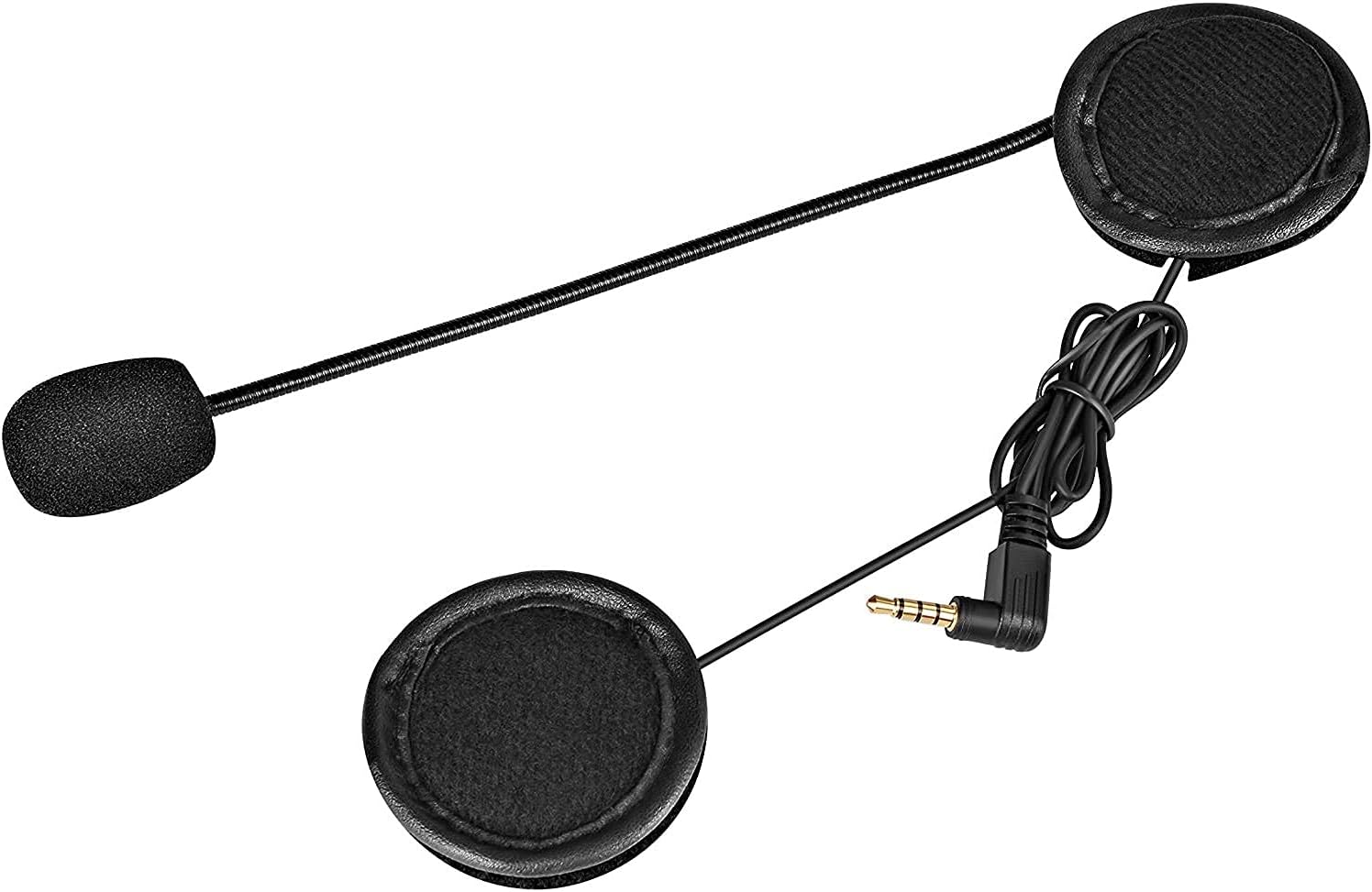
Figure 2.1: The EJEAS Vnetphone V4/V6 headset and microphone unit, featuring two flat speakers, a flexible boom microphone, and a 3.5mm audio jack for connection to the main intercom unit or other devices.
3. 설정 및 설치
Follow these steps to properly install your headset accessory into your motorcycle helmet.
3.1. Attaching the Mounting Clip
- Identify a suitable location on the left side of your helmet, typically near the bottom edge, where the main intercom unit will be attached.
- Slide the mounting clip onto the helmet's edge, ensuring it is securely fastened. Some clips may require tightening screws for a firm grip.
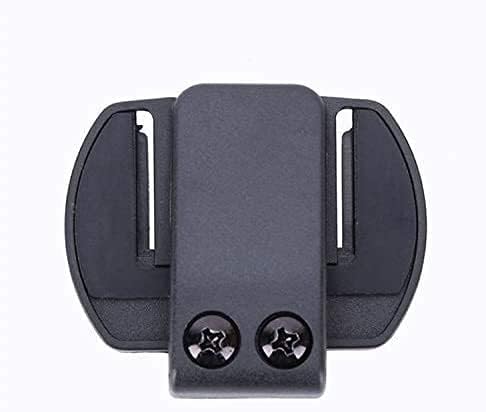
Figure 3.1: The mounting clip for securing the main intercom unit to the helmet. This clip provides a stable base for the intercom.

Figure 3.2: The mounting clip securely attached to the side of a motorcycle helmet, ready to receive the main intercom unit.
3.2. Installing the Headset and Microphone
- Open the helmet's interior padding.
- Place the flat speakers inside the helmet's ear pockets. Ensure they are positioned directly over your ears for optimal sound clarity.
- Route the microphone boom towards the front of the helmet, positioning the microphone close to your mouth for clear voice pickup.
- Tuck any excess wiring neatly under the helmet's padding to prevent interference and ensure comfort.
- Connect the 3.5mm jack from the headset to the corresponding port on your Vnetphone V4-1200 or V6-1200 intercom unit.
4. 사용 설명서
Once installed, the headset accessory functions as the audio input and output for your Vnetphone intercom system.
4.1. 기본 사용법
- Ensure the 3.5mm jack is fully inserted into the intercom unit.
- Power on your Vnetphone V4-1200 or V6-1200 intercom unit according to its specific manual.
- Adjust the volume on your intercom unit to a comfortable listening level.
- Speak clearly into the microphone for effective communication with other riders or during phone calls.
4.2. 외부 장치 연결
If your Vnetphone intercom unit supports external audio input via its 3.5mm port, you can connect devices such as MP3 players, GPS navigators, or mobile phones directly to the intercom unit. The audio from these devices will be routed through the headset accessory.
5. 유지관리
Proper care will extend the life and performance of your headset accessory.
- 청소: Wipe the speakers and microphone foam gently with a soft, dry cloth. Avoid using harsh chemicals or abrasive materials.
- 저장: When not in use, store the headset in a dry place away from extreme temperatures and direct sunlight.
- 케이블 관리: 케이블을 급격하게 구부리거나 과도하게 당기지 마십시오. 내부 손상을 방지할 수 있습니다.
6. 문제 해결
문제가 발생하면 다음의 일반적인 해결책을 참조하세요.
- 스피커에서 소리가 나지 않습니다:
- Ensure the 3.5mm jack is fully and securely plugged into the intercom unit.
- Check the volume level on your intercom unit and any connected external devices.
- 인터콤 장치의 전원이 켜져 있고 정상적으로 작동하는지 확인하십시오.
- 마이크가 음성을 포착하지 못함:
- Ensure the microphone is positioned close to your mouth.
- Check for any obstructions on the microphone foam.
- Confirm the 3.5mm jack is fully inserted.
- 음질 불량(잡음, 왜곡):
- 모든 연결이 안전한지 확인하세요.
- Adjust the speaker placement within the helmet to ensure they are not muffled.
- 높은 레벨에서 왜곡이 발생하면 볼륨을 줄이세요.
7. 사양
| 상표 | 이제스 |
| 모델 | 4333025057 |
| 색상 | 헤드폰 |
| 소음 제어 | 소리 차단 |
| 헤드폰 커넥터 | 3.5 mm 잭 |
| 연결 기술 | Wired, Wireless (via intercom unit) |
| 연령대 설명 | 성인 |
| 한국어: | 753318593305, 645415626423 |
| 제조업체 | Vnetphone |
| 기타 기능 | 가볍고 마이크가 포함되어 있습니다. |
| 무선 기술 | Bluetooth (via intercom unit) |
| 품목 무게 | 75그램 |
| GTIN | 753318593305, 645415626423 |
8. 보증 정보
This product is covered by the manufacturer's standard warranty. Please refer to the warranty card included with your original Vnetphone intercom system or contact EJEAS customer support for specific details regarding warranty terms and conditions.
9. 지원
For technical assistance, troubleshooting beyond this manual, or warranty claims, please contact EJEAS customer support. Contact information can typically be found on the manufacturer's official website or in the documentation provided with your main Vnetphone intercom unit.