
1. 서론
This professional Maxima convection steam oven is designed for a variety of cooking tasks, including baking, roasting, and steaming. It efficiently circulates hot air to achieve crispy results for baked goods and can also be used for roasting potatoes, vegetables, and meats. The integrated steam function allows for tender cooking, particularly suitable for delicate dishes. The oven is equipped with four baking trays, each measuring 60 x 40 cm, and features user-friendly analog controls for precise temperature and time management. Its durable stainless steel construction and enameled interior ensure longevity and ease of cleaning.
2. 안전 지침
- 기기를 사용하기 전에 모든 지침을 읽으세요.
- Ensure the oven is connected to a properly grounded 400V power supply by a qualified electrician.
- 뜨거운 표면을 만지지 마십시오. 뜨거운 물건이나 표면을 다룰 때는 오븐 장갑이나 일반 장갑을 사용하십시오.
- Always allow the oven to cool completely before cleaning or performing maintenance.
- Keep children and pets away from the appliance during operation and while it is cooling.
- 제품, 코드, 플러그를 물이나 기타 액체에 담그지 마십시오.
- 오븐을 작동하는 동안 주변에 적절한 환기가 이루어지도록 하세요.
- Never use abrasive cleaners or sharp objects that could damage the oven's surfaces.
3. 설정 및 설치
3.1 풀기
Carefully remove the oven from its packaging. Inspect the appliance for any damage incurred during transit. Retain packaging materials for future transport if necessary.
3.2 배치
Place the oven on a stable, level, and heat-resistant surface. The oven is equipped with four rubber feet for enhanced stability. Ensure there is sufficient clearance around the oven for proper ventilation.

그림 1: 측면 view of the oven, illustrating its compact design and stable rubber feet.
3.3 전기 연결
This appliance requires a 400V electrical supply. Connection must be performed by a qualified electrician in accordance with local electrical codes and regulations. Ensure the power outlet matches the oven's specifications.

그림 2: 후면 view of the oven, highlighting the power connection point.
3.4 초기 청소
처음 사용하기 전에 내부 및 외부 표면을 광고로 닦으십시오.amp 먼지나 제조 과정에서 남은 잔여물을 제거하기 위한 천입니다.
4. 사용 설명서
4.1 컨트롤 오버view

그림 3: 전면 view of the oven, displaying the control panel.
The oven features analog controls located on the front panel:
- 온도 조절기 : Adjusts the oven temperature from 0 to 300°C.
- 타이머 손잡이: Sets the cooking time from 0 to 120 minutes.
- 전원 표시등: 오븐 전원이 켜지면 불이 들어옵니다.
- 작동 표시등: Illuminates when the oven is actively heating and reaches the set temperature.
- Spray Switch: 스팀 기능을 활성화합니다.
4.2 오븐 예열
- Ensure the oven is plugged in and the power is on.
- Turn the Temperature Knob to your desired cooking temperature.
- The Working Indicator Light will illuminate, indicating the oven is heating. It will turn off once the set temperature is reached.
4.3 트레이 로딩
The oven accommodates four baking trays, each measuring 60 x 40 cm. The distance between the tray supports is 8 cm.
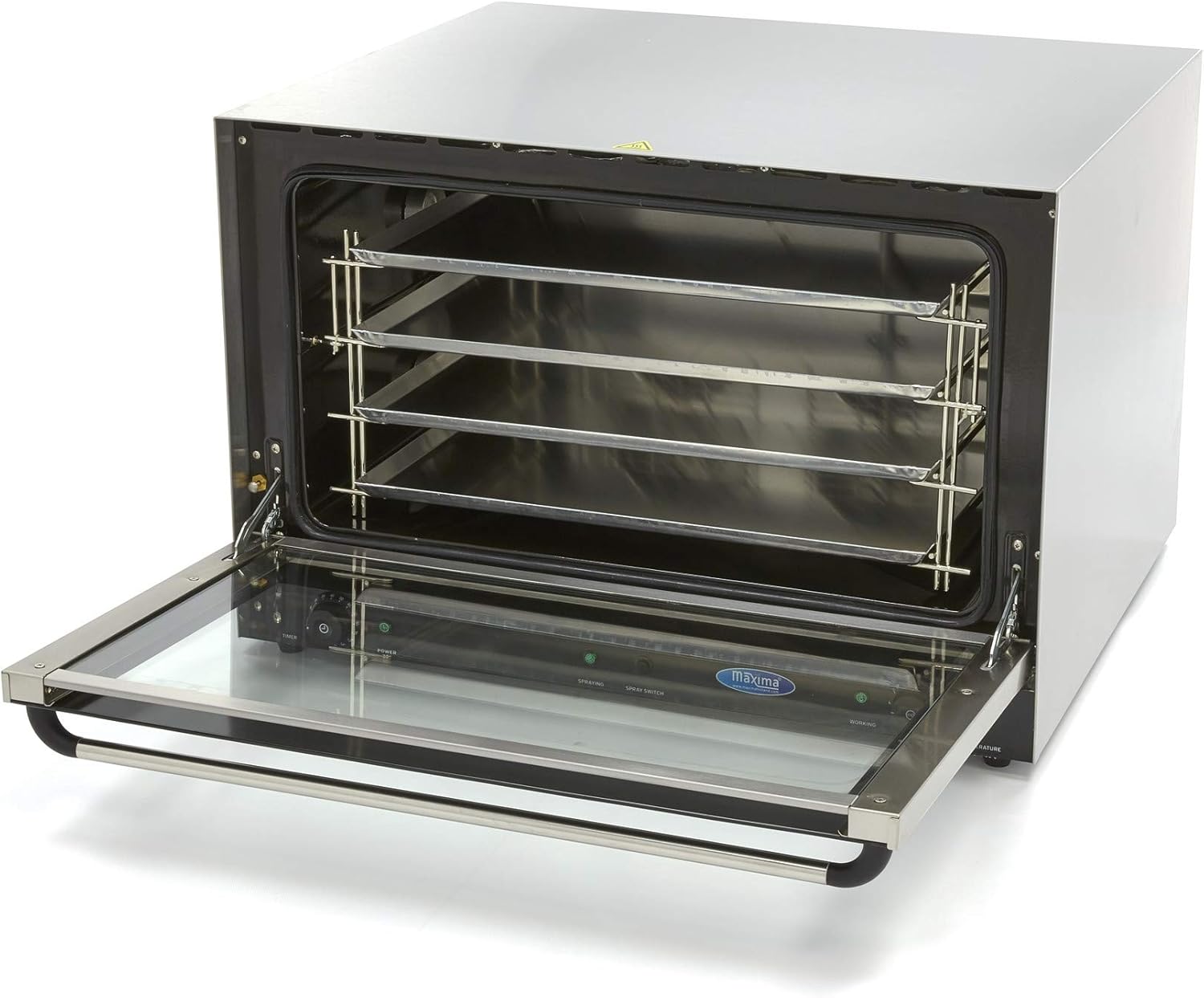
Figure 4: Oven interior with tray racks visible.
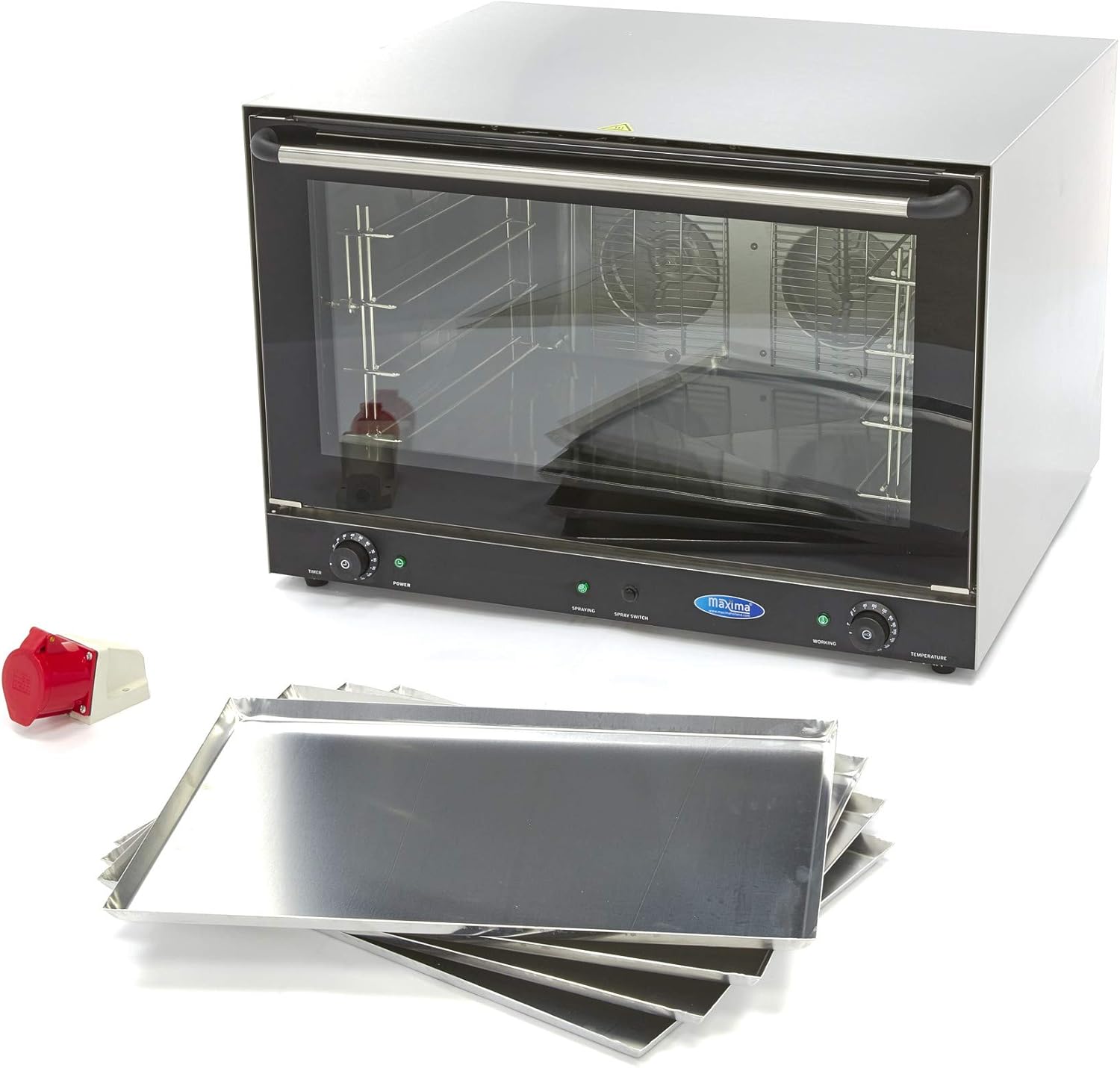
Figure 5: The oven shown with its accompanying baking trays.
4.4 대류를 이용한 요리
- 오븐을 원하는 온도로 예열하십시오.
- Carefully place your food on the baking trays and slide them into the oven.
- 오븐 문을 단단히 닫으세요.
- Set the cooking time using the Timer Knob. The oven will automatically shut off when the timer expires.
- Monitor the cooking process through the double thermal glass door.
4.5 스팀 기능 사용하기
To introduce steam during cooking, activate the Spray Switch. This function is ideal for dishes requiring moisture or a tender finish.
5. 유지관리 및 청소
Regular cleaning is essential to maintain the oven's performance and hygiene. Always ensure the oven is completely cool before beginning any cleaning procedures.
5.1 일일 청소
- After each use, once the oven has cooled, wipe the interior and exterior surfaces with a damp 천과 순한 세제.
- Remove and clean the baking trays separately.
- 물 얼룩이 생기지 않도록 모든 표면을 완전히 건조시키십시오.
5.2 Removing Stubborn Dirt
For stubborn food residues or grease, follow these steps:
- Place a heat-resistant bowl filled with water inside the oven.
- Set the oven temperature to approximately 200°C and allow it to heat for a short period, creating steam.
- Turn off the oven and let it cool down. The steam will help loosen the dirt.
- Once cool, wipe the interior walls with a damp 옷감.
5.3 Door Cleaning
The double thermal glass door can be removed occasionally for more thorough cleaning. Refer to the specific instructions for door removal and reinstallation to avoid damage.
6. 문제 해결
If you encounter issues with your Maxima convection steam oven, please refer to the following common troubleshooting steps:
- 오븐이 가열되지 않음: Check if the oven is properly plugged into a functional 400V power outlet. Ensure the power switch is on and the temperature knob is set.
- 고르지 못한 요리: Ensure the oven is preheated correctly. Avoid overcrowding the trays, allowing for proper air circulation.
- Steam 기능이 작동하지 않습니다: Verify that the Spray Switch is activated. Ensure there is an adequate water supply if an external connection is required (check specific model requirements).
If problems persist after attempting these steps, please contact Maxima customer support for assistance.
7. 사양
| 기인하다 | 사양 |
|---|---|
| 상표 | 막시마 |
| 모델 번호 | 엠씨-09300419 |
| 힘 | 6400 와트 |
| 권tage | 400V |
| 치수(길이 x 너비 x 높이) | 83.4 x 9.5 x 57cm |
| 무게 | 70 킬로그램 |
| 재료 | 스테인리스 스틸 |
| 내부소재 | 에나멜를 입힌 |
| 온도 범위 | 0~300°C |
| 타이머 범위 | 0~120분 |
| 트레이 크기 | 60 x 40cm |
| 트레이 수 | 4 |
| 트레이 간격 | 8cm |
8. 보증 및 지원
For detailed warranty information, technical support, or spare parts inquiries, please contact Maxima customer service directly. Keep your purchase receipt and model number (MK-09300419) readily available when contacting support.