
1. 서론
The Symcode MJ-R30-2D is a compact, ring-type barcode scanner designed for efficient data collection in various environments such as warehouses, retail stores, and logistics centers. It offers versatile connectivity options including Bluetooth, 2.4GHz wireless, and USB wired connection, supporting both 1D and 2D barcode types. This manual provides essential information for setting up, operating, and maintaining your device.
2. 제품 오버view 및 구성 요소
The MJ-R30-2D scanner features a unique ring design for comfortable, hands-free operation. It is equipped with advanced decoding capabilities to read various barcode types efficiently.

패키지 내용:
- Symcode MJ-R30-2D Barcode Scanner
- USB 충전/데이터 케이블
- 2.4GHz 무선 USB 동글
- User Manual (Brochure)
3. 설정 및 초기 구성
The MJ-R30-2D scanner is designed for plug-and-play operation, requiring no application downloads or driver installations for basic functionality. For detailed configuration, refer to the provided Japanese instruction manual and scan the appropriate setup codes.
시스템 호환성:
- 윈도우
- 맥 OS
- iOS(아이폰, 아이패드)
- 안드로이드 기기
메모: For PCs without built-in Bluetooth, a separate Bluetooth receiver adapter is required to use the Bluetooth connection mode.
4. 작동 모드
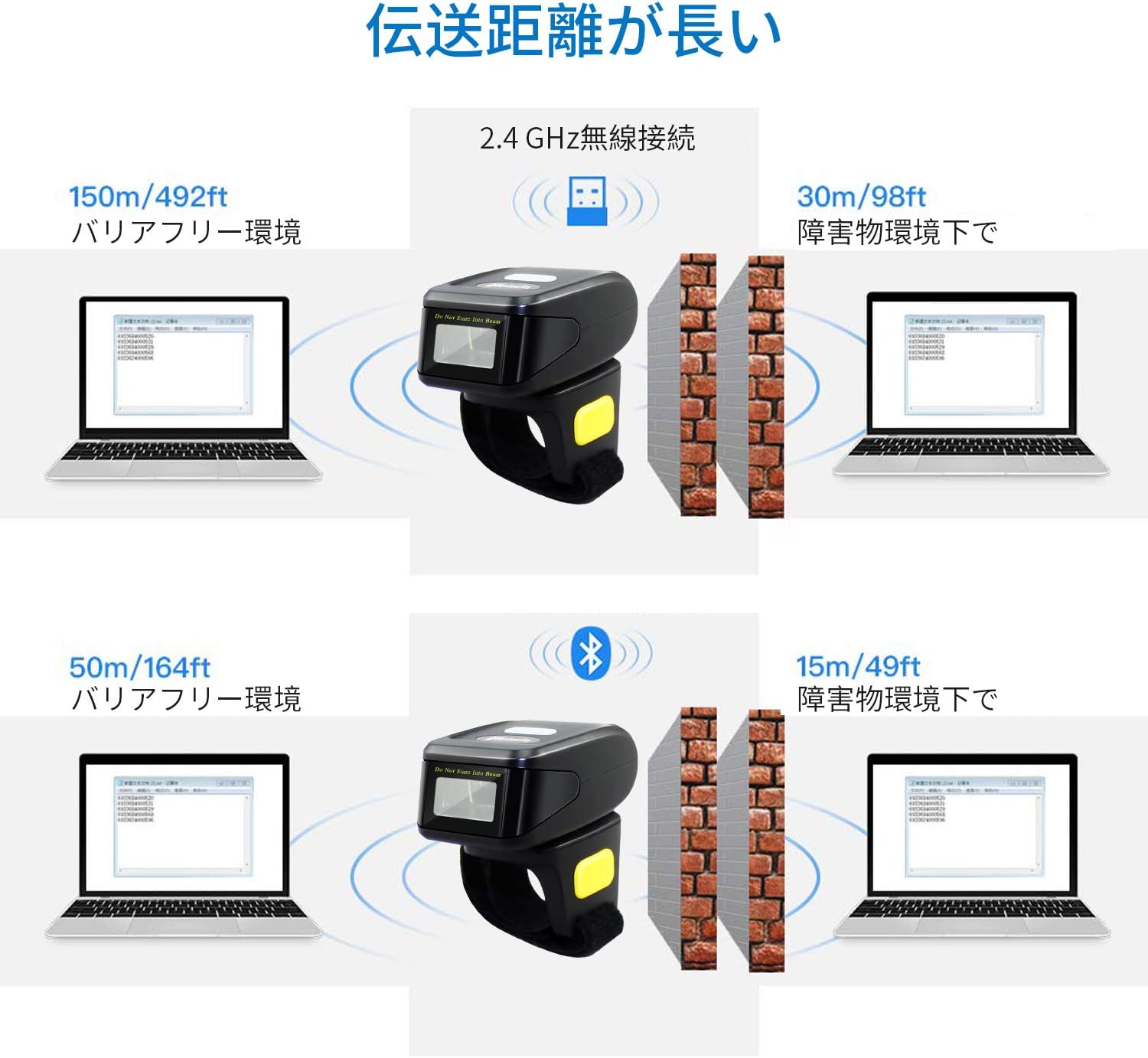
The scanner supports three primary connection modes: USB Wired, 2.4GHz Wireless, and Bluetooth.

4.1. USB 유선 모드
Connect the scanner directly to your computer using the provided USB cable. This mode allows for both data transmission and charging. The cable ensures a stable connection and supports mobile flash charging.
4.2. 2.4GHz 무선 모드
Insert the 2.4GHz USB dongle into your computer's USB port. The scanner will automatically connect to the dongle. This mode provides a robust wireless connection suitable for environments where Bluetooth might be less ideal.
4.3. 블루투스 모드
Enable Bluetooth on your smartphone, tablet, or computer. Put the scanner into Bluetooth pairing mode (refer to the manual for specific instructions, usually by scanning a pairing barcode). Select the scanner from your device's Bluetooth settings to establish a connection. No dongle is required for Bluetooth-enabled devices.
5. 데이터 전송 모드
The scanner offers flexibility in how scanned data is handled, allowing for immediate transfer or temporary storage.
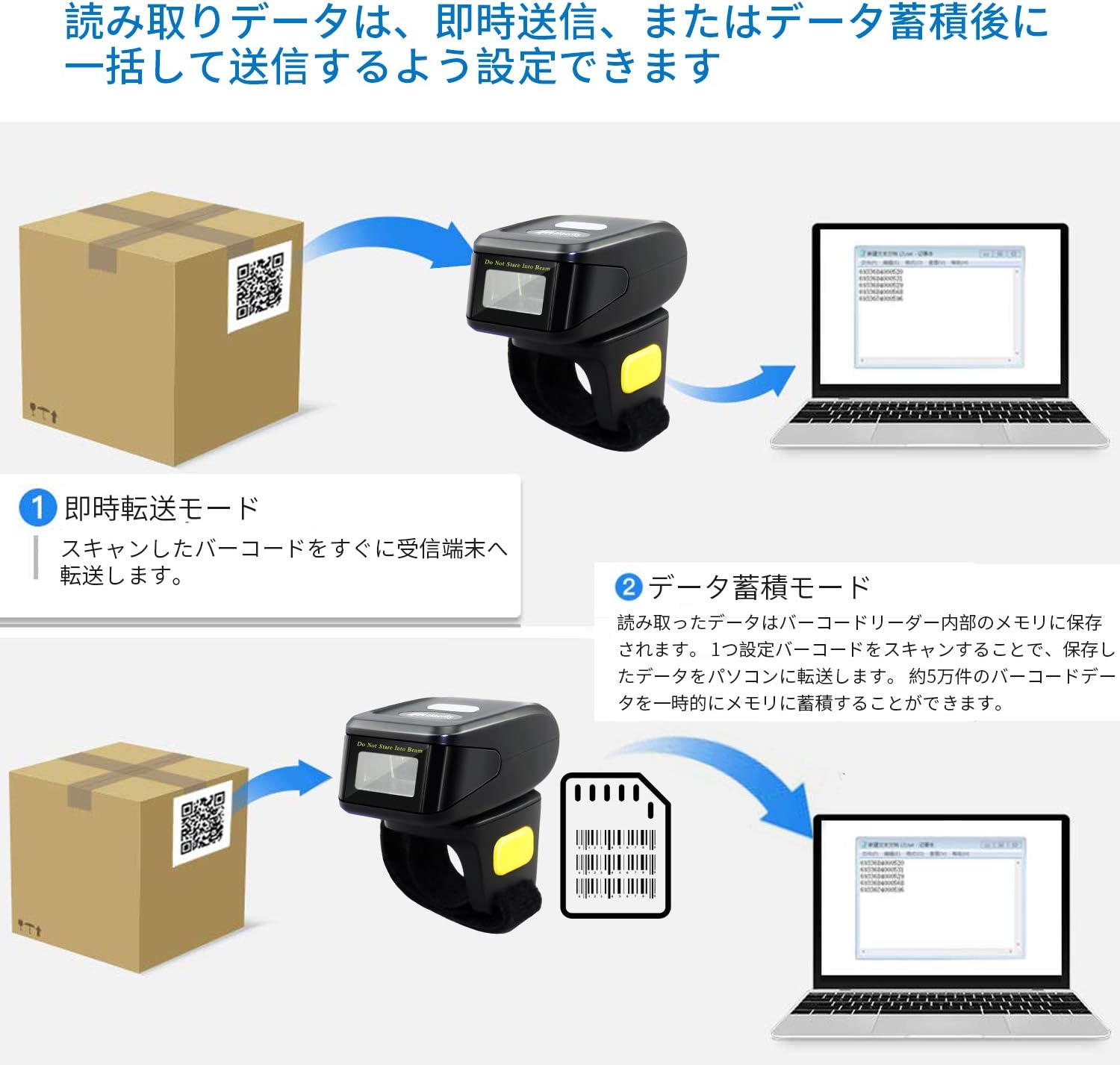
5.1. Instant Transmission Mode
In this mode, scanned barcodes are immediately transmitted to the connected receiving device (e.g., computer, smartphone). This is ideal for real-time inventory updates or point-of-sale operations.
5.2. Data Storage Mode
The scanner can store approximately 50,000 barcode entries in its internal memory. Scanned data is saved internally and can be uploaded in a batch to a connected PC or device later. This mode is useful for offline scanning or when connectivity is intermittent.
6. 바코드 디코딩 기능
The MJ-R30-2D scanner features excellent decoding capabilities, recognizing both 1D and 2D barcodes even if they are blurred, damaged, or scanned under challenging lighting conditions (weak or strong light).

지원되는 1D 바코드 유형:
- JAN/EAN-13, JAN/EAN-8, UPC-A, UPC-E
- Code11, Code32, Code39, Code 39 Full ASCII, Code93, Code128
- 코다바 (NW-7)
- Interleaved 2 of 5, Matrix 2 of 5, Industrial 2 of 5, Standard 2 of 5
- PLESSEY, MSI, ITF14
- ISBN, ISSN
- GS1 Databar, GS1-128 (UCC/EAN128), ISBT-128
지원되는 2D 바코드 유형:
- QR 코드
- 데이터 매트릭스
- PDF417
- 아즈텍 코드
- 맥시코드
7. 배터리 및 충전
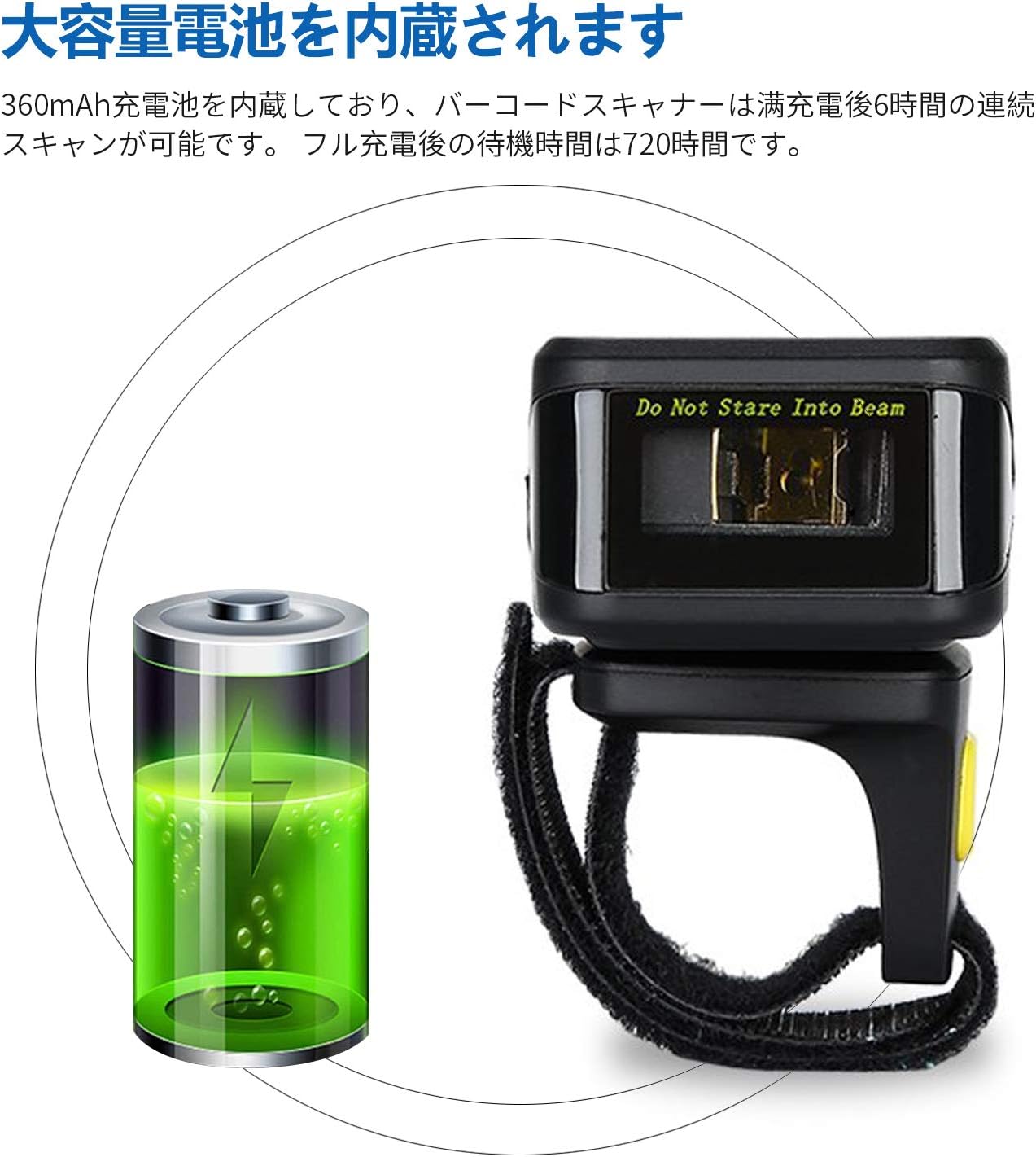
The MJ-R30-2D is equipped with a built-in 360mAh rechargeable battery, providing reliable power for extended use.
배터리 성능:
- 연속 스캐닝: 완전 충전 시 최대 6시간.
- 대기 시간: Up to 720 hours (30 days) on a full charge.
충전 중:
Connect the scanner to a power source using the provided USB cable. The device will indicate when it is charging and when it is fully charged. Ensure the scanner is fully charged before initial use for optimal performance.
8. 사용자 지정 및 설정
The scanner's operation can be customized to fit specific user needs by scanning configuration barcodes found in the detailed product manual.
Scan Reading Modes:
- 트리거 모드 : Scan a barcode by pressing the trigger button.
- 연속 스캔 모드: The scanner continuously scans for barcodes without requiring a trigger press.
- 자동 감지 모드: 스캐너는 바코드가 감지 영역에 들어오면 자동으로 바코드를 감지하고 스캔합니다. view.
Feedback Settings:
The scanner's sound and vibration feedback can be toggled on or off as desired, typically by scanning specific configuration barcodes.
9. 문제 해결
This section addresses common issues you might encounter with your Symcode MJ-R30-2D scanner.
9.1. 스캐너가 연결되지 않음
- 전원 확인: 스캐너가 충전되어 있는지 확인하십시오.
- 유선 연결: Verify the USB cable is securely connected to both the scanner and the computer.
- 2.4GHz 무선: Ensure the USB dongle is properly inserted into the computer and the scanner is in 2.4GHz mode.
- 블루투스 연결 : Make sure Bluetooth is enabled on your host device and the scanner is in pairing mode. If connecting to a PC without built-in Bluetooth, ensure a Bluetooth adapter is installed.
9.2. 바코드가 스캔되지 않음
- 바코드 유형: Confirm the barcode type is supported by the scanner (refer to Section 6).
- 바코드 품질: Ensure the barcode is not excessively damaged, blurred, or poorly printed.
- 조명: Adjust the scanning angle or environment if glare or insufficient light is an issue.
- 거리: Maintain an appropriate distance between the scanner and the barcode.
9.3. On-Screen Keyboard Disappears on iOS Devices
When the scanner is connected via Bluetooth to an iOS device (e.g., iPhone, iPad), the on-screen keyboard may not appear automatically. To resolve this, you may need to disconnect the scanner temporarily or use a specific function key combination on the scanner (if available) to toggle the keyboard. Refer to the detailed manual for specific iOS compatibility settings.
10. 사양
| 상표 | 기호 코드 |
| 모델 번호 | MJ-R30-2D |
| 연결 기술 | 블루투스, 2.4GHz 무선, USB 케이블 |
| 전원 | 배터리 구동 |
| 배터리 용량 | 360mAh |
| 연속 스캔 시간 | 약 6시간 |
| 대기 시간 | 약 720시간 |
| 제품 치수 | 12.45 x 4.06 x 10.41cm |
| 제품 무게 | 127.57g |
| 지원되는 바코드 | 1D (JAN/EAN, UPC, Code series, Codabar, etc.), 2D (QR Code, Data Matrix, PDF417, Aztec, Maxicode) |
| 메모리 용량 | Approx. 50,000 barcode entries (in storage mode) |
11. 유지관리
적절한 유지관리는 바코드 스캐너의 수명과 최적의 성능을 보장합니다.
- 청소: 부드럽고 마른 천을 사용하여 스캐너 외부를 청소하세요. 스캔 창의 경우 보풀이 없는 천을 가볍게 두드리세요.ampened with a mild cleaning solution (e.g., isopropyl alcohol) if necessary. Avoid abrasive cleaners or direct spraying of liquids.
- 저장: 스캐너는 직사광선과 극한의 온도를 피해 시원하고 건조한 곳에 보관하세요.
- 배터리 관리 : For long-term storage, ensure the battery is partially charged (around 50%) to prevent deep discharge. Recharge the battery periodically if not in use for extended periods.
- 물리적 보호: While durable, avoid dropping the scanner or subjecting it to strong impacts to prevent internal damage.
12. 보증 및 지원
Symcode Technology, established in 2009, is committed to providing high-quality barcode scanning products and comprehensive customer support.
For any product-related inquiries, technical assistance, or support needs, please contact Symcode customer service through the platform where you purchased the product (e.g., Amazon). This ensures you receive prompt and accurate support directly from the manufacturer or authorized reseller.