
소개
The Perixx PERIBOARD-313 is a wired, full-sized keyboard featuring an integrated touchpad and a 3-level LED backlight. Designed for convenience and efficiency, this keyboard combines typing and pointing functionalities into a single device, making it suitable for various computing environments. Its dimensions are approximately 456mm x 160mm x 30mm, with a touchpad measuring 57mm x 40mm.
This manual provides comprehensive instructions for the proper setup, operation, and maintenance of your PERIBOARD-313 keyboard to ensure optimal performance and longevity.
패키지 내용
- 1 x Perixx PERIBOARD-313 Wired USB Backlit Keyboard with Touchpad
- 사용 설명서 (본 문서)

Image: The Perixx PERIBOARD-313 keyboard, its USB cable, and the user manual shown next to the product packaging.
시스템 요구 사항
- 운영 체제: Windows 7, 8 또는 10
- Connectivity: Available USB port
설정
- 키보드 풀기: Carefully remove the PERIBOARD-313 from its packaging.
- 컴퓨터에 연결: 키보드의 USB 커넥터를 컴퓨터의 사용 가능한 USB 포트에 꽂습니다.
- 드라이버 설치: 이 키보드는 플러그 앤 플레이 방식입니다. 운영 체제가 필요한 드라이버를 자동으로 감지하고 설치합니다. 추가 소프트웨어 설치는 필요하지 않습니다.
- 기능 확인: Once connected, the keyboard and touchpad should be immediately functional. Test by typing and moving the cursor.
작동 지침
키보드 레이아웃
The PERIBOARD-313 features a standard full-size US English QWERTY layout with 104 keys, including a dedicated numeric keypad and function keys.

Image: Detailed diagram illustrating the full QWERTY keyboard layout, including the numeric keypad and integrated touchpad.
터치패드 기능
The integrated touchpad provides precise cursor control and includes two buttons that function as left and right mouse clicks.
- 커서 이동: 터치패드 표면에서 손가락을 움직여 화면의 커서를 이동하세요.
- 좌 클릭: 터치패드 아래에 있는 왼쪽 버튼을 누르거나 터치패드 표면을 한 번 탭하세요.
- 마우스 오른쪽 버튼으로 클릭: Press the right button below the touchpad or tap with two fingers on the touchpad surface (if supported by OS settings).
- 스크롤링: Use two fingers to scroll vertically on the touchpad (if supported by OS settings).
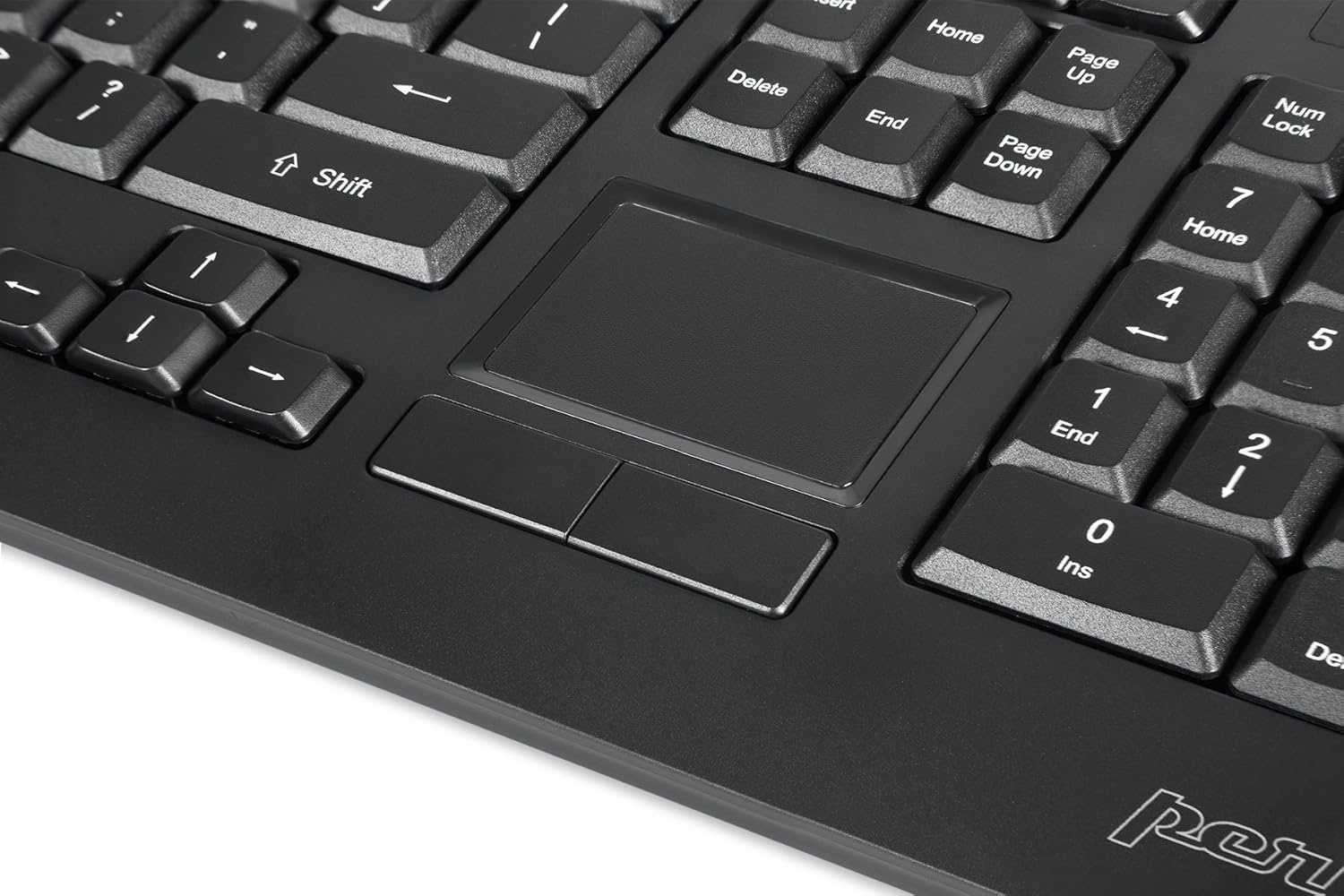
Image: A close-up of the integrated touchpad, highlighting its surface and the two dedicated click buttons.

Image: A user's hand interacting with the touchpad for cursor control.
백라이트 제어
The keyboard features a white LED backlight with three adjustable brightness levels. Use the dedicated backlight control keys to adjust the illumination.
- 백라이트 켜기/끄기: 를 누르세요 FN + F12 키 조합.
- 밝기 조정: 누르다 FN + F11 세 가지 밝기 수준을 순환합니다.
멀티미디어 키
The PERIBOARD-313 includes 10 multimedia function keys for quick access to media controls and internet features. These functions are activated by holding the Fn 해당 키를 누르고 그에 상응하는 기능 키(F1-F10)를 누릅니다.
- Fn+F1: 미디어 플레이어 열기
- Fn+F2: 볼륨 낮추기
- Fn+F3: 볼륨을 높이다
- Fn+F4: 무음
- Fn+F5: 이전 트랙
- Fn+F6: 다음 트랙
- Fn+F7: 재생/일시정지
- Fn+F8: 멈추다
- Fn+F9: 열려 있는 Web 브라우저
- Fn+F10: 이메일 클라이언트 열기
통합 USB 허브
The keyboard features two integrated USB 2.0 hubs, allowing you to connect additional USB devices directly to the keyboard for convenience.

Image: The side of the keyboard displaying the two built-in USB 2.0 ports for connecting peripherals.
유지
- 청소: Disconnect the keyboard from your computer before cleaning. Use a soft, damp cloth to wipe the surface. For deeper cleaning between keys, use compressed air to remove dust and debris. Avoid using harsh chemicals or abrasive cleaners.
- 저장: 키보드는 건조하고 온도 변화가 심한 곳이나 직사광선을 피해 보관하십시오.
- 액체 노출: This keyboard is not water-resistant. Avoid spilling liquids on it. If liquid exposure occurs, immediately disconnect the keyboard and allow it to dry completely before reconnecting.
문제 해결
| 문제 | 가능한 원인 | 해결책 |
|---|---|---|
| 키보드가 응답하지 않습니다 | USB 연결이 느슨하거나, USB 포트에 결함이 있거나, 드라이버에 문제가 있습니다. |
|
| 터치 패드가 작동하지 않음 | Driver issue, touchpad disabled (unlikely for wired), physical damage. |
|
| Backlight not turning on/off or adjusting | 잘못된 키 조합, 소프트웨어 충돌. |
|
| 멀티미디어 키가 작동하지 않음 | 잘못된 키 조합, 소프트웨어 충돌. |
|
명세서
| 상표 | 페릭스 |
| 모델명 | PERIBOARD-313 US |
| 모델 번호 | 11445 |
| 연결 기술 | USB-A(유선) |
| 키보드 설명 | QWERTY, Full-sized, Backlit |
| 특징 | Backlit, Integrated Touchpad, USB Hubs |
| 색상 | 검은색 |
| 키보드 백라이트 색상 | 단색(백색 LED) |
| 재료 | ABS 플라스틱 |
| 키의 개수 | 104 |
| 스위치 유형 | 막 |
| 터치패드 크기 | 57mm x 40mm(2.24인치 x 1.57인치) |
| 키보드 치수 | 456mm X 160mm X 30mm (17.95 "X 6.30"X 1.18 ") |
| 품목 무게 | 1.85 파운드 |
| Total USB 2.0 Ports | 2 (Integrated Hubs) |
Image: Technical drawing with key dimensions of the PERIBOARD-313 keyboard.
보증
The Perixx PERIBOARD-313 comes with a 1년 한정 보증 from the date of purchase. This warranty covers manufacturing defects and workmanship under normal use. It does not cover damage caused by misuse, accident, modification, or unauthorized repair. Please retain your proof of purchase for warranty claims.
지원하다
For further assistance, technical support, or warranty inquiries, please visit the official Perixx web해당 웹사이트를 방문하거나 고객 서비스 센터에 문의하십시오. 더 자세한 정보와 연락처는 웹사이트에서 확인하실 수 있습니다. 아마존에서 Perixx 브랜드 스토어를 만나보세요..


