
1. 서론
Thank you for choosing the Flexispot EB2B Electric Height-Adjustable Desk Frame. This manual provides essential information for the safe and efficient assembly, operation, and maintenance of your new desk frame. Please read this manual thoroughly before installation and keep it for future reference.
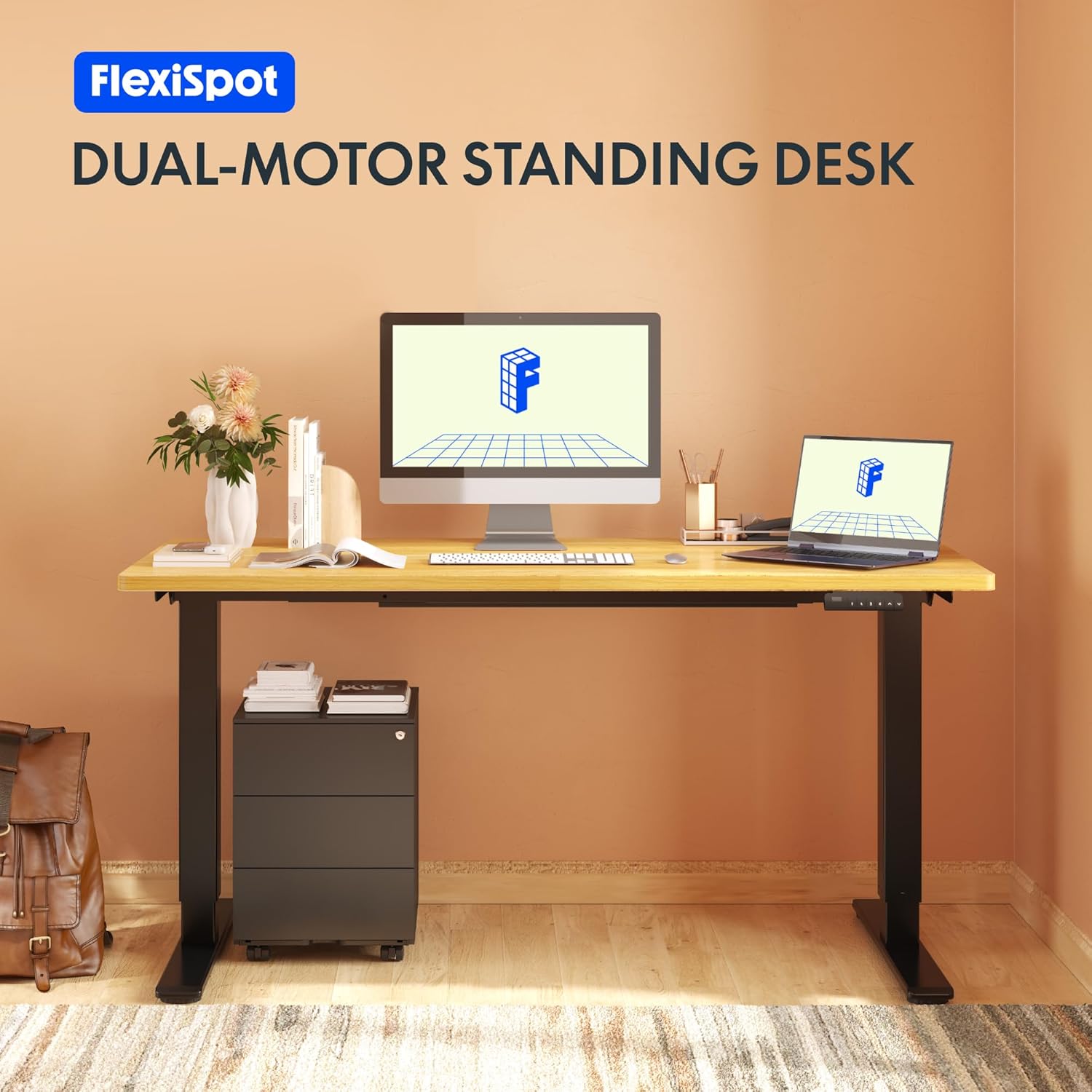
Image: The Flexispot EB2B desk frame supporting a complete desk setup, highlighting its dual-motor design.
2. 안전 정보
안전한 작동을 보장하고 손상을 방지하려면 다음 안전 예방 조치를 준수하세요.
- 사용하기 전에 모든 구성 요소가 단단히 고정되어 있는지 확인하십시오.
- 최대 중량 용량 100kg(220파운드)을 초과하지 마십시오.
- 작동 중에는 움직이는 부품으로 인한 부상을 방지하기 위해 어린이와 애완동물이 책상에 가까이 가지 않도록 하십시오.
- Ensure there are no obstructions in the desk's path when adjusting height. The anti-collision system is designed to prevent damage, but manual vigilance is always recommended.
- Do not disassemble or modify the desk frame or its electrical components. Contact qualified personnel for repairs.
- 청소나 유지관리 작업을 하기 전에 전원을 차단하세요.

Image: Visual representation of the anti-collision system, showing the desk rebounding upon detecting an obstruction.
3. 패키지 내용
조립을 시작하기 전에 모든 부품이 있는지 확인하세요.
- 책상 다리 (2)
- 피트 (2)
- 크로스바 (1)
- 측면 브래킷 (2)
- 컨트롤 박스 (1)
- 핸드셋/제어판 (1)
- 전원 어댑터(1)
- 전원코드(1)
- 케이블 정리 클립 (4)
- Assembly Hardware (screws, Allen keys, etc.)

Image: All main components of the Flexispot EB2B desk frame, including the dual legs, crossbar, and control panel.
4. 설치 및 조립
Follow these steps to assemble your Flexispot EB2B desk frame. It is recommended to have two people for assembly.
- 지역 준비: Clear a spacious area for assembly. Lay down a soft cloth or cardboard to protect the desk frame and your floor.
- 다리를 다리에 붙이세요: Securely attach the feet to the bottom of each desk leg using the provided screws.
- 가로대를 조립하세요: Connect the two desk legs to the adjustable crossbar. Ensure the crossbar is extended to the desired width to accommodate your tabletop (Min: 110cm, Max: 180cm).
- 측면 브래킷 설치: Attach the side brackets to the top of the desk legs, which will support your tabletop.
- 제어 상자 장착: Secure the control box to the designated area under the crossbar.
- 케이블 연결: Connect the motor cables from each leg to the control box. Connect the handset cable to the control box. Finally, connect the power adapter to the control box and the power cord to the adapter.
- 테이블탑 부착: Carefully place your tabletop (not included) onto the assembled frame. Ensure it is centered and aligned. Secure the tabletop to the frame using appropriate screws (ensure screws are not too long to penetrate the tabletop surface). The frame is compatible with tabletops from 110 cm to 180 cm wide and 50 cm to 80 cm deep.
- 케이블 관리 : Use the provided cable management clips to organize and secure all cables, preventing them from dangling or getting caught.

Image: A diagram illustrating the adaptable desktop sizes (width and depth) that the Flexispot EB2B desk frame can accommodate.
5. 사용 설명서
The Flexispot EB2B features a user-friendly control panel for height adjustment and memory functions.
5.1. 기본 높이 조절
- 책상 높이기: 를 누르고 계세요 위쪽(^) 버튼을 눌러 책상 높이를 원하는 높이로 조절할 수 있습니다.
- 아래쪽 책상: 를 누르고 계세요 아래 (동사) 버튼을 눌러 책상 높이를 원하는 높이로 조절할 수 있습니다.
- The LED display will show the current height in centimeters. The desk operates smoothly and quietly, with a noise level below 50 dB and a lifting speed of 3.2 cm/sec.
5.2. 메모리 사전 설정
제어판을 사용하면 선호하는 높이 설정을 최대 4개까지 저장할 수 있습니다.
- 위/아래 버튼을 사용하여 책상의 높이를 원하는 대로 조절하세요.
- 를 누르세요 '중' button (or 'S' depending on the model) followed by the desired preset number (1, 2, 3, 또는 4). The display will show 'S-' then the number, indicating the height has been saved.
- To recall a saved height, simply press the corresponding preset number (1, 2, 3, 또는 4책상은 저장된 위치로 자동으로 이동합니다.
5.3. Sedentary Reminder System
The advanced control panel includes a sedentary reminder system to encourage healthy work habits. Consult your specific control panel's instructions for activating and setting reminder intervals.
5.4. 충돌 방지 시스템
The desk is equipped with an anti-collision system. If the desk encounters an obstruction during height adjustment, it will automatically stop and reverse slightly to prevent damage. You can adjust the sensitivity of this system (refer to the detailed control panel manual for specific steps).

이미지: 자세한 view of the control panel, showing the LED display, up/down buttons, and four memory preset buttons.
6. 유지관리
정기적인 유지 관리는 책상 프레임의 수명과 최적의 성능을 보장합니다.
- 청소: 부드러운 천으로 책상 프레임을 닦으세요.amp cloth. Avoid using harsh chemicals or abrasive cleaners. Ensure the desk is unplugged before cleaning.
- 점검: 모든 나사와 연결부가 단단히 조여져 있는지 정기적으로 점검하세요. 필요하면 다시 조이세요.
- 케이블 점검: 모든 케이블이 안전하게 연결되었고 손상이 없는지 확인하세요.
- 매끄럽게 하기: The lifting mechanism is designed for maintenance-free operation. Do not apply lubricants unless specifically instructed by Flexispot support.
7. 문제 해결
If you encounter issues with your Flexispot EB2B desk frame, refer to the following common problems and solutions:
| 문제 | 가능한 원인 | 해결책 |
|---|---|---|
| 책상이 움직이지 않습니다. | Power cable disconnected; control box error. | Check all cable connections. Unplug and replug the power cord. Perform a reset (see below). |
| 책상이 고르지 않게 움직이거나 이상한 소리가 납니다. | 연결 부위가 헐거움; 무게 배분이 고르지 않음. | Check all screws and ensure they are tight. Redistribute weight evenly on the tabletop. |
| Error code on display (e.g., E01, E02). | System error; overload; motor issue. | Refer to the specific error code in the detailed control panel manual. Often, a reset can resolve these. |
| 충돌 방지 시스템이 너무 자주 작동합니다. | 높은 감도 설정. | Adjust the anti-collision sensitivity via the control panel settings (refer to control panel manual). |
7.1. 리셋 절차
If the desk is not functioning correctly, a reset may resolve the issue:
- 를 누르고 계세요 아래 (동사) button until the desk reaches its lowest position and slightly rebounds. Continue holding for approximately 5-10 seconds until the display shows 'RST' or 'RESET'.
- Release the button. The desk will then move slightly up and down to calibrate. Once the display shows the lowest height (e.g., 71.0), the reset is complete.
8. 사양
| 특징 | 세부 사항 |
|---|---|
| 모델 번호 | EB2B (E2B-DE / EB2B-EU) |
| Height Range (without tabletop) | 71cm - 119cm (27.9인치 - 46.8인치) |
| Frame Width (extensible) | 110cm - 180cm (43.3인치 - 70.8인치) |
| 호환되는 테이블 상판 너비 | 110cm - 180cm (43.3인치 - 70.8인치) |
| Compatible Tabletop Depth | 50cm - 80cm (19.7인치 - 31.5인치) |
| 최대 하중 용량 | 100kg(220파운드) |
| 리프팅 속도 | 3.2 cm/sec (1.26"/sec) |
| 소음 수준 | < 50dB (데시벨) |
| 모터 | Dual-motor system |
| 제어판 | Advanced all-in-one keyboard with 4 memory presets and sedentary reminder. |
| 충돌 방지 시스템 | 예 |
| 재료 | 합금강 |
| 색상 | 검은색 |

Image: The Flexispot EB2B frame demonstrating its large height adjustment range (70-119 cm) and anti-collision feature.
9. 보증 및 지원
Flexispot stands behind the quality of its products.
- 프레임 보증: The desk frame is covered by a 5년 보증.
- Motor and Controller Warranty: The motors and controllers are covered by a 3년 보증.
For warranty claims, technical support, or any questions not covered in this manual, please contact Flexispot customer service through their official website or your point of purchase. Please have your model number (EB2B) and purchase information ready.

Image: Visual representation of the warranty terms: 5 years for the desk frame and 3 years for controllers and motors.