
소개
Thank you for choosing the Schellenberg ROLLO Drive 75 Premium Electric Wireless Strap Winder. This product is designed to motorize your roller shutters, offering enhanced convenience and integration into smart home systems. This manual provides essential information for safe installation, operation, and maintenance of your device. Please read these instructions carefully before use and retain them for future reference.
제품 끝view
The ROLLO Drive 75 Premium is a surface-mounted electric strap winder that allows for wireless control of your roller shutters. It features manual button operation and an automatic timer for optimal comfort. This device is compatible with the Schellenberg Smart Home system and the 'Ready for Smart Friends' system, enabling control via a dedicated app.

앞쪽 view of the Schellenberg ROLLO Drive 75 Premium electric wireless strap winder.

옆 view of the device, showing its compact design.
주요 특징
- Electric Wireless Strap Winder: Designed for surface mounting, offering a 180° swivel capability for flexible installation.
- 최적의 편안함: Features wireless control, manual button operation, and a convenient automatic timer function.
- 다양한 호환성: Suitable for mini straps 14 to 15 mm wide. Supports plastic roller shutters up to 5.0 m² and aluminum or wooden roller shutters up to 2.5 m².
- 간편한 전원 공급: Powered via a standard plug, ensuring simple and quick installation.
- 스마트 홈 통합: Seamlessly integrates with the Schellenberg Smart Home system, allowing control of roller shutters, sockets, radiators, lights, garage door motors, awnings, and window handles with alarm function via a dedicated app. Also compatible with the 'Ready for Smart Friends' system.

The device offers 180-degree rotation for flexible positioning.

Wireless control provides convenient operation of your roller shutters.
설정 및 설치
The Schellenberg ROLLO Drive 75 Premium is designed for straightforward surface mounting. Ensure you have the necessary tools and follow these general steps. Refer to the detailed installation guide included in your product packaging for specific instructions and safety warnings.
패키지 내용:

The product package includes the strap winder, power cable, mounting bracket, screws, and the instruction manual.
일반 설치 단계:
- 준비: Ensure the power supply to the roller shutter area is disconnected. Clear the installation area.
- 장치 장착: Secure the mounting bracket to the wall next to your roller shutter strap using the provided screws. The device is designed for surface mounting and can swivel 180 degrees for optimal positioning.
- Strap Integration: Carefully feed the roller shutter strap into the device according to the instructions in the detailed manual. Ensure the strap is correctly tensioned.
- 전원 연결: Connect the power cable to the device and plug it into a suitable 230 Volt power outlet.
- 초기 설정 : Follow the manual's instructions for setting the upper and lower end positions of your roller shutter. This typically involves pressing and holding specific buttons on the device.
For detailed visual instructions, please refer to the diagrams and step-by-step guide in the physical manual.
작동 지침
The ROLLO Drive 75 Premium offers multiple ways to control your roller shutters.
수동 조작:
Use the buttons on the device for direct control:
- 위쪽 버튼 : Press to raise the roller shutter.
- 아래로 버튼 : Press to lower the roller shutter.
- 중지 버튼 : Press to stop the roller shutter at any desired position.
Wireless Control (Remote Control):
If you have a compatible Schellenberg remote control, you can operate the roller shutter wirelessly. Refer to your remote control's manual for pairing instructions.
자동 타이머 기능:
The device includes a programmable timer. Consult the full manual for detailed instructions on how to set specific opening and closing times for your roller shutters.
Smart Home Integration (App Control):
For advanced control and integration into your Schellenberg Smart Home system or 'Ready for Smart Friends' system:
- Download the Schellenberg Smart Home app (or compatible Smart Friends app) from your device's app store.
- Follow the in-app instructions to add your ROLLO Drive 75 Premium to your smart home system. This typically involves a pairing process.
- Once connected, you can control your roller shutters, set schedules, and integrate them with other smart devices via the app.
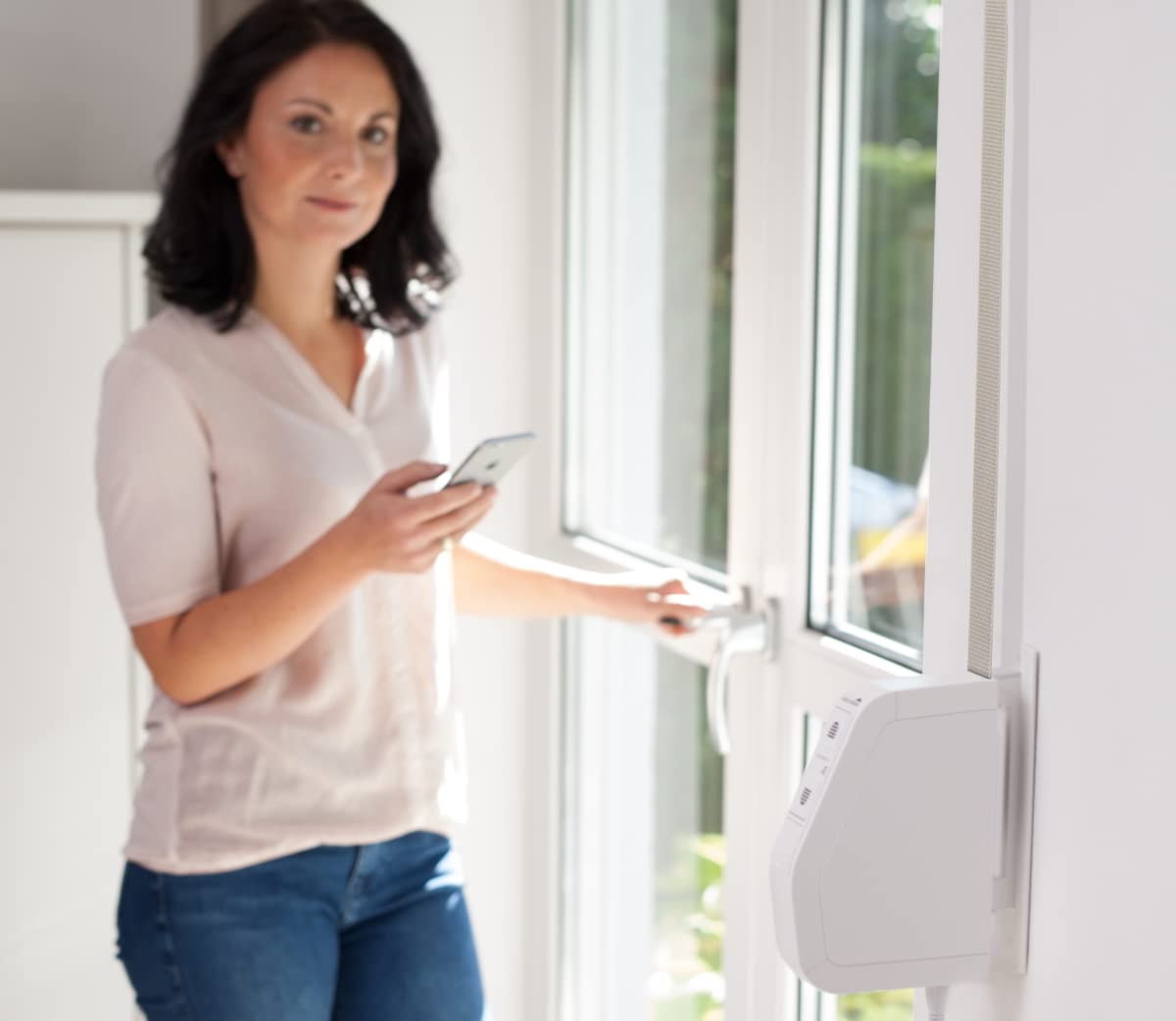
Control your roller shutters conveniently via a smartphone app when integrated into a smart home system.

The ROLLO Drive 75 Premium can be integrated into a smart home system for centralized control.
유지
The Schellenberg ROLLO Drive 75 Premium requires minimal maintenance to ensure long-lasting performance.
- 청소: 부드럽고 마른 천으로 기기 외부를 닦으세요. 연마성 세제나 용제를 사용하지 마세요.
- 스트랩 검사: Periodically check the roller shutter strap for any signs of wear, fraying, or damage. Replace damaged straps immediately to prevent malfunction.
- 내부 서비스 없음: The device contains no user-serviceable parts. Do not attempt to open or repair the unit yourself. Contact qualified service personnel if repairs are needed.
Always disconnect the power supply before performing any cleaning or inspection.
문제 해결
If you encounter issues with your ROLLO Drive 75 Premium, refer to the following common problems and solutions:
| 문제 | 가능한 원인 | 해결책 |
|---|---|---|
| 장치가 응답하지 않습니다. | No power supply; device not plugged in; power outage. | Check power connection. Ensure the plug is fully inserted and the power outlet is functional. Check your home's circuit breaker. |
| Roller shutter does not move or stops unexpectedly. | Obstruction in the roller shutter path; strap is jammed or damaged; end positions not set correctly. | Inspect the roller shutter path for obstructions. Check the strap for damage or entanglement. Re-set the upper and lower end positions as per the installation manual. |
| Wireless control (remote/app) not working. | Remote control batteries low; device not paired with remote/app; signal interference. | Replace remote control batteries. Re-pair the device with the remote control or smart home app. Ensure no strong signal interference sources are nearby. |
| Automatic timer not functioning. | Timer settings incorrect; device not in automatic mode. | Verify the timer settings in the device or app. Ensure the device is set to automatic mode if applicable. |
If the problem persists after attempting these solutions, please contact Schellenberg customer support.
명세서
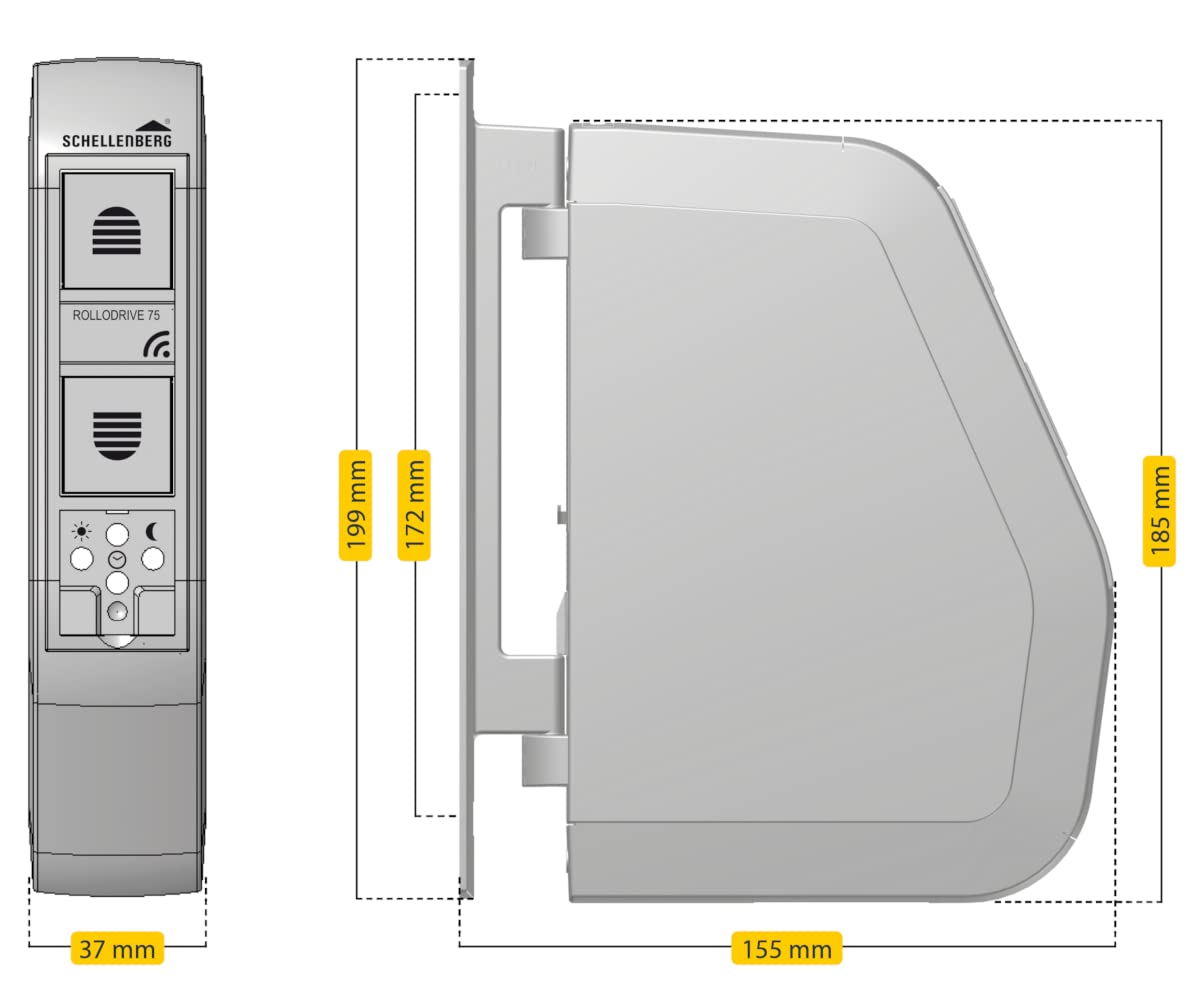
Dimensions of the ROLLO Drive 75 Premium.
| 특징 | 세부 사항 |
|---|---|
| 모델 번호 | 22576 |
| 상표 | Schellenberg |
| 제품 크기(L x W x H) | 28.7 x 18.7 x 8cm |
| 품목 무게 | 1.06 킬로그램 |
| 운영 볼륨tage | 230 볼트 |
| 힘 | 70 와트 |
| 장착 유형 | 표면 실장 |
| 스트랩 너비 호환성 | 14 - 15 mm (Mini strap) |
| Max. Roller Shutter Area (Plastic) | 5.0 제곱미터 |
| Max. Roller Shutter Area (Aluminum/Wood) | 2.5 제곱미터 |
| 제어 방법 | Remote Control, Push Button, App (via Smart Home system) |
| 연결 프로토콜 | 868MHz |
| 국제 보호 등급 | IP20 |
| 재료 | Plastic, Aluminum (contact material) |
| 색상 | 하얀색 |
| 제조업체 | 알프레드 셸렌베르크 GmbH |
| Compliant Specification | 독일 |
지원 및 보증
For technical assistance, troubleshooting beyond this manual, or warranty inquiries, please contact Schellenberg customer support. Details can typically be found on the manufacturer's web사이트 또는 제품 포장.
제조업체: 알프레드 셸렌베르크 GmbH
보증 정보: Please refer to the warranty card included with your product or visit the official Schellenberg website for the most up-to-date warranty terms and conditions. Standard return policy is 30 days (as per Amazon data), but manufacturer warranty details should be consulted for product defects.
예비 부품: Information regarding spare parts availability is not provided in the product specifications. Please contact customer support for inquiries.