
1. 서론
This manual provides instructions for the proper setup, operation, and maintenance of your Amazon Basics Controller Battery Pack Charger for Xbox One S Console. Please read this manual thoroughly before use to ensure optimal performance and safety.
2. 제품 오버view
The Amazon Basics Controller Battery Pack Charger is designed to provide a convenient and efficient charging solution for your Xbox One S wireless controllers. It includes a charging dock that connects directly to your console and two rechargeable battery packs.
2.1 패키지 내용
- 1 x Amazon Basics Controller Battery Pack Charger
- 2 x 충전식 배터리 팩
- 1 x 사용자 매뉴얼(이 문서)
2.2 제품 특징
- Integrated design for Xbox One S console.
- Dual charging slots for two battery packs.
- 충전 상태를 나타내는 LED 표시등.
- Pass-through USB port for continued console functionality.

Image: The Amazon Basics Controller Battery Pack Charger with its two included rechargeable battery packs.
3. 설정 지침
- Connect the Charger to the Console: Locate an available USB port on your Xbox One S console. Insert the charger's integrated USB connector into the console's USB port. The charger is designed to fit snugly on the side of the console.

Image: The charging dock securely attached to the side of an Xbox One S console, utilizing a USB port.
- Install Battery Packs into Controllers: Open the battery compartment on your Xbox One S wireless controller. Insert an Amazon Basics rechargeable battery pack, ensuring the contacts align correctly. Close the battery compartment cover.
Note: The battery packs are designed for a snug fit. Ensure proper alignment and gentle pressure when installing or removing to avoid damage.

Image: Two Amazon Basics rechargeable battery packs, ready for insertion into a controller or charger.
4. 사용 설명서
4.1 Charging Battery Packs
- Ensure the charger is properly connected to your Xbox One S console.
- Insert the rechargeable battery packs into the charging slots on the top of the charger. Ensure they are seated correctly.

Image: A rechargeable battery pack being placed into one of the charging slots on the dock.
- The LED indicators on the front of the charger will illuminate to show the charging status:
- 적색 LED : 배터리를 충전 중입니다.
- 녹색 LED : 배터리가 완전히 충전되었습니다.

Image: The charging dock attached to the console, displaying its LED indicators for charging status.
- Once fully charged, remove the battery packs from the charger.
4.2 Using the Pass-Through USB Port
The charger features a pass-through USB port on its front, allowing you to connect other USB devices to your console without losing a port. This port functions as a standard USB 3.0 port.
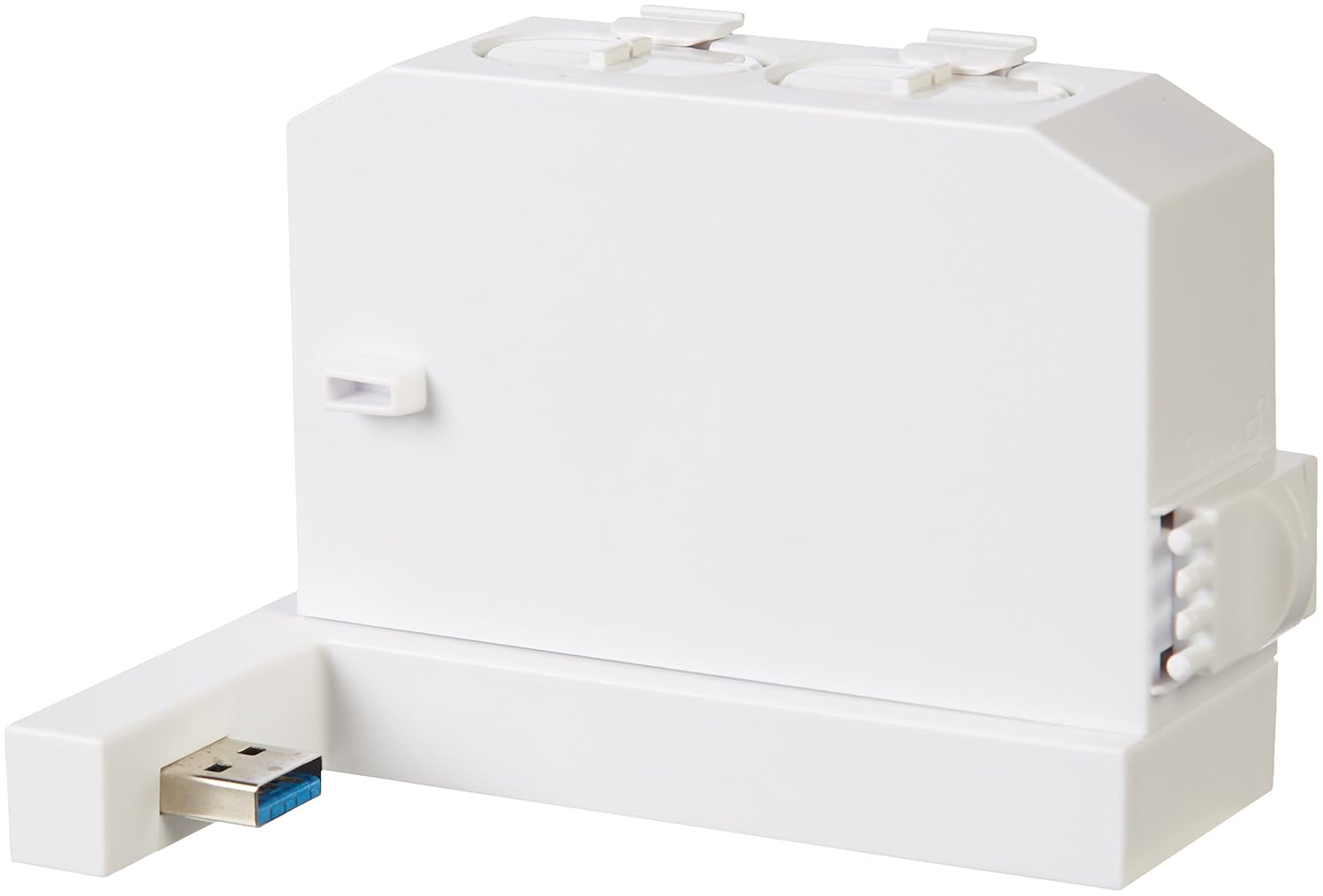
Image: The charging dock highlighting its integrated pass-through USB port for additional connectivity.
5. 유지관리
- 청소: Disconnect the charger from the console before cleaning. Use a soft, dry cloth to wipe the surface of the charger and battery packs. Do not use liquid cleaners or abrasive materials.
- 저장: When not in use for extended periods, store the charger and battery packs in a cool, dry place away from direct sunlight and extreme temperatures.
6. 문제 해결
| 문제 | 가능한 원인 | 해결책 |
|---|---|---|
| Batteries not charging (Red LED not on) |
|
|
| Battery pack does not fit controller |
|
|
| Pass-through USB port not working |
|
|
7. 사양
- 모델 번호: 88b1050f-1d0d-44fb-81a3-52970ae4488e
- 호환성: Xbox One S Wireless Controllers
- 입력: USB (from Xbox One S console)
- 산출: Dual charging slots, 1x USB 3.0 pass-through port
- 배터리 유형: Rechargeable NiMH (specific capacity not provided in source, general type)
- 첫 이용 가능 날짜: 19년 2017월 XNUMX일
- 제조업체: 아마존 기본 정보
8. 안전 정보
- 장치를 분해, 개조하거나 수리하려고 시도하지 마십시오.
- Keep the charger and battery packs away from water, moisture, and extreme temperatures.
- 장치를 떨어뜨리거나 강한 충격을 가하지 마십시오.
- 배터리 단자를 단락시키지 마십시오.
- 사용한 배터리는 현지 규정에 따라 폐기하십시오.
- 본 제품은 실내에서만 사용하도록 설계되었습니다.
9. 보증 및 지원
보증 정보 및 고객 지원에 대해서는 Amazon Basics 공식 웹사이트를 참조하십시오. web해당 웹사이트를 방문하거나 아마존 고객 서비스에 직접 문의하십시오. 보증 청구를 위해 구매 영수증을 보관하십시오.