
소개
The XTUGA RW2080 Wireless In-Ear Monitor System is designed to provide reliable and high-quality audio monitoring for musicians, performers, and presenters. Utilizing UHF band circuitry, this system offers stable signal transmission and clear sound, making it ideal for stage performances, studio recordings, and various live sound applications. This manual provides comprehensive instructions for setting up, operating, and maintaining your RW2080 system.

Figure 1: XTUGA RW2080 Wireless In-Ear Monitor System components, including the main transmitter unit and four bodypack receivers with earphones.
패키지 내용
아래 나열된 모든 품목이 패키지에 포함되어 있는지 확인하세요.
- 1 x 송신기 유닛
- 바디팩 수신기 4개
- 2 x 안테나
- 4 x 이어폰
- 4 x Cable Lines
- 1 x 전원 어댑터
- 1 x 사용자 매뉴얼(이 문서)
제품 특징
- UHF In-Ear Monitor: Utilizes UHF band circuitry for delay-free operation and stable signal reception, avoiding interference.
- 광범위한 적용 범위: Offers a wireless range of up to 300 feet (approximately 90 meters) with a frequency range of 572MHz-599Mhz.
- Reliable Monitoring: Features 2*40 preset adjustable frequencies for arbitrary switching, supporting interference-free multi-set operation with up to 6+ IEM systems. Built-in Limiter circuitry helps eliminate distortion at excessive input levels.
- 내구성 있는 구조: The transmitter is constructed from sturdy whole metal, while the bodypack receivers are made from lightweight ABS material, ensuring durability and elegance.
- 명확한 전시: Equipped with a clear LCD display panel on both transmitter and receivers for easy monitoring of system details.
- Rackmount Kit: Includes a rackmount kit for professional installation and optimized signal transmission.
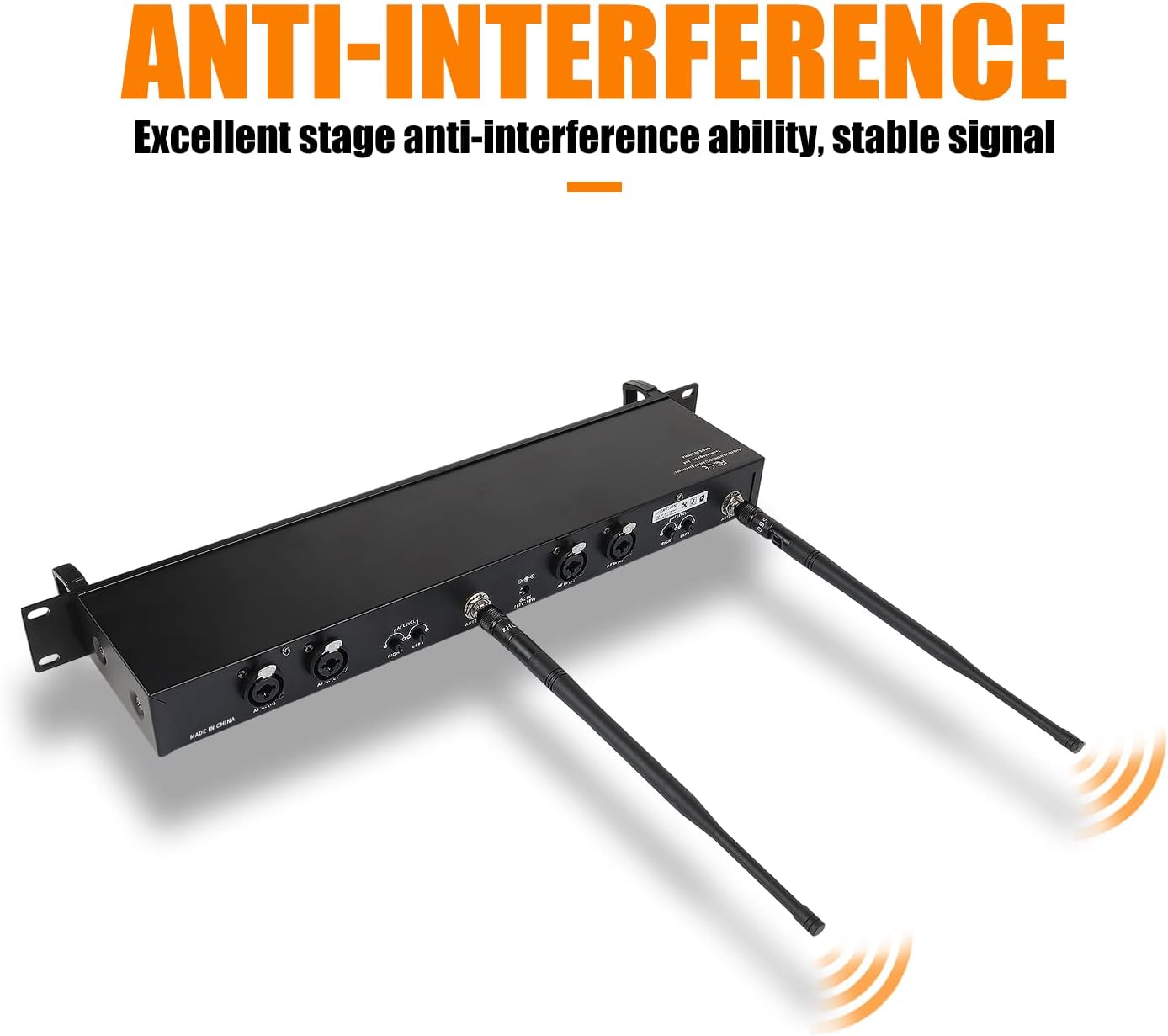
Figure 2: The transmitter unit showcasing its anti-interference design with dual antennas for stable signal.
설치 가이드
1. 송신기 장치 설정
- 전원 연결: Connect the provided power adapter to the DC power socket on the rear of the transmitter unit and plug it into a suitable power outlet.
- 안테나 설치: Screw the two antennas securely into the antenna ports on the rear of the transmitter. Ensure they are positioned vertically for optimal signal transmission.
- 오디오 입력: Connect your audio source (e.g., mixing console, audio interface) to the "AF INPUT" XLR/TRS combo jacks on the rear of the transmitter. The system supports both left and right channel inputs.

그림 3: 상세 view of the wireless transmitter, highlighting its front panel controls (headphone output, volume, set selection, LED screen, power switch) and rear panel connections (channel inputs, DC power socket, antennas, volume control potentiometers).
2. 바디팩 수신기 설정
- 배터리 설치: Open the battery compartment on the back of each bodypack receiver. Insert two AA batteries, ensuring correct polarity. The system requires 2 AA batteries.
- 이어폰 연결: Plug the included earphones into the 3.5mm headphone output jack on the top of the bodypack receiver.

그림 4: 상세 view of the RW2080 receiver, showing the antenna, LED screen, up/down selection buttons, headphone output, and switch/volume adjustment knob.

Figure 5: The included in-ear headphones feature an ergonomically inclined angle design for comfortable fit and effective sound isolation.
작동 지침
1. Powering On and Volume Adjustment
- 송신기: Press the power button on the front panel of the transmitter to turn it on.
- 바디팩 수신기: Turn the "ON/OFF MAX VOLUME" knob on the bodypack receiver clockwise to power it on and adjust the volume. Start with a low volume and gradually increase it to a comfortable listening level.
Video 1: An official product video demonstrating the setup and basic operation of the XTUGA RW2080 Wireless In-Ear Monitor System, including powering on and connecting components.
2. 주파수 선택
The RW2080 system offers both automatic and manual frequency selection to ensure clear, interference-free operation.
- 자동 주파수 스캔: Press the "SET" button on the transmitter to automatically scan for and select an interference-free frequency. The bodypack receivers will automatically sync to the selected frequency.
- 수동 주파수 조정: Use the "UP/DOWN" selection buttons on the bodypack receiver to manually adjust the frequency if needed. Ensure the bodypack's frequency matches the transmitter's frequency for proper operation.

Figure 6: Illustration of the frequency selection process, demonstrating both the automatic "SET" button function and manual adjustment using the left/right controls.
3. 실시간 모니터링
The transmitter unit includes a 6.35mm monitor connector for real-time monitoring of the audio signal being sent to the bodypacks. This allows for direct audio verification without needing a bodypack receiver.

Figure 7: A headset connected to the transmitter's 6.35mm output for real-time audio monitoring.
유지
- 청소: Use a soft, dry cloth to clean the exterior of the transmitter and bodypack receivers. Avoid using abrasive cleaners or solvents.
- 배터리 관리 : Remove batteries from bodypack receivers if the system will not be used for an extended period to prevent leakage.
- 저장: 시스템은 직사광선과 극한의 온도를 피해 서늘하고 건조한 곳에 보관하세요.
- 안테나 관리: Handle antennas with care to avoid bending or breaking.
문제 해결
| 문제 | 가능한 원인 | 해결책 |
|---|---|---|
| No sound from bodypack receiver. |
|
|
| Interference or static in audio. |
|
|
| 오디오 왜곡. |
|
|
| Limited bass response or slight hiss. |
|
|
명세서
| 특징 | 세부 사항 |
|---|---|
| 모델명 | RW2080 |
| 연결 기술 | 무선(RF) |
| 주파수 범위 | 572-599MHz |
| 주파수 수 | 2*40 adjustable frequencies |
| 무선 범위 | 최대 300피트(약 90미터) |
| 소음 제어 | 소리 차단 |
| 헤드폰 잭 | 3.5 mm Jack (for bodypack) |
| Transmitter Monitor Output | 6.35mm 잭 |
| 재료 | Metal (Transmitter), ABS (Bodypack Receiver) |
| 전원 공급 장치(바디팩) | AA 배터리 2개 (필수) |
| 임피던스 | 16 Ohm (earphones) |
| 제품 치수 | 22.44 x 3.74 x 12.99인치 (송신기) |
| 품목 무게 | 6.07파운드 |

Figure 8: Dimensions of the XTUGA RW2080 transmitter and bodypack receiver, including earphone cable length.
보증 및 지원
XTUGA is committed to providing high-quality electronic audio products and excellent customer service. For any product-related inquiries, technical support, or warranty claims, please contact XTUGA customer service. Our professional after-sales team aims to resolve any issues within 24 hours.
For more information and support, please visit the official XTUGA store: XTUGA Store on Amazon.