
1. 서론
The Huawei E8372H-927 Wi-Fi Wingle is a portable 4G LTE USB modem that also functions as a Wi-Fi hotspot. This device allows multiple users to connect to the internet via a cellular network, providing connectivity for laptops, tablets, smartphones, and other Wi-Fi enabled devices. It supports various network standards including 4G LTE, 3G, and 2G.
2. 제품 오버view
The E8372H-927 Wingle offers convenient internet access and Wi-Fi sharing capabilities. It is designed for ease of use, plugging directly into a USB port for power and data transmission.
주요 특징:
- LTE+ Wi-Fi Sharing: Connect directly to a laptop's USB port to transmit data and share LTE+ Wi-Fi with up to 10 devices simultaneously.
- 고속 연결: Supports LTE CAT4, offering download speeds up to 150Mbps and upload speeds up to 50Mbps (at 20M BW).
- 차량 연결: Can be powered by a car charger, providing a Wi-Fi environment within your vehicle.
- 화웨이 HiLink 앱: Manage device settings and monitor usage via the Huawei HiLink mobile application.
- 운영 체제 호환성: Compatible with Windows XP SP3, Windows Vista SP1/SP2, Windows 7, Windows 8, Windows 8.1 (excluding Windows RT), and Mac OS X 10.6, 10.7, and 10.8 with the latest upgrades.
장치 구성 요소:
The device typically includes a USB connector, a SIM card slot, a microSD card slot, and LED indicators for network status and Wi-Fi activity.
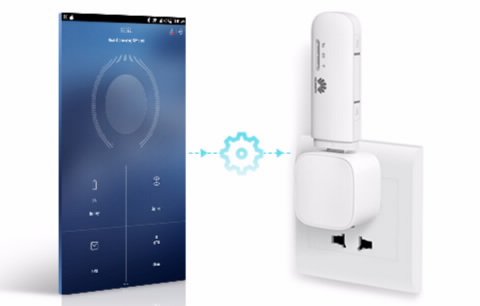
Image: The Huawei E8372H-927 Wi-Fi Wingle shown wirelessly connecting to various devices such as a smartphone, laptop, and desktop computer.
3. 설정 가이드
3.1 SIM 카드 삽입
- Locate the SIM card slot on the side or back of the device.
- Carefully insert your 4G/3G/2G SIM card into the slot with the gold contacts facing down and the notched corner aligned correctly. Ensure it clicks into place.
3.2 장치 전원 켜기
The E8372H-927 Wingle is powered via its USB connector.
- Plug the device into any standard USB port, such as on a laptop, desktop computer, USB wall adapter, or car charger.
- The device will automatically power on. Wait for the LED indicators to show a stable connection (typically a solid blue or green light for network status).
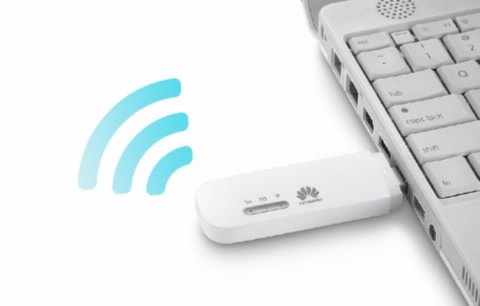
Image: The Huawei E8372H-927 Wi-Fi Wingle is shown plugged into the USB port of a white laptop, indicating its power and data connection method.
3.3 초기 Wi-Fi 연결
- Wi-Fi 기능이 있는 기기(노트북, 스마트폰, 태블릿)에서 사용 가능한 Wi-Fi 네트워크를 검색하세요.
- Locate the network name (SSID) of your Huawei Wingle, which is usually printed on a label on the device or its packaging.
- Enter the Wi-Fi password (WPA/WPA2 key) also found on the device label.
- 연결되면 인터넷에 접속할 수 있습니다.
4. 사용 설명서
4.1 여러 장치 연결
The E8372H-927 supports up to 10 simultaneous Wi-Fi connections. Simply follow the initial Wi-Fi connection steps (Section 3.3) for each device you wish to connect.
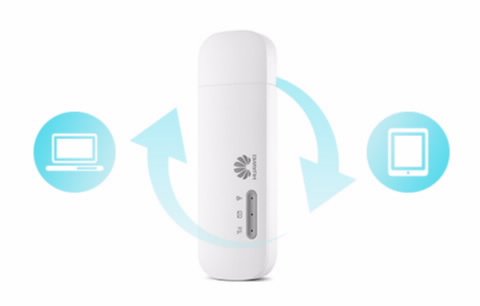
Image: The Huawei E8372H-927 Wi-Fi Wingle is centrally positioned, with arrows indicating data flow and sharing between a laptop and a tablet.
4.2 Managing Settings (Huawei HiLink App / Web 상호 작용)
For advanced settings, network monitoring, and SMS management, you can use the Huawei HiLink App or access the device's web 인터페이스.
- 화웨이 HiLink 앱: Download the app from your device's app store. Connect your smartphone to the Wingle's Wi-Fi, then open the app to manage settings.
- Web 인터페이스: 열기 web browser on a connected device and enter the default IP address (e.g., 192.168.8.1) or URL provided in the device documentation. Log in using the default username and password (also found on the device label).
4.3 차량 내 사용
The E8372H-927 can provide Wi-Fi connectivity in your car. Simply plug the Wingle into a compatible USB car charger. Ensure the car charger provides sufficient power for stable operation.
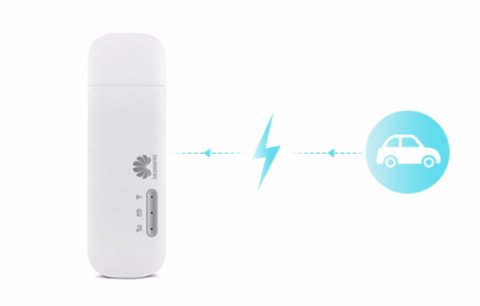
Image: The Huawei E8372H-927 Wi-Fi Wingle is shown with a lightning bolt icon connecting it to a car icon, illustrating its use as an in-car Wi-Fi hotspot.
5. 유지관리
- 청소: 부드럽고 마른 천으로 기기를 닦으십시오. 액체 세척제나 용제 사용은 피하십시오.
- 소프트웨어 업데이트: Periodically check for firmware updates via the Huawei HiLink App or web 최적의 성능과 보안을 보장하는 인터페이스입니다.
- 저장: 사용하지 않을 때에는 직사광선이나 극한의 온도를 피해 서늘하고 건조한 곳에 장치를 보관하십시오.
- 과열을 피하세요: Ensure proper ventilation when the device is in use, especially when connected for extended periods.
6. 문제 해결
일반적인 문제 및 해결책:
| 문제 | 가능한 원인 | 해결책 |
|---|---|---|
| 네트워크 신호 없음 / 인터넷에 연결할 수 없습니다 | SIM card not inserted correctly, no network coverage, incorrect APN settings. | Check SIM card insertion. Move to an area with better network coverage. Verify APN settings via the web interface or HiLink App. |
| 인터넷 속도가 느림 | Weak signal, network congestion, too many connected devices. | Relocate the device for better signal. Reduce the number of connected devices. |
| Wi-Fi에 연결할 수 없습니다 | Incorrect Wi-Fi password, Wi-Fi disabled, device not powered on. | Ensure the device is powered on. Verify the Wi-Fi password. Check Wi-Fi status via LED indicators or web 인터페이스. |
| 컴퓨터에서 장치를 인식하지 못했습니다 | Driver issue, faulty USB port. | Try a different USB port. Ensure necessary drivers are installed (usually automatic upon first connection). |
장치 재설정:
If issues persist, you may perform a factory reset. Locate the reset button (often a small pinhole) on the device. Use a pin to press and hold the button for approximately 5-10 seconds until the indicators flash, then release. This will restore the device to its factory default settings, including Wi-Fi name and password.
7. 사양
| 특징 | 세부 사항 |
|---|---|
| 모델 번호 | E8372H-927 |
| 통신 시스템 | LTE/DC-HSPA+/HSPA+/HSPA/UMTS/EDGE/GPRS/GSM |
| 4G LTE Speed (FDD LTE Cat4) | 150Mbps (Download) / 50Mbps (Upload) @20M BW |
| HSPA+ Speed | 42/5.76 Mbps, 21/5.76 Mbps |
| HSPA Speed | 14/5.76 Mbps, 7.2/5.76 Mbps |
| Wi-Fi 프로토콜 | IEEE 802.11b/g/n |
| 최대 Wi-Fi 연결 수 | Up to 10 simultaneous users/devices |
| 전원 공급 장치 | USB 전원 공급 |
| 마이크로 카드 슬롯 | 예 |
| 외부 안테나 인터페이스 | TS-5 |
| 치수(길이 x 너비 x 높이) | 약 94mm x 30mm x 14mm |
| 품목 무게 | 약 150g |
| 운영 체제 | Windows XP SP3, Vista SP1/SP2, 7, 8, 8.1 (not RT); Mac OS X 10.6, 10.7, 10.8 |
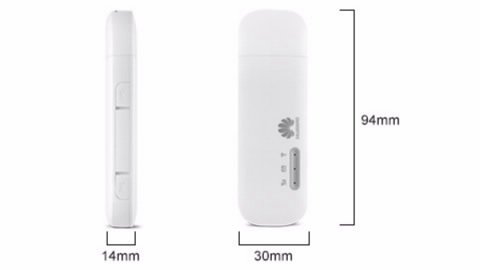
Image: A diagram illustrating the physical dimensions of the Huawei E8372H-927 Wi-Fi Wingle, showing its length (94mm), width (30mm), and thickness (14mm).
8. 보증 및 지원
보증 정보:
This Huawei E8372H-927 Wi-Fi Wingle typically comes with a 1-year manufacturer's warranty. Please refer to your purchase documentation or contact your retailer for specific warranty terms and conditions.
기술 지원:
For technical assistance, troubleshooting beyond this manual, or warranty claims, please contact Huawei customer support or your authorized service provider. Keep your proof of purchase and device serial number readily available when seeking support.