
소개
구매해주셔서 감사합니다asing the ipega PG-9087S Wireless Game Controller. This device is designed to enhance your mobile gaming experience on Android and iOS smartphones and tablets. Please read this manual carefully before use to ensure proper operation and to maximize the lifespan of your controller.
안전 정보
- 컨트롤러를 극한의 온도, 습도 또는 직사광선에 노출시키지 마십시오.
- 컨트롤러를 떨어뜨리거나 강한 충격을 주지 마십시오.
- Do not attempt to disassemble or modify the controller. This will void the warranty and may cause damage.
- 컨트롤러를 어린이와 반려동물의 손이 닿지 않는 곳에 보관하십시오.
- 제공되거나 권장되는 충전 케이블만 사용하세요.
패키지 내용
- ipega PG-9087S Wireless Game Controller
- USB 충전 케이블
- 사용 설명서 (본 문서)
제품 끝view

Figure 1: Controller Layout. This image displays the ipega PG-9087S controller with its various buttons and components labeled, including the Left 3D joystick, D-Pad, TURBO button, battery/mode indicators, Home Button, R1/R2, ABXY Action buttons, Right 3D joystick, START, and SELECT buttons.

그림 2: 주요 특징 This image highlights specific design elements: a textured rocker for improved grip, LED red button lights for visibility, scrub and non-slip trigger construction for precise control, and a classic cross key design for the D-Pad.
주요 특징:
- 블루투스 4.0 연결: Ensures stable and high-speed transmission.
- 확장 가능한 팔: Accommodates devices with a maximum extending size of 6.2 inches (70-158mm) and a thickness of up to 9mm.
- 인체공학적 디자인: Provides comfort for extended gaming sessions.
- High Sensitivity Buttons: Designed for quick and accurate responses.
- Custom Function/Button Mapping: Allows users to customize button functions according to personal preferences for various games.
- 다중 플랫폼 지원: Compatible with Android 6.0 and above, and iOS devices.
설정
1. 컨트롤러 충전
Before first use, fully charge the controller. Connect the provided USB charging cable to the controller's charging port and to a USB power source (e.g., computer, USB wall adapter). The battery charging indicators (1, 2, 3, 4) will illuminate to show charging status and battery level.
2. 전원 켜기 / 끄기

Figure 3: Power Switch and Connection Methods. This image shows the physical on/off switch located at the bottom of the controller and provides visual instructions for Android and iOS direct connection methods.
- 전원을 켜려면: Locate the power switch (labeled 'switch:on/off' in Figure 3) on the bottom of the controller and slide it to the 'ON' position.
- 전원을 끄려면: 전원 스위치를 'OFF' 위치로 밀어주세요.
3. 블루투스 페어링
The PG-9087S supports direct connection without needing to download a separate application.
- iOS 기기의 경우: 컨트롤러의 전원이 꺼진 상태에서 버튼을 길게 누릅니다. Y button + HOME button simultaneously for 2 seconds until the indicator light flashes rapidly.
- Android 기기의 경우: 컨트롤러의 전원이 꺼진 상태에서 버튼을 길게 누릅니다. A button + HOME button simultaneously for 2 seconds until the indicator light flashes rapidly.
Once the indicator light flashes, enable Bluetooth on your mobile device and search for "PG-9087S". Select it to pair. The indicator light will become solid once successfully connected.
4. 장치 설치
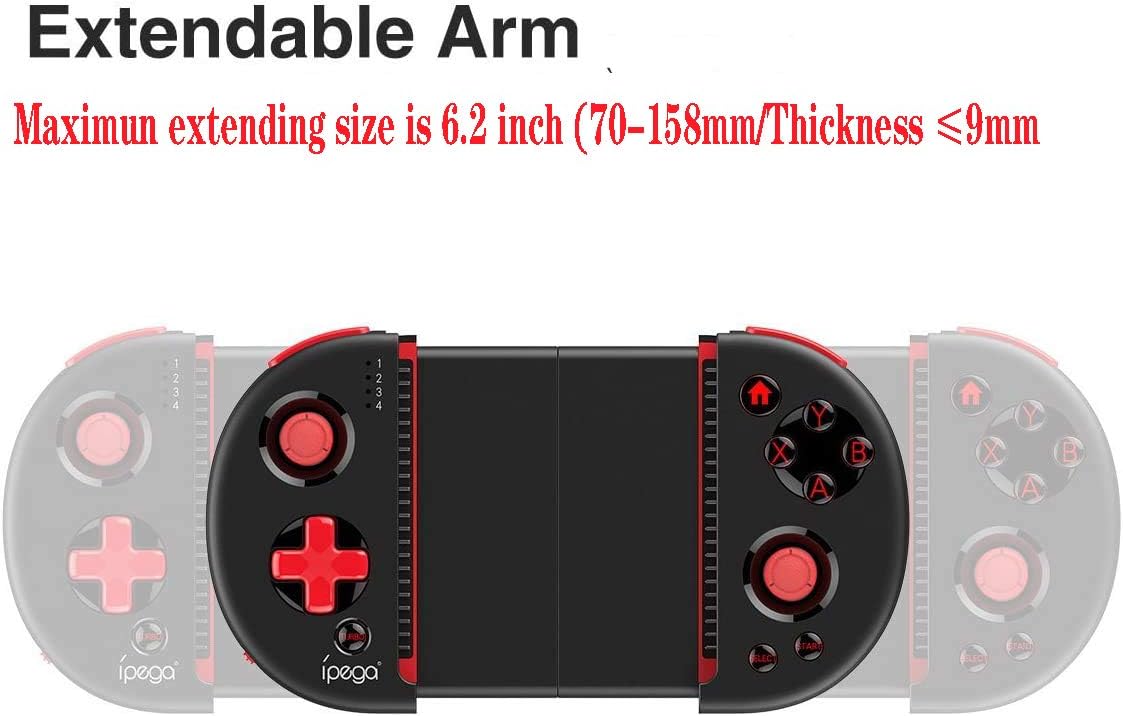
Figure 4: Extendable Arm. This image illustrates the extendable arm feature of the controller, showing its maximum extension size of 6.2 inches (70-158mm) and a maximum device thickness of 9mm.
Gently extend the arms of the controller to fit your smartphone or tablet. Ensure your device is securely seated within the extendable arm. The arm supports devices up to 6.2 inches (158mm) in length and 9mm in thickness.
작동 지침
1. 기본 제어
Refer to Figure 1 for the layout of the buttons and joysticks. The controller features:
- Left/Right 3D Joysticks: 정확한 움직임과 카메라 제어를 위해.
- D-패드(방향 패드): 방향 입력용.
- ABXY 액션 버튼: 일반적인 게임용 액션 버튼입니다.
- L1/L2/R1/R2 Triggers: 게임 내 다양한 동작을 위한 어깨 버튼과 트리거.
- 시작/선택 버튼: For in-game menu navigation and selections.
- 홈 버튼: Returns to the device's home screen or controller menu.
- 터보 버튼: Activates rapid-fire functionality for assigned buttons.
2. 버튼 매핑 및 사용자 지정
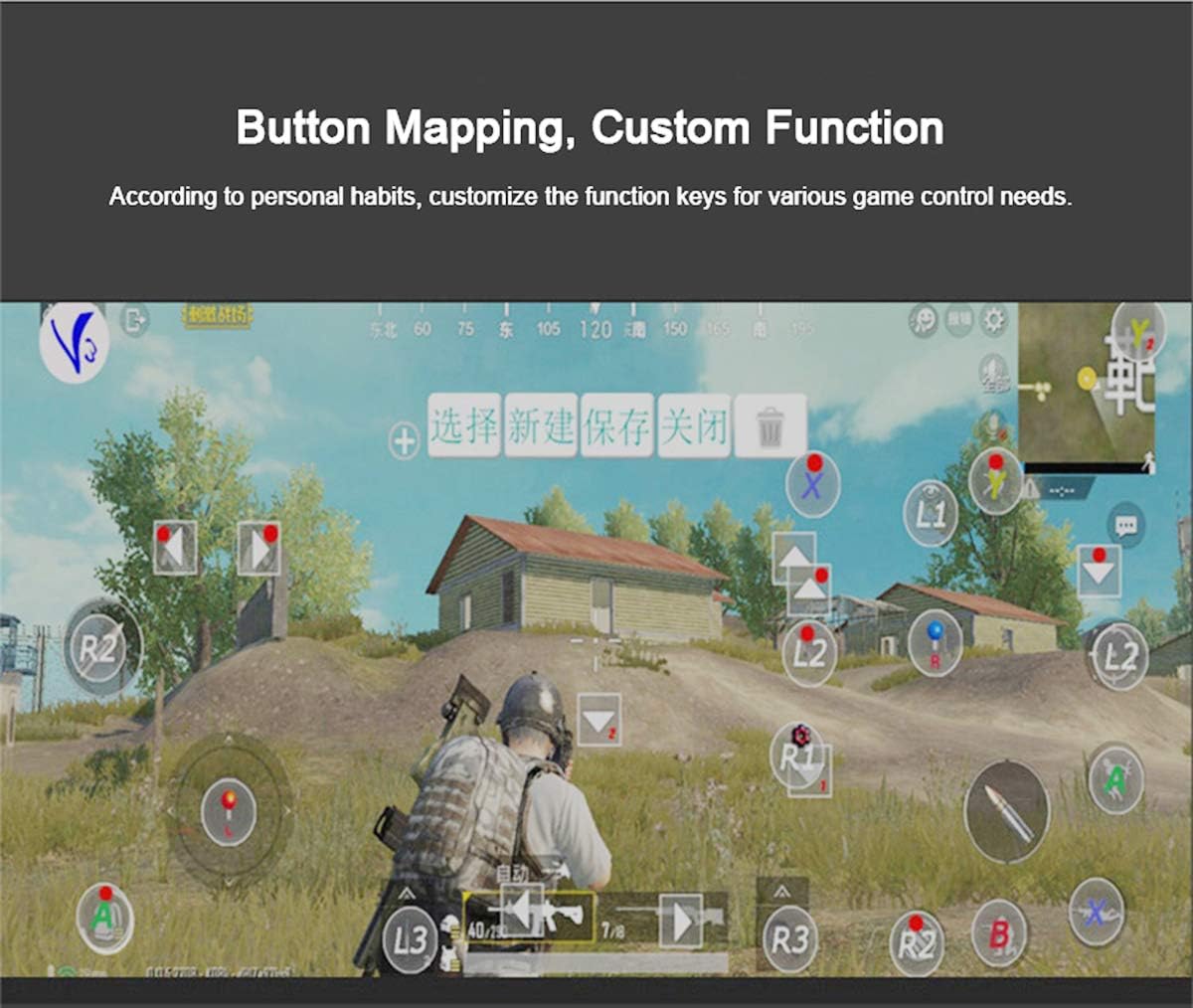
Figure 5: Button Mapping Interface. This image demonstrates the concept of button mapping within a game, allowing users to customize the function keys to suit their individual gaming preferences and needs.
The PG-9087S supports custom function key mapping. This feature allows you to assign specific in-game actions to the controller's buttons according to your personal habits. The method for customizing button functions typically depends on the game or emulator you are using. Refer to the specific game's settings or the emulator's configuration options for detailed instructions on how to remap controls.
3. Screen Orientation Support
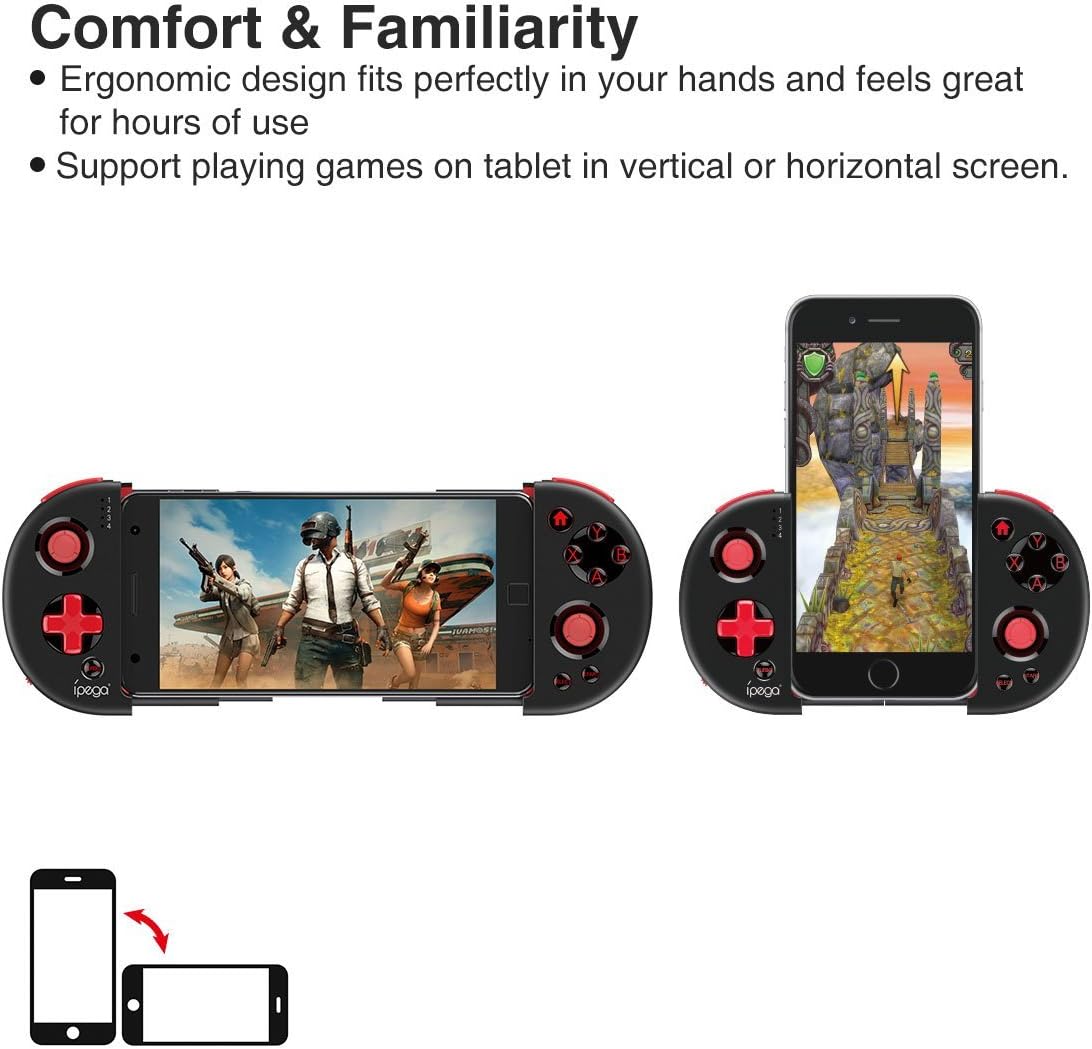
Figure 6: Orientation Support. This image illustrates the controller's ability to support gaming on tablets or smartphones in both vertical (portrait) and horizontal (landscape) screen orientations.
The controller supports playing games on your tablet or smartphone in both vertical (portrait) and horizontal (landscape) screen orientations, providing flexibility for various game types.
유지
- 청소: 컨트롤러를 닦을 때는 부드럽고 마른 천을 사용하십시오. 독한 화학 약품이나 연마성 세척제를 사용하지 마십시오.
- 저장: 사용하지 않을 때는 컨트롤러를 직사광선을 피해 서늘하고 건조한 곳에 보관하십시오.
- 배터리 관리 : 배터리 수명을 연장하려면 배터리를 자주 완전히 방전시키지 마십시오. 컨트롤러를 계속 사용하지 않더라도 정기적으로 충전하십시오.
문제 해결
- 컨트롤러 전원이 켜지지 않습니다. Ensure the battery is charged. Connect the controller to a power source using the USB cable.
- Controller does not pair with device:
- 컨트롤러가 페어링 모드인지 확인하십시오(표시등이 빠르게 깜빡임).
- 기기의 Bluetooth를 껐다가 켜세요.
- Bluetooth 설정에서 해당 기기를 삭제하고 다시 페어링을 시도해 보세요.
- Ensure you are using the correct pairing combination (Y+HOME for iOS, A+HOME for Android).
- Buttons are unresponsive or laggy:
- 컨트롤러가 완전히 충전되었는지 확인하십시오. 배터리 부족은 성능에 영향을 미칠 수 있습니다.
- 강력한 Bluetooth 연결을 위해 장치에 더 가까이 다가가세요.
- Restart both the controller and your mobile device.
- Check the game's settings to ensure controller input is enabled and correctly configured.
- Device does not fit in the extendable arm: Check the dimensions of your device. The arm supports devices up to 6.2 inches (158mm) in length and 9mm in thickness. Remove any bulky cases from your device.
명세서
| 모델 | PG-9087S |
| 상표 | 아이가 |
| 연결 기술 | Bluetooth 4.0, USB(충전용) |
| 컨트롤러 유형 | 게임패드, 조이스틱 |
| 호환 장치 | Android (6.0 and above), iOS |
| 배터리 | 리튬 이온 배터리 1개(필수) |
| Extendable Arm Max Size | 6.2인치(158mm) |
| Extendable Arm Max Thickness | 9mm |
| 품목 무게 | 6.9 온스 |
| 색상 | 검은색 |
| 패키지 크기 | 6.8 x 5.15 x 1.6 인치 |
보증 및 지원
Warranty information for the ipega PG-9087S Wireless Game Controller is typically provided with your purchase or can be found on the manufacturer's official web사이트. 보증 청구를 위해 구매 증빙 자료를 보관하세요.
For technical support or further assistance, please refer to the contact information provided by your retailer or visit the official ipega support channels.