
1. 서론
구매해주셔서 감사합니다asing the ARTlii Mini Pico Projector. This compact and portable projector is designed for home cinema, video playback, and presentations, offering versatile connectivity options. Please read this manual carefully before use to ensure proper operation and to maximize your view경험.
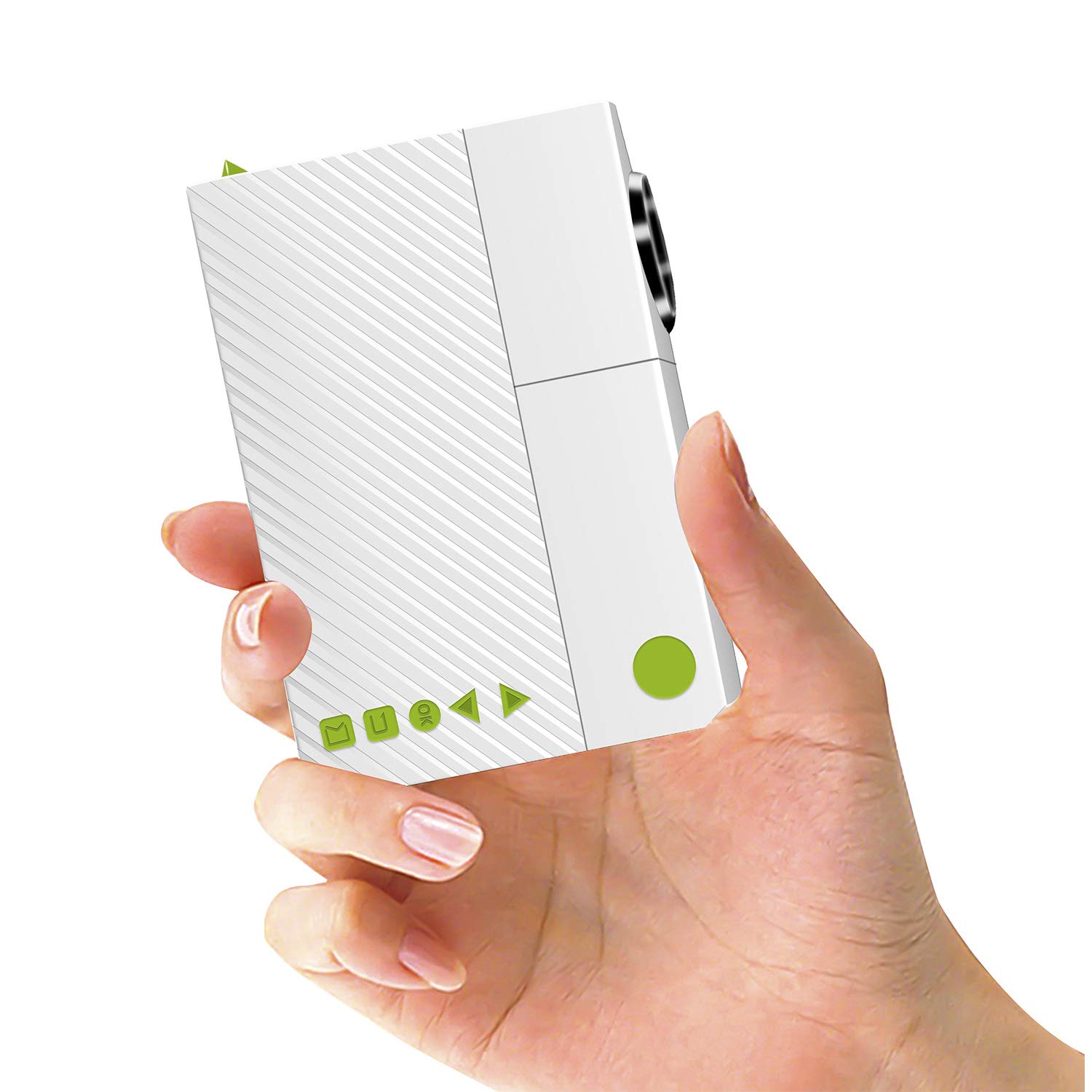
Image: The ARTlii Mini Pico Projector, a compact device for portable entertainment.
2. 안전 지침
- 전원 공급 장치: Use only the specified power adapter (5V/2A) or a compatible power bank. Ensure the voltag연결하기 전에는 e가 정확합니다.
- 통풍: 통풍구를 막지 마십시오. 과열을 방지하기 위해 프로젝터 주변에 충분한 공간을 확보하여 적절한 공기 흐름을 유지하십시오.
- 눈 안전: l을 사용할 때 프로젝터 렌즈를 직접 쳐다보지 마십시오.amp 켜져 있습니다. 밝은 빛은 눈의 피로나 손상을 유발할 수 있습니다.
- 놓기: Place the projector on a stable, flat surface. Avoid placing it in direct sunlight, near heat sources, or in humid environments.
- 청소: 청소하기 전에 전원을 분리하세요. 부드럽고 마른 천을 사용하세요. 액체 또는 에어로졸 세척제는 사용하지 마세요.
- 어린이들: 프로젝터를 어린아이들의 손이 닿지 않는 곳에 보관하십시오.
3. 패키지 내용
다음 품목이 패키지에 포함되어 있는지 확인하세요.
- ARTlii Mini Pico Projector
- 원격 제어
- 전원 어댑터
- AV Cable (RCA to 3.5mm)
- 사용자 가이드

Image: The projector, remote control, power adapter, AV cable, and user guide included in the package.
4. 제품 오버view
Familiarize yourself with the projector's ports and controls:
- 렌즈: 프로젝션 출력.
- 초점 링: 이미지 선명도를 조정합니다.
- 전원 버튼: 프로젝터를 켜거나 끕니다.
- 탐색 버튼: 메뉴 탐색을 위해.
- 입력 포트 : AV, SD card slot, USB, HDMI.
- 오디오 출력: 3.5mm 헤드폰 잭.
- DC 입력 : 전원 어댑터용입니다.

Image: Diagram showing the various input ports and control buttons on the ARTlii Mini Pico Projector.
5. 설정
5.1 전원 연결
- 프로젝터의 DC 입력 포트에 전원 어댑터를 연결하십시오.
- 전원 어댑터를 벽면 콘센트에 꽂으세요.
- Alternatively, for portable use, connect a 5V/2A power bank to the projector's power input.
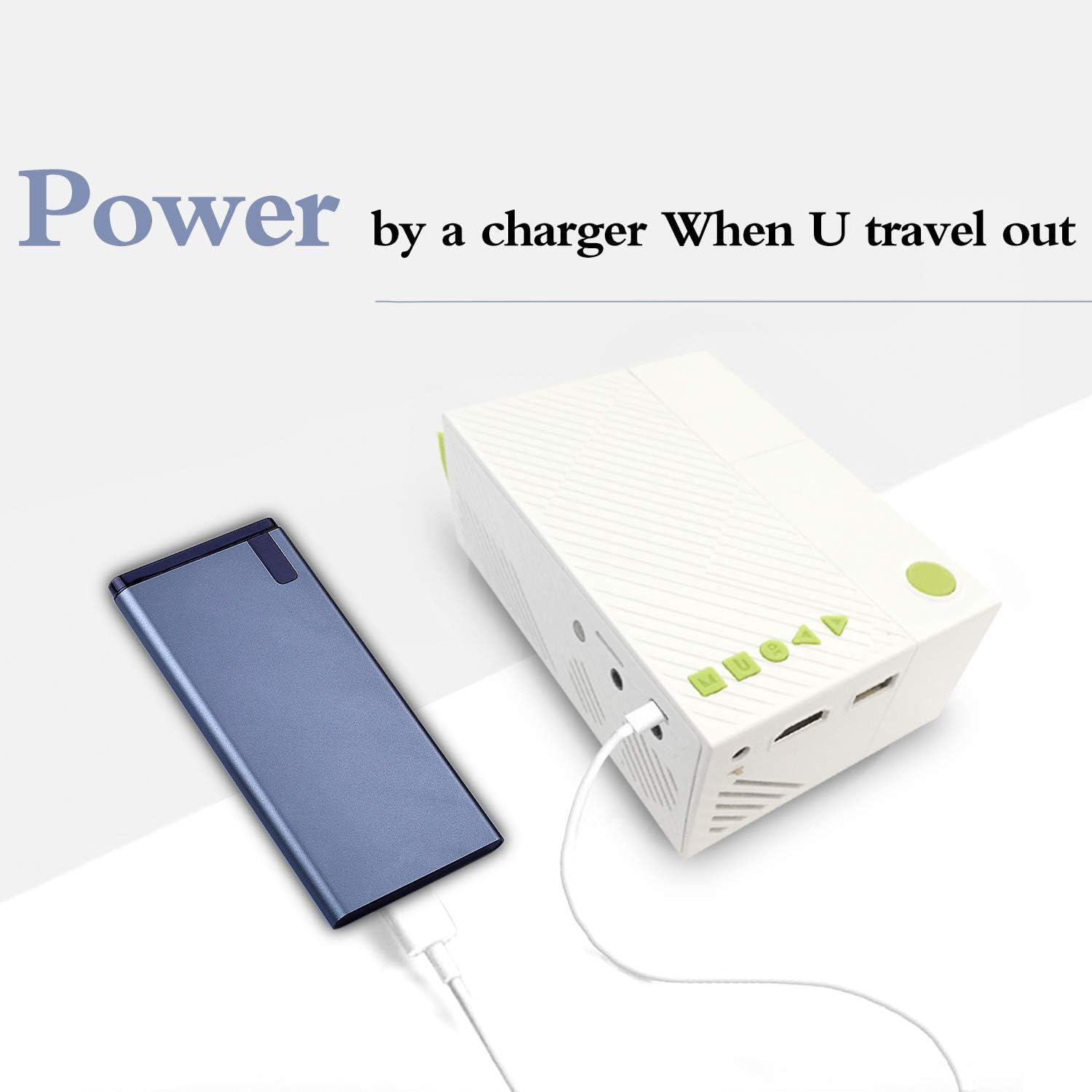
Image: The ARTlii Mini Pico Projector being powered by a portable power bank, illustrating its portability.
5.2 배치 및 투영
- Place the projector on a flat, stable surface, facing your desired projection screen or wall.
- Adjust the distance between the projector and the screen to achieve the desired image size. The optimal projection distance is 40-80 inches, yielding a projection size of 20-60 inches.
- 전원 버튼이나 리모콘을 사용하여 프로젝터를 켜십시오.
- 프로젝터 렌즈의 초점 링을 돌려 이미지가 선명하고 또렷하게 보이도록 하십시오.
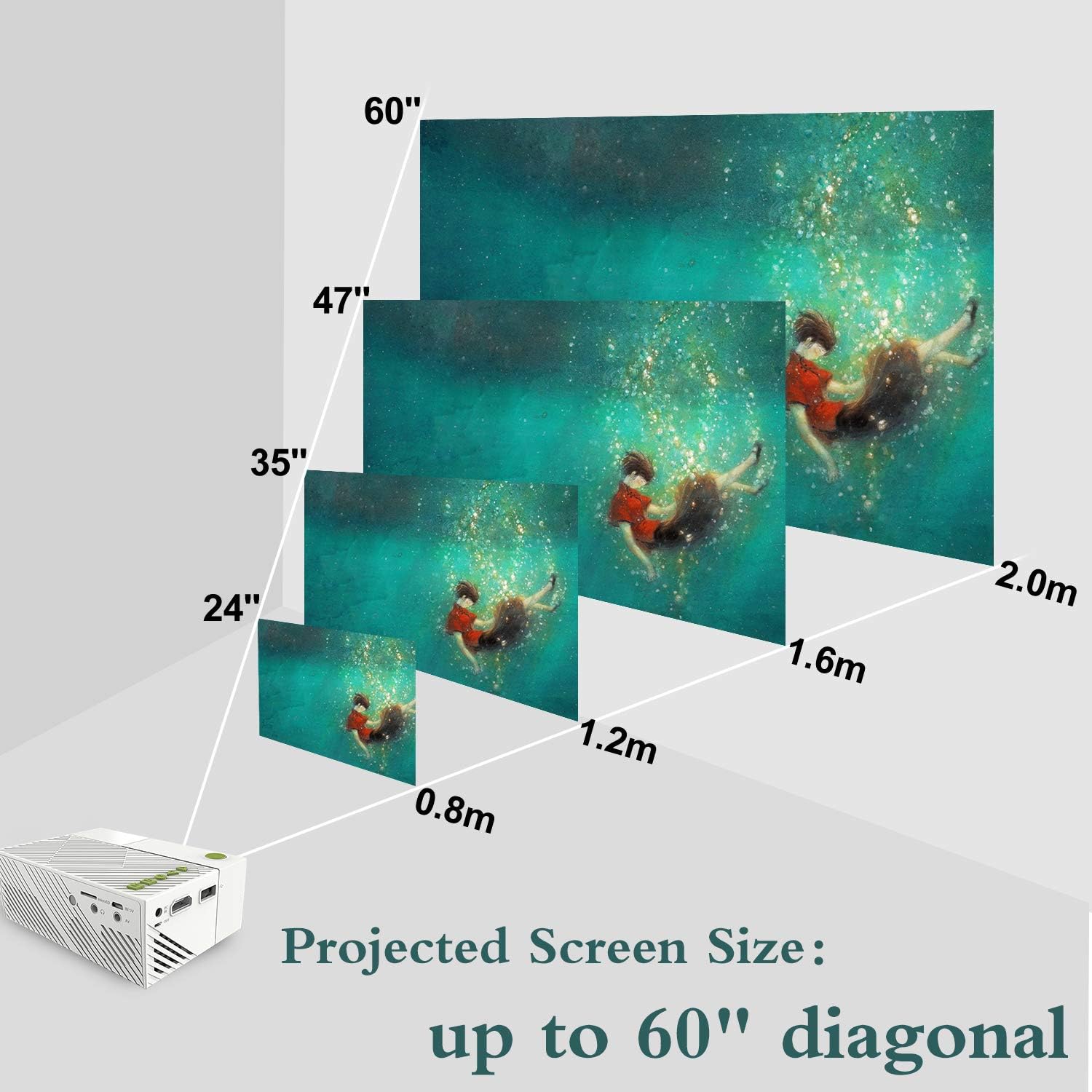
Image: A visual representation of how projected screen size changes with distance, showing sizes from 24 to 60 inches diagonal.
6. 사용 설명서
6.1 전원 켜기/끄기
- 프로젝터 또는 리모컨의 전원 버튼을 눌러 전원을 켜세요.
- 전원을 끄려면 전원 버튼을 다시 누르십시오. 종료하라는 메시지가 나타나면 확인하십시오.
6.2 소스 선택
- After powering on, use the 'Source' button on the remote or the projector's navigation buttons to select your desired input source (HDMI, USB, SD, AV).
- Navigate through the menu using the arrow keys and confirm with the 'OK' button.
6.3 미디어 재생
- Once a source is selected, the projector will display content from that source.
- For USB/SD card inputs, navigate through the file browser to select your media (audio, image, video, text file에스).
- Use the remote control for playback functions such as play, pause, fast forward, and rewind.
7. 연결성
The ARTlii Mini Pico Projector offers multiple connectivity options:
- HDMI : Connect to laptops, desktop computers, game consoles (e.g., Xbox), and other HDMI-enabled devices for high-definition video and audio.
- USB: Plug in USB flash drives or external hard drives to play media file직접적으로.
- SD 카드: Insert an SD card to access photos, videos, and other compatible files.
- 유명인 : Use the included AV cable to connect to older devices like DVD players or set-top boxes.
- 오디오 출력: 향상된 사운드를 위해 3.5mm 오디오 잭을 통해 외부 스피커 또는 헤드폰을 연결하십시오.

Image: Children enjoying a movie projected onto a wall, demonstrating the projector's use in a home setting.
8. 유지관리
8.1 렌즈 청소
Use a soft, lint-free cloth specifically designed for optical lenses. Gently wipe the lens to remove dust or smudges. Do not use abrasive cleaners or excessive force.
8.2 프로젝터 본체 청소
Wipe the exterior of the projector with a soft, dry cloth. Avoid using chemical cleaners that may damage the finish.
8.3 보관
When not in use, store the projector in a cool, dry place, away from dust and direct sunlight. It is recommended to use the original packaging or a protective case.
9. 문제 해결
- 이미지 없음:
- 프로젝터 전원이 켜져 있고 전원 어댑터가 제대로 연결되어 있는지 확인하십시오.
- Verify the correct input source is selected (HDMI, USB, SD, AV).
- 프로젝터와 소스 기기 사이의 연결 케이블을 확인하십시오. 가능하면 다른 케이블을 사용해 보십시오.
- 흐릿한 이미지:
- 프로젝터 렌즈의 초점 링을 조정하여 이미지가 선명해질 때까지 맞추십시오.
- Ensure the projection distance is within the recommended range (40-80 inches).
- 소리 없음:
- 프로젝터와 소스 기기의 볼륨 설정을 모두 확인하십시오.
- 외부 스피커나 헤드폰을 사용하는 경우 제대로 연결되어 있는지 확인하십시오.
- HDMI를 사용하는 경우 소스 장치의 오디오 출력 설정을 확인하십시오.
- 원격 제어가 작동하지 않음:
- 배터리가 올바르게 삽입되었고 방전되지 않았는지 확인하세요.
- 리모컨을 프로젝터의 IR 수신기에 직접 대세요.
- 과열 경고:
- 프로젝터의 통풍구가 막히지 않았는지 확인하십시오.
- 환기가 잘 되는 곳에서 프로젝터를 식히세요.
10. 사양
| 특징 | 세부 사항 |
|---|---|
| 상표 | 아트리 |
| 모델 번호 | Artlii-MINI |
| 품목 무게 | 8.8 온스 |
| 제품 치수 | 4.96 x 3.39 x 1.89 인치 |
| 출력 와트tage | 50 와트 |
| 색상 | 하얀색 |
| 특징 | 가지고 다닐 수 있는 |
| 연결 기술 | HDMI, USB |
| 디스플레이 해상도 | 320 x 240 pixels (Native) |
| 지원되는 해상도 | Up to 1920 x 1080P |
| 종횡비 | 4:3 또는 16:9 |
| 투사 크기 | 20-60 인치 |
| 최고의 투사 거리 | 40-80 인치 |
| 스피커 유형 | 내장형 |
| 전력 소비 | 10W-24W |
11. 보증 및 지원
The ARTlii Mini Pico Projector comes with a 1년 보증 구매일로부터.
If you encounter any issues or have questions regarding the product's quality or operation, please contact our customer service team. Our team is available 24/7 and will respond to your inquiries within 24 hours.
For support, please refer to the contact information provided in your purchase documentation or on the official ARTlii web대지.