
1. 서론
Thank you for choosing the 2BOOM HPBT500K Wireless Headphone System. This manual provides essential information for the proper setup, operation, and maintenance of your new headphones. Please read it thoroughly before use to ensure optimal performance and longevity of the product.
The HPBT500K headphones offer a wireless audio experience with a built-in microphone for hands-free calling, enhanced bass sound, and comfortable wear.
2. 상자 안에 무엇이 들어있나요?
- 2BOOM HPBT500K Wireless Headphone
- USB 충전 케이블
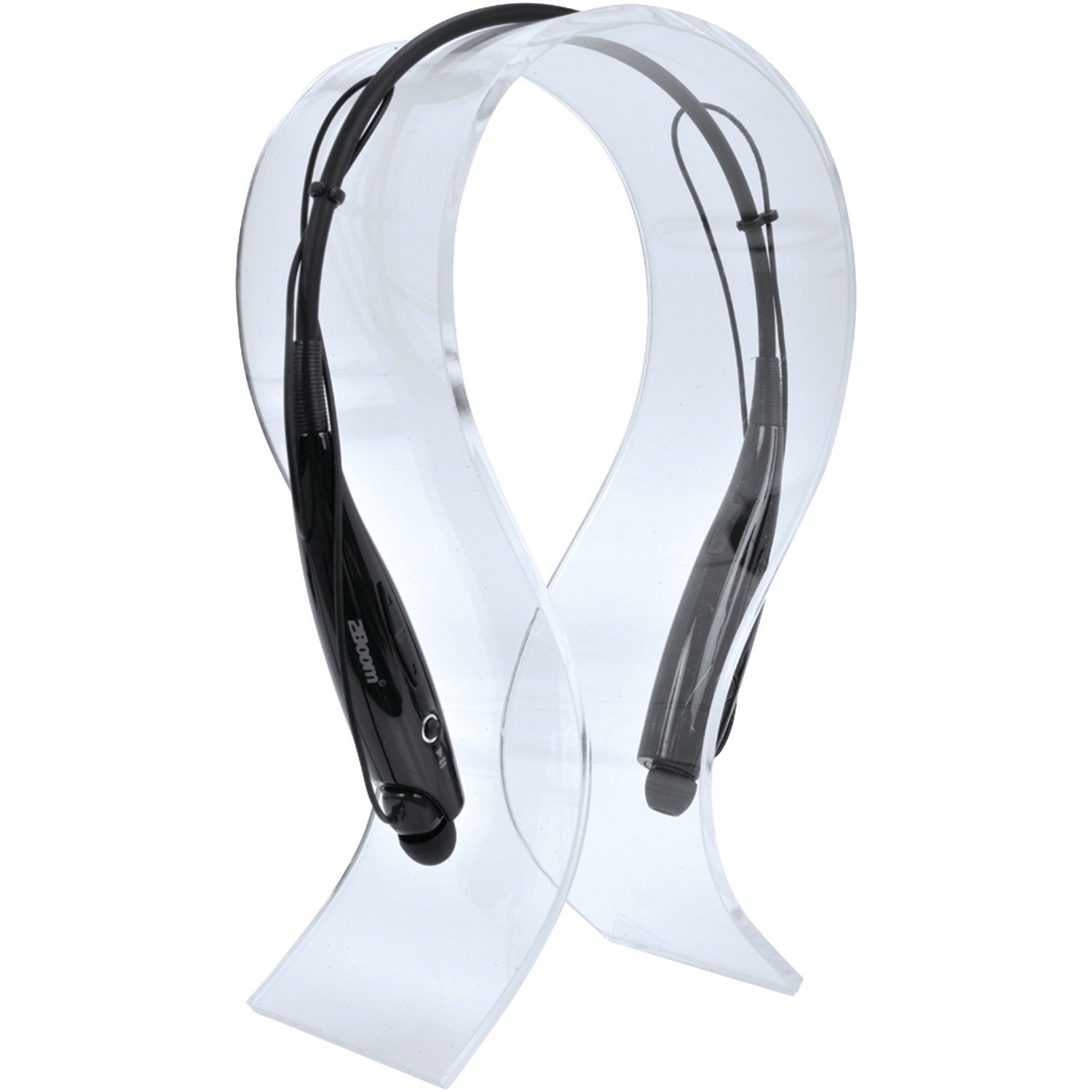
Image: The 2BOOM HPBT500K Wireless Headphone, showcasin디자인이 그렇습니다.
Image: The included USB charging cable for the headphones.
3. 제품 오버view
Familiarize yourself with the various parts and controls of your HPBT500K headphones.

이미지: 측면 view of the 2BOOM HPBT500K Wireless Headphone, highlighting control buttons and ports.
제어 및 표시기:
- 전원 버튼: 헤드폰을 켜고 끄거나 페어링하는 데 사용됩니다.
- 볼륨 업/다음 트랙: 볼륨을 높이거나 다음 곡으로 넘어갑니다.
- 볼륨 낮추기/이전 트랙: 볼륨을 줄이거나 이전 곡으로 이동합니다.
- 다기능 버튼(MFB): 재생/일시정지, 통화 받기/끊기.
- 마이크로폰: 손을 사용하지 않고 통신할 수 있도록.
- LED 표시등: 전원 상태, 페어링 모드 및 충전 상태를 표시합니다.
- 마이크로 USB 충전 포트: 충전 케이블을 연결합니다.
4. 헤드폰 충전
Before first use, fully charge your headphones. A full charge typically takes about 2-3 hours.
- Connect the small end of the USB charging cable to the Micro USB charging port on your headphones.
- Connect the larger end of the USB charging cable to a USB power source (e.g., computer USB port, USB wall adapter). Ensure the power source provides DC 5V.
- The LED indicator will illuminate during charging and change color or turn off once charging is complete.
메모: Do not use chargers with a voltage higher than DC 5V, as this may damage the headphones.
5. 설정 및 블루투스 페어링
Follow these steps to pair your HPBT500K headphones with your Bluetooth-enabled device.
- 전원 켜기: Press and hold the Power button on the headphones until the LED indicator flashes, usually alternating blue and red, indicating pairing mode.
- 블루투스 활성화: On your smartphone, tablet, or other Bluetooth device, go to the Bluetooth settings and ensure Bluetooth is turned on.
- 검색 장치: 기기가 사용 가능한 블루투스 장치를 검색합니다.
- Select 'HPBT500K': From the list of found devices, select 'HPBT500K'.
- 페어링 확인: Once paired, the LED indicator on the headphones will typically flash blue slowly or remain solid blue, and your device may confirm the connection.
The operating distance for Bluetooth connectivity is up to 33 feet (10 meters) in an open environment. Obstacles may reduce this range.
6. 사용 설명서
음악 재생:
- 재생/일시 중지: 다기능 버튼(MFB)을 한 번 누릅니다.
- 다음 트랙: 볼륨 높이기 버튼을 길게 누르세요.
- 이전 트랙 : 볼륨 낮추기 버튼을 길게 누릅니다.
- 볼륨 업: 볼륨 높이기 버튼을 짧게 누르세요.
- 볼륨 작게 : 볼륨 낮추기 버튼을 짧게 누르세요.
Music playback time is up to 3 hours on a full charge.
핸즈프리 통화:
- 전화 받기: 전화가 오면 MFB를 한 번 누르세요.
- 통화 종료: 통화 중에 MFB를 한 번 누르세요.
- 전화 거부: Press and hold the MFB for approximately 2 seconds when a call comes in.
- 마지막 번호 재다이얼: MFB를 두 번 누릅니다.
Talk time is up to 3 hours on a full charge.
7. 유지관리
헤드폰의 수명과 최적의 성능을 보장하려면 다음 유지 관리 지침을 따르세요.
- Keep the headphones dry. Avoid exposure to moisture, rain, or liquids.
- Clean the headphones with a soft, dry cloth. Do not use harsh chemicals or abrasive cleaners.
- 헤드폰은 극한의 온도를 피해 시원하고 건조한 곳에 보관하세요.
- 헤드폰을 떨어뜨리거나 강한 충격을 주지 마십시오.
- 헤드폰을 분해하거나 개조하려고 하지 마십시오. 그럴 경우 보증이 무효화됩니다.
8. 문제 해결
If you encounter issues with your HPBT500K headphones, refer to the following common problems and solutions:
- 헤드폰이 켜지지 않음:
헤드폰이 완전히 충전되었는지 확인하십시오. 제공된 USB 케이블을 사용하여 전원에 연결하십시오. - 기기와 페어링할 수 없습니다:
Make sure Bluetooth is enabled on your device and the headphones are in pairing mode (LED flashing blue/red). Move the headphones closer to your device. Try turning both devices off and on again. - 소리가 나지 않거나 볼륨이 낮음:
헤드폰과 연결된 기기의 볼륨 레벨을 확인하세요. 헤드폰이 제대로 페어링되었는지 확인하세요. - 음질이 좋지 않거나 연결이 끊김:
헤드폰과 기기 사이에 장애물이 없는지 확인하십시오. 기기에 더 가까이 이동하십시오. Wi-Fi 신호가 강하거나 기타 무선 간섭이 있는 환경을 피하십시오. - 마이크가 작동하지 않습니다:
Ensure the headphones are properly connected and selected as the audio input device on your phone/computer.
9. 사양
| 특징 | 사양 |
|---|---|
| 블루투스 버전 | 2.1 + 업데이트 |
| 작동 거리 | 최대 33피트(10미터) |
| 음악 재생 시간 | 최대 3시간 |
| 통화 시간 | 최대 3시간 |
| 충전 입력 Voltage | 직류 5V |
| 충전 시간 | 약 2-3시간 |
| 스피커 출력 | 2mW 40개 |
| 내장 배터리 | 3.7V, 150mAh |
| 품목 무게 | 113g |
| 제품 크기(LxWxH) | 23.11 x 16.76 x 3.81cm |
| 포함된 구성 요소 | Headphone with charging cable |
| 제어 방법 | 만지다 |
| 특별 기능 | 가볍고 마이크가 포함되어 있습니다. |
10. 보증 및 지원
For warranty information or technical support, please refer to the documentation provided at the time of purchase or contact 2BOOM customer service. Keep your proof of purchase for warranty claims.