
소개
The SteelSeries Apex 100 Gaming Keyboard is designed for optimal gaming performance, featuring Quick Tension Switches for fast reaction times, tactile feedback, and quiet operation. It includes blue LED backlighting, advanced anti-ghosting, and is built with splash resistance for durability.
설정
1. 키보드 연결
Connect the keyboard's USB-A cable to an available USB port on your computer. The keyboard is plug-and-play, and your operating system should automatically detect and install the necessary drivers.

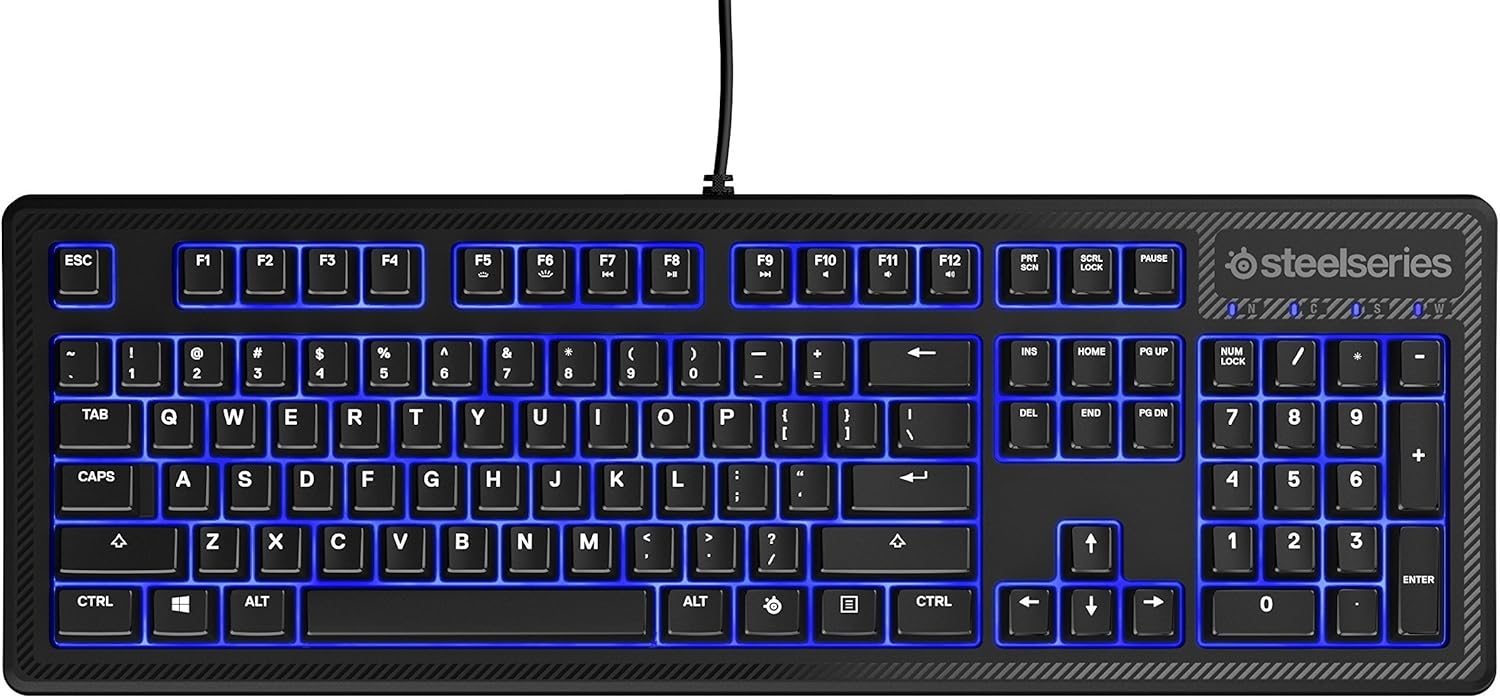
이미지: 상단 view of the SteelSeries Apex 100 Gaming Keyboard, showing the full QWERTY layout with blue LED backlighting and the attached USB cable.
2. 소프트웨어 설치(선택 사항)
For advanced customization, including macro programming and backlighting adjustments, download and install the SteelSeries Engine 3 software from the official SteelSeries web사이트 (steelseries.com/engine화면에 나타나는 안내에 따라 설치하십시오.
키보드 작동
주요 특징
- Quick Tension Switches: Designed to mimic mechanical switches, providing a tactile feel and fast actuation.
- 파란색 LED 백라이트: Offers brilliant ground effects backlighting. Intensity can be adjusted via SteelSeries Engine 3.
- 고급 안티고스팅: Ensures all key presses are registered accurately during intense gaming sessions.
- 미디어 컨트롤: Integrated media control functions are accessible via function keys (F7-F12) in combination with the Fn key.
이미지: 측면 view of the SteelSeries Apex 100 Gaming Keyboard, highlighting its ergonomic design and keycap profile.
Customization with SteelSeries Engine 3
The SteelSeries Engine 3 software allows you to:
- Create and assign macros to any key.
- Adjust the intensity of the blue LED backlighting.
- Configure polling rates and other performance settings.
유지
청소
To clean your keyboard, disconnect it from your computer. Use a soft, dry cloth to wipe down the keys and chassis. For stubborn dirt, a slightly damp cloth with mild soap can be used, ensuring no liquid enters the key switches or internal components. The keyboard is splash resistant, but not waterproof; avoid submerging it or exposing it to excessive liquids.
내구성
The Apex 100 keyboard features a guaranteed 20-million click lifespan for its switches, ensuring long-term reliability under heavy use.

이미지: 하단 view of the SteelSeries Apex 100 Gaming Keyboard, showing the drainage channels and adjustable feet.
문제 해결
키보드가 응답하지 않음
- USB 케이블이 키보드와 컴퓨터에 모두 단단히 연결되어 있는지 확인하세요.
- 키보드를 다른 USB 포트에 연결해보세요.
- 컴퓨터를 다시 시작하세요.
- USB 허브를 사용하는 경우 컴퓨터에 직접 연결해보세요.
역광 문제
- Check the backlighting settings within the SteelSeries Engine 3 software.
- Ensure the keyboard's brightness level is not set to minimum.
키가 등록되지 않음
- 영향을 받은 키 주변을 청소하여 이물질을 제거하세요.
- If the issue persists, consider reinstalling the SteelSeries Engine 3 software or updating your USB drivers.
추가적인 도움이 필요하시면 SteelSeries 지원 페이지를 참조하십시오. web대지.
명세서
| 특징 | 세부 사항 |
|---|---|
| 상표 | 스틸시리즈 |
| 모델명 | 에이펙스 100 |
| 모델 번호 | 64435 |
| 연결 기술 | USB-A |
| 키보드 설명 | 노름 |
| 추천 용도 | 노름 |
| 특징 | 백라이트 |
| 색상 | 파란색 |
| 키보드 백라이트 색상 지원 | Single Color (Blue) |
| 스타일 | 속삭이듯 조용한 – 촉각적이고 무음 |
| 제품 치수 | 18.21인치 길이 x 6.13인치 너비 x 1.58인치 높이 |
| 전원 | USB |
| 스위치 유형 | Tactile (Quick Tension Switches) |
| 키보드 레이아웃 | 쿼티 |
| 버튼 수량 | 104 |
| 호환되는 운영 체제 제품군 | 윈도우 |
| 키의 개수 | 100 |
| 인클로저 재료 | 플라스틱 |
| 품목 무게 | 2.42 파운드 |
| 한국어: | 813682020101 |
보증 정보
According to product information, this item comes with 무보증. Please check with your retailer for their return or exchange policies.
지원하다
For additional support, driver downloads, or frequently asked questions, please visit the official SteelSeries support web대지: