
소개
This manual provides instructions for the proper setup, operation, and maintenance of your Targus W600 Wireless Optical Mouse. Please read this manual thoroughly before using the device to ensure optimal performance and longevity.
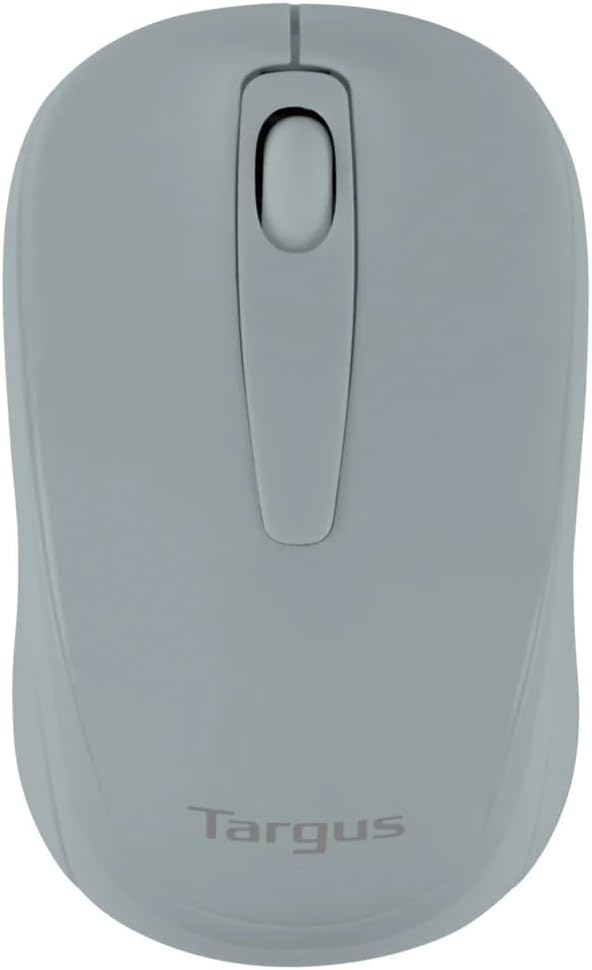
Figure 1: Targus W600 Wireless Optical Mouse (Quarry Gray)
패키지 내용
패키지에 모든 품목이 들어 있는지 확인하세요.
- Targus W600 Wireless Optical Mouse
- USB 수신기
- 사용 설명서 (본 문서)
Note: 1 AA battery is required and sold separately.
제품 특징
- 2.4 GHz Wireless Technology for reliable connection
- 1600 DPI Optical Sensor for precise tracking
- 편안한 사용을 위한 인체공학적 디자인
- Windows 및 Mac 운영 체제와 호환
- Integrated USB receiver storage compartment
설정
1. 배터리 설치
- Turn the mouse over to locate the battery compartment cover.
- Gently slide the cover off.
- AA 배터리 1개를 삽입할 때, 극성(+/-)을 올바르게 맞춰주세요.
- 배터리 덮개를 다시 장착하세요.
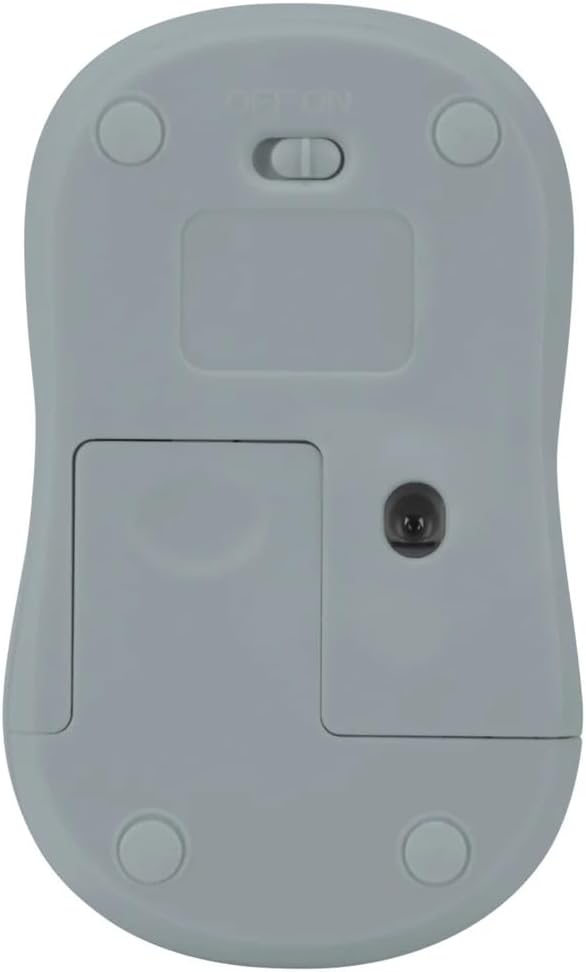
그림 2: 하단 view of the mouse with battery compartment and power switch.
2. USB 수신기 연결
- Locate the USB receiver, typically stored inside the mouse's battery compartment or a dedicated slot.
- USB 수신기를 컴퓨터의 사용 가능한 USB 포트에 연결합니다.
- 컴퓨터가 필요한 드라이버를 자동으로 감지하여 설치합니다. 이 작업에는 몇 분 정도 걸릴 수 있습니다.
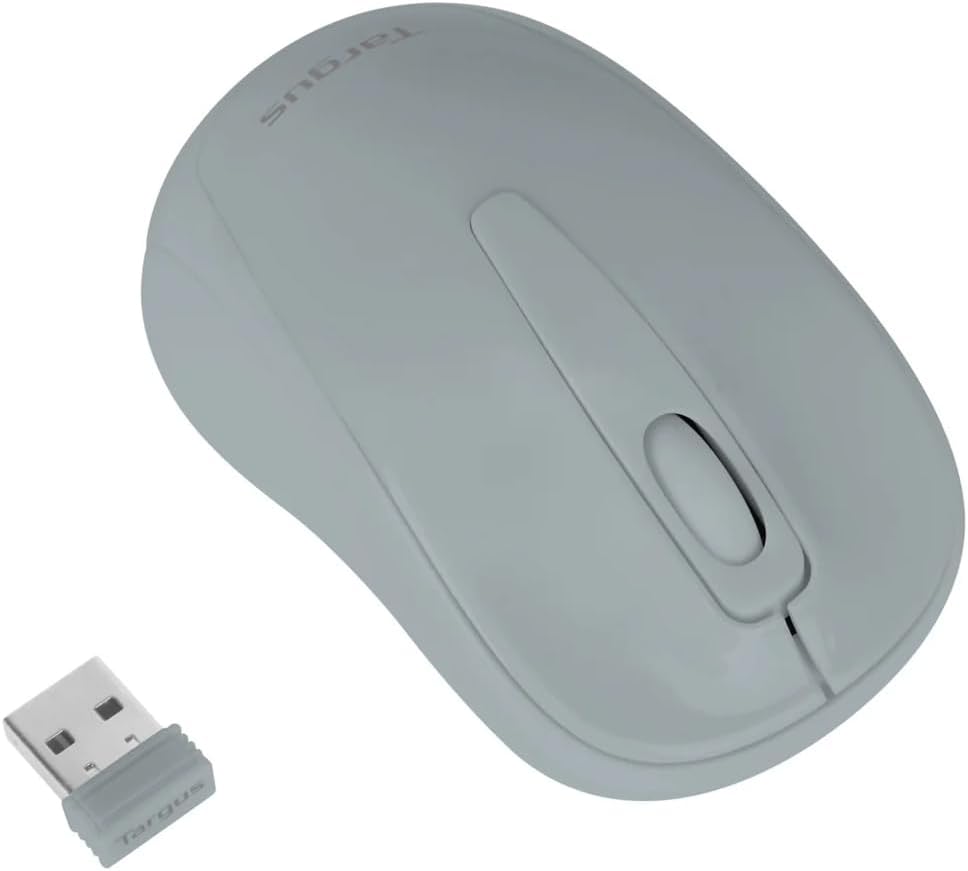
Figure 3: Targus W600 mouse and its USB receiver.

Figure 4: USB receiver plugged into a laptop, with the mouse nearby.
3. 마우스 전원 켜기
On the bottom of the mouse, slide the ON/OFF switch to the "ON" position. The mouse is now ready for use.
마우스 작동
The Targus W600 Wireless Optical Mouse functions like a standard 3-button mouse. It features a left button, a right button, and a scroll wheel that also acts as a middle button.
- 좌 클릭: 주요 조치, 선택, 시작 항목.
- 마우스 오른쪽 버튼으로 클릭: 상황에 맞는 메뉴를 엽니다.
- 스크롤 휠: 문서를 스크롤하고 web pages vertically. Pressing the scroll wheel acts as a middle click, often used for opening links in new tabs or specific application functions.
The 1600 DPI optical sensor provides smooth and accurate cursor control on most surfaces. For best performance, use on a mouse pad or a non-reflective, uniform surface.
유지
청소
마우스를 청소하려면 부드러운 천으로 표면을 살살 닦아주세요.amp cloth. Avoid using harsh chemicals or abrasive cleaners, as these can damage the finish or internal components. Ensure no liquid enters the mouse.
배터리 교체
When the mouse performance degrades or stops responding, it may be time to replace the battery. Follow the steps outlined in the "Installing the Battery" section to replace the AA battery. Dispose of used batteries responsibly according to local regulations.
문제 해결
| 문제 | 해결책 |
|---|---|
| 마우스가 응답하지 않음 |
|
| 불규칙한 커서 움직임 |
|
| 짧은 무선 범위 |
|
명세서
| 모델 번호 | AMW60006AP-55 |
| 연결성 | 2.4GHz 무선(USB 수신기) |
| 센서 기술 | 광학 |
| 디피에이 | 1600DPI |
| 버튼의 수 | 3 (왼쪽, 오른쪽, 마우스 휠/가운데 클릭) |
| 전원 | AA 배터리 1개(포함되지 않음) |
| 호환되는 운영 체제 | 윈도우, 맥 |
참고 : 사양은 예고없이 변경 될 수 있습니다.
보증 및 지원
보증 정보 및 기술 지원에 대해서는 Targus 공식 웹사이트를 참조하십시오. web사이트를 방문하거나 고객 서비스에 문의하세요. 보증 청구를 위해 구매 증빙 자료로 구매 영수증을 보관하세요.
Targus Official Web대지: www.targus.com