
1. 서론
The Tenda SG108 is an unmanaged 8-Port Gigabit Ethernet Switch designed to expand your network with high-speed wired connections. This device offers a simple plug-and-play solution, requiring no configuration or software installation. It is suitable for various environments, including home, surveillance systems, school dormitories, and small businesses, providing stable and lossless data transmission.
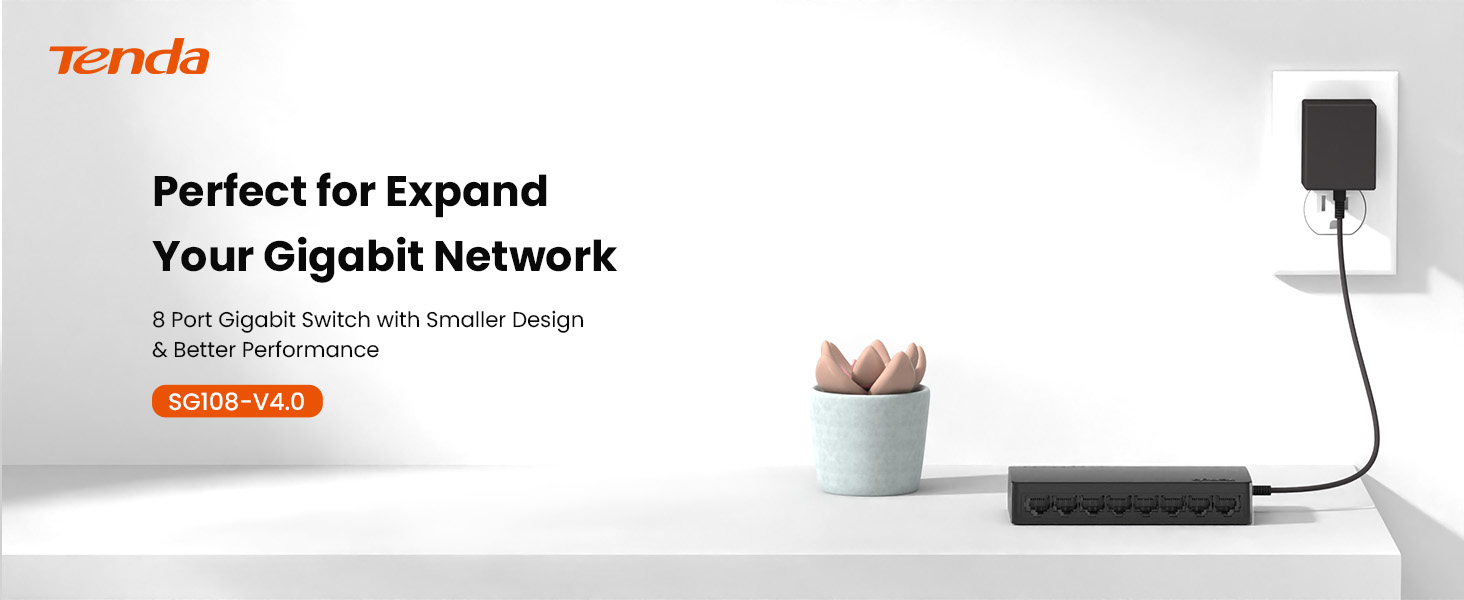
Image 1.1: Tenda SG108 8-Port Gigabit Ethernet Switch, highlighting its role in expanding a gigabit network.
2. 제품 오버view
2.1 주요 특징
- 플러그 앤 플레이: 설정이나 소프트웨어 설치 없이 간편하게 설치할 수 있습니다.
- 기가비트 속도: Provides 8 10/100/1000Mbps adaptive ports for wire-speed forwarding up to 1000 megabits per second.
- 안정적이고 손실 없는 전송: Adopts store-and-forward mode, automatically learns and updates MAC addresses, ensuring stable data transmission for 7x24 hours without dropping connections.
- 네트워크 확장: Offers additional wired connections for devices like laptops, gaming consoles, and printers.
- 지능형 인식: Ports automatically identify parallel and intersecting lines, simplifying network setup.
- 컴팩트한 디자인: Small form factor suitable for desktop or wall-mount installation.

Image 2.1: The Tenda SG108 switch highlighting its stable connection, high speed, stylish design, and power-saving features.
2.2 패키지 내용
패키지에 다음 품목이 포함되어 있는지 확인하십시오.
- 1 x Tenda SG108 8-Port Gigabit Ethernet Switch
3. 설정 지침
The Tenda SG108 switch is designed for easy installation. Follow these steps to set up your device:
3.1 전원 어댑터 연결
- Connect the provided power adapter to the power input port on the rear panel of the SG108 switch.
- 전원 어댑터의 다른 쪽 끝을 표준 전기 콘센트에 꽂습니다.
- The power LED indicator on the switch will illuminate, indicating that the device is powered on.

Image 3.1: Easy setup guide for the Tenda SG108, illustrating power and device connections.
3.2 네트워크 장치 연결
- Connect an Ethernet cable from your router or modem to any of the 8 RJ45 ports on the SG108 switch. This port will automatically function as the uplink.
- Connect your network devices (e.g., computers, gaming consoles, IP cameras, printers) to the remaining RJ45 ports using Ethernet cables.
- The corresponding LED indicators for each connected port will light up, indicating an active connection.

Image 3.2: Illustrates how to connect various devices to the Tenda SG108 switch to expand your network.
3.3 장착 옵션
The SG108 supports both desktop placement and wall-mounting.
- 데스크탑 배치: 스위치를 평평하고 안정적인 표면에 놓으십시오. 기기 주변에 충분한 환기가 이루어지도록 하십시오.
- 벽 장착: The switch features mounting slots on its underside. Use appropriate screws (not included) to secure the switch to a wall.

Image 3.3: The Tenda SG108 switch demonstrating both desktop and wall-mounted installation options.
4. 사용 설명서
The Tenda SG108 is an unmanaged switch, meaning it operates automatically without requiring user configuration. Once powered on and connected to your network devices, it will begin functioning immediately.
4.1 LED 표시등
The front panel of the SG108 features LED indicators for each port, providing visual feedback on network activity:
- 솔리드 그린: Indicates a stable link connection at Gigabit speed.
- 녹색 깜박임: 포트의 데이터 활동을 나타냅니다.
- 끄다: No device is connected, or the connected device is powered off.

Image 4.1: The Tenda SG108 is designed for continuous, stable operation, ensuring connectivity for 7x24 hours.
4.2 자동 기능
- 자동 MDI/MDIX: Eliminates the need for crossover cables. The switch automatically detects the cable type.
- 자동 협상: Each port automatically detects the link speed of a connected network device (10, 100, or 1000 Mbps) and intelligently adjusts for compatibility and optimal performance.
- Full-Duplex/Half-Duplex: Supports full-duplex mode for 2000Mbps data transfer per port.
5. 유지관리
To ensure optimal performance and longevity of your Tenda SG108 switch, follow these maintenance guidelines:
- 놓기: Place the switch in a cool, dry, and well-ventilated area. Avoid direct sunlight, heat sources, and areas with high humidity.
- 청소: 부드럽고 마른 천으로 스위치 외부를 닦으세요. 액체나 에어로졸 세척제는 사용하지 마세요.
- 통풍: 기기의 통풍구가 막히지 않도록 하여 과열을 방지하십시오.
- 전원 공급 장치: 기기와 함께 제공된 전원 어댑터만 사용하세요.
- 케이블 관리 : Organize network cables to prevent strain on the ports and ensure proper airflow.
6. 문제 해결
If you encounter issues with your Tenda SG108 switch, refer to the following common troubleshooting steps:
6.1 전원 없음
- 전원 어댑터가 스위치와 작동하는 전기 콘센트에 안전하게 연결되어 있는지 확인하세요.
- 다른 장치를 연결하여 전원 콘센트가 작동하는지 확인하세요.
6.2 No Link/Activity LED
- 이더넷 케이블이 스위치 포트와 연결된 장치에 모두 단단히 꽂혀 있는지 확인하세요.
- 연결된 장치의 전원이 켜져 있고 올바르게 작동하는지 확인하세요.
- Try using a different Ethernet cable to rule out cable defects.
- 스위치의 다른 포트를 사용하여 테스트해 보세요.
6.3 느린 네트워크 속도
- 연결된 모든 장치와 케이블이 기가비트 이더넷을 지원하는지 확인하십시오(기가비트 속도를 위해서는 Cat5e 이상의 케이블을 사용하는 것이 좋습니다).
- 네트워크에서 과도한 네트워크 트래픽이나 대역폭을 많이 사용하는 애플리케이션이 실행 중인지 확인하세요.
- 스위치와 연결된 장치를 재시작하십시오.
7. 사양
| 특징 | 사양 |
|---|---|
| 상표 | 텐다 |
| 모델 번호 | SG108 |
| 포트 수 | 8 |
| 스위치 유형 | 관리되지 않음 |
| 인터페이스 | RJ45 |
| 데이터 전송 속도 | 2000 Megabits Per Second (Full-Duplex) |
| 권tage | 9 볼트 |
| 현재 평가 | 5 Amps |
| 상한 온도 등급 | 섭씨 40도 |
| 케이스 재질 종류 | 플라스틱 |
| 품목 무게 | 159그램 |
| 호환 장치 | Router, Mesh, IP devices, Laptop, gaming console, printer, etc. |
8. 보증 및 지원
8.1 보증 정보
The Tenda SG108 8-Port Gigabit Ethernet Switch comes with a 3년 제조사 보증.
8.2 기술 지원
Tenda provides FREE lifetime 24/7 dedicated technical support. For assistance, please contact Tenda's support team via phone or email.


