
소개
This manual provides essential information for the safe and efficient operation of your Amazon Basics 15-Sheet Cross-Cut Paper, CD, and Credit Card Shredder. Please read all instructions carefully before use and retain this manual for future reference.
안전 정보
안전한 작동을 위해 항상 다음 지침을 준수하십시오.
- 손, 머리카락, 헐렁한 옷이 종이 투입구에 닿지 않도록 하십시오.
- 분쇄기 내부나 주변에 에어로졸 제품을 뿌리거나 보관하지 마십시오.
- Do not shred items like metallic credit cards, adhesive labels, or continuous forms.
- 사용하지 않을 때나 청소하기 전에는 분쇄기의 전원을 뽑으십시오.
- Keep the shredder out of reach of children and pets.
- 전원 코드가 손상된 경우 파쇄기를 작동하지 마십시오.
제품 끝view
The Amazon Basics 15-Sheet Cross-Cut Shredder is designed for efficient document destruction, offering a high level of security for personal and office use.

그림 1: 전면 view of the Amazon Basics 15-Sheet Cross-Cut Shredder.
주요 특징:
- 15매 적재 가능: Shreds up to 15 sheets of 20 lb. paper at once.
- 십자형 채썰기: Shreds paper into 3/16" x 1-7/32" (4.7 x 31mm) particles for enhanced security (Security Level P-4).
- 다양한 소재 파쇄: Also destroys CD/DVDs, credit cards, staples, and small paper clips.
- 확장된 실행 시간: Features a 20-minute continuous run time.
- 안전 기능: Includes Overheat / Overload protection.
- LED 표시등: Provides visual alerts for Standby, Overheat, Overload, Door open, and Bin full status.
- Large Capacity Bin: Equipped with a 6-gallon pull-out basket for easy waste disposal.
- 유동성: Casters included for convenient movement.
- 4가지 모드 스위치: Auto/Off/Forward/Reverse settings for versatile control.
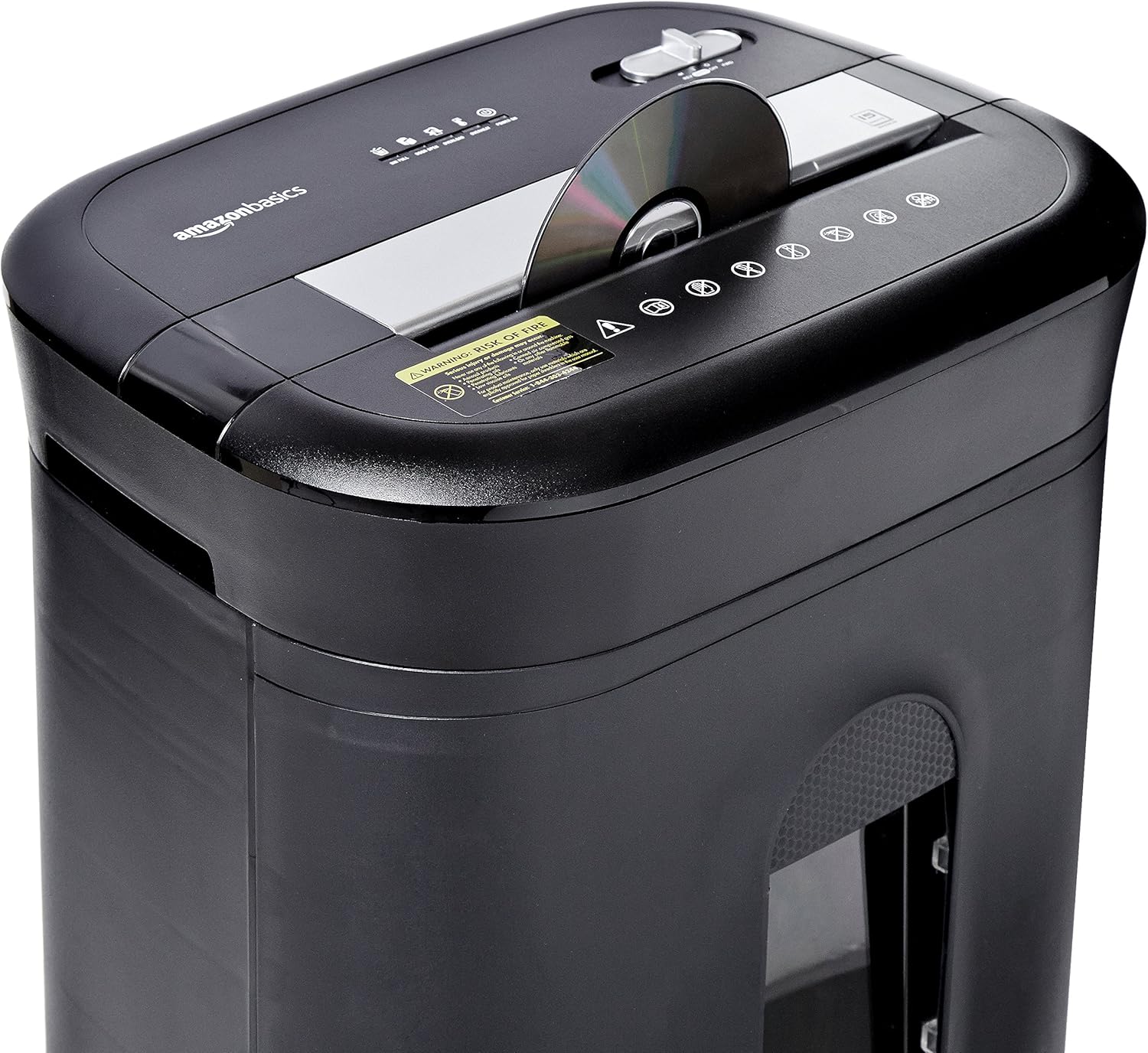
Figure 2: Diagram illustrating key features of the shredder.
설정
다음 단계를 따라 파쇄기를 설치하세요:
- 풀다: 포장에서 모든 구성 요소를 조심스럽게 제거합니다.
- 위치: Place the shredder on a flat, stable surface. Ensure the waste bin is securely closed and properly inserted into the main unit.
- 전원 연결: Plug the power cord into a standard 120-volt AC outlet.
Video 1: Official product video demonstrating the setup and basic operation of the Amazon Basics 15-Sheet Cross-Cut Shredder.
작동 지침
전원 모드 스위치:
The shredder features a 4-mode slide switch located on the top panel:
- 자동(I): 파쇄기는 용지를 넣으면 자동으로 작동을 시작하고 파쇄가 완료되면 멈춥니다. 이는 일반적인 사용에 권장되는 설정입니다.
- OFF(O): Turns off all shredder functions. Always select this setting when emptying the waste bin or when the shredder is not in use.
- FORWARD (▶▶): Manually activates the shredder to continuously cut. Useful for clearing minor jams.
- REVERSE (◀◀): Reverses the shredder mechanism to help clear paper jams.

Figure 3: Close-up of the control panel with the 4-mode switch.
종이 파쇄:
- Ensure the power mode switch is set to 자동(I).
- Insert up to 15 sheets of paper (20 lb. bond) straight into the paper entry slot. The shredder will automatically start and stop.
- 종이를 파쇄기에 억지로 넣지 마십시오. 파쇄기가 제대로 작동하지 않으면 종이 수를 줄이십시오.

Figure 4: Inserting paper into the shredder.
Shredding Credit Cards and CDs/DVDs:
- Ensure the power mode switch is set to 자동(I).
- Insert one credit card or CD/DVD at a time into the dedicated slot.
- The shredder will automatically start and stop.

Figure 5: Shredding a credit card.
유지
Emptying the Shredder Bin:
Regularly empty the waste bin to prevent paper jams and ensure optimal performance.
- Set the power mode switch to 꺼짐 (O) 그리고 분쇄기의 전원을 뽑으세요.
- 분쇄기 앞쪽에서 쓰레기통을 빼내세요.
- 파쇄된 재료는 폐기하십시오.
- Slide the waste bin back into the shredder until it clicks securely into place.

그림 6: 쉽게 비울 수 있도록 당겨서 꺼낼 수 있는 쓰레기통.
분쇄기에 기름칠하기:
To maintain the shredder's performance and longevity, it is recommended to oil the cutting blades periodically, especially after emptying the bin multiple times or if performance decreases.
- Apply shredder oil (or vegetable oil) in a zigzag pattern across the paper entry slot.
- Set the power mode switch to FORWARD (▶▶) for 2-3 seconds to distribute the oil.
- Then, set the switch to REVERSE (◀◀) 2~3초 동안.
- Shred a few sheets of paper to remove any excess oil.
문제 해결
The shredder is equipped with LED indicators to help diagnose common issues:
- Standby (Green): 분쇄기의 전원이 켜져 작동 준비가 완료되었음을 나타냅니다.
- 과열(빨간색): The shredder has exceeded its maximum operating temperature. Allow it to cool down for approximately 20-30 minutes before resuming use.
- 과부하(빨간색): Too much material has been inserted. Use the REVERSE (◀◀) function to clear the jam, then reduce the amount of material.
- 문 열림 (빨간색): The waste bin is not properly closed or inserted. Ensure the bin is fully pushed in.
- 쓰레기통 가득 참(빨간색): The waste bin is full and needs to be emptied.
| 문제 | 가능한 원인 | 해결책 |
|---|---|---|
| 분쇄기가 작동하지 않습니다. | Not plugged in; Power switch in OFF position; Waste bin not properly inserted. | Check power connection; Set switch to AUTO; Re-insert waste bin securely. |
| 파쇄기가 작동 중에 멈춥니다. | Overheat protection activated; Overload protection activated; Bin full. | Allow to cool down; Clear jam using REVERSE, then reduce material; Empty bin. |
| 종이 걸림. | Too much paper inserted; Paper inserted at an angle. | Use REVERSE function; Reduce paper quantity; Insert paper straight. |
명세서
| 특징 | 사양 |
|---|---|
| 상표 | 아마존 기본 정보 |
| 모델 번호 | PBH-49976 |
| 파쇄형 | 크로스 컷 |
| 파쇄 크기 | 3/16" x 1-7/32" (4.7 x 31mm) |
| 보안 수준 | 피-4 |
| 시트 용량 | 15 sheets (20 lb. paper) |
| 연속 실행 시간 | 20 분 |
| 쿨다운 시간 | 30 분 |
| 쓰레기통 용량 | 6갤런 |
| 품목 무게 | 22파운드 |
| 제품 치수 | 11 x 14.4 x 20.9 인치 |
| 색상 | 검은색 |
보증 및 지원
For warranty information or technical support, please refer to the documentation included with your product or contact Amazon Basics customer service.
고객 서비스: 1-844-303-4244
추가 리소스를 보려면 다음을 방문하세요. 아마존 베이직스 스토어.