
1. 서론
The ThermoPro TP02S is a digital food thermometer designed for quick and accurate temperature readings of various foods. It features a long stainless steel probe, a clear digital display, and simple operation, making it suitable for cooking, baking, grilling, and candy making. This manual provides instructions for proper use and care of your TP02S thermometer.
2. 제품 오버view
The ThermoPro TP02S thermometer consists of the main unit with a digital display and a stainless steel probe, along with a protective probe cover.

Figure 2.1: ThermoPro TP02S Digital Food Thermometer and its protective probe cover.

Figure 2.2: Labeled diagram of the ThermoPro TP02S components, including the clear LCD display, 5.3-inch super long stainless steel probe, instant sensitive probe tip, ON/OFF button, °C/°F button, pocket clip, and battery compartment.
구성 요소:
- 온도계 단위: Main body with digital display and control buttons.
- 스테인레스 스틸 프로브: 5.3-inch long probe for temperature measurement.
- Protective Probe Cover: For safe storage and protection of the probe tip.
- LR44 배터리: One LR44 battery is included and pre-installed.
3. 설정
3.1. 배터리 설치
The ThermoPro TP02S comes with one LR44 battery pre-installed. If replacement is needed, follow these steps:
- 온도계 뒷면에 있는 배터리함을 찾으세요.
- 작은 드라이버나 동전을 사용하여 배터리 덮개를 여세요.
- Insert one new LR44 battery, ensuring the correct polarity (+/-).
- 배터리 덮개를 단단히 닫으세요.

Figure 3.1: Illustration of the battery compartment and LR44 battery for the ThermoPro TP02S.
3.2. 초기 청소
Before first use, and after each subsequent use, clean the stainless steel probe with a damp cloth or sponge. Do not immerse the entire unit in water.
4. 운영
The ThermoPro TP02S is designed for straightforward temperature measurement.

Figure 4.1: Visual guide for operating the ThermoPro TP02S, including cleaning, power on, unit selection, probe insertion, and reading temperature.
4.1. 체온 측정
- 를 누르세요 켜짐/꺼짐 버튼을 눌러 온도계를 켭니다.
- 섭씨(°C)와 화씨(°F) 사이를 전환하려면 버튼을 누르세요. ° C / ° F button located on the back of the unit.
- 뼈나 연골은 피하고 음식의 가장 두꺼운 부분에 스테인리스 스틸 탐침을 꽂으세요.
- 디지털 디스플레이에 온도가 안정될 때까지 4~7초 동안 기다리세요.
- 원하는 온도에 도달하면 음식에서 온도계를 제거하십시오.
- 를 누르세요 켜짐/꺼짐 button to turn off the thermometer, or it will automatically power off after 10 minutes of inactivity to conserve battery life.

Figure 4.2: The ThermoPro TP02S provides fast (4-7 seconds) and accurate (±0.9°F / ±0.5°C) temperature readings.
4.2. Temperature Range and Applications
The thermometer has a wide temperature range of -58°F to 572°F (-50°C to 300°C), making it suitable for various culinary tasks.

그림 4.3: 예amples of the ThermoPro TP02S's versatility in measuring temperatures for steak, candy making, home baking, and coffee brewing.
5. 유지관리
5.1. 세척 및 관리
- Always clean the stainless steel probe after each use with a damp 천이나 스펀지.
- 단위는 방수가 안됨. Do not immerse the thermometer unit or the probe's plug-in hole in any liquid. This can lead to damage and inaccurate readings.
- Avoid exposing the unit to extreme heat or direct flame for extended periods.
5.2. 보관
사용하지 않을 때는 온도계를 건조한 곳에 보관하세요.
- Always use the protective probe cover to prevent physical damage to the probe tip.
- The thermometer features a hanging hole for convenient storage on kitchen hooks.
- The probe cover includes a pocket clip for easy portability.
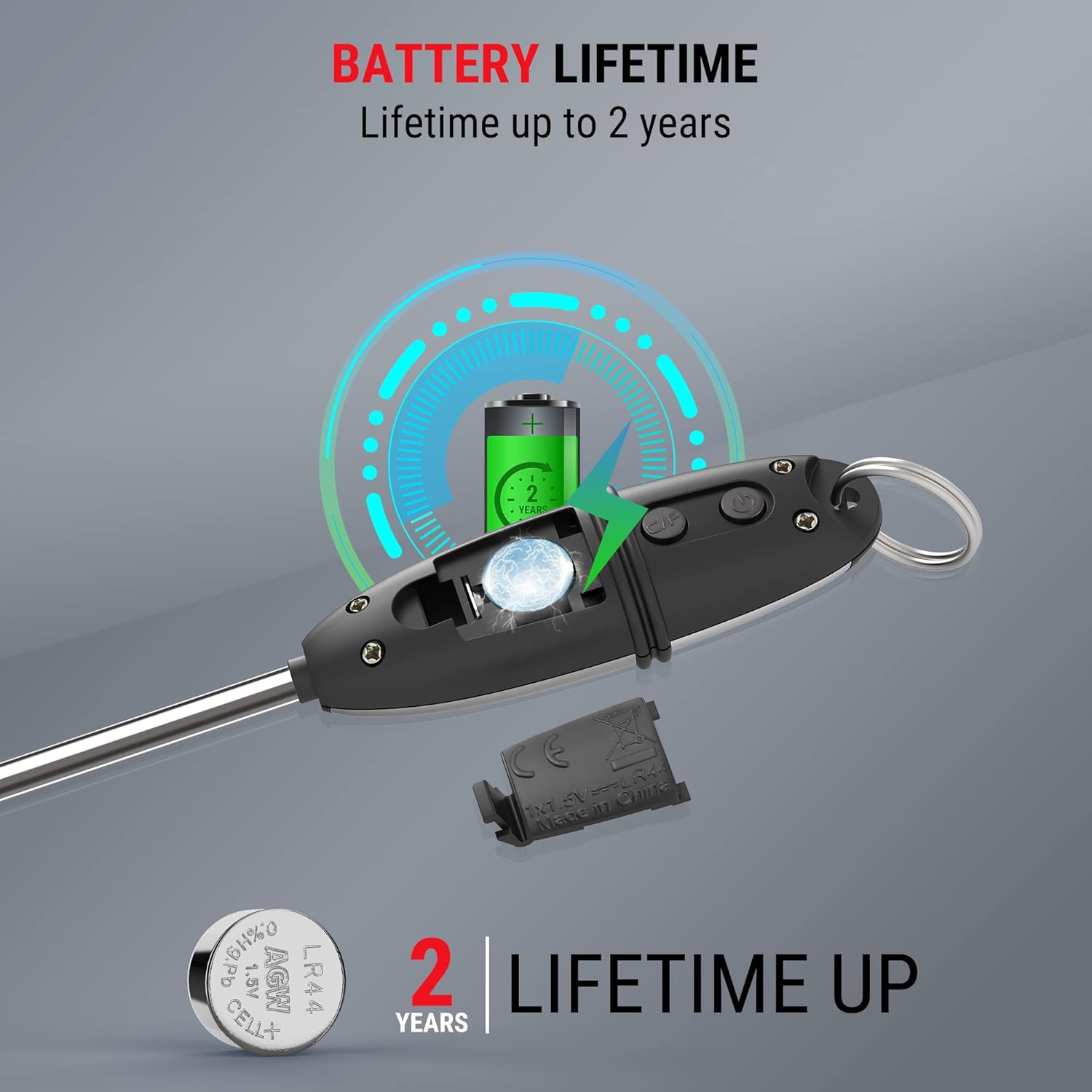
Figure 5.1: The protective probe cover can be used to extend the handle or for safe storage.
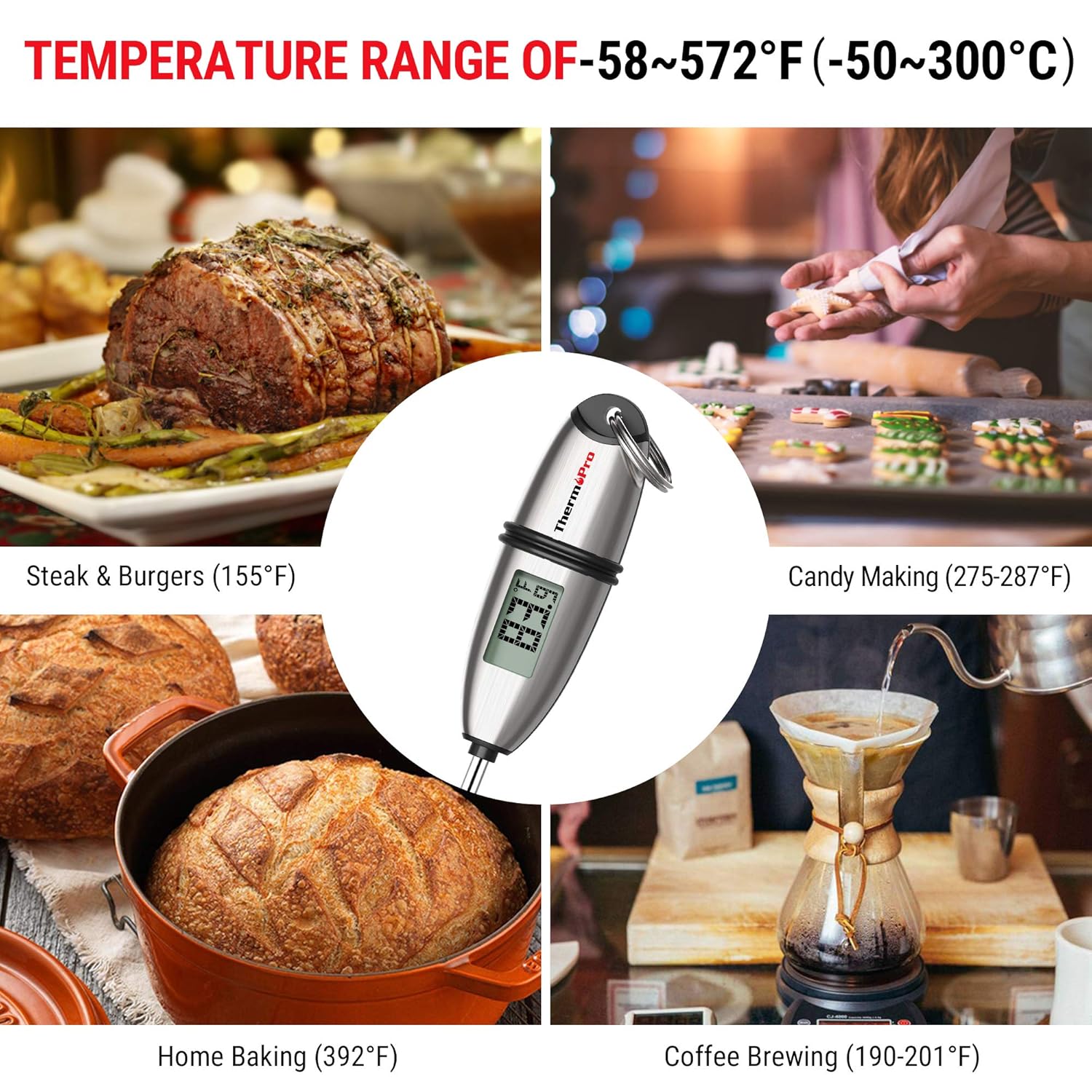
Figure 5.2: Multiple mounting and storage options for the ThermoPro TP02S, including hanging, pocket clip, and drawer storage.
6. 문제 해결
6.1. Displaying Error Codes
- If the LCD screen displays 하하하, the measured temperature is above the thermometer's measurable range.
- If the LCD screen displays 평생교육, the measured temperature is below the thermometer's measurable range.
6.2. 부정확한 판독값
- Ensure the probe is inserted into the thickest part of the food and not touching bone, gristle, or the bottom of the cooking vessel.
- Verify the battery has sufficient power. Replace if necessary.
6.3. 기기가 켜지지 않음
- 배터리가 올바른 극성으로 올바르게 설치되었는지 확인하세요.
- 배터리를 새로운 LR44 배터리로 교체하세요.
7. 사양
| 특징 | 사양 |
|---|---|
| 모델 번호 | TP-02S |
| 온도 범위 | -58°F ~ 572°F(-50°C ~ 300°C) |
| 정확성 | ± 0.9 ° F (± 0.5 ° C) |
| Readout Speed | 4~7초 |
| 프로브 길이 | 5.3인치 |
| 전원 | LR44 배터리 1개 (포함) |
| 자동 꺼짐 | 10분 동안 활동 없음 |
| 재료 | Stainless Steel (probe) |
| 제품 치수 | 8.6 x 1.2 x 1.2 인치 |
| 무게 | 0.8 온스 |
| 인증 | CE, FCC, NSF |
8. 보증 및 지원
ThermoPro provides a warranty for its products. For specific warranty details, registration, or technical support, please refer to the official ThermoPro web사이트에서 확인하거나 고객 서비스에 직접 문의하세요. 구매 증빙 자료로 구매 영수증을 보관하세요.
연락처 정보: 방문해주세요 Amazon의 ThermoPro 스토어 or the official ThermoPro web최신 지원 정보는 사이트에서 확인하세요.


