
소개
The ARRIS SURFboard TM822G is a high-performance DOCSIS 3.0 cable modem and a 2-port telephony modem, designed for use with XFINITY from Comcast Internet & Voice service. This device provides a reliable connection for your internet and supports two Voice over IP (VoIP) telephone lines. By owning your modem, you can avoid monthly rental fees from your service provider.
패키지 내용
제품 패키지에 모든 품목이 들어 있는지 확인하세요.
- ARRIS SURFboard TM822G Cable Modem
- 이더넷 케이블
- Coaxial Cable Splitter
- XNUMX개의 동축 케이블
- 전원 코드
- 사용 설명서 (본 문서)
장치 오버view
Familiarize yourself with the ARRIS SURFboard TM822G's components and indicators.
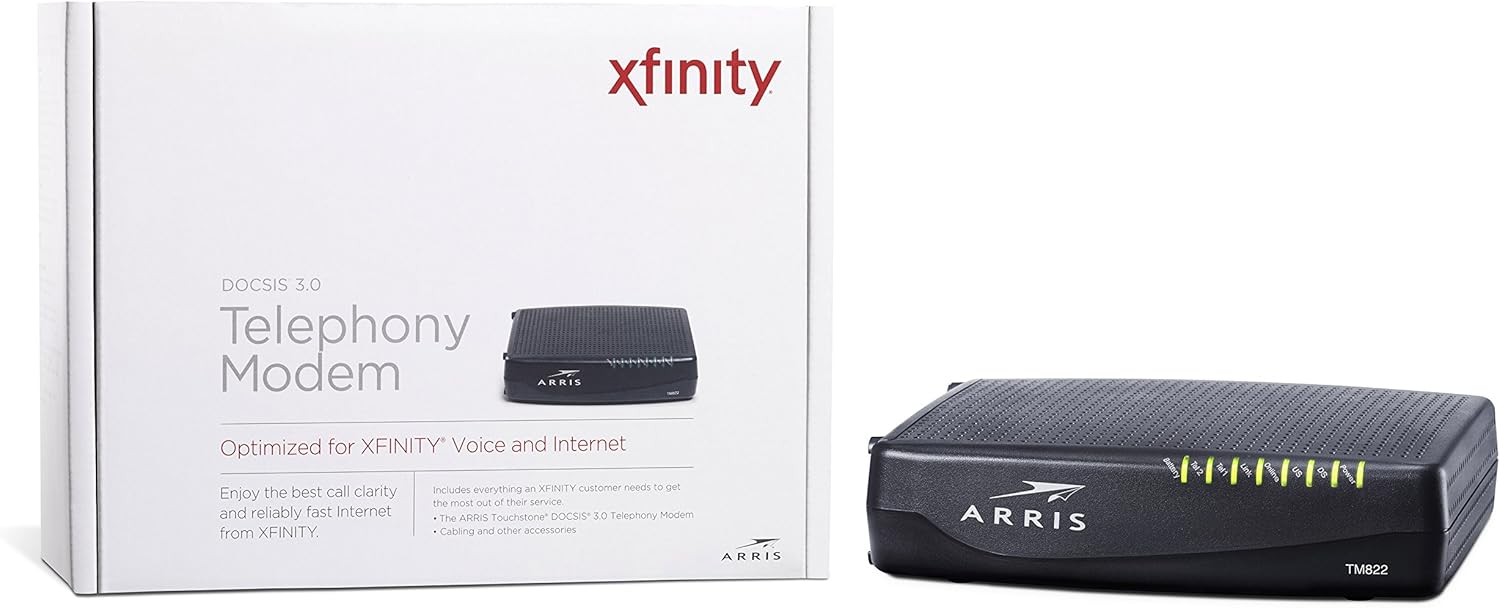
그림 1: 전면 View of ARRIS SURFboard TM822G
This image shows the front panel of the ARRIS SURFboard TM822G cable modem, highlighting the status indicator lights.

그림 2: 후면 View of ARRIS SURFboard TM822G
This image displays the rear panel of the ARRIS SURFboard TM822G, detailing the coaxial input, Ethernet port, and two telephone line ports.
LED 상태 표시기
전면 패널의 LED는 모뎀의 작동 상태에 대한 정보를 제공합니다.
- 힘: 모뎀의 전원 상태를 나타냅니다.
- DS(다운스트림): 하위 채널 연결 상태를 나타냅니다.
- 미국(상류): 상위 채널 연결 상태를 나타냅니다.
- 온라인: 인터넷 연결이 성공했음을 나타냅니다.
- 링크: 이더넷 연결 상태를 나타냅니다.
- Tel1 / Tel2: Indicate the status of the two telephone lines.
- 배터리: Indicates the status of an optional battery backup (sold separately).
설정
Follow these steps to set up your ARRIS SURFboard TM822G cable modem:
- 동축 케이블 연결: Connect one end of a coaxial cable to the cable wall outlet and the other end to the "Cable In" port on the back of the modem. Ensure the connection is finger-tight.
- 이더넷 케이블 연결: Connect one end of the Ethernet cable to the Ethernet port on the back of the modem and the other end to your computer or wireless router.
- Connect Telephone Lines: If you have Xfinity Voice service, connect your telephone(s) to the "Tel1" and/or "Tel2" ports on the back of the modem.
- 전원 연결: Plug the power cord into the modem's power port and then into an electrical outlet.
- 전원 켜기: Wait for the modem to power on and for the front panel LEDs (Power, DS, US, Online, Link, Tel1/Tel2) to become solid green or blue, indicating a stable connection. This may take several minutes.
- 서비스 활성화:
- For Xfinity Users: 열기 web 연결된 기기의 브라우저에서 다음으로 이동하세요. xfinity.com/activate. Follow the on-screen instructions to activate your modem. You may need your Xfinity account information.
- For Other ISPs: Refer to your Internet Service Provider's activation instructions or contact their customer support.
작동 지침
Once successfully set up and activated, your ARRIS SURFboard TM822G will provide internet and telephone service. The modem operates continuously to maintain your connection. Monitor the front panel LEDs to ensure proper operation. Solid lights typically indicate a stable connection, while blinking lights or specific color changes may indicate activity or a problem.
For optimal performance, ensure the modem is placed in a well-ventilated area, away from direct sunlight or heat sources, and not obstructed by other objects.
유지
Regular maintenance helps ensure the longevity and optimal performance of your modem:
- 청소: 모뎀 외부를 주기적으로 부드럽고 마른 천으로 닦아주세요. 액체 세척제나 연마성 재질은 사용하지 마세요.
- 통풍: 모뎀의 통풍구가 막히지 않도록 하여 과열을 방지하십시오.
- 펌웨어 업데이트: Firmware updates are typically managed automatically by your Internet Service Provider. Do not attempt to manually update the firmware unless instructed by your ISP.
- 재부팅: 연결 문제가 발생하는 경우 모뎀을 간단히 재부팅(전원 플러그를 30초 동안 뽑았다가 다시 꽂기)하면 사소한 문제가 해결되는 경우가 많습니다.
문제 해결
If you encounter issues with your ARRIS SURFboard TM822G, refer to the following common troubleshooting tips:
| 문제 | 가능한 원인 | 해결책 |
|---|---|---|
| 전원 LED 없음 | Modem is not receiving power. | Check power cord connections to the modem and electrical outlet. Ensure the outlet is functional. |
| DS/US/Online LEDs are blinking or off | No connection to the cable network or internet. | Ensure coaxial cable is securely connected. Check for service outages in your area. Contact your ISP if the issue persists. |
| Link LED is off | No Ethernet connection to your computer/router. | Verify the Ethernet cable is securely connected to both the modem and your device/router. Try a different Ethernet cable. |
| Tel1/Tel2 LEDs are off or blinking | Telephone service issue. | Ensure telephone lines are correctly connected. Contact your Xfinity Voice service provider. |
| 느린 인터넷 속도 | Network congestion, outdated router, or ISP issue. | Reboot the modem and router. Ensure your router is capable of handling your internet speed plan. Contact your ISP to check line quality and service plan. |
The ARRIS SURFboard TM822G supports Loop Diagnostics for remote testing and troubleshooting of in-house wiring, which can be utilized by your service provider.
명세서
Key technical specifications for the ARRIS SURFboard TM822G:
- 상표: 모서리
- 모델: TM822G
- 모뎀 유형: Cable Modem with Telephony Adapter
- DOCSIS 표준: DOCSIS 3.0
- Downstream Channels: 8개의 접합 채널
- Upstream Channels: 4개의 접합 채널
- Maximum Downstream Speed: 최대 343Mbps
- Maximum Upstream Speed: 최대 131Mbps
- 이더넷 포트: 1 기가비트 이더넷 포트
- 전화 포트: 2 (for Voice over IP)
- Compatible ISP: Certified for Comcast Xfinity Internet & Voice service only.
- 연결 기술 : 이더넷
- 색상: 검은색
보증 및 지원
The ARRIS SURFboard TM822G comes with a 2년 제한 부품 및 공임 보증. For technical assistance or warranty claims, please contact ARRIS customer support. You can find contact information and additional resources on the official ARRIS support web대지.