
Walkera Goggle4
Walkera Goggle4 FPV Video Glasses Instruction Manual
상표: 워커라
1. 소개 및 이상view
The Walkera Goggle4 FPV Video Glasses are designed to provide an immersive First-Person View experience for drone piloting. Featuring a built-in 5.8GHz 40-channel receiver, these glasses offer clear and stable video transmission, enhancing your flight control and enjoyment. Their ergonomic design ensures comfortable wear for extended periods, making them an ideal companion for your FPV adventures.

Figure 1.1: Walkera Goggle4 FPV Video Glasses
2. 제품 특징
- Built-in 5.8G, 5-band, 40-channel receiving module: Ensures wide compatibility and reliable video reception from various FPV transmitters.
- Compatible with all standard (NTSC ver and PAL ver) video signals: Provides versatility for use with different camera systems.
- Support AV Input and Output: Allows connection to external video sources or recording devices.
- High-tech precision optical components: Designed to prevent visual fatigue during prolonged use, offering a clear view경험.
- Human body engineering design: Lightweight and comfortable to wear, ensuring a pleasant FPV experience.

Figure 2.1: Ergonomic design for comfortable fit.
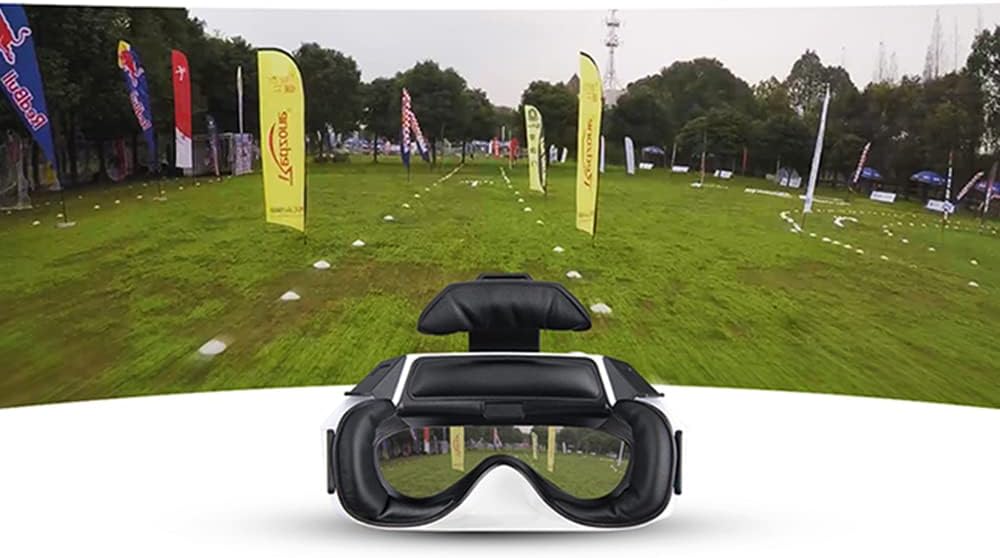
Figure 2.2: Immersive FPV view경험.

Figure 2.3: Stable 5.8G double antenna transmission.
3. 상자 안에 무엇이 들어있나요?
Upon unboxing your Walkera Goggle4, you should find the following components:
- Walkera Goggle4 FPV Video Glasses
- Battery Pack (external, as seen in product video)
- 충전 케이블
- Antennas (2x, as seen in product video)
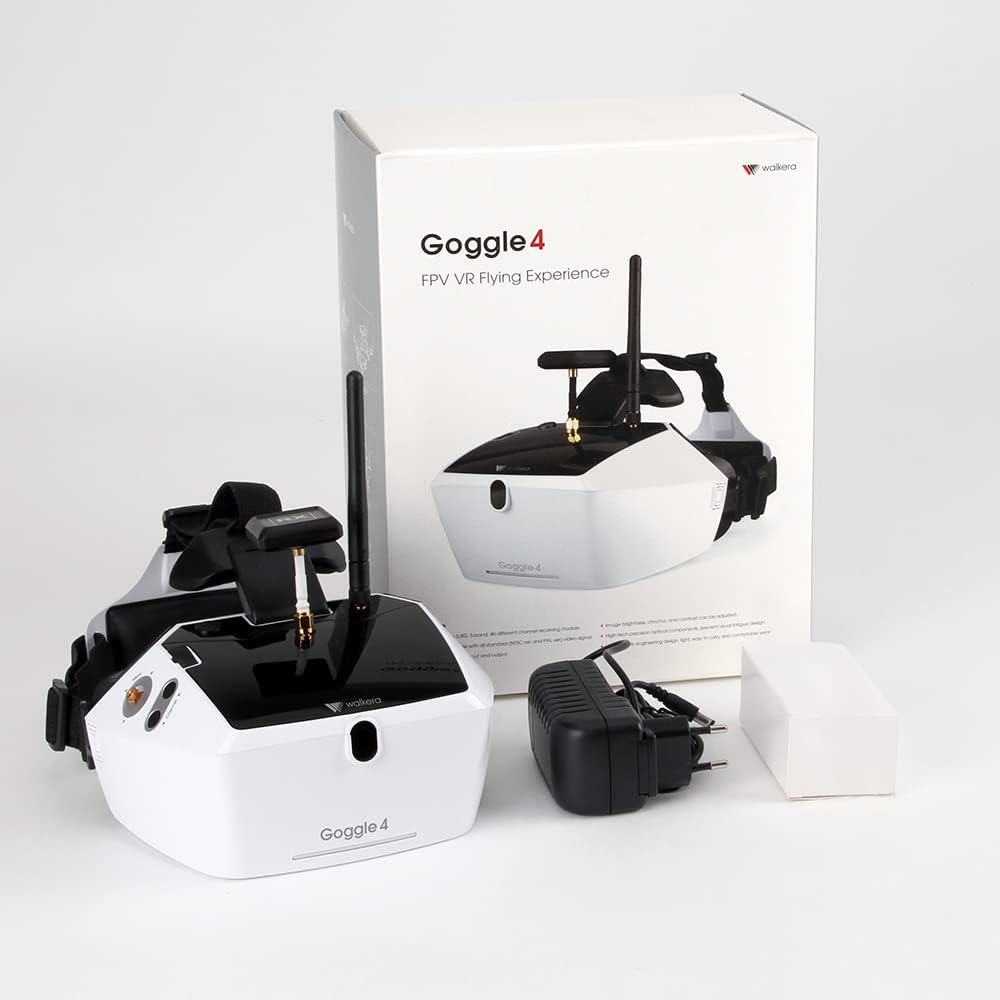
Figure 3.1: Contents of the Walkera Goggle4 package.
4. 설정
4.1 배터리 충전
Before initial use, fully charge the included Lithium Ion battery pack. Connect the charging cable to the battery pack and a suitable USB power source. The charging indicator light will typically change color or turn off once charging is complete.
4.2 안테나 설치
Carefully screw the two provided antennas onto the designated connectors on the top of the Goggle4 unit. Ensure they are securely fastened but do not overtighten.
4.3 전원 켜기/끄기
To power on the Goggle4, connect the charged battery pack to the designated power input port. The screen will illuminate. To power off, disconnect the battery pack.
5. 사용 설명서
5.1 채널 선택
Use the channel selection buttons located on the side of the Goggle4 to cycle through the available 40 channels across 5 bands. Match the channel to your FPV transmitter's frequency for optimal video reception.
5.2 AV Input and Output
The Goggle4 supports both AV input and output. Use the AV input to connect external video sources (e.g., a DVR or another receiver). The AV output can be used to display the FPV feed on an external monitor or recording device.
5.3 밝기 조정
Adjust the screen brightness using the dedicated controls to suit your viewing environment and personal preference. This helps optimize visibility in varying lighting conditions.
5.4 Video Signal Compatibility
The Goggle4 is compatible with both NTSC and PAL video signal standards, automatically detecting and adjusting to the incoming signal.
6. 유지관리
6.1 청소
Regularly clean the lenses and the soft padding around the eyepieces with a soft, lint-free cloth. For lenses, use a specialized lens cleaning solution. Avoid abrasive materials or harsh chemicals.
6.2 보관
Store the Goggle4 in a cool, dry place away from direct sunlight and extreme temperatures. Use the original packaging or a protective case to prevent dust accumulation and physical damage.
7. 문제 해결
- 영상 신호 없음: Ensure the battery is charged, the goggles are powered on, and the channel matches your FPV transmitter. Check all cable connections.
- Fuzzy or distorted video: Verify antenna connections. Try changing channels to find a clearer frequency. Ensure your FPV transmitter is functioning correctly and within range.
- Light leakage: Some users may experience minor light leakage around the edges of the eyepieces due to individual facial structures. Adjusting the head strap or adding additional padding may help.
- 짧은 배터리 수명: Ensure the battery is fully charged before use. If battery life significantly degrades over time, consider replacing the battery pack.
8. 사양
| 기인하다 | 값 |
|---|---|
| 제품 치수 | 9.45 x 6.3 x 12.2 인치 |
| 품목 무게 | 2.3파운드 |
| ASIN | B01G7LP2VW |
| 품목 모델 번호 | 226519100 |
| 제조업체 권장 연령 | 14세 이상 |
| 배터리 | 1 리튬 이온 배터리가 필요합니다 |
| 제조업체에서 중단되었습니다 | 아니요 |
| 출시일 | 1년 2018월 XNUMX일 |
| 제조업체 | 워커라 |
9. 보증 및 지원
9.1 법적 부인
All Walkera products are subject to a 30-Day Return Policy. Please note that the manufacturer is not responsible for any products lost, broken, or damaged during flight or installation. All returned products may be subject to a 15% restocking fee. For any questions or concerns, please contact Walkera customer support or refer to their official web자세한 보증 정보는 사이트를 참조하십시오.
9.2 고객 지원
For technical assistance, troubleshooting, or warranty claims, please visit the official Walkera website or contact their customer service department. Keep your purchase receipt and product model number handy for faster service.
Ask a question about this manual
Ask about setup, troubleshooting, compatibility, parts, safety, or missing instructions. Manuals+ will review the question and use this page’s manual context to help answer it.