
1. 서론
This manual provides essential instructions for the safe operation, maintenance, and troubleshooting of your Rollibot BL100 Robot Vacuum. Please read this manual thoroughly before using the device to ensure optimal performance and longevity.
The Rollibot BL100 is designed to automate floor cleaning, featuring double-sided brushes and high suction power. It is equipped with a dual-filter dust bin, including a HEPA filter, to capture dust and allergens effectively. The device is suitable for various hard floor types and low-pile carpets.
2. 상자 안에 무엇이 들어있나요?
포장을 풀 때 모든 구성품이 들어 있는지 확인하세요.
- Rollibot BL100 Robot Vacuum
- 충전베이스
- 전원 코드
- 원격 제어
- HEPA 필터 (기본 설치 또는 예비용)
- 청소용 브러시
- 사이드 브러시 (세트)
- 사용 설명서 (본 문서)
- 빠른 시작 가이드

Image: The Rollibot BL100 Robot Vacuum, a circular black device with the 'RolliMini' logo on top.
3. 제품 오버view
3.1 주요 특징
- 자동 청소: The BL100 operates autonomously, adjusting its cleaning mode based on the environment.
- Dual-Sided Brushes: Equipped with two rotating side brushes to effectively gather debris from edges and corners.
- 높은 흡입력: Designed to remove dirt, dust, and pet hair from various floor surfaces.
- 듀얼 필터 시스템: Features a primary filter and a HEPA air filter to capture both large particles and fine allergens.
- 자동 충전: The robot returns to its charging base when the battery is low.
- 원격 제어 작동: Allows for manual control, scheduling, and mode selection.
- 바닥 보호: Rubberized covers on the bottom protect hardwood, marble, and tile flooring.
3.2 구성 요소 및 제어
Familiarize yourself with the main components of your Rollibot BL100.

Image: The underside of the Rollibot BL100, highlighting the dual rotating brushes and wheels.
- 상단 패널 : Features the 'PUSH' button to open the dustbin compartment and the 'CLEAN' button for manual start/stop.
- 사이드 브러시: Two rotating brushes located on the front underside, designed to sweep debris into the vacuum's path.
- 구동 바퀴: Two large wheels for movement across various surfaces.
- 쓰레기통: Located under the top panel, houses the filter system and collects debris.
- 충전 연락처: Metal contacts on the underside for connecting to the charging base.
- 전원 스위치: Main power switch located on the side or underside of the unit.
4. 설정
4.1 충전 베이스 배치
Place the charging base against a wall in an open, uncluttered area. Ensure there is at least 1 meter (3 feet) of clear space in front of the base and 0.5 meters (1.5 feet) on either side. Plug the power cord into the charging base and then into a wall outlet.
4.2 초기 충전
- Turn on the main power switch on the robot vacuum (usually located on the side or underside).
- 로봇 청소기를 충전 거치대에 올려놓고 충전 접점이 제대로 맞물리도록 하세요.
- Allow the robot to charge completely before its first use. The charging indicator light will change (refer to your Quick Start Guide for specific light patterns). A full charge typically takes several hours.
4.3 사이드 브러시 설치
If not pre-installed, gently push the side brushes onto their respective posts on the underside of the robot until they click into place.
5. 사용 설명서
5.1 청소 시작 및 중지
- 수동 시작: Press the 'CLEAN' button on the robot's top panel or the 'CLEAN' button on the remote control.
- 일시중지/중지: Press the 'CLEAN' button again to pause cleaning. Press it a third time to resume, or press the power button on the remote to send it back to the charging base.
5.2 청소 모드
The Rollibot BL100 offers multiple cleaning modes, selectable via the remote control:
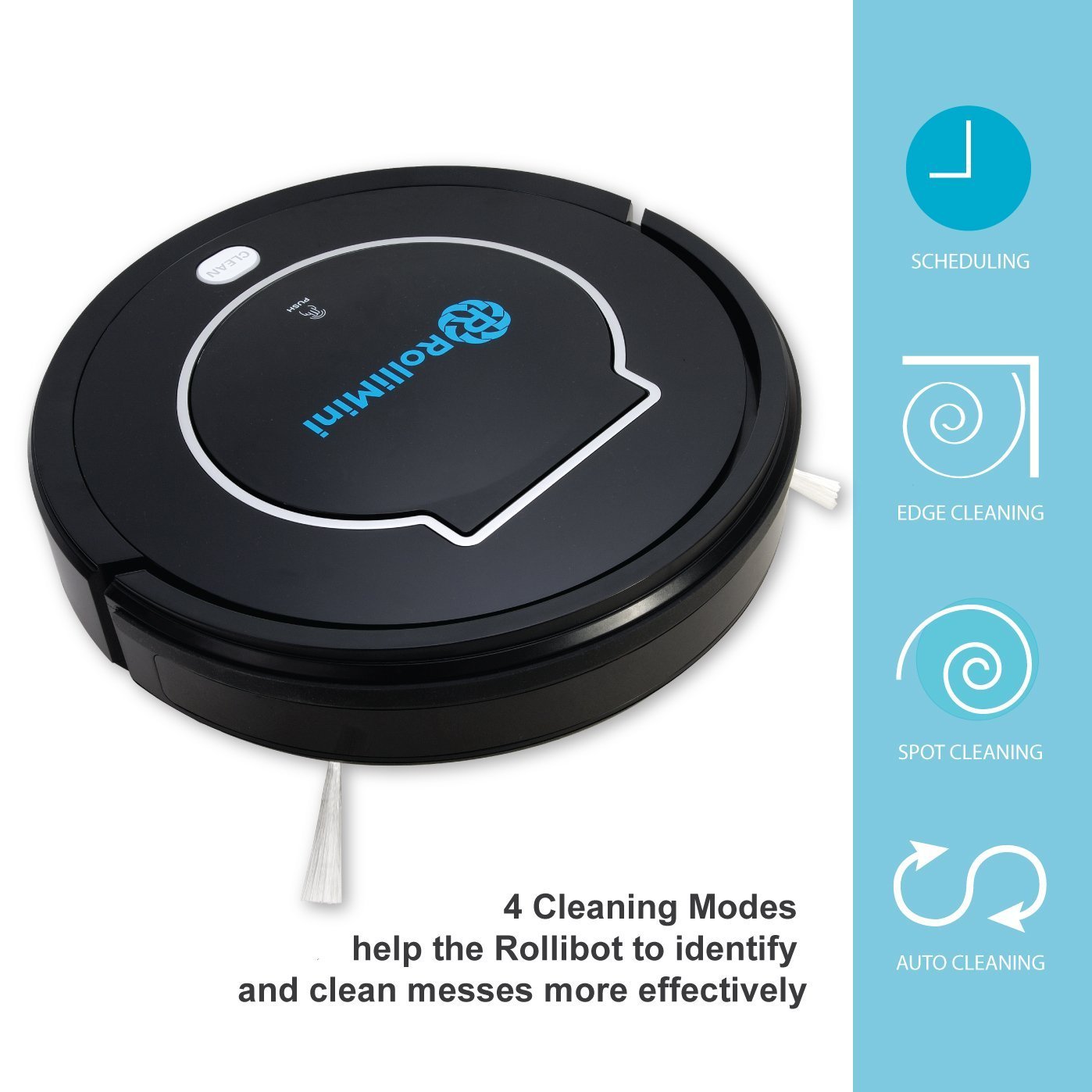
Image: The Rollibot BL100 displaying icons representing its four cleaning modes: Scheduling, Edge Cleaning, Spot Cleaning, and Auto Cleaning.
- 자동 청소: The robot automatically cleans a room and adjusts its cleaning pattern based on the environment. This is the default mode.
- 얼룩 청소: The robot cleans intensively in a spiral pattern when it detects a concentrated dirty area.
- 가장자리 청소: The robot detects and cleans along walls and obstacles.
- 정기 청소: Allows you to program the robot to start cleaning at a specific time each day. Refer to the remote control section of the Quick Start Guide for detailed scheduling instructions.
5.3 충전 베이스로 복귀
Press the "Home" button on the remote control to send the robot back to its charging base. The robot will automatically return to the base when its battery is low.
6. 유지관리
Regular maintenance ensures optimal performance and extends the lifespan of your Rollibot BL100.
6.1 먼지통 및 필터 청소
- Press the 'PUSH' button on the top cover to open the dust bin compartment.
- 먼지통을 제거하세요.
- Empty the dust bin contents into a trash receptacle.
- Remove the primary filter and HEPA filter. Tap them gently to remove dust. The dust bin and primary filter can be rinsed with water; ensure they are completely dry before reinstallation. The HEPA filter should not be washed with water.
- Reinstall the filters and dust bin.
추천: Clean the dust bin after each use. Replace the HEPA filter every 1-3 months, depending on usage.
6.2 측면 브러시 청소
Periodically check the side brushes for tangled hair or debris. Gently pull them off their posts, remove any obstructions, and reinstall them.
6.3 Cleaning Wheels and Charging Contacts
Wipe the driving wheels and charging contacts on both the robot and the charging base with a clean, dry cloth to remove any dust or debris that might interfere with charging or movement.
7. 문제 해결
If your Rollibot BL100 encounters issues, refer to the following common problems and solutions:
| 문제 | 가능한 원인 | 해결책 |
|---|---|---|
| Robot does not start or stops unexpectedly. | Low battery; main power switch off; dust bin full; wheels jammed. | Ensure robot is fully charged. Turn on main power switch. Empty dust bin. Check and clean wheels. |
| 로봇이 충전되지 않습니다. | Charging contacts dirty; charging base not powered; robot not properly aligned. | Clean charging contacts on both robot and base. Ensure charging base is plugged in. Realign robot on base. |
| 세척 성능이 좋지 않음. | Dust bin full; filters clogged; side brushes worn or tangled. | Empty dust bin. Clean or replace filters. Clean side brushes; replace if worn. |
| 로봇이 자주 멈춥니다. | Obstacles (cables, rugs, furniture); transitions too high. | Clear the cleaning area of obstacles. Ensure transitions are within the robot's capability (typically < 1/2 inch). |
8. 사양
| 특징 | 세부 사항 |
|---|---|
| 모델 | BL100 |
| 상표 | Rollibot |
| 치수(길이 x 너비 x 높이) | 11.9 x 11.9 x 3 인치 |
| 무게 | 6.6 파운드 |
| 배터리 유형 | 제품별 사양 (포함됨) |
| 실행 시간 | Approximately 90 minutes (based on comparison image) |
| 특별 기능 | Multi-Cleaning Modes, Automatic Self-Charging, Cliff Detection, Collision Detection, Programmable Scheduling, Dual Filter |
| 색상 | 검은색 |
| 제조업체 | Rollibot |

Image: A comparison table detailing features across Rollibot models BL618, BL800, and BL100, showing run time, cleaning capabilities, and special features for each.
9. 보증 및 지원
For warranty information and customer support, please refer to the warranty card included with your product or visit the official Rollibot web사이트. 보증 청구를 위해 구매 증빙 자료로 구매 영수증을 보관하세요.
제조업체: Rollibot