
1. 서론
This manual provides essential instructions for the proper setup, operation, and maintenance of your YI YAS.1616.INT 4K Action Camera Kit. Please read this manual thoroughly before using the product to ensure optimal performance and safety. Keep this manual for future reference.
2. 제품 오버view
2.1 키트 내용
The YI YAS.1616.INT 4K Action Camera Kit includes the following components:
- YI 4K Action Camera
- YI Monopod
- 블루투스 리모컨
- 충전식 배터리
- USB 케이블
- 사용 설명서

Image 2.1: Contents of the YI 4K Action Camera Kit.
2.2 카메라 기능
The YI 4K Action Camera is designed for high-quality video and photo capture, featuring:
- 4K/30fps Video Recording: Captures video at 60mbps, offering 4 times the quality of standard 1080p.
- Advanced Imaging Hardware: Equipped with an Amarelle A9SE75 chip, Sony IMX377 image sensor, and 7-layer optical glass lenses with an F2.8 large aperture for enhanced light intake.
- 2.19" LCD Touchscreen: A 640 x 360 high-resolution display with Gorilla Glass Retina for easy previewing, shooting, and scratch resistance.
- 긴 배터리 수명: A 1400mAh 4.4V lithium-ion battery provides up to 120 minutes of 4K/30fps video recording on a single charge.
- 효율적인 냉각 시스템: Prevents overheating during extended recording sessions.
- 연결성: Built-in Wi-Fi for smartphone app control and Bluetooth for remote control.
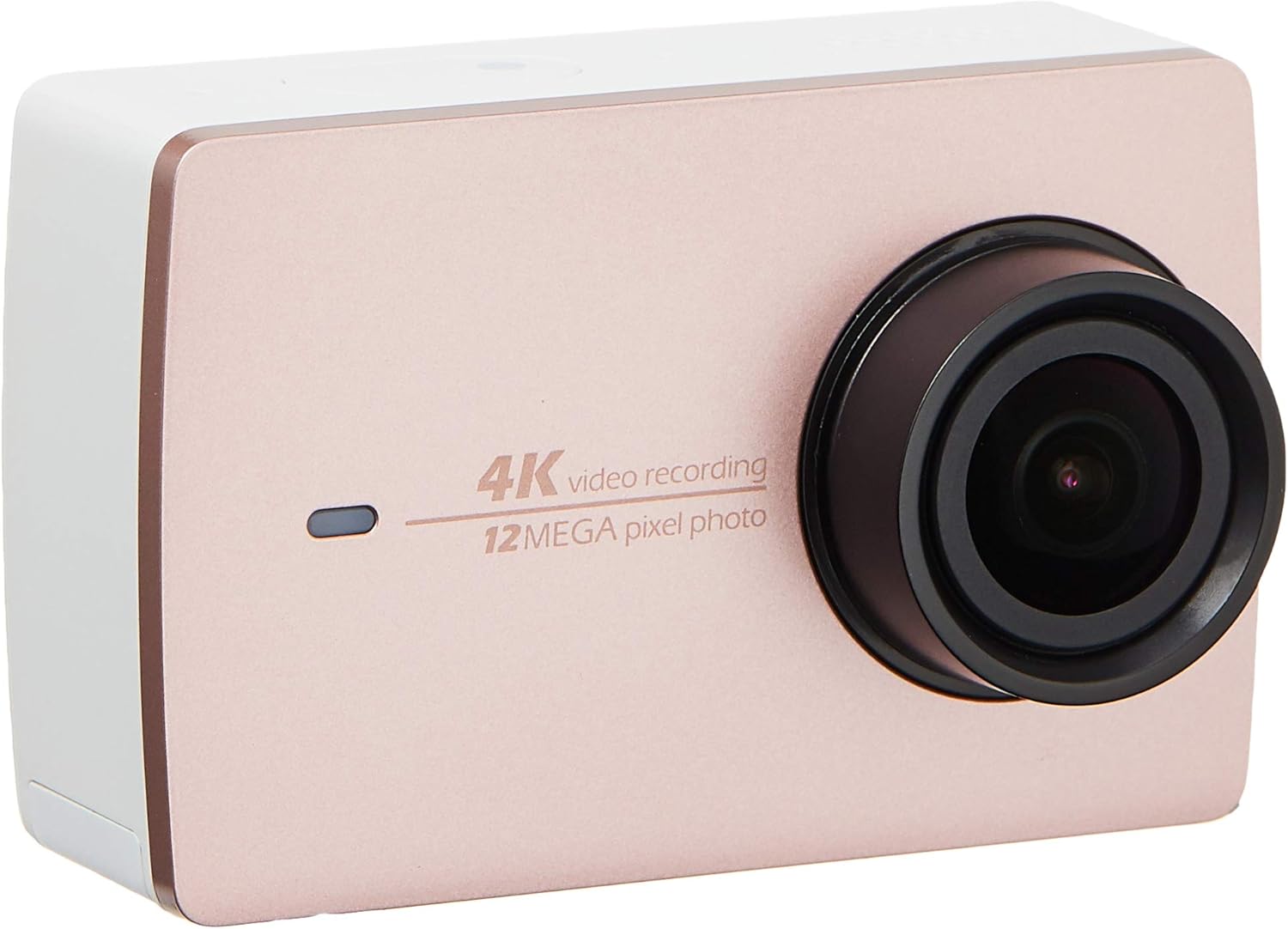
이미지 2.2: 앞면 view of the YI 4K Action Camera.
3. 설정
3.1 배터리 설치 및 충전
- 카메라의 배터리 칸을 찾으세요.
- Insert the 1400mAh lithium-ion battery, ensuring correct polarity.
- 배터리 칸을 단단히 닫으세요.
- 제공된 USB 케이블을 사용하여 카메라를 전원에 연결하여 충전하십시오. 충전 표시등이 켜집니다.
3.2 메모리 카드 설치
The YI 4K Action Camera supports SDHC and SmartMedia flash memory types.
- 메모리 카드 슬롯 커버를 엽니다.
- Insert a compatible memory card (not included) into the slot with the contacts facing the correct direction. Push until it clicks into place.
- 메모리 카드 슬롯 커버를 닫습니다.
3.3 전원 켜기/끄기
- 전원을 켜려면: 화면이 켜질 때까지 전원 버튼을 길게 누르세요.
- 전원을 끄려면: 카메라가 꺼질 때까지 전원 버튼을 길게 누르세요.
3.4 Connecting the Bluetooth Remote
The included Bluetooth remote allows for convenient control of the camera.
- 카메라의 전원이 켜져 있는지 확인합니다.
- Activate Bluetooth pairing mode on the camera via the settings menu.
- Follow the remote's instructions to enter pairing mode.
- Once paired, the remote can be used to switch between video and photo modes and trigger recording/capture.

Image 3.1: The YI Monopod, included in the kit.
4. 카메라 작동
4.1 터치스크린 탐색
The 2.19" LCD touchscreen provides intuitive control:
- 강타: Navigate through different modes (Video, Photo, Time-lapse, etc.) and settings.
- 수도꼭지: Select options, adjust settings, or start/stop recording.
- 사전view: View 당신의 캡처 footage and photos directly on the screen.
4.2 비디오 녹화
- Select the Video mode on the touchscreen.
- Adjust video resolution (e.g., 4K/30fps) and other settings as desired.
- Press the Shutter button or tap the record icon on the screen to start recording.
- Press the Shutter button or tap the record icon again to stop recording.
4.3 사진 캡처
- Select the Photo mode on the touchscreen.
- Adjust photo settings such as resolution, exposure, and white balance.
- Press the Shutter button or tap the capture icon on the screen to take a photo.
4.4 Wi-Fi 연결 및 앱 사용
The camera's built-in Wi-Fi allows connection to a smartphone app for remote control, live preview그리고 콘텐츠 관리.
- Download the official YI Action Camera app from your device's app store.
- Enable Wi-Fi on the camera via the settings menu.
- Connect your smartphone to the camera's Wi-Fi network (SSID and password displayed on camera screen).
- Open the YI Action Camera app to control the camera, view 푸tage, 그리고 전송 files.
5. 유지관리
5.1 청소
- 부드럽고 보풀 없는 천으로 카메라 본체와 터치스크린을 닦으세요.
- 렌즈를 닦을 때는 전용 렌즈 클리닝 천과 세척액을 사용하십시오. 연마성 재질은 사용하지 마십시오.
- 모든 포트에 먼지와 이물질이 없는지 확인하십시오.
5.2 보관
- 카메라는 직사광선과 극한의 온도를 피해 시원하고 건조한 곳에 보관하세요.
- Remove the battery if storing for extended periods to prevent leakage.
5.3 펌웨어 업데이트
Periodically check the official YI website or the YI Action Camera app for available firmware updates. Keeping your camera's firmware updated ensures optimal performance and access to new features.
6. 문제 해결
6.1 일반적인 문제 및 해결 방법
- 카메라 전원이 켜지지 않음: 배터리가 완전히 충전되었고 올바르게 삽입되었는지 확인하세요.
- 녹화가 예기치 않게 중단됩니다. Check if the memory card has sufficient space or if it's a high-speed card suitable for 4K recording. Ensure the battery is not depleted.
- 터치스크린이 반응하지 않음: Try restarting the camera. If the issue persists, ensure the screen is clean and dry.
- 블루투스 리모컨이 연결되지 않습니다. Ensure both the camera and remote are in pairing mode and within range. Check the remote's battery.
- Wi-Fi 연결 문제: Verify the camera's Wi-Fi is enabled and your smartphone is connected to the correct network. Try restarting both devices.
For further assistance, refer to the official YI support resources.
7. 사양
| 제조업체 | YI |
| 모델 번호 | 90010 |
| 제품 치수 | 6.6 x 3 x 4.3cm |
| 무게 | 96.39g |
| 포토 센서 기술 | CMOS |
| 비디오 캡처 해상도 | 4K |
| 최대 초점 거리 | 1 |
| 최대 조리개 | 2.8 밀리미터 |
| 플래시 메모리 유형 | SDHC, SmartMedia |
| 비디오 캡처 형식 | MP4 |
| 지원되는 오디오 형식 | AAC, MP3 |
| 화면 크기 | 2.19 인치 |
| 연결 기술 | 와이파이 |

Image 7.1: YI 4K Action Camera with monopod, illustrating approximate dimensions.
8. 보증 및 지원
8.1 보증 정보
이 제품에는 다음이 포함되어 있습니다. 1년 현지(싱가포르) 보증보증 청구를 위해 구매 증빙 자료를 보관해 주십시오. 보증은 정상적인 사용 조건 하에서의 제조 결함에 적용됩니다.
8.2 고객 지원
For technical support, service, or warranty inquiries, please visit the official YI Technology website or contact their authorized service centers in Singapore. Contact information can typically be found on the product packaging or the official web대지.