
Amazon Basics L6LMF014-CS-R
Amazon Basics 나일론 편조 라이트닝-USB-A 케이블 사용 설명서
모델: L6LMF014-CS-R | 상표: 아마존 기본 정보
1. 서론
This user manual provides essential information for the proper use, setup, and maintenance of your Amazon Basics Nylon Braided Lightning to USB-A Cable. This MFi certified cable is designed to provide reliable charging and data synchronization for your Apple devices.
2. 제품 오버view
The Amazon Basics Nylon Braided Lightning to USB-A Cable features a durable design for enhanced longevity and performance.
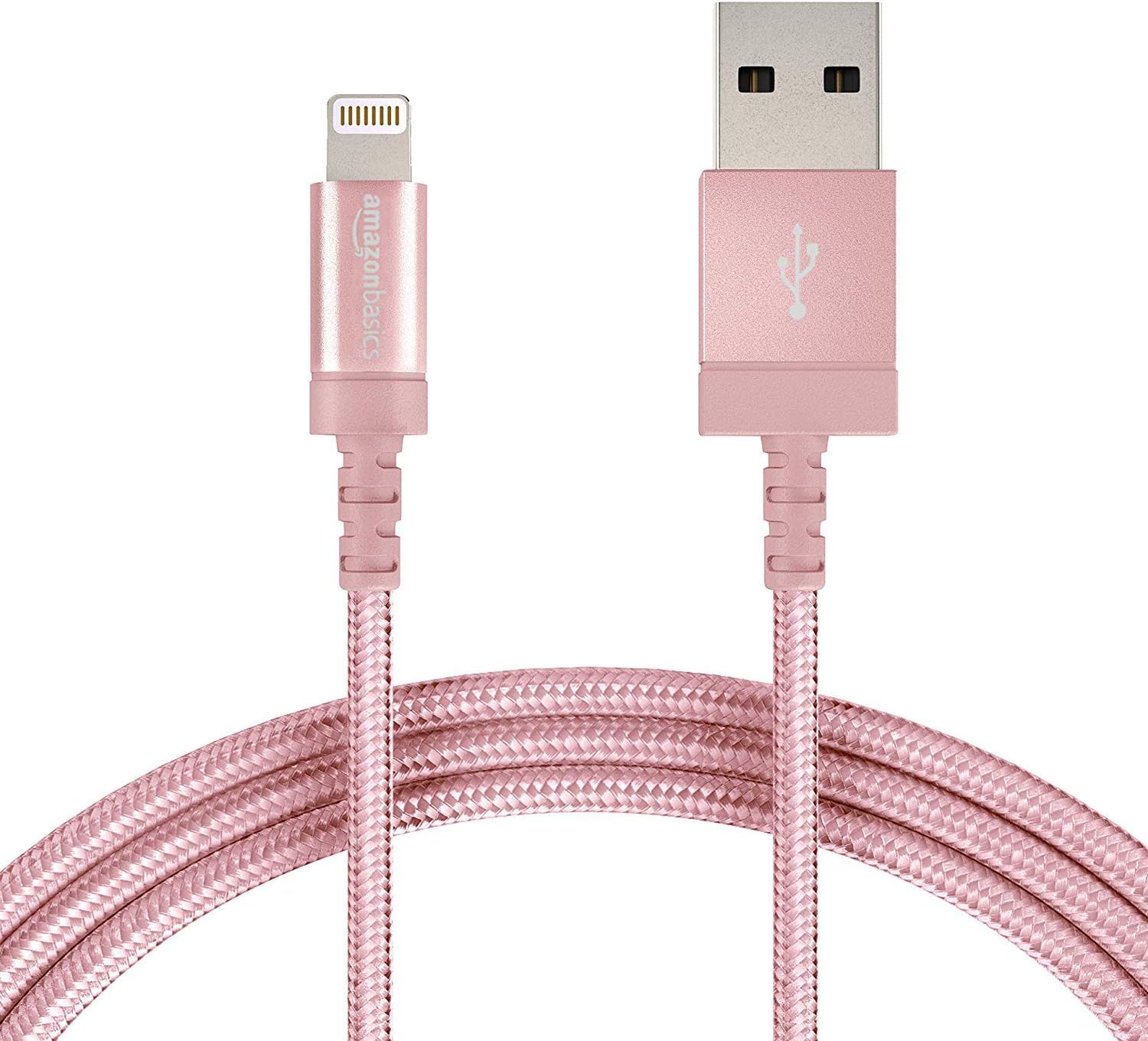
Figure 2.1: The Amazon Basics Nylon Braided Lightning to USB-A Cable, showcasing its rose gold color and braided exterior.

그림 2.2: 상세 view of the Lightning connector (left) and USB-A connector (right) of the cable.

Figure 2.3: Cross-section diagram illustrating the cable's internal components, including copper wires for signal quality, high-resistance insulation, aluminum foil, Mylar shielding, and a durable nylon braided outer jacket.

Figure 2.4: A close-up of the MFi certified Lightning connector, designed for secure and reliable connection to Apple devices.
3. 설정
To set up your Amazon Basics Lightning to USB-A Cable for charging or data transfer, follow these simple steps:
- 전원에 연결: Insert the USB-A end of the cable into a compatible USB wall charger, car charger, or a USB port on your computer.
- 장치에 연결: Insert the Lightning connector end of the cable into the Lightning port of your Apple iPhone, iPad, or iPod.
- 연결 확인: Ensure both ends are securely connected. Your device should indicate that it is charging or connected for data transfer.

Figure 3.1: The cable connected to a wall charger and an iPad, demonstrating a typical charging setup.
4. 운영
This cable is designed for both charging and data synchronization with MFi certified Apple devices. Its MFi certification ensures complete compatibility and safe operation.
- 충전 중: When connected to a power source, the cable will charge your compatible Apple device. The charging speed depends on the power output of your charger.
- 데이터 동기화: When connected to a computer, the cable allows for data transfer, such as syncing music, photos, and other file장치와 컴퓨터 사이에 있습니다.
5. 유지관리
To ensure the longevity and optimal performance of your cable, please follow these maintenance guidelines:
- 극심한 굽힘을 피하세요: While the nylon braided design offers enhanced durability, avoid sharp or excessive bending, especially near the connectors, to prevent internal wire damage.
- 올바르게 보관하세요: When not in use, coil the cable loosely and secure it with the included Velcro strap to prevent tangling and kinking.
- 깨끗하게 유지하십시오: Keep the connectors free from dust, lint, and debris. Use a soft, dry cloth to gently wipe them if necessary.
- 조심스럽게 다루십시오: 장치나 전원에서 케이블을 뽑을 때는 항상 케이블 자체가 아닌 커넥터 헤드를 잡아당기세요.
6. 문제 해결
If you encounter issues with your cable, refer to the following common problems and solutions:
| 문제 | 가능한 원인 | 해결책 |
|---|---|---|
| 장치가 충전되지 않습니다. | Loose connection, faulty power source, dirty port. | Ensure cable is securely plugged into both device and power source. Try a different USB port or wall adapter. Clean the device's Lightning port gently. |
| 기기에서 데이터가 동기화되지 않습니다. | Loose connection, software issue, computer port issue. | Check all connections. Restart your computer and device. Try a different USB port on your computer. Ensure iTunes or Finder is updated. |
| "액세서리가 지원되지 않습니다"라는 메시지. | Device software outdated, dirty port, rare cable defect. | Ensure your Apple device's iOS/iPadOS is up to date. Clean the device's Lightning port. As this cable is MFi certified, this message is unlikely unless there's a specific device or port issue. |
| 케이블이 손상된 것 같습니다. | 물리적 스트레스, 부적절한 취급. | Discontinue use immediately to prevent potential damage to your device. Replace the cable. |
7. 사양
| 특징 | 세부 사항 |
|---|---|
| 상표 | 아마존 기본 정보 |
| 모델명 | MFi Certified Charger for Apple iPhone - Nylon obs |
| 품목 모델 번호 | L6LMF014-CS-R |
| 커넥터 유형 | 라이트닝, USB-A |
| 케이블 유형 | Lightning to USB |
| 길이 | 6-Foot (1.8 meters) |
| 색상 | 로즈 골드 |
| 겉감 소재 | 나일론 |
| 특징 | 땋은 형태, MFi 인증 |
| 호환 장치 | Tablet, Smartphone (iPhone X / 8 Plus / 8 / 7 Plus / 7 / 6s Plus / 6s / 6 Plus / 6 / 5s / 5c / 5 / iPad Pro / iPad Air / Air 2 / iPad mini / mini 2 / mini 4 / iPad 4th gen / iPod Touch 5th gen / iPod nano 7th gen and Beats Pill+) |
| 품목 무게 | 1.73 온스 |
| 제품 치수 | 4.72 x 1.96 x 0.7 인치 |
| 한국어: | 841710140323 |
| 첫 번째 이용 가능 날짜 | 1년 2016월 XNUMX일 |
8. 보증 및 지원
Specific warranty information for this product is not available in the provided data. For detailed warranty terms, technical support, or customer service, please refer to the official Amazon Basics website or contact Amazon customer support directly.
관련 문서 - L6LMF014-CS-R
 |
Amazon Basics 6-Outlet Surge Protector with 6-Foot Cord - User Manual User manual and instructions for the Amazon Basics 6-Outlet Surge Protector, featuring a 6-foot cord, 120V/790 Joule rating, power connection, wall mounting, and troubleshooting tips. |
 |
Amazon Basics 기타 발받침대 - 사용 설명서, 안전 정보 및 사양 (B07WTRFSMB) Amazon Basics 기타 발받침대(모델 B07WTRFSMB)의 상세 사용 설명서입니다. 중요한 안전 경고, 청소 방법, 제품 사양 및 조립 방법을 포함하고 있습니다. |
 |
Amazon Basics 휴대용 드라이빙 연습 골프 네트 - 10피트 x 7피트 Amazon Basics 휴대용 드라이빙 연습용 골프 네트(10m x 7m) 사용 설명서 및 안전 지침입니다. 제품 상세 정보, 조립 설명서, 청소 및 유지 관리 지침, 중요 안전 경고가 포함되어 있습니다. |
 |
Amazon Basics 15-in-1 멀티툴 포켓 나이프: 기능, 안전 및 관리 Amazon Basics 15-in-1 멀티툴 포켓 나이프를 만나보세요. 이 가이드에는 기능, 필수 안전 예방 조치, 세척 방법, 수입업체 정보가 포함되어 있습니다. 15가지 도구의 전체 목록이 포함되어 있습니다. |
 |
Amazon Basics 10-in-1 멀티툴 사용 설명서 및 안전 가이드 아마존 베이직스 10-in-1 멀티툴(나일론 칼집 포함)의 종합적인 안전 지침, 도구 목록 및 사용 설명서입니다. 수입업체 정보와 청소 요령도 포함되어 있습니다. |
 |
AmazonBasics Pop-Up Gazebo with Mosquito Net User Manual Assembly and safety instructions for the AmazonBasics 11-foot (3.4m) Pop-Up Gazebo with Mosquito Net. Learn how to set up, maintain, and safely use your outdoor garden gazebo. |
Ask a question about this manual
Ask about setup, troubleshooting, compatibility, parts, safety, or missing instructions. Manuals+ will review the question and use this page’s manual context to help answer it.