
1. 서론
This manual provides essential instructions for the installation, operation, maintenance, and troubleshooting of your Frigidaire Smart Window Air Conditioner, model FGRC0844S1. This 8,000 BTU, 115V unit is designed to cool rooms up to 350 square feet and features Wi-Fi connectivity for smart control via the Frigidaire app and compatibility with Alexa.
Please read this manual thoroughly before operating your air conditioner to ensure safe and efficient use.
2. 설정
2.1. 물리적 설치
The Frigidaire Smart Window Air Conditioner is designed for window installation and includes a window mounting kit. Ensure your window opening meets the required dimensions for proper fit and sealing. The unit weighs approximately 54 pounds. Follow the detailed instructions provided in the separate installation guide for secure placement.

Image: Frigidaire Smart Window Air Conditioner model FGRC0844S1 securely installed in a window, demonstrating its sleek profile.
2.2. Wi-Fi 연결 및 앱 설정
To utilize the smart features of your air conditioner, connect it to your home Wi-Fi network using the Frigidaire app. The app is available on Apple's iTunes Store for iPhone, iPad, and iPad mini, and on Google Play for Android smart devices.
- 앱 다운로드: Download and open the Frigidaire app on your smart device.
- 계정 생성: If you are a first-time user, create an account with a valid email address and password. You will need to validate your email to activate your account.
- 로그인: Return to the app's home screen and sign in with your newly created account.
- Add Appliance: Tap the "Add Appliance" button and accept the terms and conditions.
- Activate Wi-Fi on AC: Press and hold the Connect button (often indicated by a Wi-Fi symbol) on the air conditioner unit until it beeps and the Wi-Fi LED light starts flashing.
- Connect Device to AC's Wi-Fi: On your smart device, go to your Wi-Fi settings. Select the network that includes "Air_Conditioner" in its name.
- 앱으로 돌아가기: Once connected to the AC's Wi-Fi, return to the Frigidaire app and tap "Next".
- Connect AC to Home Wi-Fi: Select your home Wi-Fi network from the list. If not listed, refresh or select "Other" to manually enter the network name and password.
- Join Network: Tap "Join" to connect your air conditioner to your home Wi-Fi.
- 등록: Register your appliance within the app.
Upon successful connection, the air conditioner will beep, and its Wi-Fi LED light will change from flashing to solid. You will then see the status of your smart appliance on the app, indicating it is ready for use.
Video: This video demonstrates the step-by-step process of connecting your Frigidaire Smart Window Air Conditioner to your smart device via the Frigidaire app, including account creation, appliance pairing, and Wi-Fi network selection.

Image: A hand holding a smartphone showing the Frigidaire app, which allows remote control and monitoring of the air conditioner.
3. 사용 설명서
Your Frigidaire Smart Window Air Conditioner offers multiple ways to control its functions: the integrated control panel, the remote control, and the Frigidaire smart app.
3.1. 제어판 및 리모컨
The unit features a sleek control panel with touch-sensitive buttons and an illuminated temperature display. A remote control is also included for convenient operation.
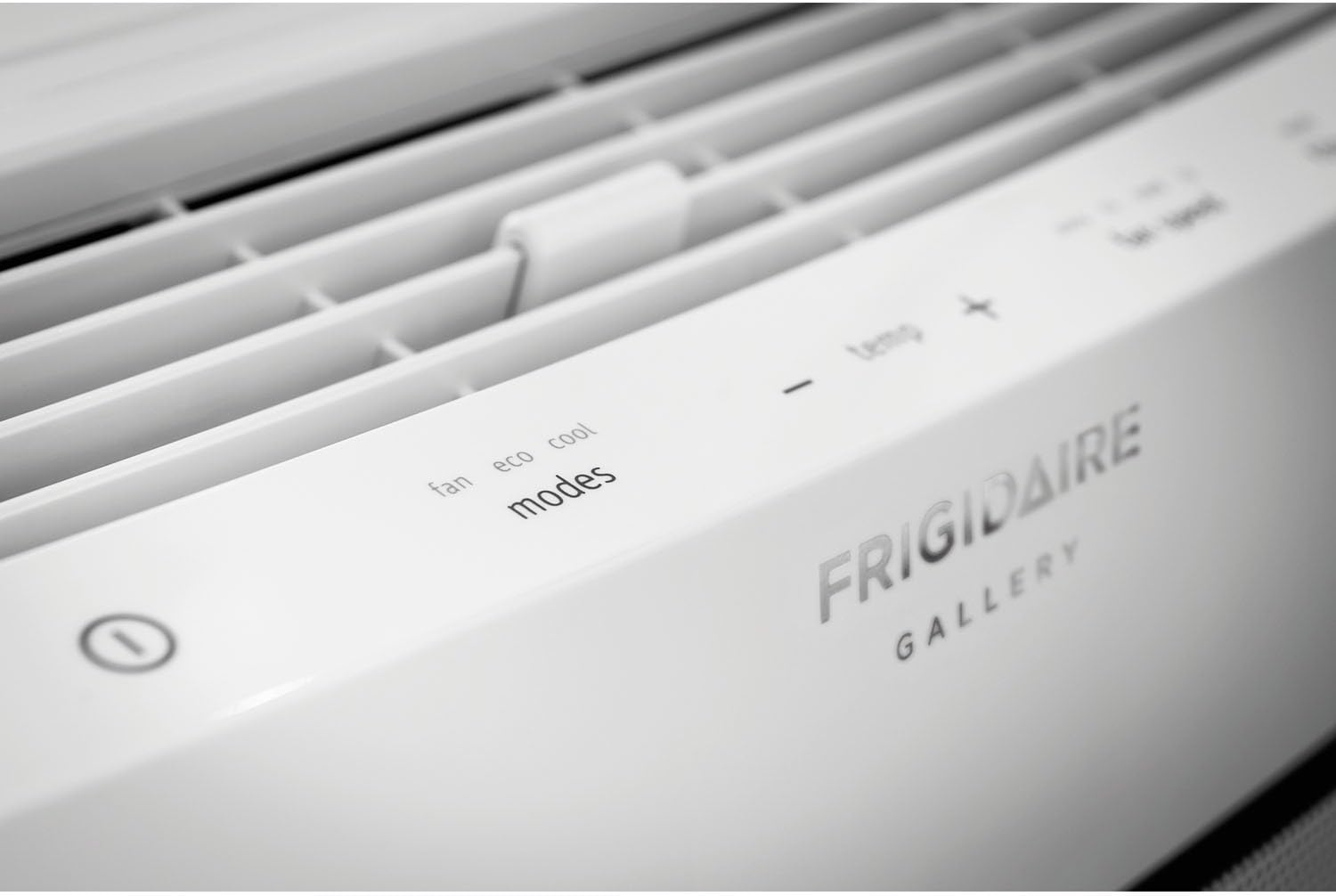
이미지: 클로즈업 view of the Frigidaire Smart Window Air Conditioner's top control panel, showing touch-sensitive buttons for fan, eco, cool modes, temperature adjustment, fan speed, filter reset, and scheduler.
3.2. 모드 및 설정
- 쿨 모드 : Provides cooling to the room. Adjust the desired temperature using the +/- buttons.
- 에코 모드: 설정 온도를 유지하기 위해 압축기와 팬을 주기적으로 작동시켜 에너지 소비를 최적화합니다.
- 팬 모드: Operates the fan without engaging the compressor, providing air circulation.
- 제습: 방의 습도를 줄여줍니다.
- 팬 속도: Select from Auto, Low, Medium, or High fan speeds.
3.3. 스마트 앱 제어
The Frigidaire app allows you to remotely control your air conditioner from anywhere with an internet connection. You can:
- 장치를 켜거나 끕니다.
- 온도 설정을 변경합니다.
- Control operating modes and fan speeds.
- Set custom schedules for 24/7 operation.
- Receive alerts, such as clean filter indicators.
3.4. 공기 흐름 방향
The unit features innovative top, 2-way slanted louvers that direct airflow in an upward, circular motion. This design promotes even cooling throughout the room without directly blowing cold air onto occupants.
4. 유지관리
정기적인 유지관리를 통해 에어컨의 최적의 성능과 수명을 보장할 수 있습니다.
4.1. 필터 청소
Your air conditioner is equipped with a higher quality micro mesh fabric filter. A red light will illuminate approximately once a month to remind you to clean the filter. To clean:
- Carefully remove the front grill and then the filter.
- 필터를 따뜻한 비눗물로 씻으세요.
- 깨끗이 헹구고 완전히 자연 건조시킨 후 다시 삽입하세요.
- Press the "Filter Reset" button on the control panel or in the app after cleaning.

Image: The Frigidaire Smart Window Air Conditioner with its front panel detached, revealing the internal filter and cooling coils for maintenance access.
4.2. 일반 청소
- 부드러운 천으로 기기 외부를 닦아주세요.amp 옷감.
- 배수 구역에 이물질이 없는지 확인하세요.
- Periodically check the window seals for any gaps that could reduce efficiency.
5. 문제 해결
If you encounter issues with your Frigidaire Smart Window Air Conditioner, refer to the following common problems and solutions:
| 문제 | 가능한 원인 | 해결책 |
|---|---|---|
| 장치가 효과적으로 냉각되지 않음 | Incorrect mode/temperature setting, dirty air filter, room size exceeds capacity, poor window seal. | Ensure unit is in Cool mode with a low set temperature. Clean the air filter. Verify room size is within 350 sq ft. Check and improve window insulation. |
| Wi-Fi 연결 문제 | Incorrect Wi-Fi password, weak signal, app malfunction, router issues. | Re-enter Wi-Fi password carefully. Ensure unit is within range of your router. Restart the Frigidaire app. Power cycle your home router. Repeat Wi-Fi setup process. |
| 장치에서 이상한 소리가 납니다 | Normal operating sounds (fan, compressor), loose parts, debris. | Some fan and compressor sounds are normal. Check for any loose components or foreign objects. If noise is excessive or unusual, contact customer support. |
| 장치가 예기치 않게 꺼집니다 | Eco mode activation, power interruption, internal sensor issue. | In Eco mode, the unit cycles on/off to maintain temperature. Check power supply. If not in Eco mode and power is stable, contact customer support. |
6. 사양
| 특징 | 세부 사항 |
|---|---|
| 상표 | 프리지데어 |
| 모델 번호 | FGRC0844S1 |
| 냉각 용량 | 8,000 BTU |
| 권tage | 115 볼트 |
| 전원 | 코드식 전기 |
| 왓tage | 673.5 와트 |
| 에너지 효율 비율(EER) | 12.0 |
| 제습 능력 | 시간당 1.7파인트 |
| 바닥 면적 적용 | 최대 350평방피트 |
| 품목 무게 | 54 파운드 |
| Window Opening Max Height | 24 인치 |
| 특별 기능 | Wi-Fi, Amazon Alexa Compatible |
| 냉각제 | 알 410아 |
| 포함된 구성 요소 | Air conditioner, window mounting kit, manual, warranty |

Image: U.S. Government Energy Guide label for the Frigidaire Room Air Conditioner, Model FGRC0844S1, highlighting its 8,000 BTUs capacity, estimated yearly energy cost, and 12.0 Energy Efficiency Ratio.
7. 보증 및 지원
7.1. 보증 정보
Your Frigidaire Smart Window Air Conditioner comes with a Full 1-year parts & labor warranty. Additionally, there is an additional 4 years limited warranty on the sealed system보증 청구를 위해 구매 증빙 서류를 보관하세요.
7.2. 고객 지원
For further assistance, technical support, or warranty service, please visit the official Frigidaire web해당 웹사이트를 방문하거나 고객 서비스 부서에 문의하십시오. 더 많은 정보와 자료는 다음에서도 찾아보실 수 있습니다. 아마존에서 Frigidaire 제품을 만나보세요.