
1. 서론
The Aduro Amplify LED Wireless Speaker, model BSP15, is a portable audio device designed for wireless music playback and hands-free calling. It features integrated LED lighting with multiple settings to enhance the audio experience. This manual provides instructions for the proper setup, operation, and maintenance of your speaker.
상자 안에 무엇이 들어있나요?
- 아두로 Amplify LED Wireless Speaker (BSP15)
- 충전 케이블
2. 안전 정보
- Do not expose the speaker to water or moisture. This product is not water-resistant.
- Avoid extreme temperatures. Do not place near heat sources or in direct sunlight for extended periods.
- 스피커를 분해하거나 개조하지 마십시오. 이는 보증을 무효화하고 손상을 초래할 수 있습니다.
- 제공된 충전 케이블이나 인증된 동등 제품만 사용하세요.
- 어린이의 손이 닿지 않는 곳에 보관하세요.
3. 제품 특징
- 무선 연결 : 스마트폰, 태블릿 및 기타 블루투스 지원 기기에 연결됩니다.
- Easy-Touch Pairing: Simplifies the process of connecting to your device.
- 통합 마이크: Allows for hands-free phone calls.
- 고품질 사운드 출력: 선명하고 큰 소리를 전달합니다.
- Multiple LED Settings: Offers various light modes to complement your audio experience.
4. 통제view
The Aduro Amplify speaker features intuitive controls located on the top panel for easy access to functions.
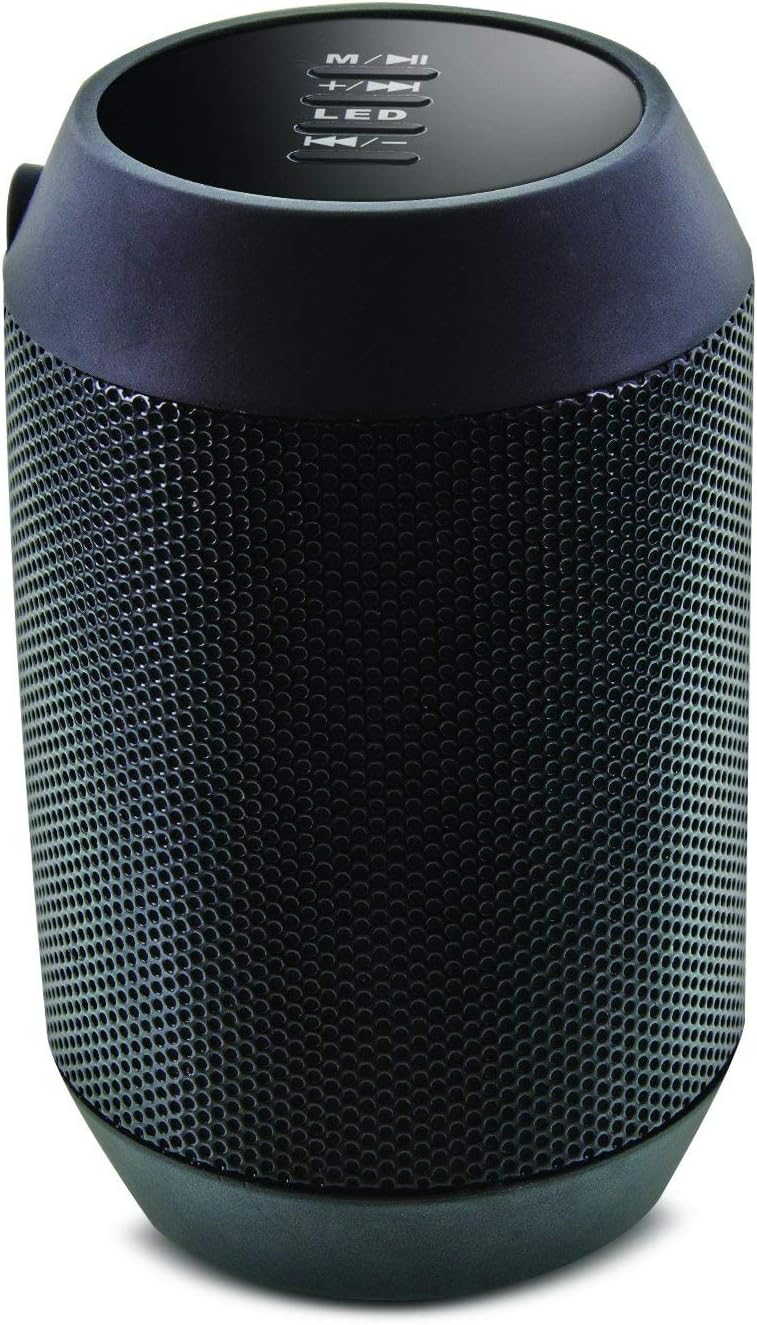
이미지: 상단 view of the Aduro Amplify speaker, highlighting the control panel. From top to bottom, buttons include: M/▶█ (Mode/Play/Pause), +/▶▶ (Volume Up/Next Track), LED (LED Mode Control), ◀◀/- (Volume Down/Previous Track).
- M/▶█ Button: Press to switch between modes (e.g., Bluetooth, AUX). Press and hold to power on/off. Short press to Play/Pause music.
- +/▶▶ Button: Short press to increase volume. Press and hold to skip to the next track.
- LED 버튼: 눌러서 다양한 LED 조명 모드를 순환하세요.
- ◀◀/- Button: 짧게 누르면 볼륨이 줄어듭니다. 길게 누르면 이전 트랙으로 이동합니다.
5. 설정 지침
5.1 스피커 충전
Before first use, fully charge the speaker. Connect the provided charging cable to the speaker's charging port and the other end to a USB power source (e.g., computer USB port, USB wall adapter). The LED indicator will show charging status and turn off or change color when fully charged.
5.2 전원 켜기/끄기
- 전원을 켜려면: 를 누르고 계세요 M/▶█ button for approximately 3 seconds until you hear an audible prompt or see the LED indicator light up.
- 전원을 끄려면: 를 누르고 계세요 M/▶█ button for approximately 3 seconds until you hear an audible prompt or the LED indicator turns off.
5.3 블루투스 페어링
스피커를 Bluetooth 지원 장치에 연결하려면:
- Ensure the speaker is powered on and in Bluetooth pairing mode. The LED indicator will typically flash rapidly, indicating it is ready to pair.
- On your smartphone, tablet, or other device, navigate to the Bluetooth settings.
- Bluetooth를 활성화하고 사용 가능한 장치를 검색합니다.
- Select "Aduro BSP15" (or similar name) from the list of found devices.
- Once paired, the speaker will emit an audible confirmation, and the LED indicator will typically stop flashing and remain solid.
- 스피커의 전원이 켜지면 마지막으로 페어링된 기기에 자동으로 다시 연결을 시도합니다.
5.4 유선 연결(AUX)
For devices without Bluetooth, you can use a 3.5mm audio cable (not included) to connect to the speaker's AUX input port. Once connected, the speaker should automatically switch to AUX mode. If not, press the M/▶█ 버튼을 눌러 AUX 모드로 전환합니다.
6. 사용 설명서
6.1 오디오 재생
- 재생/일시 중지: 짧게 누르세요 M/▶█ 단추.
- 볼륨 업: 짧게 누르세요 +/▶▶ 단추.
- 볼륨 작게 : 짧게 누르세요 ◀◀/- 단추.
- 다음 트랙: 를 누르고 계세요 +/▶▶ 단추.
- 이전 트랙 : 를 누르고 계세요 ◀◀/- 단추.
6.2 핸즈프리 통화
블루투스로 연결하면 스피커에 내장된 마이크를 통해 핸즈프리 통화가 가능합니다.
- 전화 받기: 짧게 누르세요 M/▶█ 전화벨이 울리면 버튼을 누르세요.
- 통화 종료: 짧게 누르세요 M/▶█ 통화 중 버튼.
- 전화 거부: 를 누르고 계세요 M/▶█ 전화벨이 울리면 버튼을 누르세요.
6.3 LED 조명 설정
를 누르세요 주도의 button to cycle through the available light modes. The speaker offers various visual effects, including pulsating lights that react to music.
7. 유지관리
7.1 청소
부드럽고 마른 천으로 스피커를 닦으세요. 연마성 세제, 알코올 또는 기타 화학 용제는 표면을 손상시킬 수 있으므로 사용하지 마세요.
7.2 보관
장기간 사용하지 않을 경우, 스피커를 직사광선과 극한 온도 변화를 피해 서늘하고 건조한 곳에 보관하십시오. 배터리 수명 유지를 위해 주기적으로 충전하는 것이 좋습니다.
8. 문제 해결
- 스피커 전원이 켜지지 않습니다.
배터리가 충전되어 있는지 확인하십시오. 충전 케이블을 연결하고 몇 분 후에 다시 시도하십시오. - Bluetooth 장치와 페어링할 수 없습니다:
Ensure the speaker is in pairing mode (LED flashing). Make sure Bluetooth is enabled on your device and it is within range (typically 10 meters/30 feet). Turn both devices off and on again, then try pairing. Ensure no other devices are currently connected to the speaker. - 소리가 나지 않거나 볼륨이 낮음:
Check the volume levels on both the speaker and your connected device. Ensure the speaker is correctly paired or the AUX cable is fully inserted. If using AUX, ensure the correct mode is selected. - LED 조명이 작동하지 않습니다:
Press the LED button to cycle through modes. If still unresponsive, power cycle the speaker.
9. 사양

이미지: 측면 view of the Aduro Amplify LED Wireless Speaker, showing its cylindrical design and speaker grille.
| 모델명 | BSP15 |
| 품목 모델 번호 | LU4-01-BSP15 |
| 상표 | 아두로 |
| 재료 | 플라스틱 |
| 스피커 유형 | 서브우퍼 |
| 특별 기능 | 내장 마이크, 휴대용 |
| 연결 기술 | 무선(블루투스) |
| 무선 통신 | 블루투스 |
| 오디오 출력 모드 | 스테레오 재생 |
| 스피커 최대 출력 전력 | 5 와트 |
| 제어 방법 | 만지다 |
| 제품 치수 | 6인치 깊이 x 3.8인치 너비 x 3.5인치 높이 |
| 품목 무게 | 6.7 온스 |
| 방수 레벨 | 방수가 되지 않음 |
| 전원 | 코드식 전기 (충전용) |
10. 보증 및 지원
10.1 제한 보증
This Aduro product is covered by a limited warranty against defects in materials and workmanship under normal use. The duration and terms of the warranty may vary. Please refer to the warranty card included with your purchase or contact Aduro customer support for specific details.
10.2 고객 지원
For technical assistance, warranty claims, or product inquiries, please contact Aduro customer support. Contact information can typically be found on the manufacturer's official web사이트 또는 제품 포장에 표시되어 있습니다.
Manufacturer: Aduro