
제품 끝view
The Airmaster CF71760 is a robust 24-inch industrial circulating fan designed for floor mounting. It features a powerful motor and durable construction suitable for various industrial and commercial applications. This fan provides efficient air circulation with three speed settings.
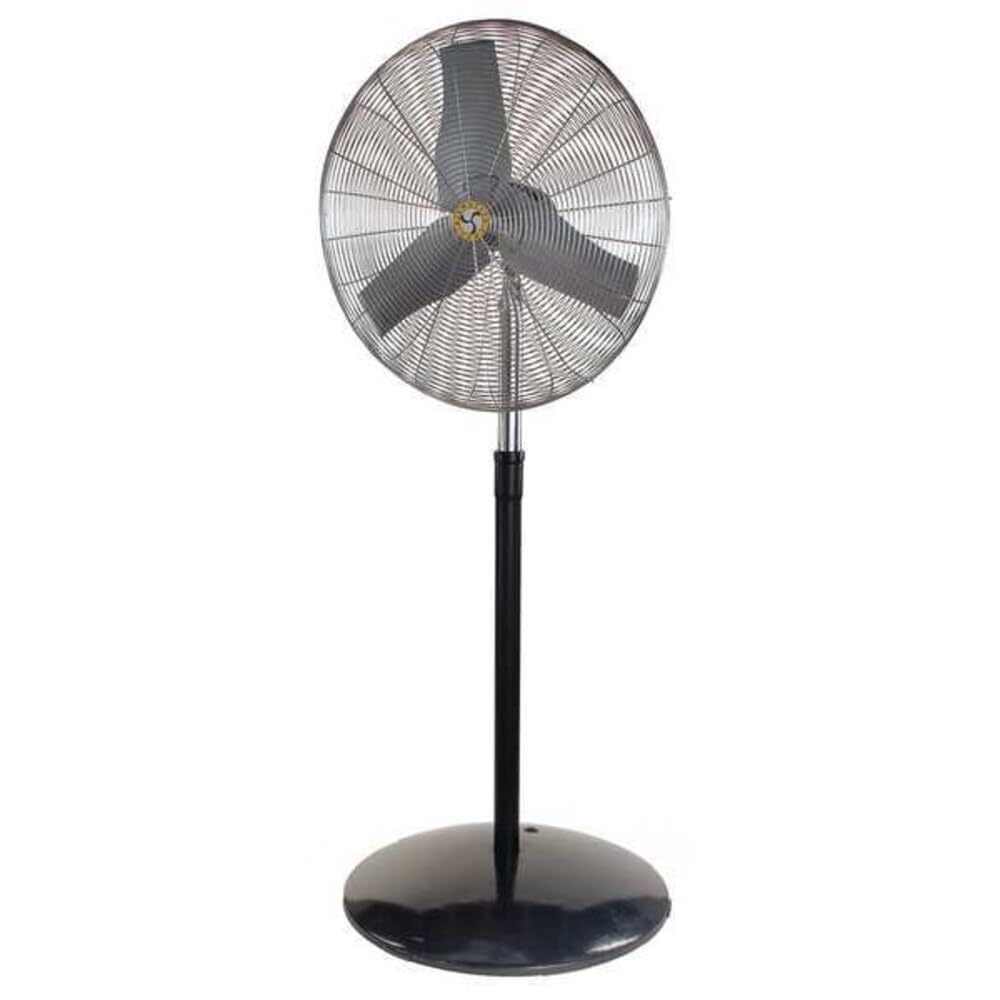
Image: The Airmaster CF71760 24-inch Industrial Floor Fan, shown assembled with its floor stand. This fan is designed for powerful air circulation in industrial settings.
중요 안전 지침
Read all instructions carefully before using this fan. Failure to follow these instructions may result in electric shock, fire, or serious personal injury.
- 선풍기를 청소, 수리 또는 이동하기 전에 항상 전원 콘센트에서 플러그를 뽑으십시오.
- 손상된 코드나 플러그가 있는 팬은 작동하지 마십시오. 팬을 폐기하거나 공인 서비스 시설로 돌려보내 검사 및/또는 수리하십시오.
- 카펫 아래로 코드를 놓지 마십시오. 코드를 러그, 러너 또는 이와 유사한 덮개로 덮지 마십시오. 코드를 교통량이 많은 구역에서 멀리 두고 걸려 넘어지지 않는 곳에 정리하십시오.
- 손가락이나 이물질이 통풍구나 배기구에 들어가지 않도록 하십시오. 감전이나 화재의 위험이 있으며, 팬이 손상될 수 있습니다.
- 실외에서 사용하지 마십시오. 이 선풍기는 실내용으로만 설계되었습니다.
- 팬의 전원을 끄려면 제어 장치를 OFF로 설정한 다음 콘센트에서 플러그를 뽑으십시오.
- 이 선풍기는 본 설명서에 명시된 대로만 사용하십시오. 제조사에서 권장하지 않는 용도로 사용할 경우 화재, 감전 또는 부상을 입을 수 있습니다.
- Avoid using extension cords if possible. If an extension cord must be used, use the shortest possible cord and ensure it is rated for the fan's power requirements.
패키지 내용
조립하기 전에 모든 구성 요소가 있는지 확인하세요.
- 팬 헤드 어셈블리
- 받침대 (받침대 및 기둥)
- Mounting Hardware (Bolts, Washers, Nuts)
- 사용자 설명서
설정 및 조립
Follow these steps to assemble your Airmaster CF71760 fan.
- 구성 요소 풀기: 포장에서 모든 부품을 조심스럽게 꺼내십시오. 나중에 보관하거나 운반할 때를 대비하여 포장재를 보관하십시오.
- 받침대 조립: Attach the pole to the base of the pedestal stand using the provided hardware. Ensure all connections are secure.
- Mount Fan Head: Secure the fan head assembly to the top of the pedestal pole. Align the mounting holes and fasten with the appropriate bolts, washers, and nuts. Do not overtighten.
- 위치 팬: Place the assembled fan on a stable, level surface. Ensure there is adequate clearance around the fan for proper airflow and to prevent obstruction.
작동 지침
This section details how to operate your Airmaster CF71760 fan.
- 전원 연결: Plug the fan's power cord into a standard 115V AC electrical outlet. Ensure the outlet is properly grounded.
- 속도 선택: The fan features a button control for speed adjustment. Press the button to cycle through the available speed settings (Low, Medium, High) and Off.
- 기류 방향 조정: The fan head can be tilted vertically to direct airflow. Loosen the adjustment knob on the side of the fan head, tilt to the desired angle, and then tighten the knob securely.
- 진동: The fan is equipped with an oscillation feature for wider air distribution. Locate the oscillation control (typically a knob or switch on the motor housing) and activate it as desired.
- 끄기: To turn off the fan, cycle through the speed settings until the fan stops, or press the OFF button if available. Unplug the fan from the outlet when not in use for extended periods.
유지
정기적인 유지관리를 통해 최적의 성능을 보장하고 팬의 수명을 연장할 수 있습니다.
- 청소: 청소하기 전에 항상 팬 플러그를 뽑으세요. 부드러운 천을 사용하세요.amp cloth to wipe the exterior surfaces. Do not use abrasive cleaners or solvents. For blade cleaning, carefully remove the front grille (if designed for removal) and wipe the blades. Ensure all parts are dry before reassembling and operating.
- 모터 윤활: The fan motor is permanently lubricated and requires no additional oiling.
- 저장: 사용하지 않을 때는 선풍기를 서늘하고 건조한 곳에 보관하십시오. 먼지 유입을 막기 위해 덮개를 씌우는 것이 좋습니다.
문제 해결
| 문제 | 가능한 원인 | 해결책 |
|---|---|---|
| 팬이 켜지지 않습니다. | No power to the unit; Fan not plugged in; Circuit breaker tripped. | Ensure fan is securely plugged into a live outlet. Check circuit breaker/fuse. |
| 감소된 기류. | Fan blades or grille are dirty; Obstruction near fan. | Clean fan blades and grilles. Remove any obstructions. |
| 팬에서 이상한 소리가 납니다. | Loose parts; Fan not on a level surface; Debris in fan. | Check for loose screws or components. Place fan on a stable, level surface. Unplug and inspect for debris. |
| Fan oscillates intermittently or not at all. | Oscillation mechanism obstructed or damaged. | Ensure no obstructions are preventing oscillation. If issue persists, contact customer support. |
명세서
- 모델: CF71760
- 상표: Airmaster
- 팬 유형: Industrial Circulating Floor Fan
- 블레이드 직경: 24인치
- 속도 수: 3
- 전원: 코드식 전기
- 권tage: 115 볼트
- 빈도: 60Hz
- 왓tage: 260와트
- 블레이드 소재: 플라스틱
- 장착 유형: Floor Mount, Pedestal
- 특별 기능: 진동
- Assembled Dimensions (Height x Width): 88 1/2인치 x 27인치
- 품목 무게: 81 파운드
- 인증: cULus
보증 및 지원
Airmaster products are manufactured to high-quality standards. For warranty information or technical support, please contact Airmaster customer service.
Airmaster Customer Service: Please refer to the official Airmaster web최신 연락처 정보는 해당 사이트나 구매 설명서를 참조하세요.
또한 방문할 수 있습니다 Airmaster Store on Amazon 더 많은 제품 정보를 보려면.