
소개
The Vonyx STM2270 is a versatile 2-channel DJ mixer designed for both aspiring and experienced DJs. It integrates modern features such as Bluetooth connectivity and a USB/SD card MP3 player, alongside essential DJ tools like a crossfader and microphone input. This manual provides detailed instructions for the safe and efficient setup, operation, and maintenance of your Vonyx STM2270 mixer.
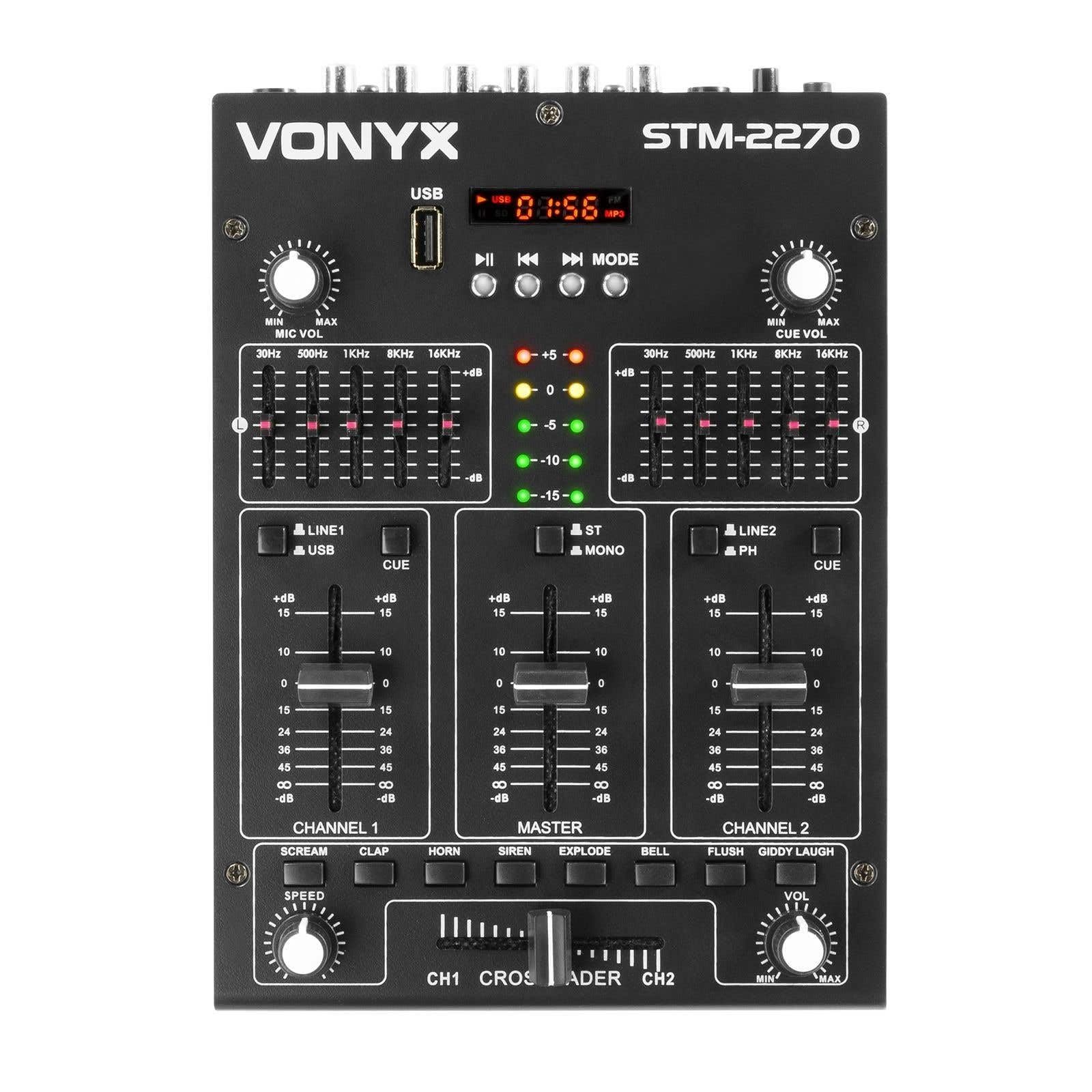
앞쪽 view of the Vonyx STM2270 DJ Mixer, showing all controls and inputs.
설정
짐 풀기
- 포장에서 모든 구성 요소를 조심스럽게 제거합니다.
- 모든 부품이 있는지, 손상되지 않았는지 확인하십시오.
- 향후 운송 또는 보관을 위해 원래 포장재를 보관하십시오.
전원 연결
- Ensure the mixer is switched off before connecting the power supply.
- Connect the provided 14V/600mA power adapter to the DC input on the rear panel of the mixer.
- Plug the power adapter into a standard 220V AC electrical outlet.
오디오 연결
The STM2270 offers various input and output options for connecting your audio sources and sound system.
Rear panel of the Vonyx STM2270 DJ Mixer, showing power input, master output, line/phono inputs, and microphone input.
- 마스터 출력: Connect your main sound system (amplifiers, powered speakers) to the MASTER OUTPUT RCA jacks.
- Line/Phono Inputs: Connect CD players, media players, or other line-level devices to the LINE inputs. For turntables, use the PHONO inputs. Ensure the correct input type is selected on the mixer.
- 마이크 입력: Connect a microphone to the 6.3mm jack input on the rear panel.
- 헤드폰 출력: Connect your headphones to the 6.3mm jack on the front panel for monitoring.
운영
전원 켜기/끄기
- To power on, ensure all volume controls are at their minimum setting, then press the POWER button.
- To power off, lower all volume controls, then press the POWER button.
채널 제어
The mixer features two main channels, each with dedicated controls:
- 입력 선택기 : Switch between LINE/USB (for Channel 1) or LINE/PHONO (for Channel 2) inputs.
- 게인 컨트롤 : Adjust the input level for each channel to prevent clipping.
- 이퀄라이저(EQ): Each channel has 2-band EQ controls (High and Low) to adjust the tone of the audio. (Highs: ±10dB, Lows: ±10dB).
- 채널 페이더: Controls the volume of the respective channel.
- 큐 버튼: Activates pre-fader listening (PFL) for the channel through headphones.

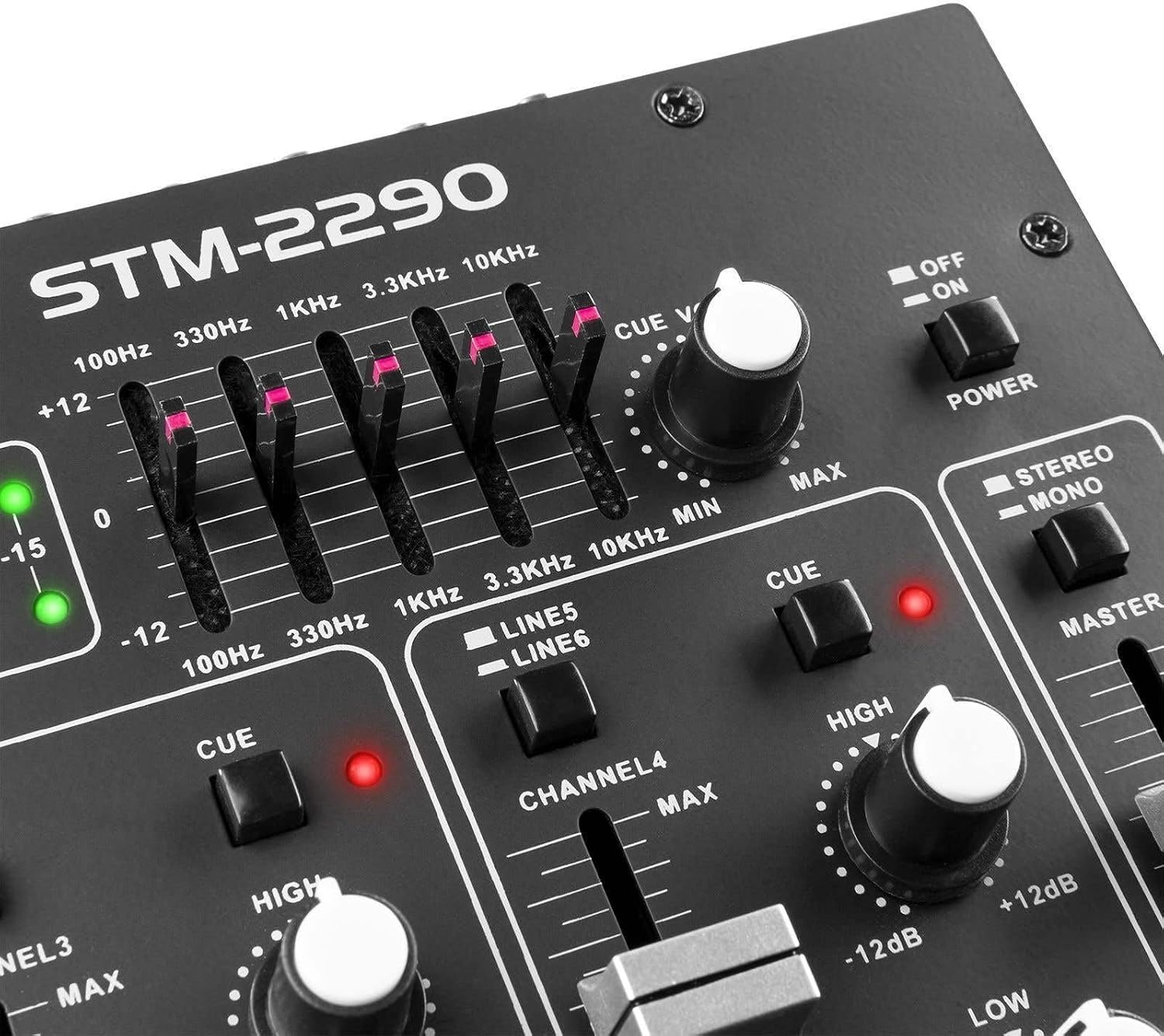
Close-up of the EQ section and LED level meters.
Master and Crossfader
- 마스터 페이더: 믹서의 전체 출력 볼륨을 조절합니다.
- 크로스 페이더 : Allows for smooth transitions between Channel 1 and Channel 2. Slide the crossfader to the left for Channel 1, to the right for Channel 2, and to the center for a blend of both.

Close-up of the crossfader and integrated sound effects buttons.
블루투스 연결
- Activate the Bluetooth function on the mixer (usually via the MP3 player section).
- 외부 기기(스마트폰, 태블릿 등)에서 블루투스를 활성화하세요.
- 검색 and select "Vonyx STM2270" (or similar) in your device's Bluetooth settings to pair.
- Once paired, audio from your device will be routed through the mixer.
USB/SD MP3 Player
- MP3 오디오 파일이 들어 있는 USB 플래시 드라이브 또는 SD 카드를 삽입하세요. file지정된 슬롯에 넣으세요.
- Use the player controls (Play/Pause, Next, Previous, Mode) to navigate and play tracks.
- The display will show track information and playback time.

Close-up of the USB port and SD card slot for the integrated MP3 player.
마이크 사용
- Connect your microphone to the MIC input.
- MIC VOL 노브를 조절하여 마이크 볼륨을 조절하세요.
- The mixer may include a 'talkover' function, which automatically lowers the music volume when the microphone is in use, allowing vocals to be heard clearly.
음향 효과
The mixer includes integrated sound effects. Use the dedicated buttons to trigger effects and the SPEED knob to adjust their characteristics.
유지
청소
- Disconnect the mixer from power before cleaning.
- 부드럽고 마른 천으로 외부를 닦으세요.
- 완고한 먼지의 경우 약간 damp 순한 비누를 묻힌 천으로 닦은 후 마른 천으로 닦아주세요.
- Avoid using abrasive cleaners, solvents, or excessive moisture, as these can damage the unit.
저장
- 믹서기는 직사광선과 극한의 온도를 피해 서늘하고 건조한 곳에 보관하세요.
- If storing for an extended period, use the original packaging to protect against dust and physical damage.
문제 해결
If you encounter issues with your Vonyx STM2270 mixer, refer to the following common problems and solutions:
- 전원 없음:
- Check if the power adapter is securely connected to both the mixer and the electrical outlet.
- 전원 콘센트가 작동하는지 확인하세요.
- 사운드 출력 없음:
- Ensure the Master Fader is raised.
- Check that individual Channel Faders are raised and not muted.
- Verify all audio cables are correctly connected to the mixer's inputs and outputs, and to your sound system.
- Confirm the correct input source is selected for each channel.
- 왜곡된 오디오:
- Reduce the Gain control for the input channel to prevent clipping (indicated by red LEDs on the level meter).
- Check the volume levels on your connected audio sources.
- 오디오 케이블에 손상이나 느슨한 연결이 없는지 검사합니다.
- 블루투스 연결 문제:
- Ensure the mixer's Bluetooth function is active and in pairing mode.
- Make sure your external device's Bluetooth is enabled and searching for devices.
- 기기가 믹서에 더 가까이 이동하여 작동 범위 내에 있는지 확인하십시오.
- 기기의 페어링을 해제한 후 다시 페어링해 보세요.
- Humming/Noise in Headphones:
- 모든 연결이 안전한지 확인하세요.
- 헤드폰 문제를 배제하기 위해 다양한 헤드폰으로 테스트해 보세요.
- Check for potential ground loops or interference from other electronic devices nearby.
명세서
| 특징 | 사양 |
|---|---|
| 상표 | 보이스 |
| 모델 | STM2270 |
| 채널 수 | 2 (with multiple inputs per channel) |
| 주파수 응답 | 20Hz - 20kHz |
| THD(전체 고조파 왜곡률) | < 0.05% |
| 이퀄라이저(EQ) | Highs: ±10dB, Lows: ±10dB |
| 마이크 입력 | 10 mV / 10 K Ohm (6.3mm Jack) |
| 라인 입력 | 300 mV / 30 K Ohm |
| 포노 입력 | 15 mV / 22 K Ohm |
| 마스터 출력 | 2 V / 400 Ohm (RCA) |
| 헤드폰 임피던스 | 16 - 32옴 |
| 신호 대 잡음 비율 | > 70dB |
| 전원 공급 장치 | 14 V / 600 mA (AC Adapter) |
| 운영 볼륨tage | 220볼트 |
| 연결 기술 | 블루투스, USB |
| 치수(D x W x H) | 24cm x 20cm x 6cm |
보증 및 지원
This Vonyx STM2270 DJ Mixer is covered by a manufacturer's warranty, subject to the terms and conditions provided at the time of purchase. Please retain your proof of purchase for warranty claims.
For technical support, service, or warranty inquiries, please contact your retailer or the official Vonyx support channels. Refer to the product packaging or the Vonyx web연락처 정보 사이트.
Do not attempt to repair the unit yourself, as this may void your warranty and could result in electrical shock or damage to the device.