
1. 서론
This manual provides comprehensive instructions for the YI YHS-113-IR Home Camera 1. This wireless home camera system is designed to provide reliable surveillance with clear 720p HD video recording and two-way audio communication. It features a 111° wide-angle lens, 940nm infrared night vision, and 4x digital zoom for detailed monitoring of your home or workplace.
The non-invasive infrared sensor ensures monitoring without disturbance, making it suitable for various applications including baby monitoring and pet surveillance.

Figure 1: YI YHS-113-IR Home Camera 1. This image shows the white camera unit with its black lens and base, designed for indoor use.
2. 설정
Follow these steps to set up your YI Home Camera 1:
- Download the YI Home App: 검색 "YI Home" in your smartphone's app store (available for Android and iOS).
- 전원 켜기: Connect the provided USB cable to the camera and the power adapter, then plug the adapter into a power outlet. The camera will power on and indicate its status (e.g., blinking light).
- Wi-Fi에 연결: Open the YI Home App, create an account if you don't have one, and follow the on-screen instructions to add your camera. Ensure your Wi-Fi network is 2.4GHz, as the camera supports 802.11 bgn single-band 2.4Ghz Wi-Fi. The app will guide you through scanning a QR code displayed on your phone with the camera to establish the connection.

Figure 2: Visual guide for the initial setup process, showing the three main steps: downloading the YI Home app, plugging in the power cable, and connecting the camera to your phone via the app.
2.1 MicroSD 카드 설치 (선택 사항)
For local video storage, you can install a microSD card. The YI Home Camera supports High Speed Class 10, UHS Speed Class 1 (U1), and UHS Speed Class 3 (U3) microSD cards (8-32GB). We recommend using high-quality microSD cards for optimal recording performance.

그림 3: 예amples of recommended microSD card brands and types (SanDisk Ultra, Toshiba EXCERIA, Samsung EVO, Transcend Premium) for use with the YI Home Camera, indicating supported capacities (8GB, 32GB).
3. 사용 설명서
3.1 라이브 View 그리고 녹음
Once connected, you can access real-time streaming from your camera via the YI Home App. The camera records in 720p HD, providing clear video quality. You can view 라이브 푸tag전자, 재view recorded events, and capture snapshots directly from the app.

Figure 4: The YI Home Camera positioned in a living room, illustrating its 720p HD resolution and 111° wide-angle lens capabilities for comprehensive room coverage.
3.2 양방향 오디오
The camera features a built-in microphone and speaker, enabling two-way audio communication. Use the YI Home App to speak through the camera and listen to audio from its surroundings. This feature is useful for communicating with family members, pets, or deterring intruders.

Figure 5: A smartphone displaying the YI Home App interface during a two-way conversation, highlighting the clear voice quality feature.
3.3 동작 감지 및 알림
The camera is equipped with a motion sensor that triggers activity alerts. When motion is detected, you will receive notifications on your phone. The YI Home App allows you to customize alert settings, including defining specific activity regions and setting alert schedules to suit your preferences.
3.4 야간 투시경
With 940nm infrared technology, the camera provides clear night vision without visible red glow, ensuring non-invasive monitoring in low-light or dark conditions. This allows you to monitor areas discreetly, such as a child's room during sleep.
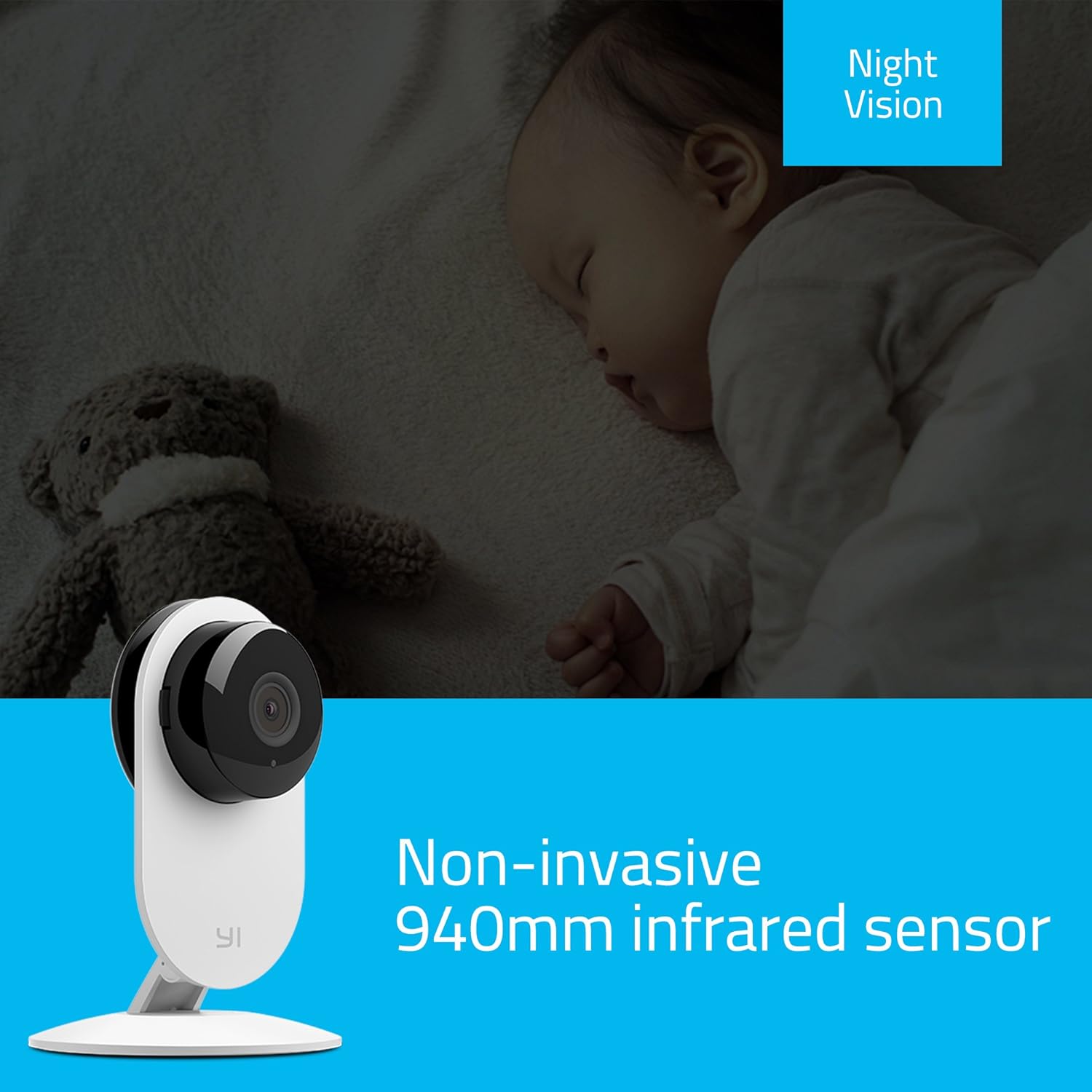
Figure 6: The YI Home Camera demonstrating its non-invasive 940nm infrared night vision capability, monitoring a sleeping baby without disturbance.
3.5 Manual Rotation
The camera unit can be manually rotated 180 degrees on its base to adjust the viewing angle as needed. This allows for flexible positioning to cover your desired area.
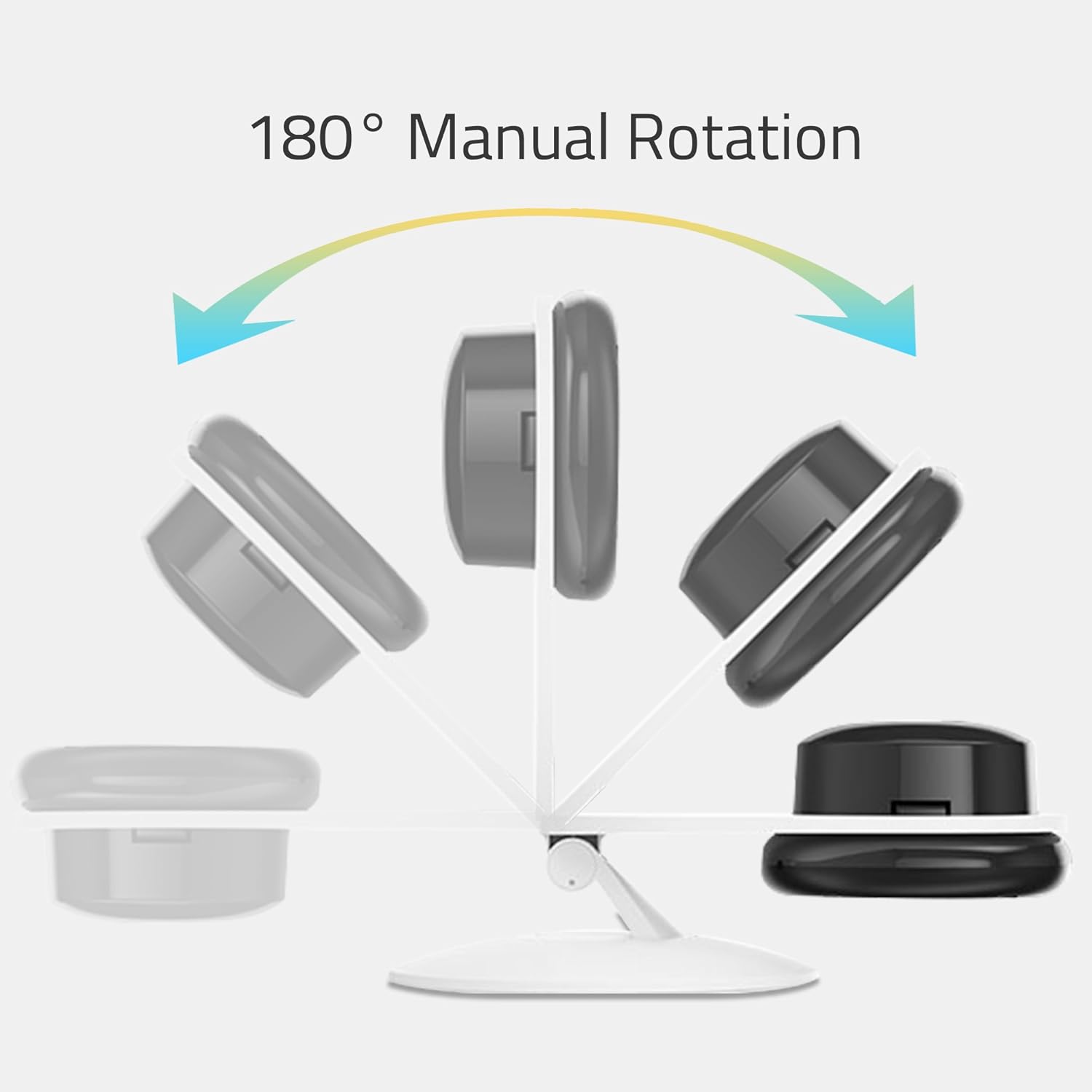
Figure 7: An illustration depicting the 180° manual rotation capability of the YI Home Camera, showing how the camera head can be adjusted on its stand.
4. 유지관리
- 청소: Use a soft, dry cloth to clean the camera lens and body. Do not use liquid cleaners, aerosols, or harsh chemicals, as these may damage the device.
- 놓기: Ensure the camera is placed in a well-ventilated area to prevent overheating. Avoid placing it near heat sources or in direct sunlight.
- 힘: Always use the original power adapter and cable provided with the camera to ensure proper operation and safety.
5. 문제 해결
If you encounter issues with your YI Home Camera, refer to the following common solutions:
- 카메라 오프라인:
- 카메라의 전원이 제대로 켜져 있고 전원 어댑터가 안전하게 연결되어 있는지 확인하세요.
- Wi-Fi 네트워크가 활성화되어 있고 카메라가 범위 내에 있는지 확인하십시오.
- Wi-Fi 네트워크가 2.4GHz인지 확인하세요.
- 카메라의 전원 케이블을 뽑았다가 다시 꽂아 카메라를 재시작하십시오.
- If the issue persists, try resetting the camera and re-pairing it with the YI Home App.
- 낮은 비디오 품질:
- 카메라 렌즈가 깨끗하고 먼지나 얼룩이 없는지 확인하세요.
- 인터넷 연결 속도를 확인하세요. 최적의 스트리밍을 위해서는 안정적이고 빠른 연결이 필요합니다.
- 특히 낮에는 적절한 조명을 확보할 수 있도록 카메라 위치를 조정하십시오.
- No Audio or Poor Two-Way Audio:
- Check the volume settings on your smartphone and within the YI Home App.
- 카메라의 마이크나 스피커를 가로막는 장애물이 없는지 확인하십시오.
- Verify your internet connection for stable audio transmission.
- 동작 감지 알림이 작동하지 않습니다:
- Confirm that motion detection is enabled in the YI Home App settings for your camera.
- Check the alert schedule and activity regions to ensure they are configured correctly.
- Verify that your phone's notification settings allow alerts from the YI Home App.
For further assistance, refer to the help section within the YI Home App or contact YI customer support.
6. 사양
| 상표 | YI |
| 모델명 | YI Home Camera 1 |
| 품목 모델 번호 | US Edition (YHS-113-IR) |
| 색상 | 하얀색 |
| 비디오 캡처 해상도 | 720p HD |
| View잉 각도 | 111도 |
| 프레임 속도 | 초당 20프레임 |
| 무선 통신 | Wi-Fi (802.11 bgn, Single band 2.4Ghz) |
| 특별 기능 | Motion Sensor, 2-Way Audio, Night Vision (940nm infrared) |
| 실내/실외 사용 | 실내 |
| 호환 장치 | 스마트폰, 태블릿 (안드로이드, 아이폰) |
| 전원 | Corded Electric (5 Volts, 1 Watt) |
| 재료 | 금속 |
| 치수(길이 x 너비 x 높이) | 8.2 x 8.2 x 11.5cm |
| 무게 | 150g |
| 포함된 구성 요소 | YI Home Camera 1, USB Cable, Power Adapter, Manual |
7. 보증 정보
자세한 보증 정보는 제품에 동봉된 보증 카드를 참조하거나 YI Technology 공식 웹사이트를 방문하십시오. web사이트. 보증 약관은 지역 및 구매일자에 따라 다를 수 있습니다.
8. 고객 지원
If you require technical assistance or have questions regarding your YI YHS-113-IR Home Camera 1, please contact YI Technology customer support. Support contact details can typically be found on the official YI website or within the YI Home App.
You can also find frequently asked questions (FAQs) and troubleshooting guides on the YI Technology support portal.