
제품 끝view
The Weiser Welcome Home series single cylinder deadbolt provides maximum-security protection for exterior doors. This deadbolt features a 1-inch throw and can be locked or unlocked using a key from the outside or a turn button from the inside. The satin chrome finish offers a modern and minimalist aesthetic.
주요 특징:
- 단일 실린더 데드볼트: Keyed entry from the exterior, turn button operation from the interior.
- 간편한 설치: 기본적인 공구를 사용하여 신속하게 설치할 수 있도록 설계되었습니다.
- 도어 호환성: Fits standard door thicknesses and backsets.
- ANSI/BHMA 2등급 인증: Ensures a high level of security and durability.
- 스마트키 기술: Allows for re-keying the lock in seconds for convenience and enhanced security.
- 평생 기계 및 마감 보증: Provides long-term assurance of product quality.

Image: Weiser Welcome Home Satin Chrome Round Deadbolt Lock, showing the exterior keyed cylinder and interior turn piece.
설정 및 설치
This deadbolt is designed for easy installation, typically requiring only a screwdriver. Follow these general steps for installation:
- 문 준비: 문이 다음 사양을 충족하는지 확인하세요.
- Door thickness: 1-3/8" to 1-3/4"
- Latch Backset: Adjustable for 2-3/8" or 2-3/4"
- Cross Bore: 2-1/8"
- 래치를 설치하십시오: Insert the deadbolt latch into the door edge. Ensure the latch is oriented correctly for your door's swing. The latch is adjustable to fit common backset dimensions.
- Install the Exterior Deadbolt: Place the exterior portion of the deadbolt through the cross bore hole, aligning it with the latch mechanism.
- Install the Interior Deadbolt: Attach the interior deadbolt assembly, ensuring the turn piece spindle engages with the latch mechanism. Secure with the provided screws.
- 스트라이크 플레이트 설치: Mount the strike plate on the door frame, aligning it with the deadbolt latch.
- 테스트 작업: Use the key and the interior turn button to ensure the deadbolt extends and retracts smoothly and locks securely.
포함된 구성 요소: Deadbolt, Latch, Strike, 2 Keys, SmartKey Tool, Manual.

이미지: 앞면 view of the Weiser deadbolt components, illustrating the exterior and interior parts.
작동 지침
The Weiser Welcome Home deadbolt offers straightforward operation:
- 외부에서 잠금: 열쇠를 외부 실린더에 삽입하고 돌려서 데드볼트를 빼냅니다.
- 외부에서 잠금 해제: 열쇠를 외부 실린더에 삽입하고 돌려서 데드볼트를 안으로 밀어 넣으세요. 열쇠를 빼내세요.
- 내부에서 잠금: Rotate the turn button on the interior side of the door to extend the deadbolt.
- 내부에서 잠금 해제: Rotate the turn button on the interior side of the door to retract the deadbolt.
SmartKey Re-keying Instructions
The SmartKey technology allows you to re-key your lock to a new key in seconds, providing flexibility and enhanced security. This is useful if you move, lose a key, or wish to use a single key for multiple Weiser SmartKey locks.
- Insert your currently working key (the functioning key) fully into the cylinder.
- Rotate the functioning key 90 degrees clockwise to the horizontal position.
- Insert the SmartKey tool firmly into the small hole on the face of the cylinder. You will feel a slight click.
- While the SmartKey tool is inserted, remove the functioning key.
- Insert your new key (the key you want the lock to operate with) fully into the cylinder.
- Rotate the new key 90 degrees counter-clockwise back to the vertical position.
- Remove the new key. The lock is now re-keyed to the new key. Test the new key to ensure proper operation.
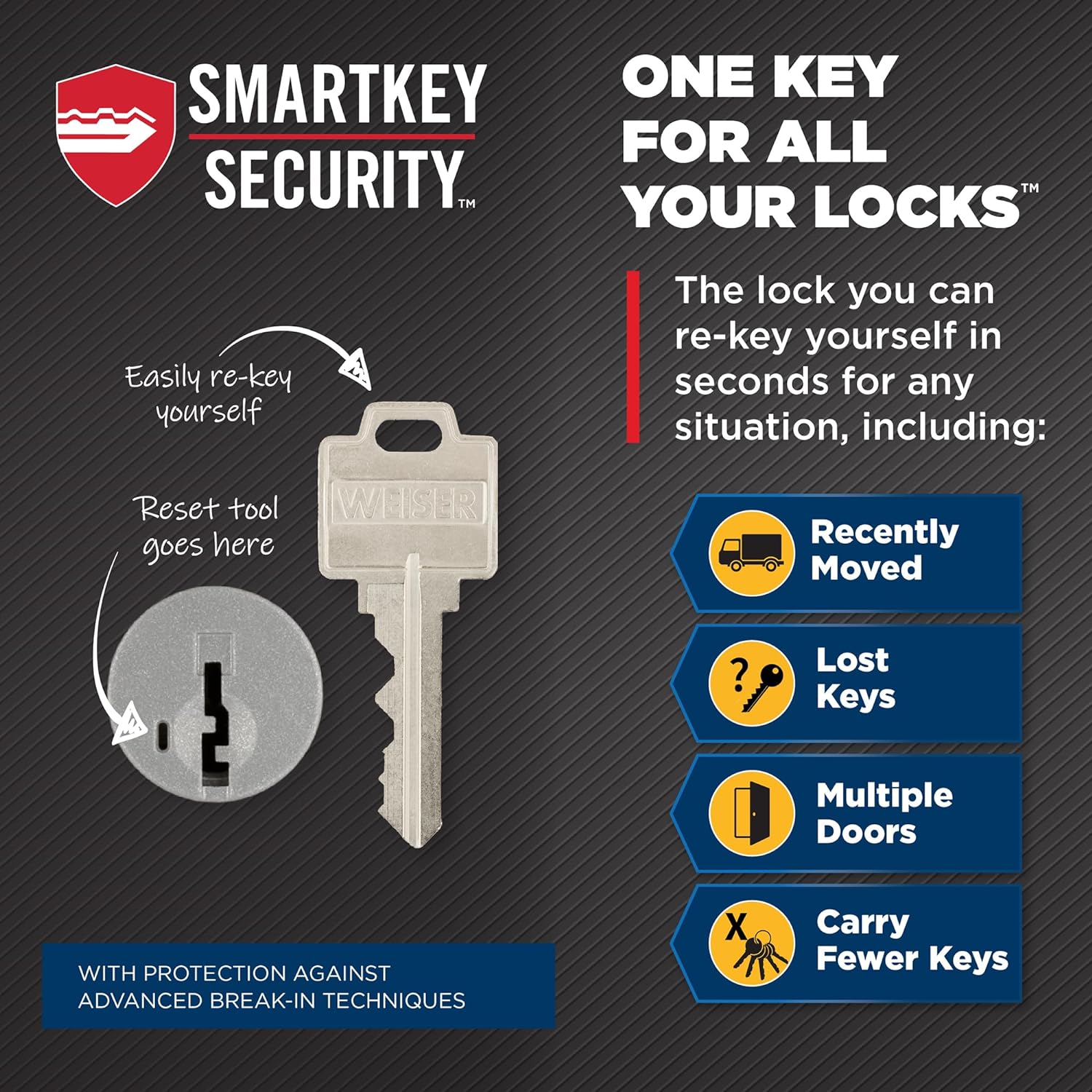
Image: Illustration of the SmartKey re-keying process, showing the functioning key, SmartKey tool, and new key insertion points.
유지
Regular maintenance helps ensure the longevity and smooth operation of your Weiser deadbolt.
- 청소: 부드러운 천으로 외부 표면을 청소하세요.amp 천으로 닦으십시오. 연마성 세척제나 용제는 마감재를 손상시킬 수 있으므로 사용하지 마십시오.
- 매끄럽게 하기: If the key turns stiffly or the deadbolt mechanism feels rough, apply a small amount of graphite-based lubricant (specifically designed for locks) into the keyway and the latch mechanism. Do not use oil-based lubricants, as they can attract dirt and dust.
- 나사 확인: Periodically check and tighten any loose mounting screws on both the interior and exterior assemblies to maintain stability.
문제 해결
If you encounter issues with your deadbolt, try these common troubleshooting steps:
- 열쇠가 뻑뻑하거나 돌아가지 않습니다:
- 키가 실린더에 완전히 삽입되었는지 확인하십시오.
- Check if the key is bent or damaged. Try a spare key.
- 키홈에 흑연 윤활제를 바르십시오.
- 잠금장치가 완전히 열리거나 닫히지 않습니다:
- 문틀이나 잠금장치에 장애물이 있는지 확인하십시오.
- Ensure the strike plate is properly aligned with the deadbolt. Adjust if necessary.
- Verify that the mounting screws are not overtightened, which can bind the mechanism.
- Interior Turn Button is Loose or Not Engaging:
- Check the interior assembly for loose screws.
- Ensure the turn button spindle is correctly engaged with the deadbolt mechanism.
- SmartKey 재설정 실패:
- Ensure the functioning key is fully inserted and turned 90 degrees clockwise.
- Make sure the SmartKey tool is inserted firmly until a click is felt.
- Ensure the new key is fully inserted before turning it back to the vertical position.
명세서
| 상표 | 바이저 |
| 모델명 | GD9471 |
| 모델 번호 | 9GD94710-090 |
| 색상 | 새틴 크롬 |
| 잠금 유형 | 열쇠 잠금장치 (단일 실린더 데드볼트) |
| 특별 기능 | ANSI/BHMA Grade 2, SmartKey |
| 재료 | Other (Metallic) |
| 품목 치수(L x W x H) | 8.1 x 11.7 x 22.6 센티미터 |
| 품목 무게 | 1.6 파운드 |
| 도어 두께 호환성 | 1-3/8" - 1-3/4" |
| 래치 백셋 | 2-3/8" - 2-3/4" (Adjustable) |
| 크로스 보어 | 2-1/8인치 |
| 포함된 구성 요소 | Deadbolt, Latch, Strike, 2 Keys, SmartKey Tool, Screw Packs |
| 제조업체 | 바이저 |
보증 및 지원
보증: The Weiser Welcome Home GD9471 deadbolt comes with a Limited Lifetime Mechanical and Finish Warranty. This warranty covers defects in material and workmanship for the lifetime of the original residential user.
For warranty claims or technical support, please contact Weiser customer service. You may also refer to the official Weiser web자세한 보증 정보와 지원 리소스는 사이트에서 확인하세요.
제조업체 연락처 정보:
255 Longside Drive, Mississauga, ON, L5W 0G7, Canada
For additional product information or to explore other Weiser products, visit the official Weiser Store.