
소개
The Sanitas SFT 01 Medical Thermometer is designed for accurate measurement of body temperature. This device features a large 3-digit display, is 100% waterproof, and can be disinfected for hygienic use. It is glass-free and mercury-free, ensuring safety. An audible signal indicates the completion of a measurement, and the device automatically stores the last reading. It also includes an automatic shut-off function and a battery change indicator.
설정
1. 배터리 설치
The Sanitas SFT 01 thermometer comes with a product-specific battery already installed. If the battery indicator appears on the display, the battery needs to be replaced. To replace the battery:
- 배터리함 덮개를 조심스럽게 제거합니다.
- Insert a new battery of the specified type, ensuring correct polarity.
- 배터리함 덮개를 단단히 다시 닫으십시오.
2. 초기 전원 켜기
Press the power button to turn on the thermometer. A brief self-test will occur, and the last measured temperature will be displayed. The device is ready for use when 'Lo' appears on the display, indicating it is ready to measure a new temperature.

Image: The Sanitas SFT 01 Medical Thermometer, showing its overall design with the display and power button.
작동 지침
1. 측정하기
Ensure the thermometer is clean before use. Press the power button to turn it on. Place the thermometer tip in the desired measurement location (oral, axillary, or rectal). Hold it steady until the audible signal sounds, indicating the measurement is complete.

Image: Close-up of the thermometer's flexible tip, designed for comfortable and safe use.
2. 디스플레이 읽기
The measured temperature will be shown on the large 3-digit LCD display. The device automatically saves the last measurement for reference.
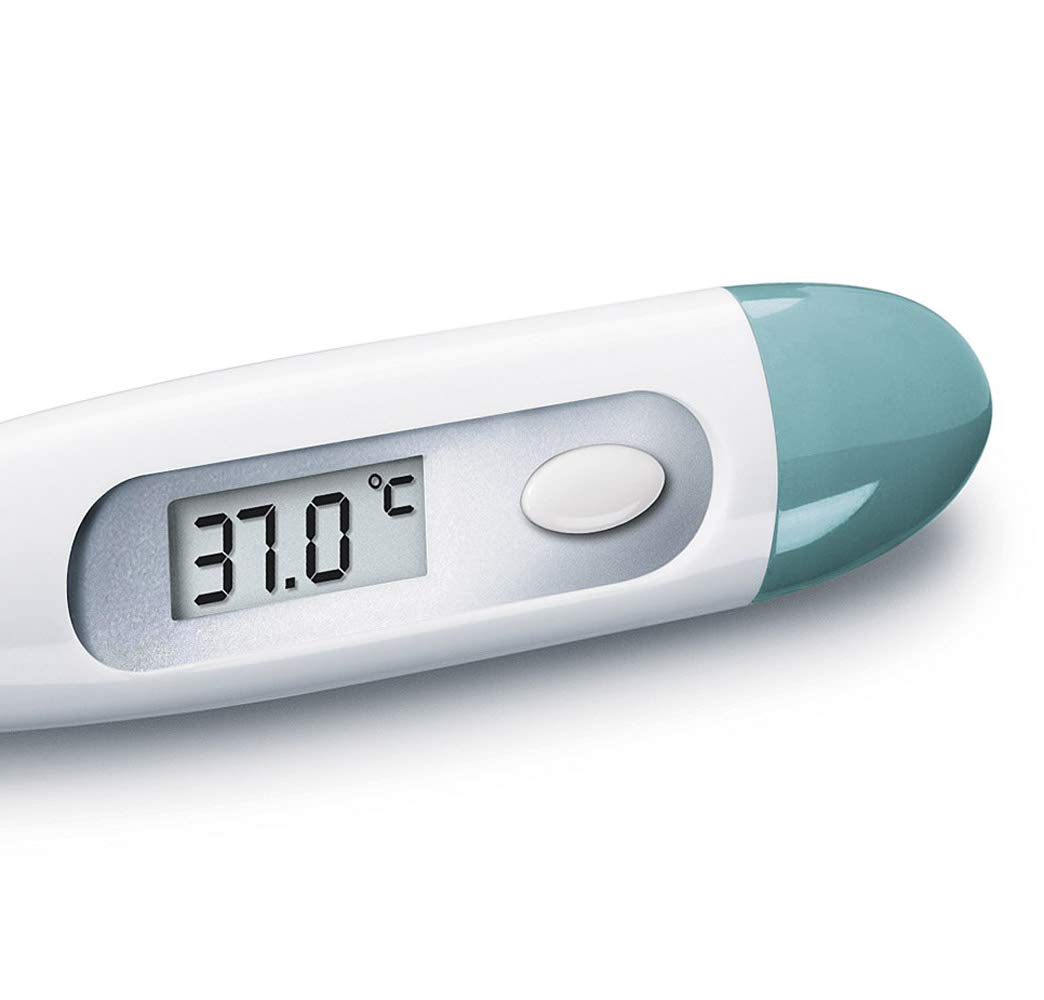
Image: A close-up of the thermometer's digital display, clearly showing a temperature reading of 37.0 degrees Celsius.
3. 자동 차단
To conserve battery life, the thermometer will automatically turn off after approximately 10 minutes of inactivity.
유지관리 및 청소
The Sanitas SFT 01 thermometer is 100% waterproof and disinfectable, making it easy to clean and maintain hygiene.
청소 지침:
- After each use, clean the thermometer tip with a soft cloth and a disinfectant solution (e.g., 70% isopropyl alcohol).
- 광고로 전체 장치를 닦으십시오amp cloth. Do not immerse the entire device in water for extended periods, although it is waterproof.
- Store the thermometer in its protective storage case in a cool, dry place, away from direct sunlight and extreme temperatures.
문제 해결
- 화면이 표시되지 않음 / 기기가 켜지지 않음: Check if the battery is correctly installed. If the battery change indicator was shown, replace the battery.
- 'Lo' or 'Hi' Displayed Continuously: 'Lo' indicates a temperature below the measurable range, and 'Hi' indicates a temperature above the measurable range. Ensure proper placement of the thermometer for measurement.
- 부정확한 판독: Ensure the thermometer tip is in full contact with the measurement area. Avoid taking measurements immediately after eating, drinking, or exercising. Allow sufficient time for the measurement to complete (until the audible signal).
- 배터리 교체 표시기: If the battery symbol appears on the display, replace the battery as described in the Setup section.
기술 사양
| 제조업체 | SANITAS |
| 모델 번호 | SFT 01 |
| 제품 크기(L x W x H) | 25.4 x 5.08 x 6.86cm; 18.14그램 |
| 전원 유형 | 배터리 구동 |
| 배터리 유형 | Product Specific (Alkaline) |
| 디스플레이 유형 | 액정표시장치 |
| 특별 기능 | LCD Display, Waterproof, Disinfectable, Automatic Shut-off, Last Measurement Storage |
| 정확성 | ± 0.1°C (between 35.5°C and 42°C) |
| 포함된 구성 요소 | Thermometer, Storage Case, Battery |
| 관리 지침 | 깨끗한 |
보증 정보
Please refer to the warranty card included with your product for specific warranty terms and conditions. General warranty information may also be available on the official Sanitas web대지.
고객 지원
For further assistance, technical support, or inquiries regarding your Sanitas SFT 01 Medical Thermometer, please visit the official Sanitas website or contact their customer service department. Contact details can typically be found in the packaging or on the manufacturer's web대지.