
제품 끝view
The Cellet Wired Selfie Stick is a compact and extendable accessory designed to enhance your mobile photography experience. It connects directly to your smartphone's 3.5mm headphone jack, eliminating the need for Bluetooth pairing or battery charging. Its lightweight and foldable design makes it convenient for travel and everyday use.
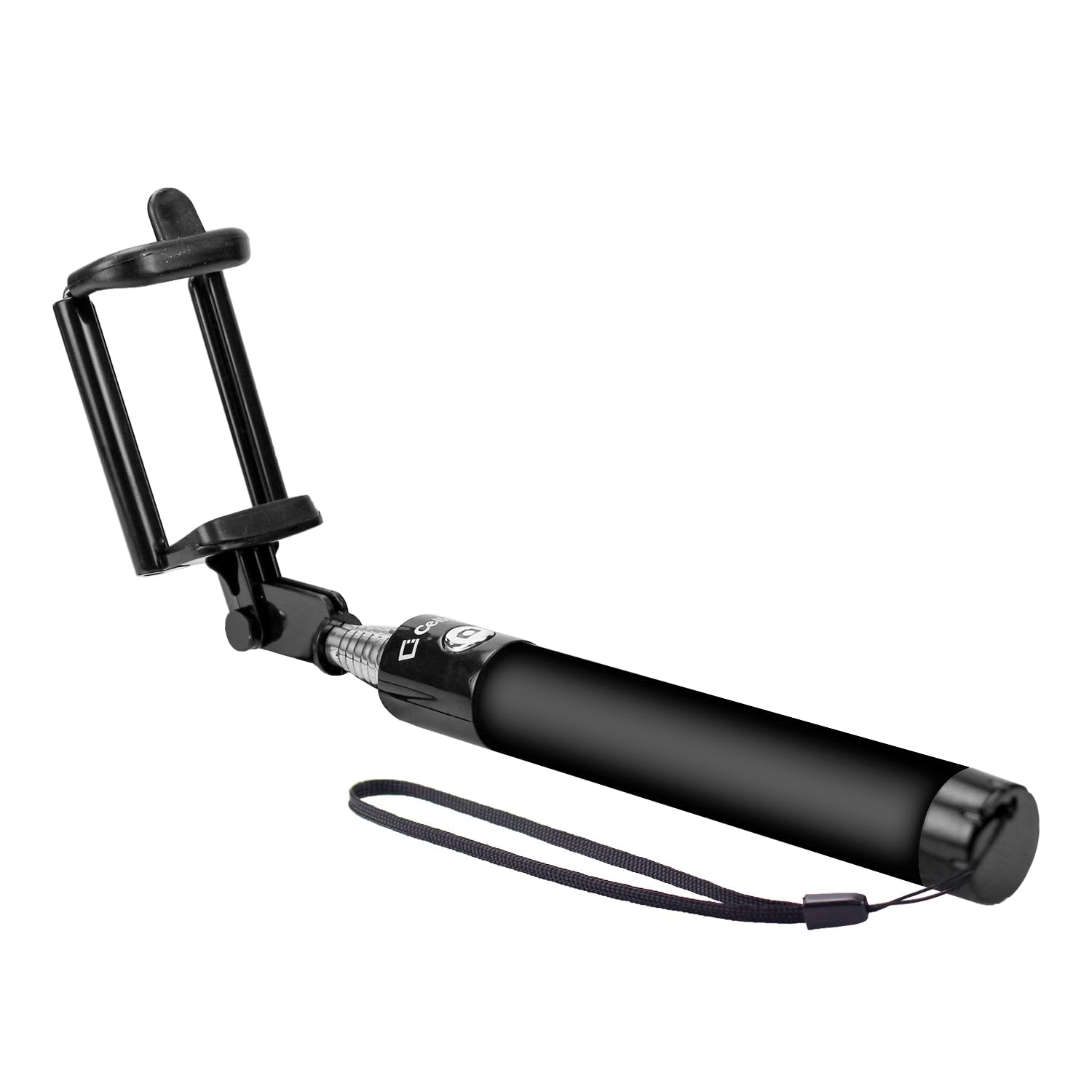
Image: The Cellet Wired Selfie Stick shown in its extended form, featuring the adjustable phone holder and the integrated 3.5mm audio jack cable.
주요 특징:
- 유선 연결: Plugs directly into your phone's 3.5mm headphone jack for instant use. No Bluetooth pairing or charging required.
- 확장 가능한 팔: Extends up to 2.6 feet (approximately 79 cm) for wider shots.
- 컴팩트한 디자인: Foldable and portable, with a storing length of 7 inches (17.8 cm), fitting easily into pockets or bags.
- 보편적 인 호환성 : Compatible with most Apple iPhones, Samsung Galaxy smartphones, and other Android smartphones.
- 통합형 전화 홀더: Securely holds your smartphone in place.
설치 지침
- 셀카봉을 펼치세요: Gently extend the telescopic arm of the selfie stick to your desired length.
- 휴대폰 홀더 조정: The phone holder is spring-loaded. Carefully pull apart the clamps to insert your smartphone. Ensure your phone is securely seated in the holder. The holder can accommodate various phone sizes.
- Connect the Audio Jack: Locate the 3.5mm audio cable attached to the selfie stick. Plug this cable firmly into your smartphone's 3.5mm headphone jack.
- Open Camera Application: Launch your smartphone's default camera application.
작동 지침
Once the selfie stick is set up and connected, you can begin taking photos or recording videos using the integrated shutter button on the handle.
iPhone 사용자의 경우:
- The selfie stick's button typically acts as a volume button. To take a picture, you may need to enable the volume button as a shutter release in your camera settings (if not already default).
- Alternatively, utilize your iPhone's camera timer function for hands-free photo capture. Set the timer (e.g., 3 or 10 seconds), press the shutter button, and pose.
For Samsung and Other Android Phone Users:
- Press the shutter button on the selfie stick handle to take a picture.
- Some Samsung phones support voice commands for photo capture. Try saying "Shoot," "Smile," "Capture," or "Cheese" while the camera app is open.
- For video recording, some devices allow you to start recording by saying "Record Video" or by pressing the shutter button once to start and again to stop.
유지
- 청소: 셀카봉은 부드럽고 마른 천으로 닦아주세요. 독한 화학 약품이나 연마성 세척제는 사용하지 마세요.
- 저장: When not in use, collapse the selfie stick to its shortest length and store it in a cool, dry place away from direct sunlight and extreme temperatures.
- 조심스럽게 다루십시오: Avoid excessive force when extending or collapsing the stick, and when inserting or removing your phone from the holder.
문제 해결
- Selfie Stick Not Taking Pictures:
- Ensure the 3.5mm audio jack is fully inserted into your phone's headphone port.
- Check your phone's camera settings. Some phones require the volume button function to be set to 'shutter' or 'take picture'.
- For iPhones, if the button doesn't trigger the shutter, use the camera's built-in timer function.
- 휴대전화의 운영체제가 최신 버전인지 확인하십시오.
- 전화기가 단단히 고정되지 않음:
- Ensure the phone holder clamps are fully extended to accommodate your phone's width.
- 휴대폰이 제대로 고정되지 않도록 두꺼운 케이스는 모두 제거하세요.
명세서
| 모델 번호 | ACPOD4BK |
| 상표 | 셀렛 |
| 연결 유형 | 유선(3.5mm 오디오 잭) |
| 접힌 크기 | 7 inches (L) x 1 inch (W) x 1 inch (H) |
| Extendable Arm Length | 최대 2.6피트 |
| 품목 무게 | 4 온스 |
| 호환 장치 | Apple iPhones, Samsung Galaxy Smartphones, all Android Smartphones |
| 한국어: | 800768693113 |
보증 정보
This Cellet product comes with a 1년 보증 구매일로부터 1년입니다. 보증 청구를 위해 구매 증빙을 보관하십시오. 본 보증은 정상적인 사용 중 제조상의 결함 및 오작동에 적용됩니다. 오용, 사고, 무단 개조 또는 정상적인 마모로 인한 손상은 보증 대상에서 제외됩니다.