
1. 서론
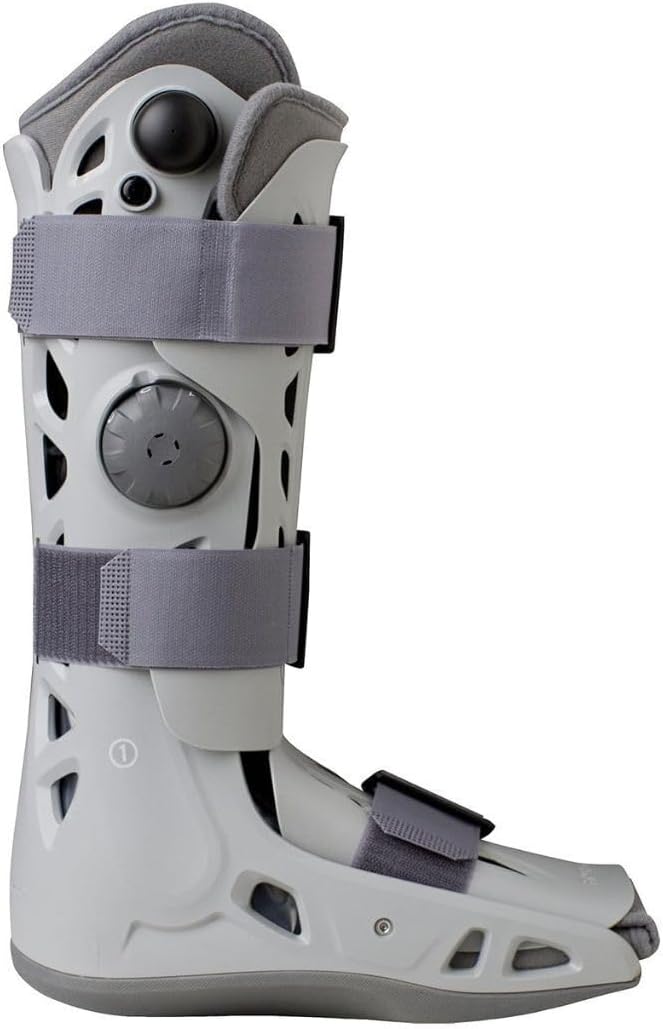
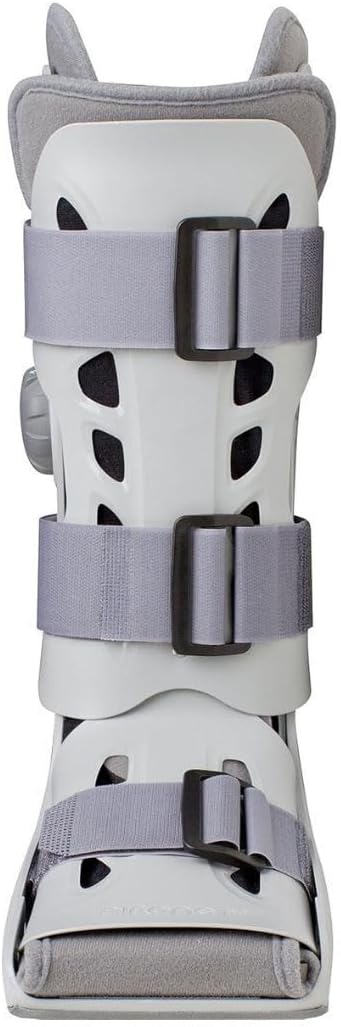
The Aircast AirSelect Walker Brace/Walking Boot is a state-of-the-art medical device designed to provide optimal protection, comfort, and control for edema (swelling) during recovery. It features advanced technology to support natural gait and facilitate daily activities while ensuring limb stability.
주요 특징은 다음과 같습니다.
- Durable semi-rigid shell for comprehensive limb support and protection.
- SoftStrike technology to absorb and dissipate shock, enhancing comfort during movement.
- Lightweight, lab-tested rocker sole to promote a natural walking pattern.
- Overlapping dual air cells that provide intermittent pneumatic compression, designed to reduce edema up to three times faster.
- Pre-inflated front panel combined with air cells for a total contact fit.
- Sophisticated open-frame design for improved ventilation.
- Non-marking, anti-slip rubber tread for enhanced traction and extended durability.
- Universal fit, allowing use on either the left or right foot.
2. 설치 및 적용
Follow these steps to correctly apply and adjust your Aircast AirSelect Walker Brace/Walking Boot:
- 부츠 준비: Unfasten all straps and open the front panel. Ensure the soft liner is smooth and free of wrinkles inside the shell.
- 발 위치: Place your foot gently into the boot, ensuring your heel is seated firmly at the back. The foot should be centered within the boot.
- 라이너를 고정하세요: Wrap the soft liner around your leg and foot, securing it snugly but comfortably.
- 전면 패널을 닫으세요: Position the pre-inflated front panel over the liner and secure it.
- 스트랩을 조이세요: Starting from the bottom (near the toes) and working upwards, fasten all straps. Adjust each strap to be firm but not overly tight, allowing for proper circulation.
- Inflate Air Cells: Locate the inflation pump (usually a small bulb or dial) on the side of the boot. Pump air into the air cells until you feel a comfortable, supportive compression. Do not over-inflate.
- 핏 확인: Stand up and walk a few steps to ensure the boot feels stable and comfortable. If any discomfort or pressure points are felt, deflate slightly using the release valve (if present) or by pressing the inflation button, and readjust the straps.

3. 사용 설명서
Once the boot is properly fitted, follow these guidelines for daily use:
- 걷는: The lightweight rocker sole is designed to promote a natural gait. Walk carefully, paying attention to your balance, especially on uneven surfaces.
- Air Cell Adjustment: You may need to adjust the air cell pressure throughout the day. If swelling decreases, you might need to inflate the air cells slightly to maintain support. If you experience discomfort or increased pressure, release a small amount of air.
- 야간 사용: Consult your healthcare provider regarding wearing the boot during sleep. Adjust air pressure to a comfortable level if worn overnight.
- 활동 수준: Adhere strictly to your healthcare provider's recommendations regarding weight-bearing and activity levels while wearing the boot.
4. 유지관리
Proper care and maintenance will extend the life of your Aircast AirSelect Walker Brace/Walking Boot:
- 라이너 청소: The soft liner can be hand-washed in cold water with mild soap. Air dry completely before reinserting into the boot. Do not machine wash or tumble dry.
- 껍질 청소: Wipe the outer shell with a damp cloth and mild soap. Do not immerse the shell in water.
- 점검: Regularly inspect the boot for any signs of wear, damage, or loose components. If any issues are found, contact your healthcare provider or the product supplier.
- 저장: 부츠를 사용하지 않을 때는 직사광선을 피해 서늘하고 건조한 곳에 보관하십시오.
5. 문제 해결
If you encounter issues with your Aircast AirSelect Walker Brace/Walking Boot, consider the following:
- 불편감 또는 압박감: Re-evaluate the strap tension and air cell inflation. Ensure the liner is smooth and not bunched. If discomfort persists, consult your healthcare provider.
- 기압 손실: Check that the inflation valve is fully closed. Inspect the air cells and tubing for any visible damage or leaks. If a leak is suspected, contact your supplier.
- Difficulty Walking: Ensure the boot is properly secured and the rocker sole is making full contact with the ground. If you feel unstable, use crutches or other walking aids as recommended by your healthcare provider.
6. 사양
| 기인하다 | 세부 사항 |
|---|---|
| 제품 모델 번호 | AC141FB02-L |
| 상표 | 에어캐스트 |
| 색상 | 오프화이트 |
| 크기 | 2XL |
| 재료 | Front panel: High-density polyethylene; Shell: Polypropylene; Strap: Nylon |
| 목적 | Swelling, Foot Support, Ankle Support |
| 유형 | Walking Boot |
| Batteries Included/Built-in | 아니요 |
| 제품 치수 | 30.48 x 15.24 x 5.08 cm; 907.18g |
| 맞다 | Universal (Left or Right Foot) |
7. 보증 및 지원
For warranty information, product support, or to report any issues, please contact your medical device supplier or the authorized Aircast distributor from whom you purchased this product. Keep your purchase receipt as proof of purchase.
Always consult with a healthcare professional for specific medical advice regarding the use and duration of wear for this device.