
1. 서론
This manual provides instructions for the proper use and care of your DeltaTrak 11047 Digital Lollipop Min/Max Probe Thermometer. This device is designed for accurate temperature measurement in various applications, featuring a digital display and Min/Max temperature recording capabilities.
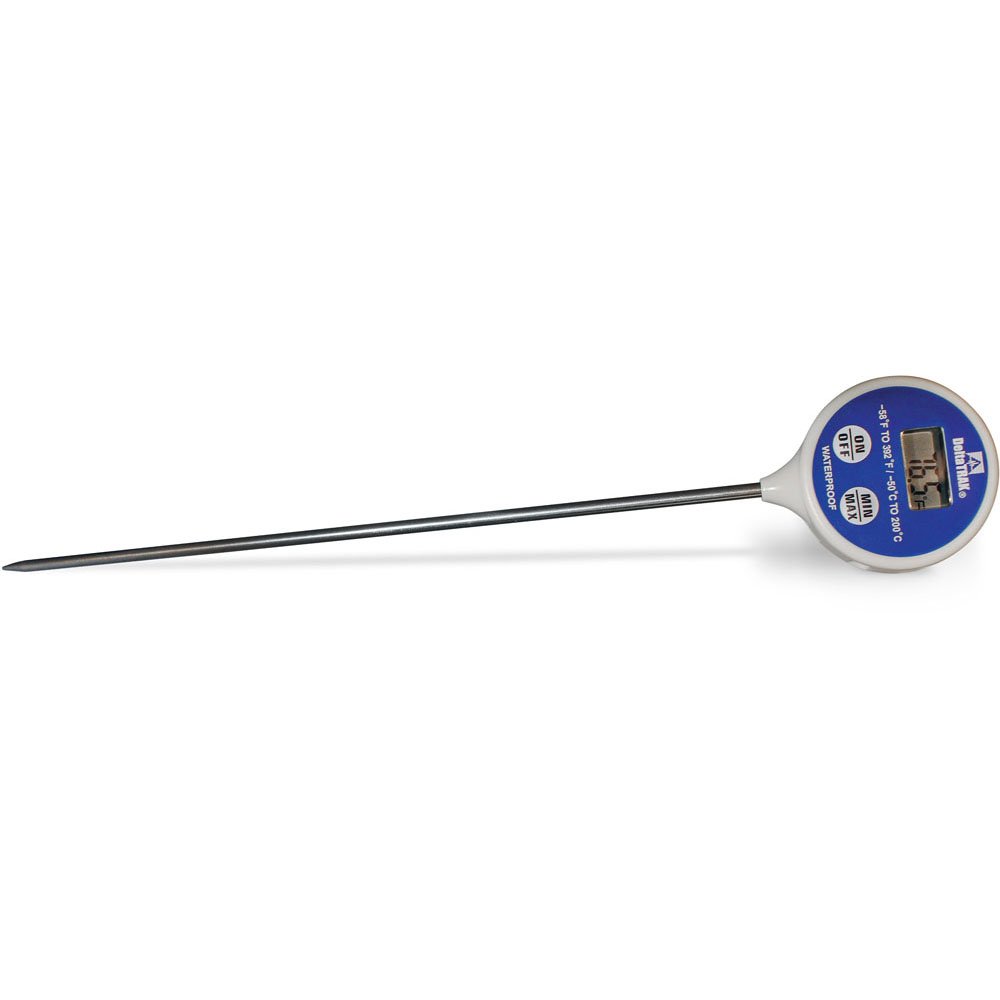
그림 1: DeltaTrak 11047 Digital Lollipop Min/Max Probe Thermometer. This image shows the thermometer with its digital display and probe.
2. 안전 정보
Please read all safety instructions before using the thermometer to ensure safe operation and prevent damage to the device or injury to yourself.
- Do not expose the thermometer to extreme temperatures outside its specified operating range.
- Do not immerse the main body of the thermometer in water or other liquids. The probe is designed for immersion, but the display unit is not waterproof.
- 어린이의 손이 닿지 않는 곳에 보관하세요.
- Do not attempt to disassemble or modify the thermometer. This will void the warranty and may cause damage.
- 현지 규정에 따라 배터리를 폐기하십시오.
3. 설정
3.1. 배터리 설치
The DeltaTrak 11047 thermometer requires batteries for operation (not included). Follow these steps to install them:
- 온도계 뒷면에서 배터리 덮개를 찾으세요.
- 작은 드라이버나 동전을 사용하여 배터리함을 여세요.
- Insert the required batteries, ensuring correct polarity (+ and -). Refer to the markings inside the compartment.
- 배터리함 덮개를 다시 씌우고 단단히 고정하십시오.
3.2. 초기 전원 켜기
배터리 설치 후, 버튼을 누르십시오. 켜짐/꺼짐 button to power on the device. The display will show the current temperature.
4. 사용 설명서
4.1. 체온 측정
- 온도계의 전원이 켜져 있는지 확인하세요.
- Insert the stainless steel probe into the substance or environment you wish to measure. Ensure the probe tip is fully immersed or positioned correctly for accurate readings.
- Wait for the temperature reading on the digital display to stabilize. This usually takes a few seconds.
4.2. Min/Max Temperature Function
The thermometer can record the minimum and maximum temperatures measured during a session.
- 를 누르세요 MIN / MAX button once to display the maximum temperature recorded since the last reset.
- 를 누르세요 MIN / MAX button a second time to display the minimum temperature recorded.
- 를 누르세요 MIN / MAX button a third time to return to the current temperature display.
- To reset the Min/Max values, press and hold the MIN / MAX button for approximately 3 seconds while in Min or Max display mode.
4.3. Unit Selection (°C/°F)
섭씨(°C)와 화씨(°F) 사이를 전환하려면:
- 위치 ° C / ° F button, usually found near the display or battery compartment.
- Press this button to toggle between the two temperature units.
5. 유지관리
5.1. 청소
As per product care instructions, the thermometer should be cleaned by wiping it. Use a damp cloth with mild soap or a sanitizing wipe to clean the probe and the body of the thermometer. Do not use abrasive cleaners or immerse the main unit in water.
5.2. 보관
When not in use, store the thermometer in a clean, dry place at room temperature. Ensure the probe is clean and dry before storage. The thermometer often comes with a protective sheath for the probe; use this to prevent damage.
5.3. 배터리 교체
If the display becomes dim or the thermometer stops functioning, it may be time to replace the batteries. Follow the battery installation steps in Section 3.1.
6. 문제 해결
| 문제 | 가능한 원인 | 해결책 |
|---|---|---|
| 디스플레이가 없거나 어둡습니다 | 배터리 방전 또는 배터리 잔량 부족; 배터리 설치 오류. | 배터리를 올바른 극성으로 교체하세요. |
| 부정확한 판독 | Probe not fully immersed; probe damaged; thermometer outside operating range. | Ensure probe is correctly positioned; check for visible damage; use within specified temperature range. |
| 온도계가 켜지지 않습니다 | Batteries not installed; power button malfunction. | Install or replace batteries; if problem persists, contact support. |
7. 사양
- 상표: 델타트랙
- 모델 번호: 11047
- 한국어: 700779110473
- 겉감 소재 : Glass (Note: This likely refers to the display or a component, the probe is typically stainless steel)
- 사양 충족: 미국 국립 과학 기술원(NIST)
- 품목 무게: 36.3g
- 패키지 크기: 26.8 x 5.41 x 2.79cm
- 포함된 구성 요소: 온도계
- 제품 관리 지침: 닦아내십시오
- 배터리: 포함되지 않음
8. 보증 및 지원
8.1. 보증 정보
DeltaTrak products are manufactured to high-quality standards. For specific warranty details regarding your DeltaTrak 11047 thermometer, please refer to the warranty card included with your purchase or visit the official DeltaTrak web사이트. 보증 청구를 위해 구매 증빙 자료로 구매 영수증을 보관하세요.
8.2. 고객 지원
If you encounter any issues not covered in this manual or require further assistance, please contact DeltaTrak customer support. Contact information can typically be found on the product packaging or the official DeltaTrak web대지.
자세한 내용은 다음을 방문하세요. www.델타트랙닷컴