
소개 및 이상view
The Eton Scorpion II is a rugged, multipowered portable emergency weather radio and flashlight designed for reliability in various conditions. This compact unit is an essential tool for outdoor activities and emergency preparedness, offering multiple ways to stay informed and powered.
Key features include AM/FM/NOAA weather bands for critical updates, a built-in LED flashlight for illumination, and a USB port for charging smartphones. Its robust exterior and aluminum carabiner ensure durability, while multiple power options provide continuous operation.
설정
Before initial use, it is recommended to fully charge the Scorpion II using the USB port. This ensures the internal 800 mAh Lithium Ion battery is ready for extended use.
- 초기 청구 : Connect the provided USB cable to the unit's USB input port and to a standard USB power source (e.g., computer, wall adapter). Allow several hours for a full charge.
- 안테나: For optimal radio reception, extend the telescopic antenna fully.

작동 지침
전원 켜기/끄기
를 누르고 계세요 힘 button located on the unit to turn the radio on or off.
라디오 튜닝
사용하세요 밴드 button to cycle through AM, FM, and NOAA weather bands. Use the 튜닝 +/- buttons to manually adjust the frequency. The digital display will show the current frequency.
볼륨 조절
오디오 출력 레벨을 조정하려면 다음을 사용하십시오. 볼륨 +/- 버튼.
LED Flashlight & SOS
를 누르세요 플래시 button to activate the built-in LED flashlight. Some models may include an SOS function, which can be activated by pressing and holding the flashlight button, causing the light to flash Morse code for distress.

스마트폰 충전
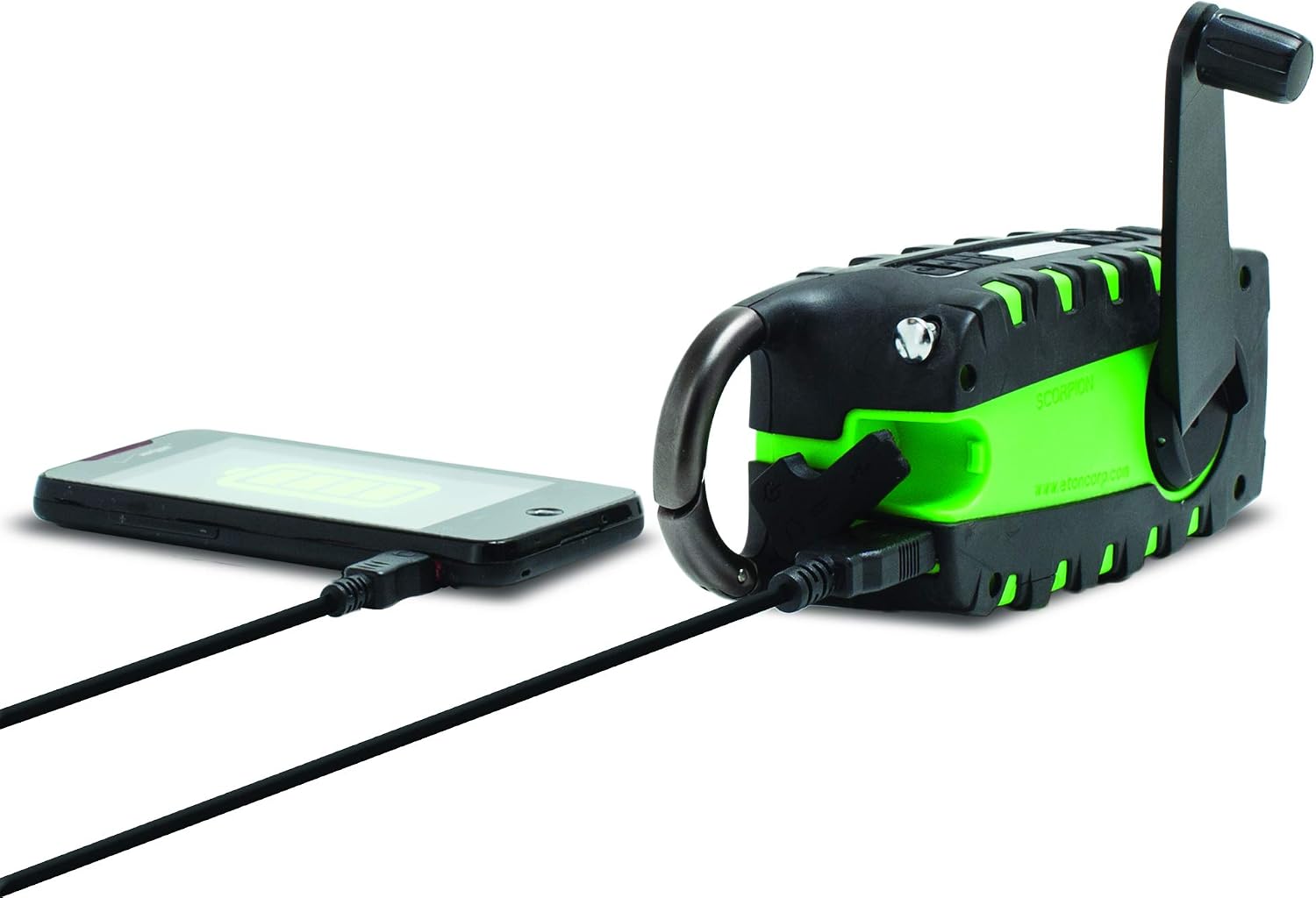
The unit features a USB output port to charge compatible smartphones. Connect your smartphone's charging cable to the Scorpion II's USB output. Ensure the Scorpion II has sufficient charge for this function.

전원
The Eton Scorpion II offers multiple ways to power the unit and charge external devices:
- 핸드 크랭크: Extend the hand crank handle and rotate it clockwise or counter-clockwise for manual power generation. Continuous cranking will charge the internal battery and power the radio.
- 태양광 패널: Place the unit with its solar panel facing direct sunlight. The solar panel will slowly charge the internal battery. This method is ideal for maintaining charge over time or for trickle charging.
- USB 충전: Use the micro-USB input port to charge the internal battery from any standard USB power source. This is the fastest method for a full charge.

유지
To ensure the longevity and optimal performance of your Eton Scorpion II, follow these maintenance guidelines:
- 청소: 부드러운 천으로 기기를 닦으십시오. damp 옷감. 강한 화학 물질이나 연마성 세제를 사용하지 마십시오.
- 배터리 관리 : For best battery life, fully charge the unit at least once every 3 months, even if not in use. Avoid completely draining the battery frequently.
- 저장: 라디오는 직사광선과 극한의 온도를 피해 서늘하고 건조한 곳에 보관하세요.
- 방수 기능: The rugged exterior provides protection against splashes and dust, but the unit is not fully waterproof. Avoid submerging it in water.
문제 해결
If you encounter issues with your Eton Scorpion II, refer to the following common troubleshooting steps:
- 전원 없음: Ensure the unit is charged. Try hand cranking for a few minutes or connecting to a USB power source.
- 라디오 수신 불량: Fully extend the telescopic antenna. Try repositioning the unit to a different location, especially near a window or outdoors.
- Smartphone Not Charging: Verify that the Scorpion II has sufficient battery charge. Ensure the smartphone's charging cable is securely connected to the unit's USB output port.
- 손전등이 작동하지 않음: Check if the unit is powered on and has battery charge. Press the flashlight button firmly.
명세서
| 제품 치수 | 2.2 x 3.6 x 7.2 인치 |
| 품목 무게 | 10.6 온스 |
| 품목 모델 번호 | NSP101WXGR |
| 배터리 | 리튬 이온 배터리 2개 필요 (내장형) |
| 연결 기술 | USB |
| 전원 | Solar Powered, Hand Crank, USB |
| 지원되는 라디오 대역 | AM, FM, NOAA Weather |
| 특징 | Portable, LED Flashlight, Smartphone Charger |
상자 안에 무엇이 들어있나요?
- Eton Scorpion II Rugged Multipowered Portable Emergency Weather Radio & Flashlight Green
- USB 충전 케이블
보증 및 지원
For warranty information, technical support, or service inquiries, please refer to the documentation included with your product or visit the official Eton web대지. 보증 청구를 위해 구매 영수증을 보관하십시오.