
1. 서론
This manual provides detailed instructions for the installation, operation, and maintenance of the Axis Communications Q6045-E MK II Outdoor 1080P PTZ Camera. This high-performance surveillance camera is designed for outdoor environments, offering 1080p HDTV resolution, 32x optical zoom, and advanced pan/tilt/zoom capabilities for comprehensive area monitoring.
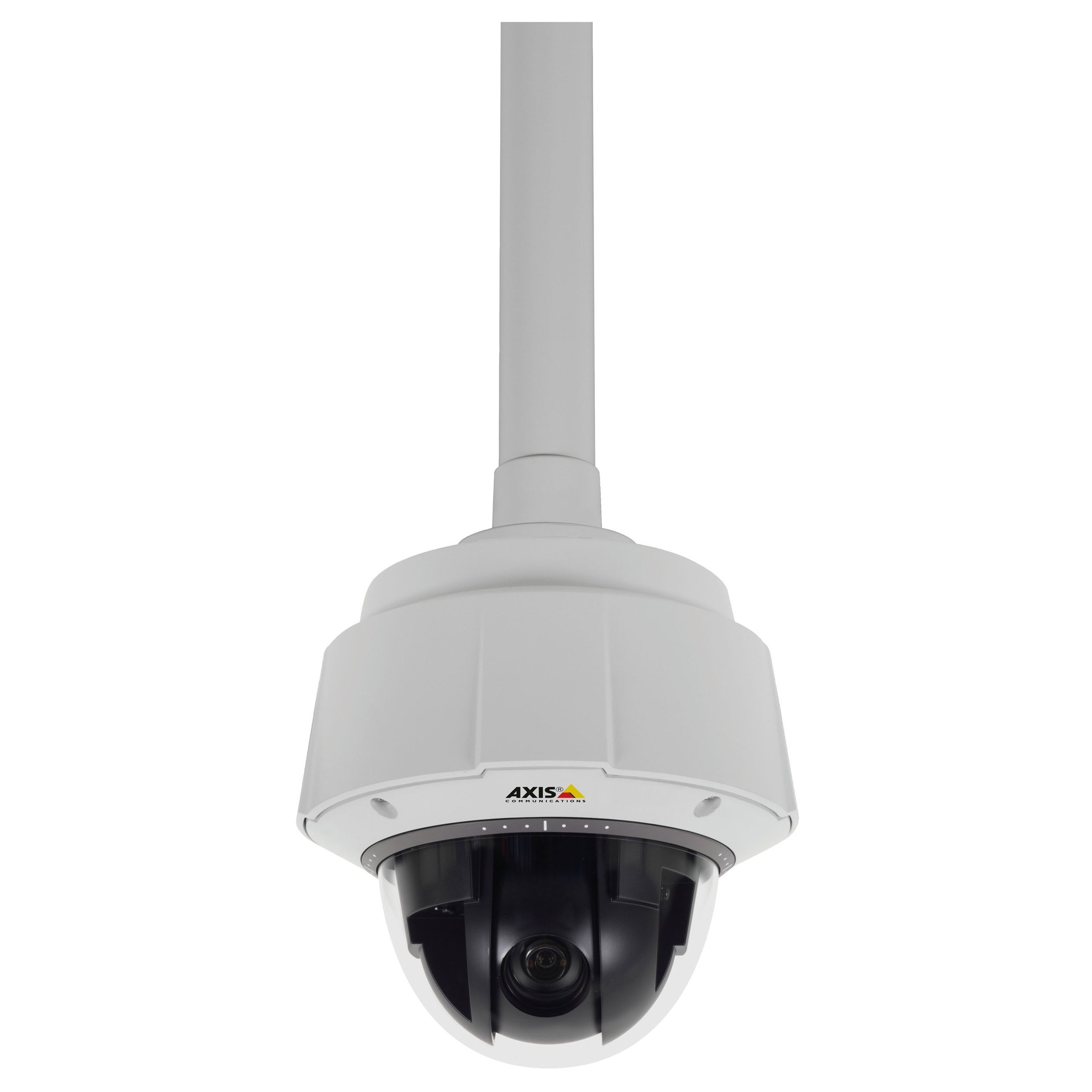
그림 1: 앞쪽 view of the Axis Communications Q6045-E MK II Outdoor 1080P PTZ Camera. This image displays the dome camera housing, designed for outdoor installation, with its robust construction and integrated lens system.
2. 설정
2.1 풀기 및 검사
Carefully unpack the camera and all accessories. Verify that all components listed in the packing list are present and undamaged. Report any missing or damaged items to your supplier immediately.
2.2 카메라 장착
The Q6045-E MK II is designed for wall mount installation in outdoor environments. Ensure the mounting surface is strong enough to support the camera's weight (approximately 13.16 pounds or 5.97 kg). Use appropriate mounting hardware for secure installation.
- 원하는 시야를 제공하는 적절한 야외 장소를 선택하십시오. view 직접적인 충격으로부터 보호됩니다.
- Secure the mounting bracket to the chosen surface using screws appropriate for the material.
- Attach the camera to the mounting bracket according to the specific instructions provided with the bracket. Ensure all connections are tight and secure.
2.3 전원 연결
The camera supports AC/DC power sources. Connect the power cable to the camera's power input port and then to a suitable power supply. Ensure the power supply meets the camera's voltag손상을 방지하기 위한 e 및 현재 요구 사항.
2.4 네트워크 연결
The camera supports both wired and Wi-Fi connectivity. For wired connection, connect an Ethernet cable from your network switch or router to the camera's network port. For Wi-Fi setup, refer to the camera's web interface for wireless configuration after initial wired connection.
2.5 초기 구성
After connecting power and network, the camera will boot up. Access the camera's web 를 사용하는 인터페이스 web browser by entering its IP address. Follow the on-screen prompts to set up administrator credentials, network settings, and initial video parameters.
3. 카메라 작동
3.1 라이브 접속 View
카메라의 실시간 영상 피드는 해당 링크를 통해 접속할 수 있습니다. web interface or compatible video management software (VMS). This allows real-time monitoring of the surveillance area.
3.2 팬, 틸트 및 줌(PTZ) 제어
The Q6045-E MK II features advanced PTZ capabilities. Use the controls within the web interface or VMS to:
- 팬: 넓은 영역을 촬영하려면 카메라를 수평으로 회전시키세요.
- 경사: 카메라를 세로로 조정하세요 view 높이가 다른 물체들.
- 줌: Utilize the 32x optical zoom for detailed views of distant objects and digital zoom for further magnification.
The camera supports remote control for these functions.
3.3 영상 모니터링 및 녹화
The camera provides 1080p video resolution at up to 60 frames per second. Configure recording settings, including resolution, frame rate, and storage location (e.g., network video recorder, local storage if available), through the camera's interface or VMS. The camera supports MOV and MPEG-4 video capture formats.
3.4 야간 시야 및 저조도 성능
Equipped with Night Color low light technology, the camera delivers enhanced image quality in challenging lighting conditions. Configure day/night mode switching and exposure settings as needed for optimal performance.
4. 유지관리
4.1 청소
Regularly clean the camera's lens and housing to ensure optimal image clarity and prevent accumulation of dirt or debris. Use a soft, damp cloth for the housing and a lens cleaning solution with a microfiber cloth for the lens. Avoid abrasive cleaners.
4.2 펌웨어 업데이트
Axis Communications를 주기적으로 점검하십시오. website for firmware updates. Keeping the camera's firmware up-to-date ensures access to the latest features, performance improvements, and security patches. Follow the manufacturer's instructions carefully when performing firmware updates.
4.3 환경 고려 사항
The Q6045-E MK II has an International Protection Rating of IP541 and IP67, indicating its resistance to dust and water ingress. While designed for outdoor use, ensure proper installation to maximize its lifespan and performance in various weather conditions.
5. 문제 해결
This section provides solutions to common issues you might encounter with your camera.
- 전원 없음: Verify that the power cable is securely connected to both the camera and the power source. Check the power outlet and any associated circuit breakers.
- 영상이 나오지 않습니다: Ensure the camera is properly connected to the network (wired or Wi-Fi). Check network cables, router status, and camera's IP address. Confirm that the camera's status indicator lights are active.
- 이미지 품질이 좋지 않음: Clean the camera lens as described in the Maintenance section. Check for obstructions in the camera's field of view. Adjust focus settings if available in the web 인터페이스.
- PTZ 컨트롤이 작동하지 않습니다: Ensure the camera has a stable network connection. If using remote control, verify the connection between the controller and the camera. A camera reboot might resolve temporary issues.
- Camera Offline Intermittently: This could indicate an unstable network connection. Check Wi-Fi signal strength or wired network cable integrity. Ensure the camera's power supply is consistent.
문제가 지속될 경우 Axis Communications 지원팀에 문의하십시오. web사이트 또는 기술 지원팀에 문의하세요.
6. 사양
Below are the technical specifications for the Axis Communications Q6045-E MK II Outdoor 1080P PTZ Camera (Model: 0694-004).
| 특징 | 사양 |
|---|---|
| 모델명 | 0694-004 |
| 실내/실외 사용 | 집 밖의 |
| 비디오 캡처 해상도 | 1080p |
| 최고 Web캠 이미지 해상도 | 2 MP |
| 줌 타입 | Digital Zoom, Optical Zoom (32x) |
| 저조도 기술 | 밤의 색깔 |
| 연결 기술 | 유선, Wi-Fi |
| 연결 프로토콜 | 와이파이 |
| 전원 | 교류/직류 |
| 장착 유형 | 벽걸이형 |
| 국제 보호 등급 | IP541, IP67 |
| 품목 치수(L x W x H) | 8.3 x 8.3 x 11인치(21.1 x 21.1 x 27.9cm) |
| 품목 무게 | 13.16파운드(5.97kg) |
| 포토 센서 기술 | CMOS |
| 제어 방법 | 원격 |
| 비디오 캡처 형식 | MOV, MPEG-4 |
| 제조업체 | AXIS COMMUNICATION INC. |
| 첫 번째 이용 가능 날짜 | 1년 2015월 XNUMX일 |
7. 보증 및 지원
자세한 보증 정보, 기술 지원 및 추가 자료는 Axis Communications 공식 웹사이트를 방문하십시오. website. The manufacturer, AXIS COMMUNICATION INC., provides support for their products. Keep your purchase receipt and product serial number handy when contacting support.
제조업체: AXIS COMMUNICATION INC.
Web대지: www.axis.com