
1. 서론
The Xiaomi Mi 5000mAh Power Bank is a portable charging solution designed for smartphones and other USB-powered devices. Its slim 9.9mm design and lightweight construction (156 grams) make it highly portable, fitting easily into a pocket or bag. Equipped with a 5000mAh lithium-ion polymer battery, it provides reliable power on the go. The integrated battery indicator keeps you informed about the remaining charge level.
2. 안전 정보
- 보조 배터리를 극한 온도(섭씨 60도 이상 또는 화기 이하 0도), 직사광선 또는 화기에 노출시키지 마십시오.
- Avoid dropping, disassembling, or attempting to repair the device yourself. This may cause damage or injury.
- Keep the power bank away from water, moisture, and other liquids.
- Use only certified charging cables and adapters. Using incompatible accessories may lead to fire, explosion, or other hazards.
- 어린이의 손이 닿지 않는 곳에 보관하세요.
- Dispose of the power bank according to local regulations for electronic waste. Do not dispose of it in household waste.
3. 패키지 내용
- Xiaomi Mi 5000mAh Power Bank (Model XPB5000)
- USB 충전 케이블(Micro USB to USB-A)
- 사용자 설명서
4. 제품 오버view
Familiarize yourself with the components of your Xiaomi Mi 5000mAh Power Bank.
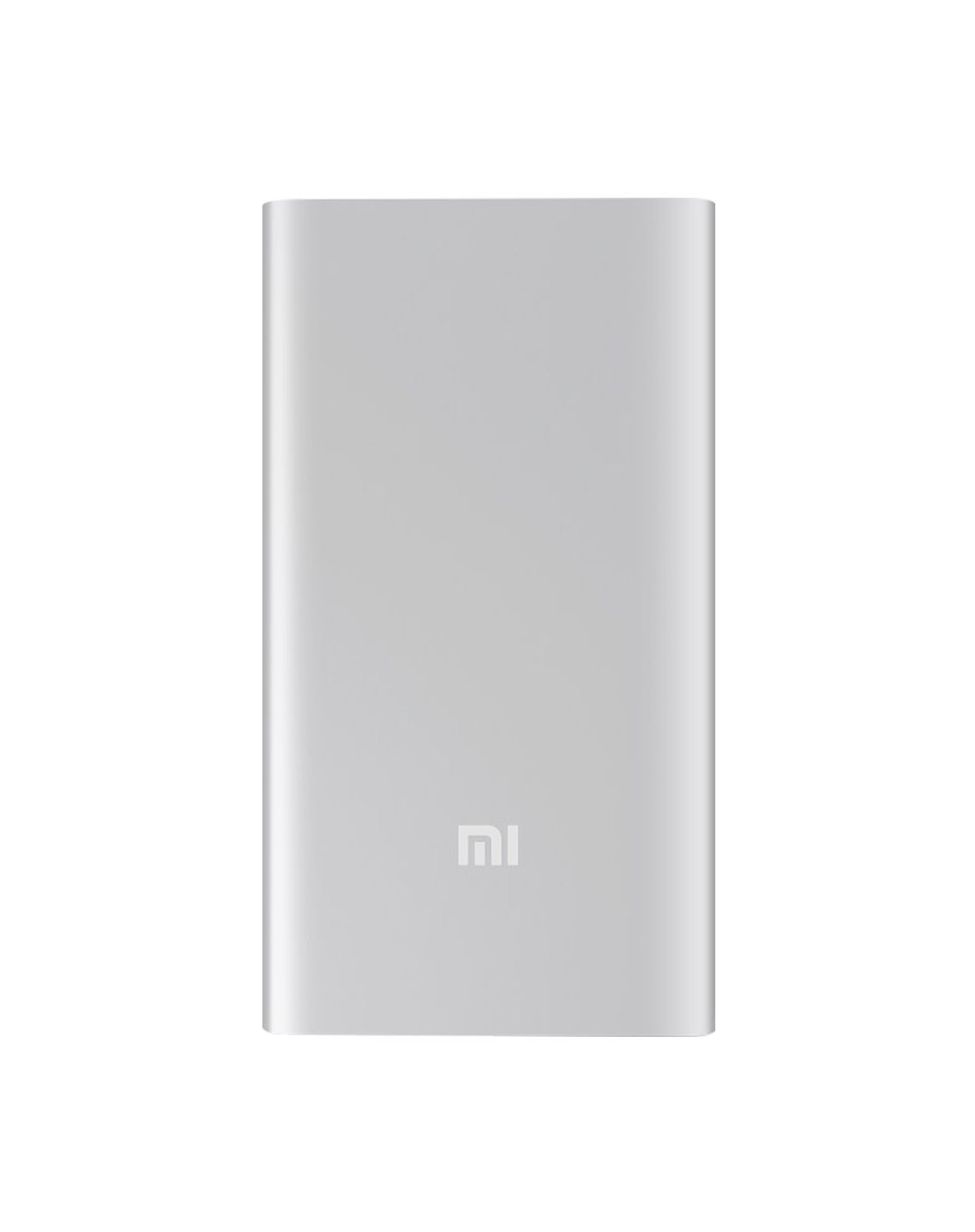
그림 4.1: 전면 view of the Xiaomi Mi 5000mAh Power Bank, silver color with the 'Mi' logo.

그림 4.2: 상단 view of the power bank, highlighting the ports and indicators.
- 마이크로 USB 입력 포트: Used to charge the power bank itself.
- USB-A 출력 포트: Used to charge external devices.
- 전원 버튼: Press once to check battery level; press and hold to turn on/off (if applicable, some power banks are auto-on).
- LED 표시등: Four small lights that show the remaining battery capacity of the power bank. Each light typically represents 25% of the charge.
5. 설정
5.1 초기 충전
Before using your Xiaomi Mi 5000mAh Power Bank for the first time, it is recommended to fully charge it.
- Connect the Micro USB end of the provided cable to the power bank's Micro USB Input Port.
- 케이블의 USB-A 단자를 USB 벽면 어댑터(별도 구매) 또는 컴퓨터의 USB 포트에 연결하십시오.
- The LED indicators will light up and blink, showing the charging progress. All four LEDs will remain solid when the power bank is fully charged.
6. 사용 설명서
6.1 파워뱅크 충전하기
모바일 배터리 충전 방법:
- Use the included USB cable to connect the power bank's Micro USB input port to a power source (e.g., wall charger, computer USB port).
- The LED indicators will show the charging status. When all four LEDs are solid, the power bank is fully charged.
6.2 장치 충전
To charge a smartphone or other USB-powered device:
- Connect your device's charging cable to the USB-A Output Port of the power bank.
- 케이블의 다른 쪽 끝을 장치에 연결합니다.
- 보조 배터리는 자동으로 기기 충전을 시작해야 합니다. 만약 자동으로 시작되지 않으면 전원 버튼을 한 번 눌러 충전을 시작하세요.
- The LED indicators will show the power bank's remaining charge while it is in use.
7. 유지관리
- 청소: 부드럽고 마른 천을 사용하여 보조배터리를 닦으세요. 강한 화학 물질이나 연마재를 사용하지 마세요.
- 저장: Store the power bank in a cool, dry place away from direct sunlight and extreme temperatures. If storing for extended periods, charge it to about 50% every three months to prolong battery life.
- 배터리 관리 : 보조 배터리를 너무 자주 완전히 방전시키면 수명이 단축될 수 있으므로 피하십시오.
8. 문제 해결
| 문제 | 가능한 해결책 |
|---|---|
| 보조 배터리가 충전되지 않음 | Ensure the charging cable is securely connected to both the power bank and the power source. Try a different cable or wall adapter. Check if the power source is active. |
| 보조 배터리에서 장치가 충전되지 않음 | Check if the power bank has sufficient charge (indicated by LEDs). Ensure the cable connecting the device to the power bank is functional and securely connected. Press the power button on the power bank once. |
| 느린 충전 | Ensure you are using a high-quality cable. The charging speed may vary depending on the device being charged and the power bank's remaining capacity. |
| LED 표시기가 작동하지 않음 | The power bank might be completely discharged or damaged. Try charging it for a few hours. If the issue persists, contact support. |
9. 사양
| 특징 | 세부 사항 |
|---|---|
| 브랜드 이름 | 샤오미 |
| 모델 번호 | XPB5000 |
| 배터리 용량 | 5000mAh |
| 배터리 셀 구성 | 리튬폴리머 |
| 색상 | 은 |
| 특별 기능 | 가벼움 |
| 권tage | 5 볼트 |
| 현재의 | 2.1 Amps |
| 전원 | 배터리 구동 |
| 호환 장치 | 스마트폰 |
| 호환되는 전화 모델 | Apple iPhone 5S, Apple iPhone 6 (and other USB-compatible devices) |
| 입력 포트 | 1 (마이크로 USB) |
| 출력 포트 | 1(USB-A) |
| 품목 치수(L x W x H) | 15 x 4.5 x 2.5cm |
| 무게 | 156그램(약) |
| GTIN / UPC | 06954176883742 / 700254076065 190268050890 |
Note: The specification 'Number of Ports: 6' from product data likely refers to the combination of physical ports (Micro USB input, USB-A output) and the four LED indicators.
10. 보증 및 지원
10.1 보증 정보
According to the product specifications, this item is sold with "No Warranty". Please refer to your point of purchase for any return or exchange policies.
10.2 고객 지원
For further assistance or inquiries regarding your Xiaomi Mi 5000mAh Power Bank, please contact the retailer where the product was purchased or visit the official Xiaomi support web제품 일반 정보 사이트입니다.
공식 샤오미 Web대지: https://www.mi.com/global/support