
D- 링크 DCS-8350LH
D-Link mydlink 2K Indoor WiFi Camera
Model: DCS-8350LH
사용자 설명서
1. 서론
This manual provides detailed instructions for the setup, operation, maintenance, and troubleshooting of your D-Link mydlink 2K Indoor WiFi Camera (DCS-8350LH). Please read this manual thoroughly before using the device to ensure proper functionality and safety.
The DCS-8350LH is designed for indoor surveillance, offering 2K QHD (1440p) resolution, color night vision, AI-based person detection, two-way audio, and flexible recording options including microSD card and cloud storage. It integrates with smart home ecosystems like Amazon Alexa and Google Assistant.
2. 패키지 내용
패키지에 모든 품목이 들어 있는지 확인하세요.
- D-Link mydlink 2K Indoor WiFi Camera (DCS-8350LH)
- 전원 어댑터
- 장착 하드웨어
- 빠른 설치 가이드(QIG)
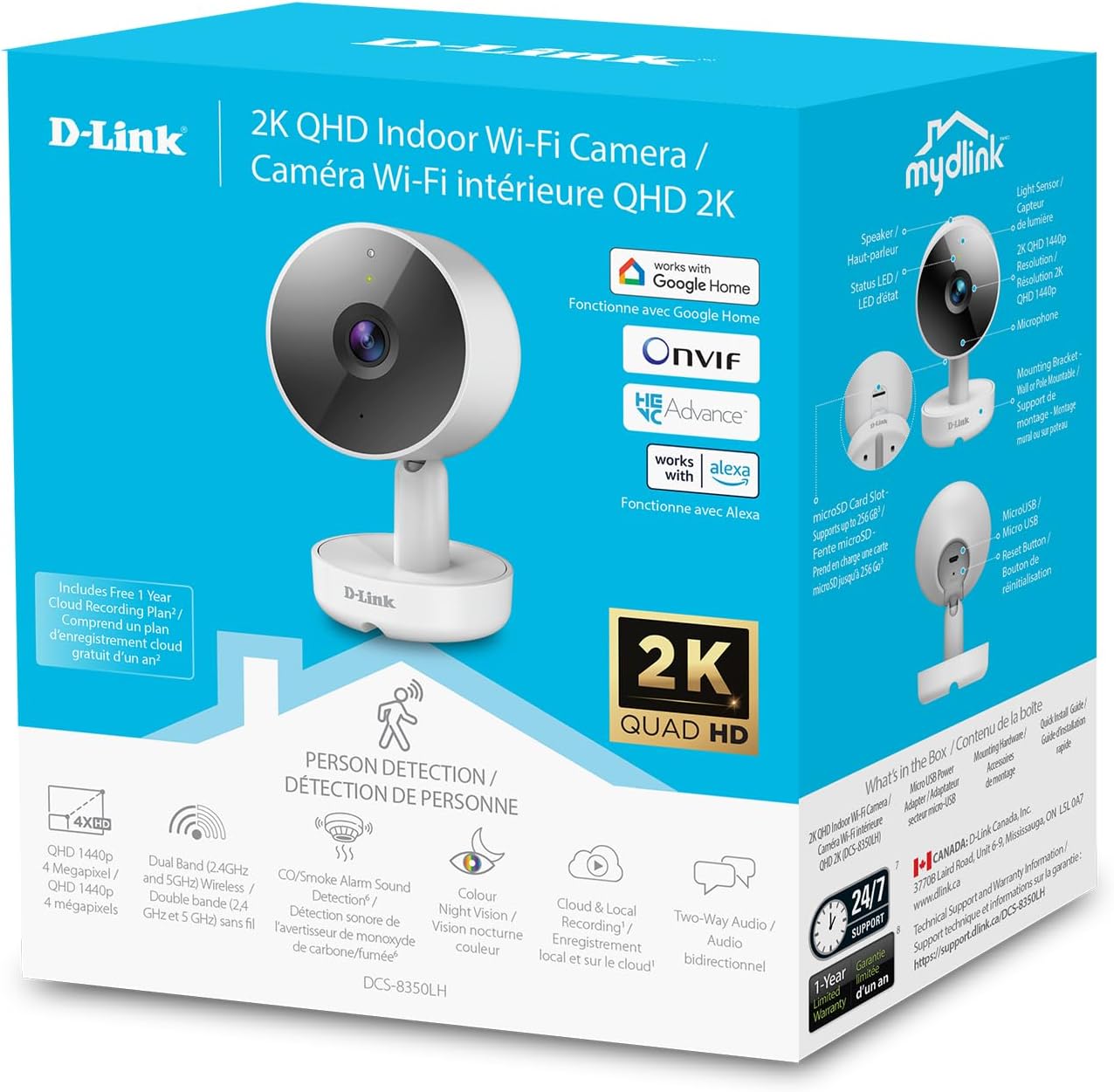
Image: The retail packaging for the D-Link mydlink 2K Indoor WiFi Camera, highlighting key features and included components.
3. 제품 오버view
카메라의 구성 요소를 알아보세요.

Image: A detailed diagram illustrating the various parts of the D-Link DCS-8350LH camera, including the lens, status LED, speaker, microphone, microSD card slot, reset button, and power connector.
- 렌즈: 동영상 foo를 캡처합니다.tage.
- 상태 LED : Indicates camera status (e.g., power, connection, recording).
- 적외선 LED: 야간 투시용 적외선 방출기.
- 마이크로폰: 양방향 통신 및 소리 감지를 위해 오디오를 캡처합니다.
- 스피커: 양방향 통신을 위한 오디오 출력을 제공합니다.
- MicroSD 카드 슬롯: For local video storage (supports up to 256 GB).
- 재설정 버튼: 공장 기본 설정을 복원하는 데 사용됩니다.
- 전원 커넥터 : 포함된 전원 어댑터에 연결합니다.
4. 설정 지침
- mydlink 앱 다운로드: 검색 "mydlink" in the Apple App Store or Google Play Store and install the application on your smartphone or tablet.
- 카메라 전원 켜기: Connect the power adapter to the camera's power connector and plug it into a wall outlet. The status LED will begin to blink.
- 앱에 장치 추가: Open the mydlink app, log in or create an account. Tap the menu icon (usually three lines or dots) and select "Add a Device." Follow the on-screen instructions to scan the QR code on your camera or its packaging.
- Wi-Fi에 연결: The app will guide you through connecting the camera to your home Wi-Fi network. Ensure your Wi-Fi network is 2.4 GHz or 5 GHz compatible.
- 놓기: Position the camera in your desired indoor location. The camera can be placed on a flat surface or mounted to a wall using the included hardware. Ensure it has a clear line of sight to the area you wish to monitor.

Image: The D-Link mydlink 2K Indoor WiFi Camera, ready for setup and placement in your home.
5. 사용 설명서
5.1. 라이브 View 및 모니터링
Access the live video feed from your camera anytime through the mydlink app. Simply open the app and select your camera from the device list to view 실시간 푸tage.
5.2. 양방향 오디오
The camera features a built-in microphone and speaker, enabling two-way communication. To use this function, tap the microphone icon in the live view screen of the mydlink app. Speak into your mobile device to transmit audio through the camera's speaker. Release the icon to listen.
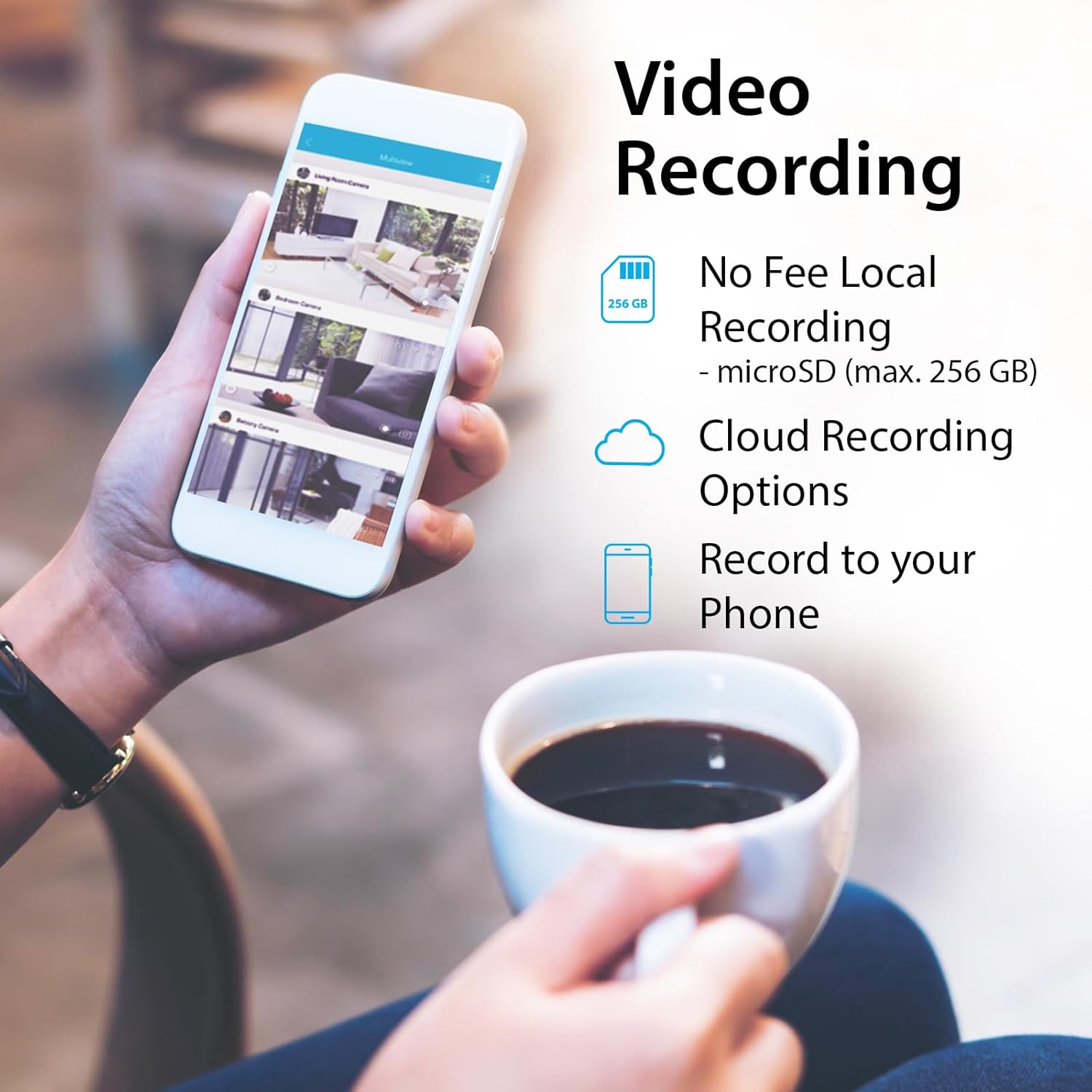
Image: An illustration of the two-way audio feature, showing the camera and a dog with a speech bubble, indicating remote communication.
5.3. Video Recording Options
The DCS-8350LH offers flexible recording solutions:
- MicroSD 카드 녹화: Insert a microSD card (up to 256 GB, not included) into the camera's slot for local storage of video footage. Configure recording settings (e.g., continuous, motion-triggered) within the mydlink app.
- 클라우드 녹화: Subscribe to a mydlink Cloud Recording plan for secure off-site storage of video clips. Access your recordings from anywhere via the mydlink app.
- Record to Phone: Manually record live footage directly to your mobile device through the app.

Image: A smartphone screen showing the various video recording options available through the mydlink app, including local storage, cloud storage, and direct recording to the phone.
5.4. 야간 투시경
The camera is equipped with color night vision, allowing it to capture clear, vibrant images in low-light conditions up to 7 meters (23 feet). This provides enhanced detail compared to traditional black and white night vision.
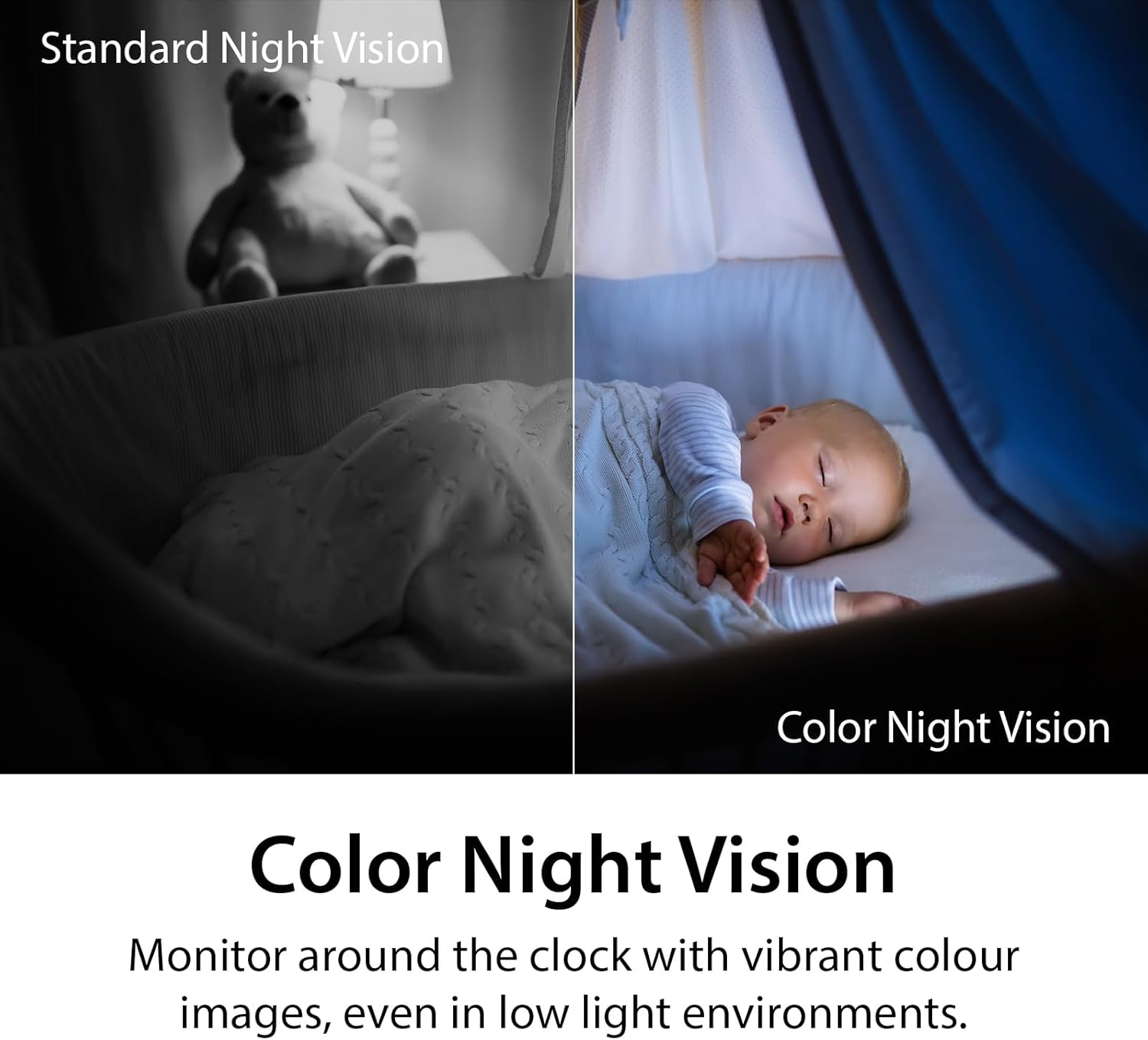
Image: A side-by-side comparison demonstrating the difference between standard monochrome night vision and the camera's color night vision, showing improved detail and color in low light.
5.5. AI Person Detection and Sound Detection
The camera utilizes AI-based person detection to minimize false alarms by distinguishing human movement from other motion. It also features sound detection for glass-break, carbon monoxide, and smoke alarms, sending alerts to your mobile device when these sounds are detected.

Image: A smartphone showing a notification from the mydlink app indicating an alarm has been detected, with a smoke detector in the background, illustrating the sound detection feature.
5.6. 음성 제어 통합
The DCS-8350LH is compatible with Amazon Alexa and Google Assistant. You can use voice commands to view your camera's live feed on compatible smart displays or TVs.
- Google 어시스턴트의 경우: Say, "Ok Google, show me the [camera name] on the [device name]."
- 아마존 알렉사의 경우: Say, "Alexa, show me the [camera name]."

Image: Two scenes demonstrating voice control integration: one showing a user asking Google Assistant to display the camera feed on a tablet, and another showing a user asking Alexa to display a baby room feed on a TV.
6. 유지관리
- 청소: 부드럽고 마른 천을 사용하여 카메라 렌즈와 본체를 닦으세요. 연마성 세척제나 용제는 사용하지 마세요.
- 펌웨어 업데이트: Regularly check for and install firmware updates through the mydlink app. Updates often include performance improvements and security enhancements.
- MicroSD 카드 관리: microSD 카드를 사용하는 경우 주기적으로 재설정하십시오.view 그리고 오래된 파일을 삭제합니다tage to free up space, or configure the camera to overwrite older recordings automatically.
- 네트워크 안정성: Ensure your Wi-Fi network is stable and provides adequate bandwidth for optimal camera performance.
7. 문제 해결
| 문제 | 가능한 해결책 |
|---|---|
| 카메라가 Wi-Fi에 연결되지 않음 |
|
| 비디오 품질이 좋지 않음 |
|
| No recording to microSD card |
|
| AI Person Detection issues |
|
| Camera offline (Error 11102) |
|
8. 사양
| 특징 | 세부 사항 |
|---|---|
| 모델 번호 | DCS-8350LH |
| 실내/실외 사용 | 실내 |
| 비디오 캡처 해상도 | 1440p (2K QHD) |
| 프레임 속도 | 30fps |
| 연결 프로토콜 | Wi-Fi (Dual Band) |
| 무선 통신 기술 | 블루투스, Wi-Fi |
| 나이트 비전 범위 | Up to 7 meters (23 Feet) |
| 특별 기능 | 2-Way Audio, Local Recording, Color Night Vision, AI Person Detection, Sound Triggered Recording |
| 저장 옵션 | MicroSD card (up to 256 GB), Cloud Recording |
| 호환 장치 | 스마트폰, Amazon Alexa, Google Assistant |
| 전원 | 코드식 전기 |
| 치수(길이 x 너비 x 높이) | 2.54 x 2.6 x 4.35 인치 |
| 품목 무게 | 4 온스(0.25 파운드) |
| 재료 | 플라스틱 |
| ONVIF 준수 | Yes (ONVIF Profile S) |
9. 보증 및 지원
The D-Link mydlink 2K Indoor WiFi Camera (DCS-8350LH) comes with a 1년 한정 보증. For detailed warranty information, please refer to the warranty card included in your package or visit the official D-Link web대지.
For technical support, frequently asked questions, or to download the latest firmware and manuals, please visit the D-Link support web대지:
You can also contact D-Link customer service directly through the contact information provided on their support page.
Ask a question about this manual
Ask about setup, troubleshooting, compatibility, parts, safety, or missing instructions. Manuals+ will review the question and use this page’s manual context to help answer it.