
1. 제품 오버view
The D-Link DCS-8635LH is an outdoor Wi-Fi camera designed for surveillance, offering 2K QHD (1440p) video resolution. It features night vision capabilities, a motorized pan function for wide area coverage, and advanced AI-based detection for persons, vehicles, and glass breaks. The camera is equipped with a 90 dB siren for deterrence and boasts an IP65 rating for outdoor weather resistance. Video can be recorded to cloud storage or a local SD card.

그림 1: 전면 view of the D-Link DCS-8635LH camera, showing the lens and indicator light.
2. 설정 및 설치
2.1 패키지 내용
패키지에 모든 구성 요소가 들어 있는지 확인하세요.
- D-Link DCS-8635LH Camera
- 전원 어댑터(유선형)
- 장착 키트(나사, 벽면 플러그)
- 빠른 설치 가이드
2.2 전원 연결
Connect the provided power adapter to the camera's power input and then to a suitable electrical outlet. Ensure the connection is secure and protected from weather elements if installed outdoors.
2.3 mydlink App Installation
- 다운로드 마이드링크 Apple App Store 또는 Google Play Store의 앱.
- Create a new mydlink account or log in with an existing one.
- Follow the in-app instructions to add your DCS-8635LH camera. This typically involves scanning a QR code on the camera or its packaging.
- Connect the camera to your home Wi-Fi network as prompted by the app. The camera supports Wi-Fi connectivity.
2.4 카메라 장착
The DCS-8635LH is designed for wall mounting. Choose a location that provides the desired field of view and has access to a power source. Ensure the mounting surface is stable and can support the camera's weight.
- Use the mounting plate as a template to mark screw holes on the wall.
- 필요하다면 조종 구멍을 뚫고 벽면 플러그를 삽입하세요.
- 제공된 나사를 사용하여 장착판을 벽에 고정합니다.
- Attach the camera to the mounting plate and adjust its angle as needed.
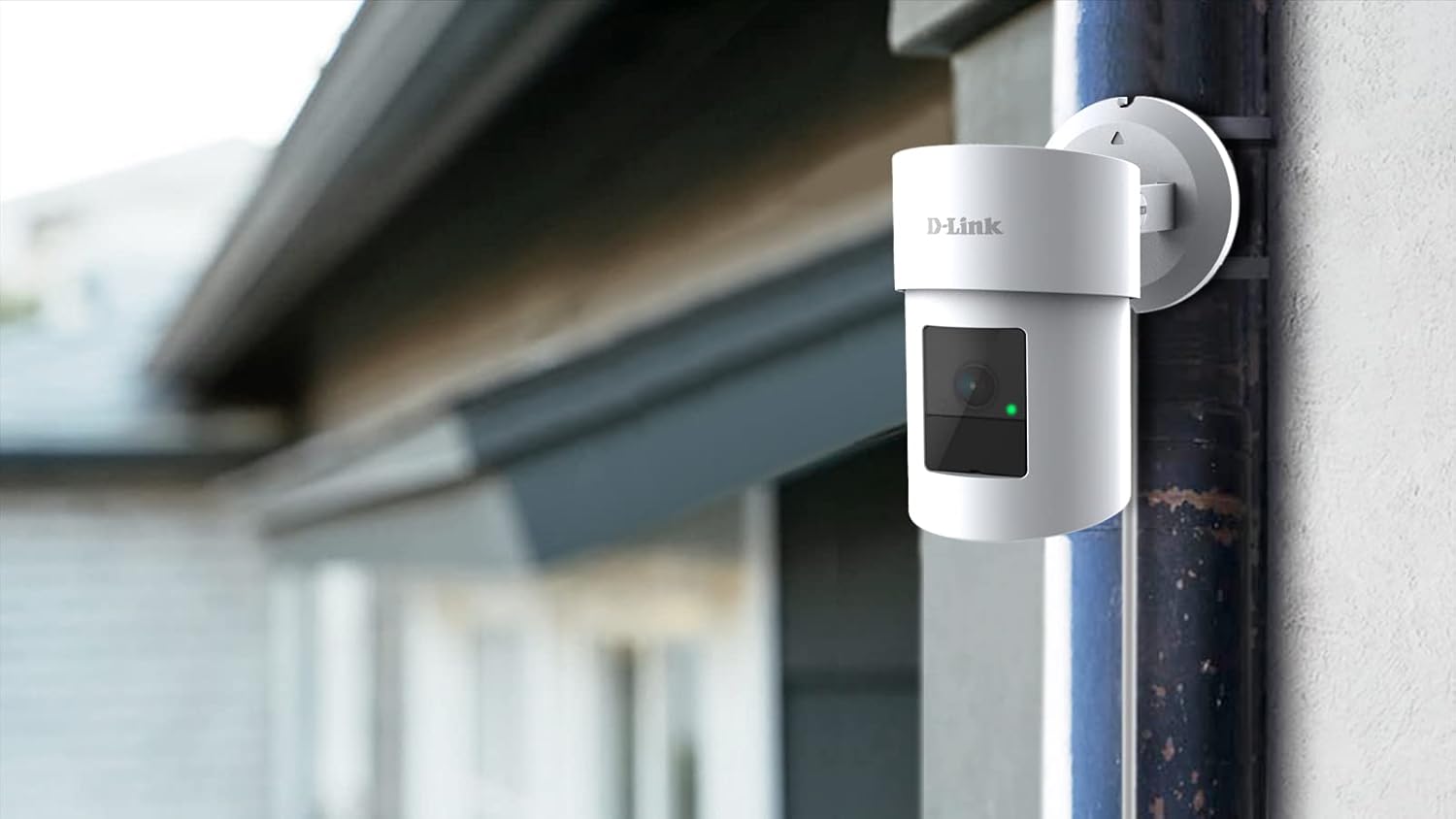
Figure 2: The D-Link DCS-8635LH camera mounted on an exterior wall, demonstrating typical installation.
3. 카메라 작동
3.1 라이브 View and Pan/Zoom Control
Open the mydlink app and select your DCS-8635LH camera to access the live video feed. Use the on-screen controls to pan the camera horizontally and digitally zoom into the image. The camera offers a 360-degree field of view.
3.2 야간 투시경
The camera automatically switches to night vision mode in low-light conditions, providing clear surveillance footage even in darkness. The low light technology is Night Color.
3.3 녹화 옵션
The DCS-8635LH supports two primary recording methods:
- 클라우드 녹화: Subscribe to a mydlink cloud recording plan for secure off-site storage of video events.
- SD 카드 녹화 : Insert a microSD card (up to 128 GB) into the camera's slot for local storage. The camera will record events directly to the card.

그림 3: 하단 view of the camera showing the microSD card slot and reset button, typically protected by a cover.
3.4 AI-Based Detection and Siren
Configure AI detection settings within the mydlink app. The camera can detect:
- 사람 감지: Identifies human figures.
- 차량 감지: Recognizes vehicles.
- 유리 파손 감지: Alerts you to the sound of breaking glass.
Upon detection, the camera can send notifications to your device and activate its integrated 90 dB siren to deter intruders. Siren activation can be automated or manually triggered via the app.
4. 유지관리
4.1 청소
Periodically clean the camera lens and exterior housing with a soft, damp cloth. Avoid using harsh chemicals or abrasive materials that could damage the camera's finish or lens coating.
4.2 펌웨어 업데이트
Ensure your camera's firmware is up to date for optimal performance and security. Firmware updates are typically managed through the mydlink app. Follow the app's prompts to install any available updates.
4.3 SD 카드 관리
If using local storage, regularly check the status of your microSD card via the mydlink app. Format the card periodically to maintain performance or replace it if it becomes full or corrupted. The camera supports up to 128 GB flash memory.
5. 문제 해결
5.1 카메라가 Wi-Fi에 연결되지 않음
- Ensure your Wi-Fi network is active and the camera is within range of your router.
- Verify that the Wi-Fi password entered in the mydlink app is correct.
- 와이파이 공유기와 카메라를 재시작해 보세요.
- If the issue persists, perform a factory reset using the reset button (refer to Figure 3) and attempt the setup process again.
5.2 이미지 품질이 좋지 않음
- 카메라 렌즈에 묻은 먼지나 얼룩을 닦아내세요.
- 카메라 시야에 방해물이 없는지 확인하십시오. view.
- 인터넷 연결 속도를 확인하세요. 연결 속도가 느리면 스트리밍 품질에 영향을 줄 수 있습니다.
- Verify that the camera's resolution settings in the mydlink app are set to 2K QHD (1440p).
5.3 False AI Detections
- Adjust the sensitivity settings for person, vehicle, or glass break detection within the mydlink app.
- Define specific detection zones to exclude areas with frequent irrelevant motion (e.g., busy roads, swaying trees).
6. 사양
| 특징 | 세부 사항 |
|---|---|
| 모델 번호 | DCS-8635LH |
| 비디오 캡처 해상도 | 2K QHD (1440p) |
| 효과적인 비디오 해상도 | 1440p |
| 효과적인 스틸 해상도 | 4 MP |
| 최고 Web캠 이미지 해상도 | 5 MP |
| 연결 기술 | 무선(Wi-Fi) |
| 전원 | 코드식 전기 |
| 장착 유형 | 벽걸이형 |
| 실내/실외 사용 | 집 밖의 |
| 국제 보호 등급 | IP21 |
| 특별 기능 | Motion Sensor, Night Vision, Motorized Pan, AI Detection (Person/Vehicle/Glass Break), 90 dB Siren |
| 저조도 기술 | 밤의 색깔 |
| 분야 View | 360도 |
| 광학 줌 | 3x |
| 플래시 메모리 설치 크기 | 128 GB (for microSD card) |
| 제품 크기(L x W x H) | 2.76 x 2.8 x 4.4 인치 |
| 품목 무게 | 12.1온스(342그램) |
| 재료 | 유리(렌즈) |
| 한국어: | 790069461675 |
7. 보증 정보
D-Link products are covered by a limited warranty. For specific warranty terms and conditions applicable to your region and product, please refer to the warranty card included with your product or visit the official D-Link web대지.
8. 지원
For technical assistance, product inquiries, or further support, please visit the official D-Link support website or contact D-Link customer service. Support resources typically include FAQs, troubleshooting guides, and contact information for regional support teams.
(주)디링크시스템즈
제조업체