
1. 서론
The Corel WordPerfect Office X7 Home & Student Edition is a comprehensive software suite designed for home and student users. It provides essential tools for creating documents, spreadsheets, and presentations. This edition allows installation on up to three devices, offering flexibility for multiple users or computers within a household or for academic use. The suite includes WordPerfect for word processing, Quattro Pro for spreadsheets, Presentations for slideshows, and a Mail Merge Wizard for various document creation tasks.
2. 설정 및 설치
This section guides you through the process of installing Corel WordPerfect Office X7 on your computer. A digital download is included with your purchase, allowing for convenient installation.
2.1 시스템 요구 사항
설치하기 전에 시스템이 다음 최소 요구 사항을 충족하는지 확인하십시오.
- 운영 체제: Windows 8/8.1, Windows 7, or Windows XP.
- 프로세서: 466 MHz or faster.
- 메모리(RAM): 256MB 이상.
- 화면 해상도: 1024 x 768 이상.
- 저장: Sufficient hard disk space for installation.
- 광학 드라이브 : DVD drive (if installing from physical media).
- 입력 장치: Mouse, tablet, or stylus.
- 인터넷 연결: Required for product activation and serial number verification during installation.
2.2 설치 단계
- 다운로드: If you have a digital download, locate the installation file provided after purchase. If you have physical media, insert the DVD into your computer's DVD drive.
- 설치 프로그램 실행: 다운로드한 것을 더블클릭하세요 file or the setup file on the DVD to start the installation wizard.
- 프롬프트를 따르십시오: Adhere to the on-screen instructions. You will be prompted to accept the license agreement, choose an installation location, and enter your product serial number.
- 활성화: An active internet connection is required to verify your serial number and activate the software.
- 완성: Once the installation is complete, you can launch the applications from your Start Menu or desktop shortcuts.
For additional installation guidance and resources, you may scan the QR code below or visit the official Corel web대지:
http://www.corel.com/wordperfectx7/qr

Image: Front of Corel WordPerfect Office X7 Home & Student Edition box.
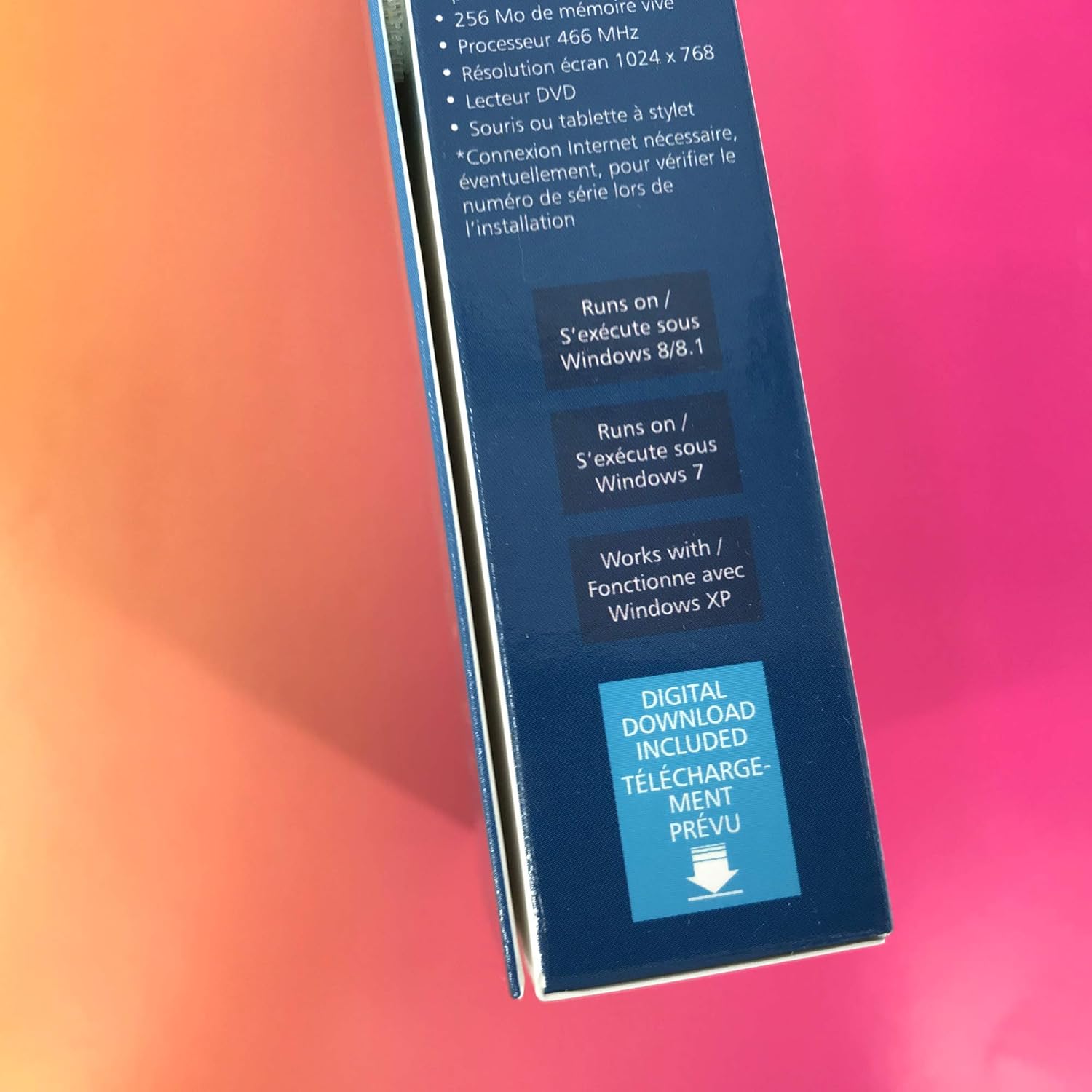
Image: Side of Corel WordPerfect Office X7 Home & Student Edition box with system requirements.
3. 소프트웨어 작동 방법
Corel WordPerfect Office X7 provides a suite of applications designed for various productivity tasks. This section offers a general overview of its primary components and key functionalities.
3.1 Core Applications
- 워드퍼펙트: A powerful word processor for creating documents, reports, and letters. It offers advanced formatting options and robust file 호환성.
- 콰트로 프로: A spreadsheet program for data analysis, calculations, and creating charts.
- 프레젠테이션: For designing professional slideshows and presentations with various templates and effects.
- Mail Merge Wizard: Simplifies the creation of personalized documents, labels, and envelopes for mass distribution.
3.2 Key Features and Tips
- File 호환성: WordPerfect Office X7 supports over 60 file types, including popular Microsoft Office formats, allowing for seamless collaboration and document exchange.
- 코드 공개: A unique and powerful feature in WordPerfect (accessible via 알트+F3) that displays all formatting codes embedded in your document. This is invaluable for precise formatting control and troubleshooting layout issues.
- 템플릿: Utilize the hundreds of free templates available to quickly start new projects, from resumes to newsletters.
- PDF Tools: Built-in PDF functionality allows you to create, edit, and publish PDF documents directly from the suite.
4. 유지관리
Regular maintenance ensures the optimal performance and stability of your Corel WordPerfect Office X7 suite.
- 소프트웨어 업데이트: Periodically check for software updates and patches from the Corel website. Updates often include bug fixes, performance improvements, and security enhancements.
- 데이터 백업: Regularly back up your important documents, spreadsheets, and presentations. While the software is stable, unforeseen system issues can occur. Store backups on an external drive or cloud storage.
- 시스템 최적화: Ensure your operating system is up-to-date and perform regular disk cleanups and defragmentation (if applicable to your storage type) to maintain overall system health.
5. 문제 해결
This section addresses common issues you might encounter while using Corel WordPerfect Office X7.
5.1 "WordPerfect X7 has stopped working" Error
If you encounter a message stating "WordPerfect X7 has stopped working," consider the following steps:
- Restart Application: Close the program and try opening it again.
- 컴퓨터를 다시 시작합니다. A full system restart can often resolve temporary software conflicts.
- 업데이트 확인: Ensure your software is fully updated. Corel often releases patches to address known stability issues.
- 시스템 리소스: Close other demanding applications to free up system memory and processor resources.
- 재설치: If the problem persists, a clean reinstallation of the software might be necessary. Uninstall the program, restart your computer, and then reinstall using the original installation media or digital download.
5.2 Formatting and Layout Issues
For unexpected formatting changes or layout problems, the Reveal Codes feature is highly effective:
- Access Reveal Codes: 누르다 알트+F3 in WordPerfect to open the Reveal Codes window.
- Identify Codes: This window shows all hidden formatting codes. You can identify and delete unwanted or conflicting codes that might be causing layout issues.
- Adjust Margins: For margin adjustments, you can often drag them directly on the ruler or use the specific formatting options within the application.
5.3 일반적인 성능 문제
- 시스템 요구 사항을 확인하십시오. Ensure your computer still meets or exceeds the minimum system requirements. Older hardware or insufficient RAM can lead to slow performance.
- 백그라운드 애플리케이션 닫기: Running many applications simultaneously can consume resources and slow down WordPerfect Office.
- 악성코드 검사: Perform a full system scan for viruses or malware, which can significantly impact system performance.
6. 사양
Detailed specifications for Corel WordPerfect Office X7 Home & Student Edition (WPOX7HSEFMB).
| 특징 | 세부 사항 |
|---|---|
| 제품 모델 번호 | WPOX7HSEFMB |
| ASIN | B00OMQLNMC |
| 제조업체 | 코렐 |
| 제품 치수 | 5.25 x 1.25 x 7.5 인치 |
| 품목 무게 | 3.68 온스 |
| 운영 체제 호환성 | Windows 8/8.1, Windows 7, Windows XP |
| 프로세서 요구 사항 | 466 MHz or higher |
| RAM Requirement | 256MB 이상 |
| 화면 해상도 | 1024 x 768 이상 |
| 설치 유형 | Digital Download / DVD |
| 기기 한도 | Install on up to 3 devices |
7. 보증 및 지원
For detailed information regarding product warranty, technical support, and additional resources, please refer to the official Corel website or contact Corel customer service.
- Corel 공식 웹사이트 Web대지: 방문하다 www.corel.com for product registration, FAQs, and support documentation.
- 코렐 스토어: For product information and other Corel offerings, you can visit the Corel Store on Amazon: Corel Store.
- 고객 지원: Contact Corel's customer support for personalized assistance with installation, activation, or technical issues. Contact details are typically available on their official web대지.