
소개
Thank you for choosing the GUESS U0595G2 Digital Watch. This manual provides detailed instructions for the proper setup, operation, and maintenance of your new timepiece. Please read this manual thoroughly to ensure optimal performance and longevity of your watch.
The GUESS U0595G2 features a rectangular digital dial, offering functions such as a chronograph, alarm, and two timers. It is designed with a durable metallic case, a mineral crystal window, and a comfortable silicone strap with a buckle closure. The watch is water-resistant up to 10 meters (33 feet).
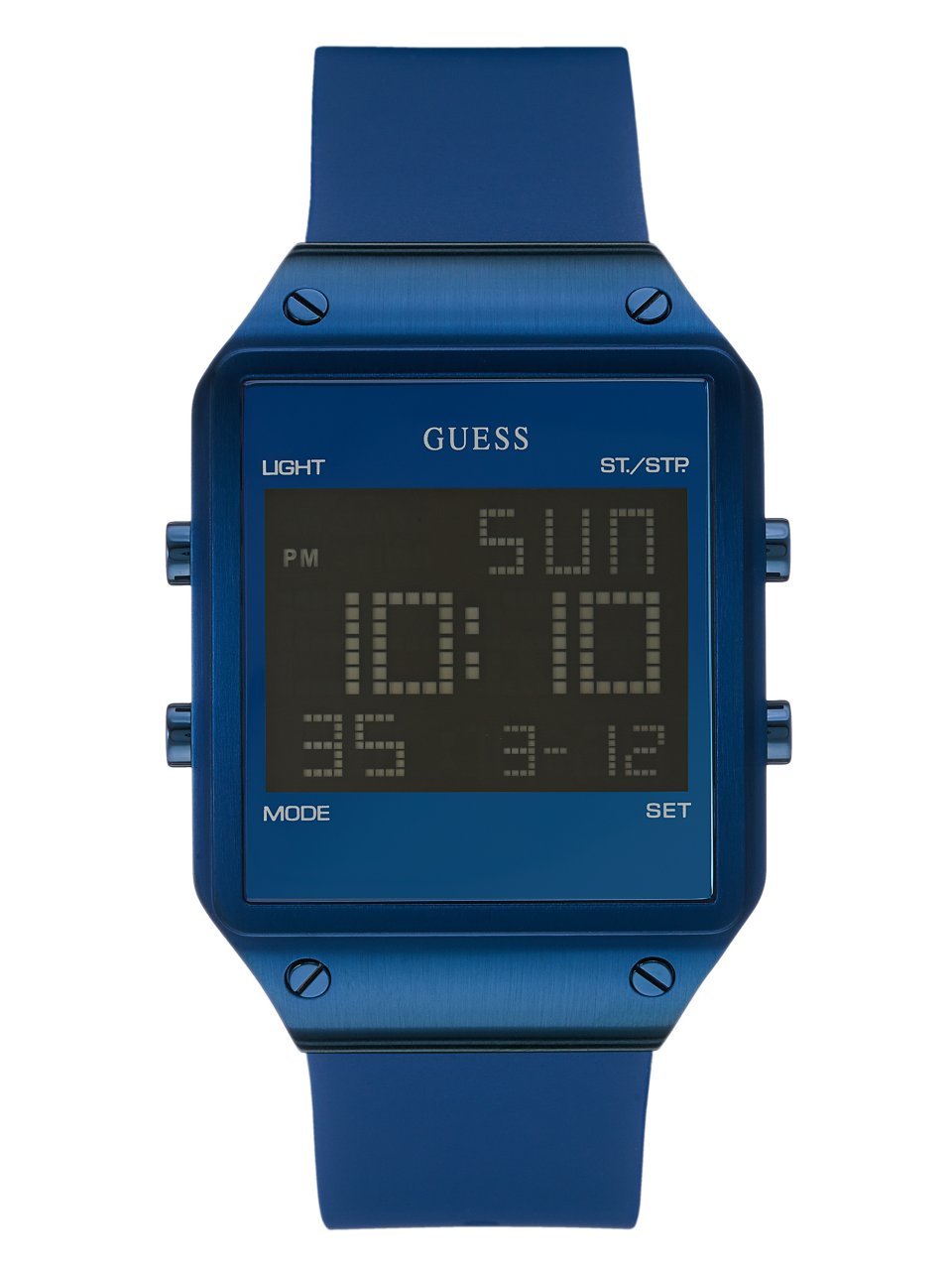
이미지: 앞면 view of the GUESS U0595G2 Digital Watch with a blue silicone strap and a black digital display.
설정
배터리 정보
Your GUESS U0595G2 watch comes with a product-specific battery already installed. No initial battery installation is required. If the display becomes dim or the watch stops functioning, the battery may need replacement. Refer to the Maintenance section for battery replacement guidelines.
시간 및 날짜 설정
- 설정 접근: Locate the control buttons on the side of your watch. Typically, there are 2-4 buttons. Press and hold the "MODE" or "SET" button (refer to your watch's specific button layout, usually indicated by small labels or icons) until the time display starts flashing.
- 시간 조정: Use the "ADJUST" or "START/STOP" button to increase or decrease the flashing digit (hours, then minutes). Press the "MODE" or "SET" button again to move to the next setting (e.g., from hours to minutes).
- 설정 날짜: Continue pressing the "MODE" or "SET" button to cycle through date settings (month, day, year). Adjust each value using the "ADJUST" or "START/STOP" button.
- 설정 종료: Once all settings are correct, press the "MODE" or "SET" button one last time, or wait for a few seconds for the watch to automatically exit the setting mode.
Note: The exact button functions may vary slightly. Experiment with the buttons or consult the watch's specific markings.
작동 지침
기본 시간 표시
In normal mode, your watch displays the current time (hours, minutes, seconds) and often the day of the week and date. Pressing a specific button (often labeled "DISPLAY" or "LIGHT") may toggle between 12-hour and 24-hour formats or activate the backlight.
크로노그래프(스톱워치) 사용하기
- 크로노그래프 모드로 들어가기: Press the "MODE" button repeatedly until "CHRONO" or "STW" appears on the display.
- 시작/중지: Press the "START/STOP" button to begin timing. Press it again to pause.
- 랩/스플릿 타임: If available, press the "LAP" or "RESET" button while the stopwatch is running to record a lap time without stopping the main timer.
- 재설정 : While the stopwatch is stopped, press the "RESET" button to clear the time to zero.
- 크로노그래프 모드 종료: Press the "MODE" button to return to the normal time display.
알람 설정 및 사용
- 알람 모드로 들어가기: Press the "MODE" button repeatedly until "ALARM" or "ALM" appears.
- 알람 시간 설정: Press and hold the "SET" button until the alarm time starts flashing. Use the "ADJUST" or "START/STOP" button to set the desired hour and minute. Press "SET" to move between hours and minutes.
- 알람 활성화/비활성화: In alarm mode, press the "START/STOP" button to toggle the alarm ON or OFF. An alarm icon (e.g., a bell) will appear on the display when activated.
- 알람 일시 중지/재개: When the alarm sounds, press any button (except "SET" or "MODE") to stop it. Some models may have a snooze function activated by a specific button.
- 경보 모드 종료: Press the "MODE" button to return to the normal time display.
타이머 사용
Your watch may feature one or two countdown timers. These function similarly to the chronograph but count down from a preset time.
- 타이머 모드로 들어가기: Press the "MODE" button repeatedly until "TIMER" or "TMR" appears.
- 타이머 시간 설정: Press and hold the "SET" button to adjust the countdown time (hours, minutes, seconds) using the "ADJUST" or "START/STOP" button.
- 시작/중지 타이머: Press the "START/STOP" button to begin the countdown. Press again to pause.
- 타이머 재설정: While paused, press the "RESET" button to return to the preset time.
- Alarm at End: 타이머가 0에 도달하면 알림음이 울립니다.
- 타이머 모드 종료: Press the "MODE" button to return to the normal time display.
Backlight / Glow in the Dark
To illuminate the display in low-light conditions, press the "LIGHT" button (if present) or a designated button. The watch also features glow-in-the-dark elements for visibility.
유지
시계 청소
- 부드러운 천으로 시계 케이스와 스트랩을 닦으세요.amp 옷감.
- Avoid using harsh chemicals, solvents, or abrasive cleaners, as these can damage the watch's finish or silicone strap.
- For stubborn dirt, a mild soap solution can be used, followed by rinsing with clean water and thorough drying.
방수성
Your GUESS U0595G2 watch is water-resistant up to 10 meters (33 feet). This means it is suitable for everyday use and can withstand splashes, rain, and brief immersion in water (e.g., washing hands). However, it is ~ 아니다 designed for swimming, showering, diving, or prolonged submersion. Do not operate buttons while the watch is wet or submerged.
배터리 교체
When the battery needs replacement, it is recommended to take your watch to an authorized GUESS service center or a reputable watch repair shop. Attempting to replace the battery yourself may void the warranty or damage the watch's water resistance seal.
문제 해결
일반적인 문제 및 솔루션
- 디스플레이가 비어 있거나 어둡습니다. 배터리 잔량이 부족하거나 방전되었을 수 있습니다. 유지보수 섹션에 설명된 대로 배터리를 교체하십시오.
- 시간이나 날짜가 잘못되었습니다: Re-set the time and date following the instructions in the Setup section. Ensure you are in the correct 12-hour or 24-hour format.
- 버튼이 반응하지 않습니다: Ensure the watch is not in a locked mode (if applicable). If the issue persists, a battery replacement or a soft reset (if your model supports it, often by pressing all buttons simultaneously for a few seconds) might be necessary.
- 시계 내부의 물: If condensation or water droplets appear inside the watch, stop using it immediately and take it to an authorized service center. This indicates a breach in the water resistance seal.
If you encounter issues not covered here or if troubleshooting steps do not resolve the problem, please contact GUESS customer support for further assistance.
명세서
| 모델 번호 | U0595G2 |
| 상표 | 추측 |
| 디스플레이 유형 | 디지털 |
| 이동 유형 | 석영 |
| 케이스 소재 | 금속 |
| 스트랩 소재 | 실리콘 |
| 걸쇠 유형 | 버클 |
| 크리스탈 타입 | 광물 |
| 케이스 직경 | 55 밀리미터 |
| 케이스 두께 | 13 밀리미터 |
| 스트랩 너비 | 24 밀리미터 |
| 방수성 | 10미터(33피트) |
| 특징 | Chronograph, Alarm, Two Timers, Glow in the Dark |
| 배터리 | 1 product-specific battery (included) |
| 한국어: | 091661449475 |
보증 및 지원
For warranty information, please refer to the documentation included with your purchase or visit the official GUESS website. If you require technical support, service, or have questions regarding your GUESS U0595G2 Digital Watch, please contact GUESS customer service through their official channels.
You can often find contact information and FAQs on the official GUESS brand web대지: www.guess.com