
소개
This manual provides instructions for the Technaxx TX-28 Extra Bullet Camera, designed to expand your existing Technaxx TX-28 wireless security camera system. It features motion detection, PIR day and night vision, and a waterproof design for outdoor surveillance. This camera is an accessory to the main TX-28 system, which includes a 7-inch TFT LCD monitor and recorder.
주요 특징
- PIR-Activated Sensors: Detects motion up to approximately 8m day and night. When suspicious objects are detected, the camera illuminates the area to deter intruders and records clear color videos, even at night.
- 시스템 확장: This extra camera is designed to expand your existing Technaxx TX-28 wireless CCTV system, which features an integrated recorder, receiver, and 7-inch TFT LCD monitor. The system supports up to 4 Technaxx cameras.
- HD Monitoring & Audio: Infrared LEDs provide up to 15m night vision. The IP65 waterproof housing allows for indoor and outdoor use. The system also supports remote audio monitoring and recording.
- 무선 시스템: The camera offers plug & play functionality. It automatically pairs with the main monitor, eliminating the need for cables between them, providing a stable and clear view경험.
- 모바일 앱 지원: View 라이브 푸tage on iPhone and Android devices. Connect to your camera system via your phone to monitor your property. Supports MicroSD cards up to 32GB for recording.
패키지 내용
설치를 진행하기 전에 모든 품목이 모두 있고 상태가 양호한지 확인하세요.
- 1 x Technaxx Extra Bullet Camera for Easy Security Camera Kit TX-28
- 1 x 전원 어댑터
- 3 x 나사
- 3 x 벽면 플러그
설정
1. 카메라 배치
Choose a suitable location for your extra bullet camera. The camera is designed for outdoor use with an IP65 rating, making it resistant to dust and water jets. Consider areas that provide optimal surveillance coverage and are within range of your existing Technaxx TX-28 monitor for wireless connection.

Image: The Technaxx TX-28 Extra Bullet Camera, showing its bullet-style design, antenna, and adjustable mounting stand. This camera is designed for versatile placement.
2. 카메라 장착
- Mark the desired drilling points on the wall using the camera's mounting base as a template.
- Drill holes at the marked positions. Insert the provided wall plugs into the holes.
- 제공된 나사를 사용하여 카메라 장착 받침대를 벽에 고정하십시오.
- 원하는 감시 영역을 커버할 수 있도록 카메라 각도를 조정하십시오.
3. 전원 연결
Connect the included power adapter to the camera and then plug it into a suitable power outlet. Ensure the power cable is routed safely and securely to prevent damage or tripping hazards.
4. Pairing with the Main System
The Technaxx TX-28 extra camera is designed for automatic pairing with your existing TX-28 monitor. Once the camera is powered on, it should automatically connect to the main system. If automatic pairing does not occur, refer to your main TX-28 system's manual for manual pairing instructions, which typically involve a pairing button on both the camera and the monitor.
카메라 작동
1. 라이브 View
Access the live feed from your camera via the main TX-28 monitor or through the dedicated mobile application on your smartphone (iPhone or Android). The mobile app allows remote view잉 및 제어.
2. 동작 감지 및 알림
The camera features PIR-activated motion detection. When motion is detected, the system can trigger alerts on your mobile device and begin recording. The camera also illuminates the area with infrared LEDs for enhanced night vision recording.
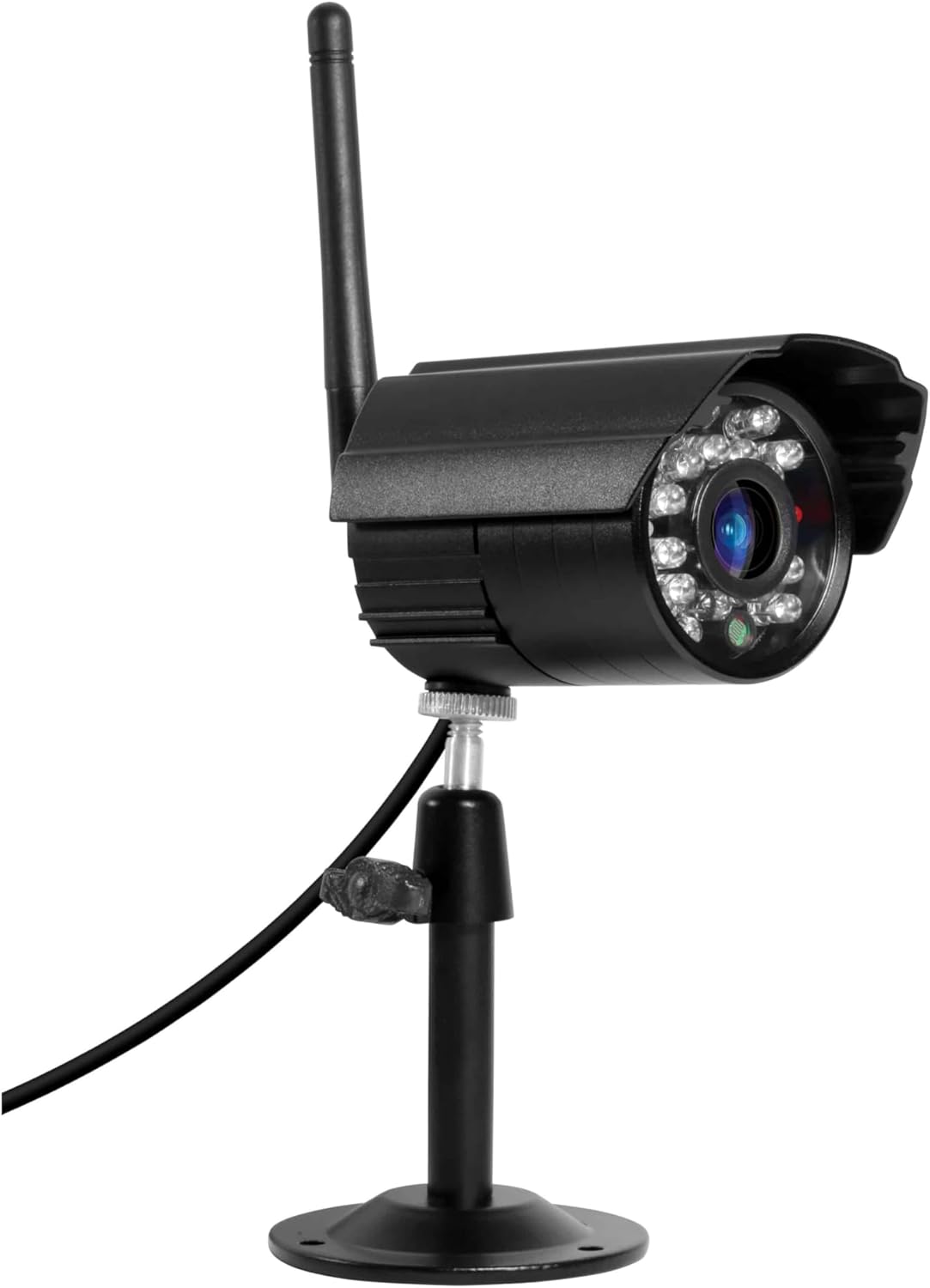
이미지: 자세한 view of the camera's front, highlighting the lens and the array of infrared LEDs for night vision capabilities.
3. 야간 투시경
The integrated infrared LEDs provide clear night vision up to 15 meters, allowing for continuous surveillance even in complete darkness. The camera is capable of recording color video at night when motion is detected and the area is illuminated.
4. Audio Monitoring and Recording
The camera supports audio capture, allowing you to listen to sounds from the monitored area and record audio along with video footage. This feature can be accessed through the main monitor or the mobile app.
5. 녹음 및 저장
Recordings are managed by the main TX-28 system. The system supports MicroSD cards up to 32GB for local storage of video and audio. Consult your main system's manual for detailed recording settings and playback options.
유지
1. 청소
카메라 렌즈와 하우징을 부드러운 천으로 정기적으로 닦아주세요.amp cloth. Avoid using harsh chemicals or abrasive materials that could scratch the lens or damage the casing. Ensure the camera is powered off before cleaning.
2. Connection Check
Periodically check all cable connections (power) to ensure they are secure and free from damage. For wireless connections, ensure the camera is within the effective range of the main monitor.
3. 펌웨어 업데이트
Technaxx를 확인하세요 website or your mobile app for any available firmware updates for your TX-28 system, including the camera. Keeping the firmware updated ensures optimal performance and security.
문제 해결
No Image on Monitor/App
- 전원 확인: Ensure the camera is properly connected to its power adapter and the adapter is plugged into a working outlet.
- 연결 확인: Verify that the camera is within range of the main TX-28 monitor and that the wireless connection is stable. Try moving the camera closer to the monitor temporarily.
- 카메라 수리: If the camera was previously working, try re-pairing it with the main monitor according to the main system's instructions.
이미지 품질이 좋지 않음
- 깨끗한 렌즈: 카메라 렌즈에 먼지, 이물질 또는 얼룩이 없는지 확인하십시오.
- 조명 확인: Ensure there is adequate lighting in the monitored area, especially at night. The night vision range is up to 15m.
- 신호 간섭: Other wireless devices or thick walls might interfere with the signal. Try repositioning the camera or the main monitor.
모션 감지가 작동하지 않음
- 설정 확인: Verify that motion detection is enabled in the system settings (via monitor or app).
- PIR 감도 : Adjust the PIR sensor sensitivity. High sensitivity might trigger false alarms, while low sensitivity might miss events.
- 장애물: PIR 센서의 작동을 방해하는 물리적 장애물이 없는지 확인하십시오. view.
명세서
| 특징 | 사양 |
|---|---|
| 상표 | 테크낙스 |
| 모델명 | TX-28 |
| 연결 기술 | 무선 전화 |
| 특징 | 모션 센서 |
| 실내/실외 사용 | 집 밖의 |
| 호환 장치 | 스마트폰 |
| 전원 | 전원 어댑터 |
| 연결 프로토콜 | 홈플러그 |
| 컨트롤러 유형 | 기계적 인조 인간 |
| 장착 유형 | 벽걸이형 |
| 색상 | 검은색 |
| 폼 팩터 | 총알 |
| 재료 | 금속 |
| 방수 레벨 | 방수 (IP65) |
| 경고 유형 | 모션 전용 |
| 광원 | 적외선 |
| 비디오 녹화 해상도 | 720p |
| 비디오 녹화 형식 | MPEG-4 |
| 나이트 비전 범위 | 200 Meters (IR LEDs provide up to 15m effective range) |
| 나이트 비전 | 컬러 나이트 비전 |
| 권tage | 5 볼트 |
| 왓tage | 5 와트 |
| 배터리가 필요하세요? | 아니요 |
| 초점 유형 | 수동 초점 |
| 줌 타입 | 광학 줌 |
| 포토 센서 기술 | CMOS |
| 품목 치수(L x W x H) | 9.5 x 6.8 x 5.7cm |
| 품목 무게 | 300그램 |
| 원산지 | 중국 |
보증 정보
This Technaxx TX-28 Extra Bullet Camera comes with a 2년 보증 from the date of purchase. Please retain your proof of purchase for any warranty claims. The warranty covers manufacturing defects and malfunctions under normal use. It does not cover damage caused by misuse, accidents, unauthorized modifications, or improper installation.
지원하다
For further assistance, technical support, or to inquire about additional accessories, please contact Technaxx customer service or visit the official Technaxx website. You may also refer to the full instruction manual for your main Technaxx TX-28 security camera system for comprehensive details on system operation and advanced features.

이미지: 사이드 프로file of the Technaxx TX-28 camera, showing its robust build and the wireless antenna for connectivity.