
1. 서론
This manual provides instructions for the proper setup, operation, and maintenance of your Amazon Basics Large Portable Bluetooth Speaker (Model BTV3_2). Please read this manual thoroughly before using the product to ensure optimal performance and safety.
2. 안전 정보
- 스피커를 물이나 과도한 습기에 노출시키지 마세요.
- 스피커를 열원 근처나 직사광선에 노출시키지 마세요.
- 스피커를 분해하거나 개조하지 마십시오. 보증이 무효화됩니다.
- Use only the provided AC power adapter for charging.
- 스피커를 어린이의 손이 닿지 않는 곳에 보관하십시오.
3. 패키지 내용
패키지에 모든 품목이 들어 있는지 확인하세요.
- Amazon Basics Large Portable Bluetooth Speaker
- AC 전원 어댑터

설명: This image shows the Amazon Basics Large Portable Bluetooth Speaker securely placed within its brown cardboard packaging, indicating how the product is received.
4. 제품 오버view
4.1. 앞면 View

설명: This image displays the front of the Amazon Basics Large Portable Bluetooth Speaker, featuring a black mesh grille that covers the speaker drivers.
4.2. 상단 패널 컨트롤

설명: This image shows the top panel of the speaker with four circular buttons and a small LED indicator. From left to right, the buttons are: Volume Down (-), Play/Pause, Volume Up (+), and Bluetooth Pairing/Call Answer. Below the buttons, a small Bluetooth logo and an LED indicator are visible.
- - (볼륨 낮추기): 오디오 볼륨을 낮춥니다.
- 재생/일시 중지: 오디오 재생을 재생하거나 일시 정지합니다.
- + (볼륨 높이기): 오디오 볼륨을 높입니다.
- Bluetooth/Call: Initiates Bluetooth pairing mode or answers/ends phone calls.
- LED 표시등: 전원과 블루투스 상태를 표시합니다.
4.3. Side Panel Ports

설명: This image shows the right side panel of the speaker, featuring a power switch, a DC input port for charging, and an AUX input port for wired audio connections.
- 온 / 오프 스위치: 스피커의 전원을 켜거나 끕니다.
- DC IN 포트: Connects to the AC power adapter for charging.
- AUX 포트 : Connects to audio devices using a 3.5mm stereo cable (not included).
5. 설정
5.1. 스피커 충전
- Connect the provided AC power adapter to the DC IN port on the side of the speaker.
- AC 전원 어댑터를 벽면 콘센트에 꽂습니다.
- The LED indicator will illuminate to show charging status. A full charge provides up to 8 hours of playback.
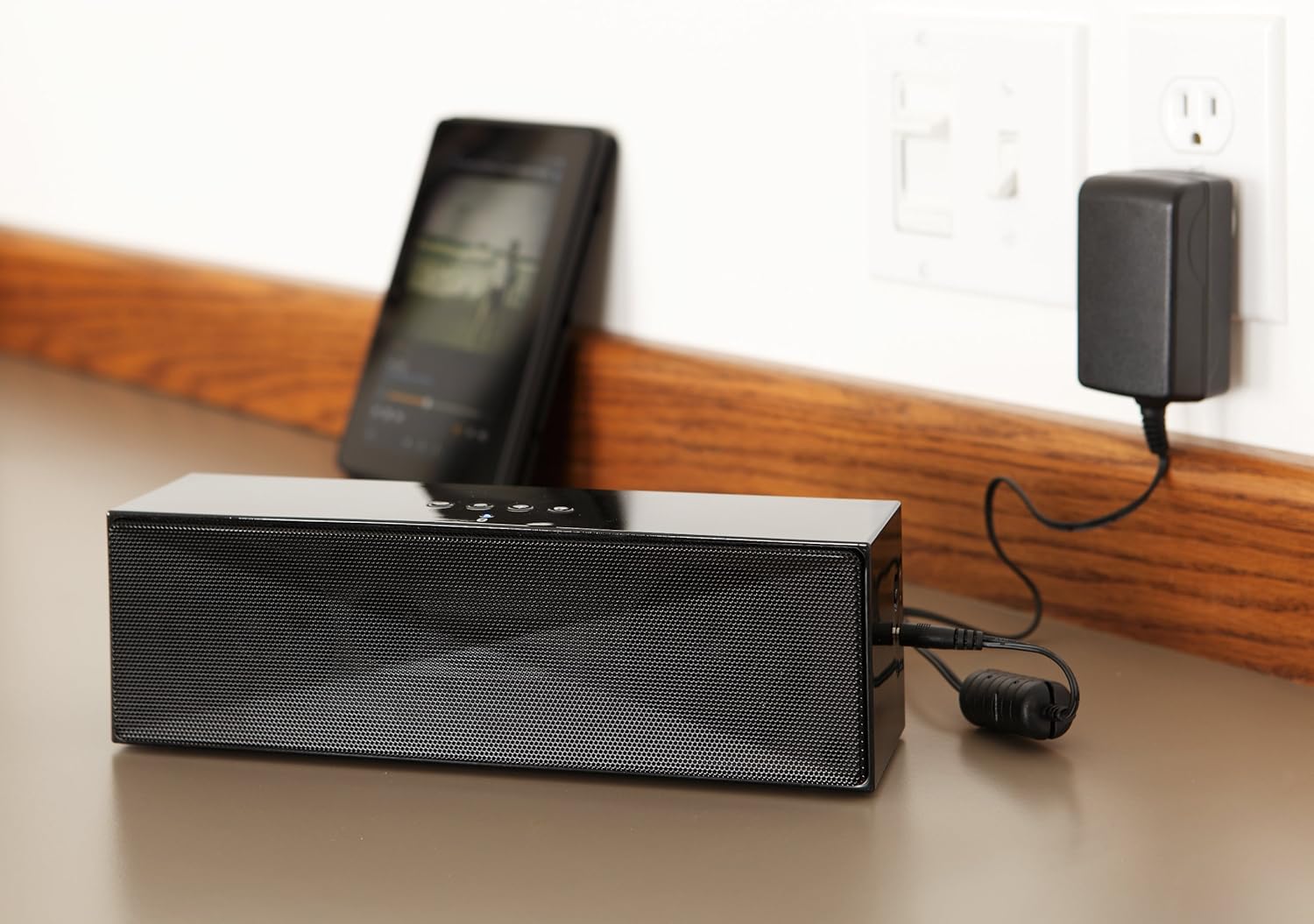
설명: This image shows the speaker placed on a surface, with its AC power adapter plugged into a wall outlet, illustrating the charging process.
5.2. 전원 켜기 / 끄기
Slide the ON/OFF switch located on the side panel to the "ON" position to power on the speaker. Slide it to the "OFF" position to power off.
6. 사용 설명서
6.1. 블루투스 페어링
- Ensure the speaker is powered on. The LED indicator will flash, indicating it is in pairing mode.
- 블루투스 기능이 있는 기기(스마트폰, 태블릿, 노트북)에서 블루투스를 켜고 사용 가능한 기기를 검색하세요.
- Select "Amazon Basics BTV3_2" from the list of devices.
- Once paired, the LED indicator on the speaker will glow solid blue.
- The speaker can connect to devices up to 30 feet (10 meters) away.

설명: This image shows the speaker positioned next to a tablet displaying a music playback interface, demonstrating a typical Bluetooth connection scenario.
6.2. AUX 케이블을 이용한 연결
- Connect one end of a 3.5mm stereo audio cable (not included) to the AUX port on the speaker.
- 케이블의 다른 쪽 끝을 기기의 오디오 출력 단자에 연결하십시오.
- 스피커가 자동으로 AUX 입력 모드로 전환됩니다.
6.3. 핸즈프리 통화
이 스피커는 블루투스로 연결 시 핸즈프리 통화를 위한 내장 마이크를 갖추고 있습니다.
- 전화 받기 : Press the Bluetooth/Call button once.
- 통화 종료: Press the Bluetooth/Call button once during a call.
- 전화 거부 : Press and hold the Bluetooth/Call button.
7. 유지관리
- 스피커는 부드럽고 마른 천으로 닦으십시오. 액체 세척제나 스프레이형 세척제는 사용하지 마십시오.
- 장시간 사용하지 않을 때는 스피커를 시원하고 건조한 곳에 보관하세요.
- 스피커를 떨어뜨리거나 강한 충격을 주지 마십시오.
8. 문제 해결
| 문제 | 가능한 원인 | 해결책 |
|---|---|---|
| 스피커의 전원이 켜지지 않습니다. | 배터리가 소진되었습니다. | Connect the speaker to the AC power adapter and charge it. |
| 블루투스로 페어링할 수 없습니다. | Speaker is not in pairing mode; device Bluetooth is off; device is out of range. | Ensure speaker LED is flashing; enable Bluetooth on your device; move device closer to the speaker (within 30 feet/10 meters). |
| 소리가 나지 않거나 볼륨이 작습니다. | Volume on speaker or connected device is too low; incorrect input source. | Increase volume on both the speaker and your connected device. Ensure correct connection (Bluetooth or AUX). |
| Speaker turns off automatically when using AUX. | Automatic power-off feature activated due to prolonged silence. | This model may have an automatic power-off feature after a period of inactivity or silence, even when connected via AUX. To resume playback, power the speaker off and then on again using the side switch. |
| 사운드 왜곡. | Volume too high; weak battery; interference. | Reduce volume; charge the speaker; move away from other electronic devices. |
9. 사양
| 특징 | 세부 사항 |
|---|---|
| 모델 번호 | BTV3_2 |
| 치수(길이 x 너비 x 높이) | 10.2 x 2.9 x 3.1인치(25.9 x 7.4 x 7.9cm) |
| 무게 | 1.61파운드(0.73kg) |
| 스피커 출력 | 2 x 5W (총 10W) |
| 연결성 | 블루투스, 3.5mm AUX |
| 블루투스 범위 | 최대 30피트(10미터) |
| 배터리 수명 | 최대 8시간 |
| 배터리 용량 | 8000mAh |
| 내장 마이크 | 예 |
| 전원 | Battery Powered, AC Adapter |
| 재료 | 플라스틱 |

설명: This image provides a visual representation of the speaker's dimensions, showing its length (10.2"), width (2.9"), and height (3.1").
10. 보증 및 지원
For warranty information and customer support, please refer to the documentation included with your purchase or visit the official Amazon Basics web사이트. 보증 청구를 위해 구매 증빙 자료를 보관하세요.
온라인 지원: 아마존 베이직스 스토어