소개
The Lightolier Intellisight ITSPCS is a low-voltage daylight sensor designed to measure ambient light levels and control connected lighting loads based on user programming. This unit is engineered to detect subtle changes in light, such as passing clouds or intermittent shadows, to prevent unnecessary light cycling. It also features a programmable time-delay fade, adjustable from 1 to 30 minutes, for smooth transitions in lighting. The ITSPCS operates in conjunction with one or more Intellisight system power packs, providing essential on and off control when used with a power relay pack.
Key features of the ITSPCS sensor include:
- 로우프로file design for discreet ceiling integration.
- User-configurable sensor sensitivity to adapt to various space requirements.
- Continuous monitoring of ambient light to activate or deactivate lights as needed.
- Intelligent light processing to minimize unwanted light cycling caused by environmental factors.
- Compatibility with Intellisight Relay and Dimming Power Packs for comprehensive lighting control.
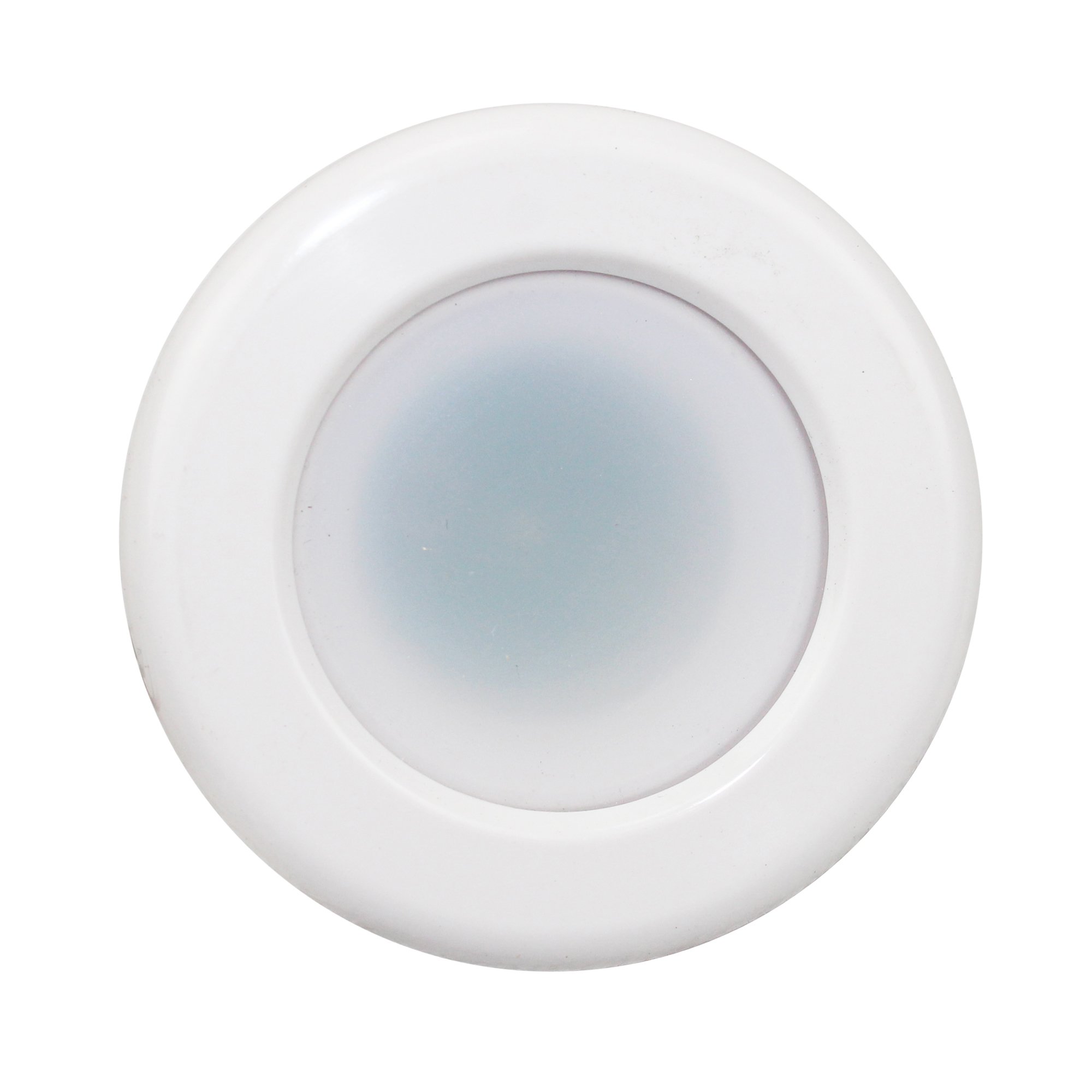
Image: The Lightolier Intellisight ITSPCS sensor, showing its compact design, wiring, and a mounting ring.
안전 정보
경고: Risk of electric shock. Installation and servicing of this equipment should be performed by qualified personnel only. Disconnect power at the circuit breaker or fuse box before installing or servicing. Follow all national and local electrical codes.
- 설치 또는 유지보수 작업을 하기 전에 반드시 전원 공급 장치를 차단하십시오.
- 이 장치는 저용량용으로 설계되었습니다.tage applications. Do not connect to line voltage.
- Verify all wiring connections are secure and correct to prevent damage or malfunction.
- Do not modify the sensor or its components. Unauthorized modifications may void the warranty and create safety hazards.
패키지 내용
Carefully unpack the contents and ensure all items are present and undamaged. If any items are missing or damaged, contact your supplier immediately.
- Lightolier Intellisight ITSPCS Photocell Daylighting Sensor
- Mounting Hardware (e.g., mounting ring, screws)
- 사용 설명서(본 문서)
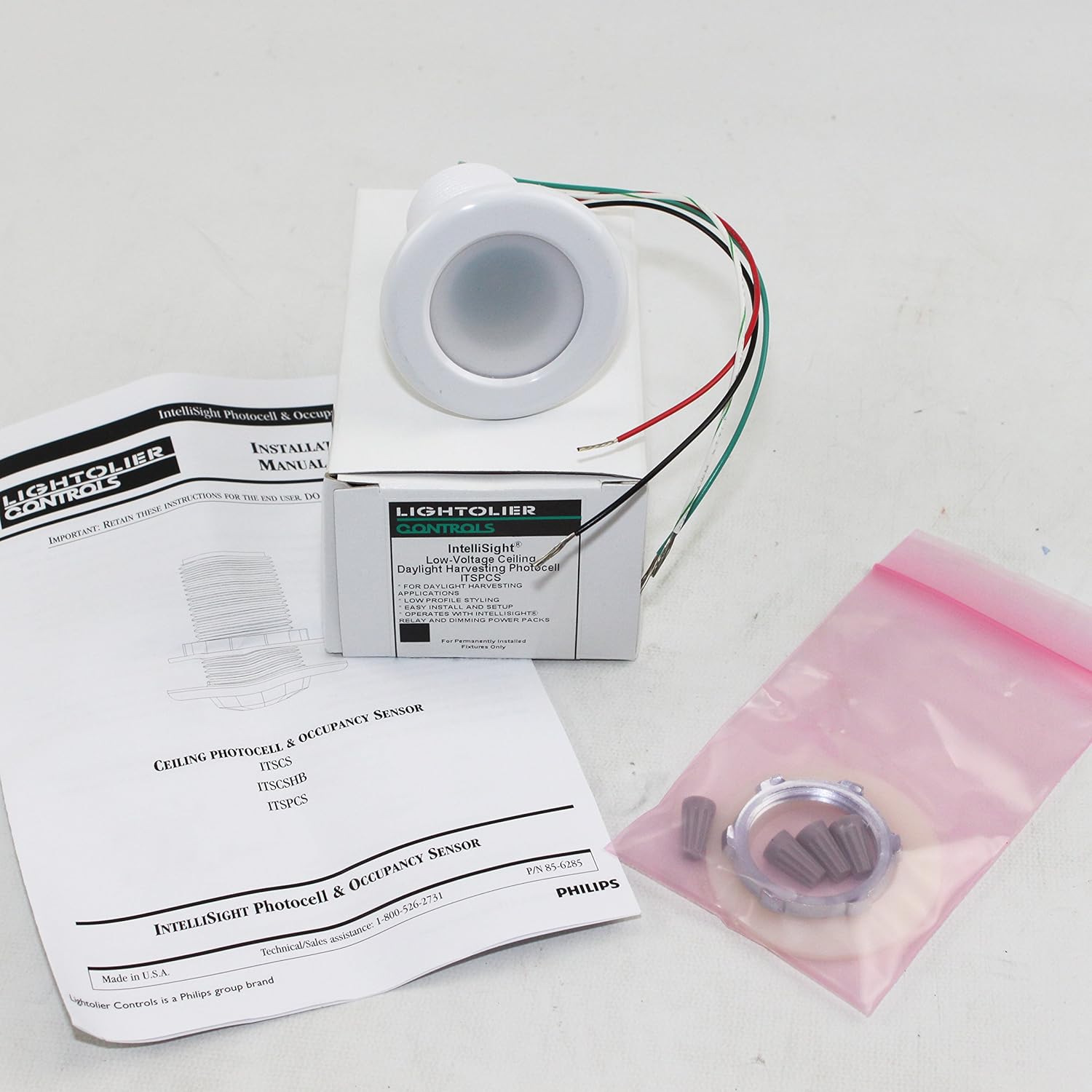
Image: Contents of the Lightolier Intellisight ITSPCS package, including the sensor, instruction manual, and mounting accessories.
설치 및 배선
The ITSPCS sensor is designed for ceiling mount installation. It requires connection to an Intellisight system power pack. Professional installation by a qualified electrician is highly recommended.
센서 장착
- Select an appropriate ceiling location that provides optimal exposure to ambient daylight and is free from obstructions that could cast shadows on the sensor.
- Cut a suitable opening in the ceiling for the sensor housing and mounting ring. Refer to the product dimensions for precise measurements.
- Secure the mounting ring into the ceiling opening using the provided hardware.
- Route the low-voltage wiring from the Intellisight power pack to the sensor location.
배선 연결
- 회로의 모든 전원이 메인 차단기에서 차단되었는지 확인하십시오.
- Connect the sensor's low-voltage wires to the corresponding terminals on the Intellisight power pack. Typically, these connections are color-coded (e.g., red, black, green). Refer to the power pack's instruction manual for specific wiring diagrams.
- Carefully tuck the wires into the ceiling opening and insert the sensor into the mounting ring until it is flush with the ceiling surface.
- 회로에 전원을 복구합니다.
작업
The Intellisight ITSPCS sensor continuously monitors ambient light levels to automatically control connected lighting. Its intelligent processing minimizes false triggers, ensuring stable lighting conditions.
일광 감지
The sensor detects the amount of natural light in a space. When ambient light falls below a user-defined threshold, the sensor signals the connected Intellisight power pack to turn on the lights. Conversely, when sufficient natural light is present, the sensor signals to turn off or dim the lights, contributing to energy savings.
Configuring Sensor Sensitivity
The ITSPCS allows for user-configurable sensitivity settings. This feature enables adjustment of how responsive the sensor is to changes in light levels. Refer to the Intellisight system's programming guide or the power pack's manual for detailed instructions on how to access and modify these settings. Adjusting sensitivity can help optimize performance for specific room conditions and user preferences.
Programmable Time-Delay Fade
The sensor includes a programmable time-delay fade function, allowing for smooth light-cycling transitions. This delay can typically be set from 1 to 30 minutes. A longer delay prevents rapid on/off cycling due to momentary light changes, such as a person walking past a window or a brief cloud cover. Consult the Intellisight system's programming interface for instructions on setting the time-delay fade.
유지
The Lightolier Intellisight ITSPCS sensor requires minimal maintenance to ensure optimal performance.
- 청소: Periodically wipe the sensor lens with a soft, dry, lint-free cloth to remove dust or debris. Do not use abrasive cleaners, solvents, or excessive moisture, as these can damage the sensor.
- 점검: Occasionally inspect the sensor for any visible damage or loose connections. If any issues are found, disconnect power and consult a qualified technician.
- 환경: Ensure the sensor is not obstructed by new furniture, decorations, or other objects that could block its view of ambient light.
문제 해결
If you experience issues with your ITSPCS sensor, refer to the following common troubleshooting steps:
| 문제 | 가능한 원인 | 해결책 |
|---|---|---|
| Lights do not turn on when it's dark. | No power to sensor/power pack; incorrect wiring; sensor sensitivity too low; sensor obstructed. | Check circuit breaker; verify wiring connections; increase sensor sensitivity; remove obstructions. |
| Lights do not turn off when it's bright. | Sensor sensitivity too high; sensor lens dirty; sensor receiving insufficient light. | Decrease sensor sensitivity; clean sensor lens; ensure sensor has clear view of ambient light. |
| Lights cycle on/off too frequently. | Sensor sensitivity too high; time-delay fade set too short; intermittent shadows. | Decrease sensor sensitivity; increase time-delay fade setting; reposition sensor if possible to avoid intermittent shadows. |
| Sensor not responding to changes. | Wiring issue; sensor malfunction; incompatible power pack. | Verify all wiring connections; consult a qualified electrician; ensure compatibility with Intellisight power packs. |
If these steps do not resolve the issue, contact Lightolier customer support or a qualified electrician.
명세서
| 특징 | 사양 |
|---|---|
| 상표 | 라이트올리에 |
| 모델 번호 | ITSPCS |
| 색상 | 하얀색 |
| 재료 | 지정되지 않음 |
| 전원 | 유선 전기 (저전압)tage) |
| 특징 | Daylight Sensor, Motion Sensor (as listed in product data) |
| 장착 유형 | 천장 마운트 |
| 권tage | 120 Volts (Input to Power Pack, sensor is low-voltage) |
| 모양 | 둥근 |
| 품목 무게 | 1 파운드 |
| 제품 치수 | 2.4 x 2.4 x 2.4인치(L x W x H) |
| 한국어: | 616913183176 |
보증 및 지원
Lightolier products are manufactured to high-quality standards and are typically covered by a manufacturer's warranty. For specific warranty terms and conditions applicable to your ITSPCS sensor, please refer to the warranty card included with your product or visit the official Lightolier web대지.
For technical assistance, troubleshooting beyond this manual, or to inquire about replacement parts, please contact Lightolier customer support. Contact information can usually be found on the product packaging, the manufacturer's website, or by searching for 'Lightolier customer support' online.