
1. 서론
The Comfast CF-WU720N is a compact 150Mbps Wireless USB Adapter designed to provide high-speed wireless connectivity for your desktop or notebook computer. It allows you to connect to a wireless network and access the internet, share files, and enjoy online gaming at speeds up to 150Mbps. This adapter is compliant with IEEE 802.11b/g/n standards and supports USB 2.0 for efficient data transfer.
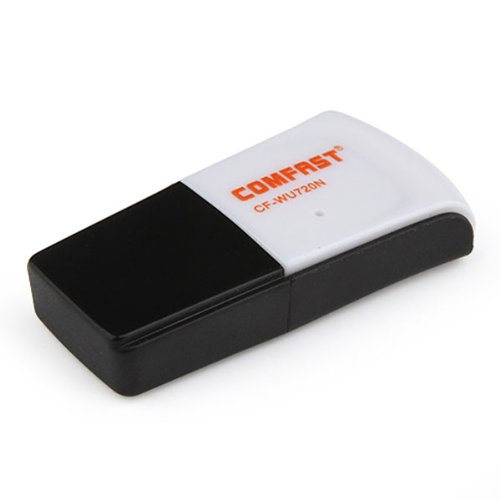
Image 1.1: The Comfast CF-WU720N Wireless USB Adapter, a compact device for wireless connectivity.
2. 제품 특징
- Meets IEEE 802.11b/g/n wireless standards.
- Supports USB 2.0 interface for broad compatibility.
- Utilizes Realtek 8191 SU chipset for reliable performance.
- Achieves wireless connection rates up to 150Mbps.
- Supports wireless roaming technology for seamless connectivity.
- Strong compatibility with various popular operating systems.
- Compact size: approximately 39 x 12 x 7mm (1.5 x 0.7 x 0.3 inches).
- Lightweight design: approximately 5g.
3. 패키지 내용
패키지에 모든 품목이 들어 있는지 확인하세요.
- 1 x Comfast CF-WU720N Wireless USB Adapter
- 1 x 빠른 설치 가이드
- 1 x CD-ROM Driver
- 1 x 보증 카드

Image 3.1: The retail packaging for the Comfast CF-WU720N, showing the adapter inside.
4. 설정 및 설치
4.1. 드라이버 설치
Before connecting the USB adapter, it is recommended to install the necessary drivers from the provided CD-ROM. This ensures proper functionality and compatibility with your operating system.
- Insert the driver CD-ROM into your computer's optical drive.
- If the installer does not launch automatically, navigate to "My Computer" or "This PC," open the CD-ROM drive, and run the setup executable (e.g., "setup.exe" or "autorun.exe").
- 화면의 지시에 따라 드라이버 설치를 완료하십시오. 설치 후 컴퓨터를 다시 시작하라는 메시지가 나타날 수 있습니다.
- 메모: If your computer does not have an optical drive, you may need to download the latest drivers from the manufacturer's official web대지.
4.2. USB 어댑터 연결
Once the drivers are installed, you can connect the Comfast CF-WU720N Wireless USB Adapter to your computer.
- Locate an available USB 2.0 or 3.0 port on your desktop or laptop computer.
- Carefully insert the Comfast CF-WU720N adapter into the USB port. Ensure it is fully seated.
- The operating system should automatically detect the adapter and configure it using the installed drivers. A small LED indicator on the adapter may light up or blink, indicating activity.
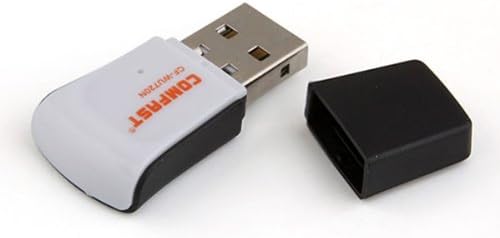
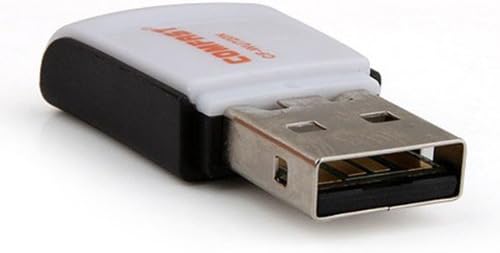
Image 4.1: The Comfast CF-WU720N adapter with its protective cap removed, revealing the USB connector. Image 4.2: A side view of the adapter, highlighting its compact design and USB interface.
5. 사용 설명서
After successful driver installation and adapter connection, you can now connect to a wireless network.
- 네트워크 설정에 액세스:
- 윈도우: 시스템 트레이(일반적으로 오른쪽 하단 모서리)에서 무선 네트워크 아이콘을 클릭합니다.
- 맥 OS : 메뉴 막대(일반적으로 오른쪽 상단 모서리)에서 Wi-Fi 아이콘을 클릭합니다.
- 리눅스: Access network settings through your desktop environment's network manager.
- 네트워크를 선택하세요: A list of available wireless networks (SSIDs) will appear. Select the name of your desired network.
- 연결하다: Click "Connect" or "Join." If the network is secured, you will be prompted to enter the network security key (password).
- 연결 확인: Once connected, the network icon will typically change to indicate a successful connection, and you should be able to access the internet.
6. 유지관리
To ensure optimal performance and longevity of your Comfast CF-WU720N Wireless USB Adapter, follow these simple maintenance guidelines:
- 깨끗하게 유지하십시오: 어댑터의 먼지를 제거하려면 부드럽고 마른 천으로 살살 닦아주세요. 액체 세척제나 용제를 사용하지 마세요.
- USB 커넥터 보호: When not in use, keep the protective cap on the USB connector to prevent dust and damage.
- 극한의 환경을 피하세요: 어댑터를 극한의 온도, 습도 또는 직사광선에 노출시키지 마세요.
- 조심스럽게 다루십시오: 어댑터를 떨어뜨리거나 강한 충격을 주지 마십시오.
- 드라이버 업데이트 : 정기적으로 제조업체를 확인하십시오 web최상의 성능과 호환성을 보장하기 위해 업데이트된 드라이버를 제공하는 사이트입니다.
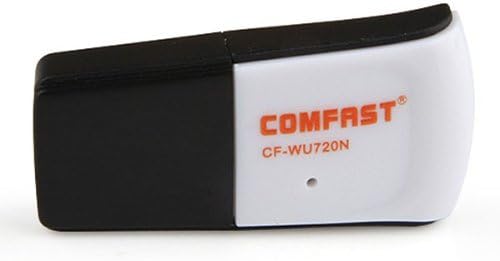
Image 6.1: The Comfast CF-WU720N adapter with its protective cap in place, ready for storage or transport.
7. 문제 해결
If you encounter issues with your Comfast CF-WU720N Wireless USB Adapter, refer to the following common solutions:
| 문제 | 가능한 해결책 |
|---|---|
| Adapter not detected / No Wi-Fi networks visible. |
|
| 특정 Wi-Fi 네트워크에 연결할 수 없습니다. |
|
| Slow connection speed or frequent disconnections. |
|
8. 사양
| 특징 | 세부 사항 |
|---|---|
| 모델 | CF-WU720N |
| 무선 표준 | IEEE 802.11b/g/n |
| 인터페이스 | USB 2.0 |
| 칩셋 | Realtek 8191 SU |
| 무선 속도 | 최대 150Mbps |
| 주파수 범위 | 2.4GHz |
| 보안 기능 | WPA/WPA2, WPA-PSK/WPA2-PSK, 64/128-bit WEP |
| 운영 체제 | Windows XP/Vista/7/8/10, macOS, Linux (driver dependent) |
| 치수(길이 x 너비 x 높이) | 약 39 x 12 x 7mm(1.5 x 0.7 x 0.3인치) |
| 무게 | 약 5g |
9. 보증 및 지원
This product comes with a warranty as specified on the included Warranty Card. Please refer to the card for details regarding warranty period, terms, and conditions.
For technical support, driver updates, or further assistance, please visit the official Comfast web사이트 또는 고객 서비스 부서에 문의하세요. 연락처 정보는 일반적으로 제품 포장이나 제조업체의 web대지.
보증을 위해 구매 영수증을 보관해 주십시오.