
소개
This manual provides instructions for the proper use, setup, and maintenance of your Beats by Dr. Dre In-Ear Headphones, Model OMEL-MR-PN-6694832. Please read this manual thoroughly before using the product to ensure optimal performance and longevity.
제품 끝view
The Beats by Dr. Dre In-Ear Headphones are designed for high-quality audio delivery and convenience. Key features include:
- Solid Metal Housing: Constructed with durable metal for enhanced resilience.
- Grid-Iron Tough Build: Engineered for robustness and durability.
- 내장 마이크: Facilitates hands-free calls. Note that inline remote or microphone functionality may be limited with Apple devices.
- Tangle-Free Cables: Designed to prevent tangling for ease of use and storage.
- 가볍고 접이식 디자인: Offers portability and comfort during extended wear.
- 볼륨 조절: Integrated controls for easy audio adjustments.
- Android Phone Control Support: Optimized for use with Android devices.
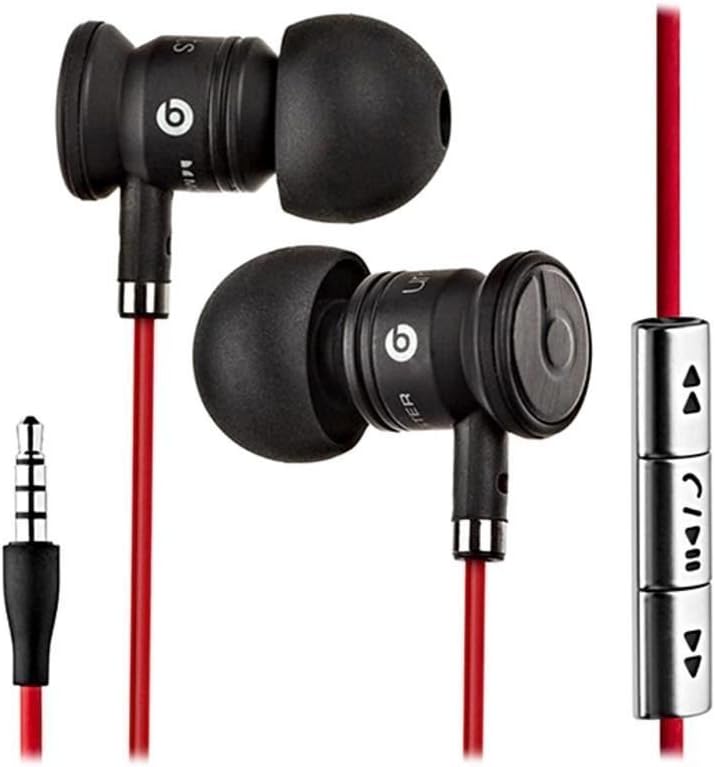
Image: The Beats by Dr. Dre In-Ear Headphones, featuring black earbuds, a red tangle-free cable, and an inline remote with control buttons.
설정
- 이어팁을 선택하세요: Choose the ear tips that provide the most comfortable and secure fit for your ears. The headphones come with various sizes to ensure optimal sound isolation and comfort.

Image: The Beats by Dr. Dre In-Ear Headphones displayed with a selection of different sized ear tips and a branded carrying pouch.
- 장치에 연결: Insert the 3.5mm audio jack into the headphone port of your audio device (smartphone, tablet, MP3 player, etc.).
- 이어버드 위치 조정: Gently insert the earbuds into your ears, ensuring a snug fit. The cable should hang comfortably.
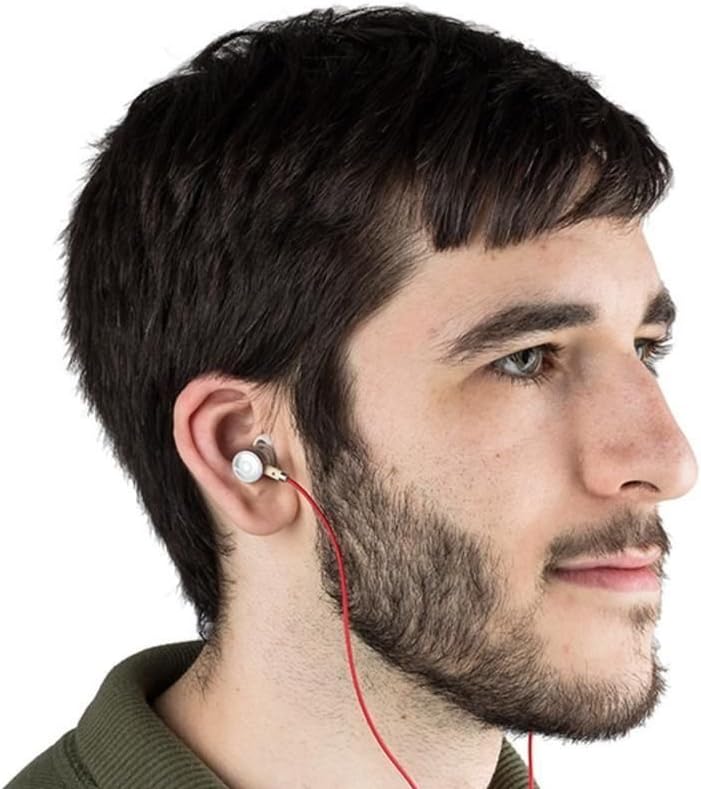
Image: A person wearing the Beats by Dr. Dre In-Ear Headphones, demonstrating proper earbud placement.
작동 지침
오디오 재생
- 재생/일시 중지: Press the center button on the inline remote once.
- 다음 트랙: 가운데 버튼을 빠르게 두 번 누르세요.
- 이전 트랙 : 가운데 버튼을 빠르게 세 번 누르세요.
- 볼륨 업: Press the '+' button on the inline remote.
- 볼륨 작게 : Press the '-' button on the inline remote.
통화 관리
- 전화 받기/종료: 수신 전화 또는 통화 중일 때 가운데 버튼을 한 번 누르세요.
- 전화 거절: Press and hold the center button for approximately two seconds during an incoming call.
메모: Functionality of the inline remote and microphone may be limited or vary when used with Apple devices compared to Android devices.
유지
- 청소: Regularly wipe the earbuds and cable with a soft, dry, lint-free cloth. Do not use harsh chemicals or abrasive materials.
- 이어팁 관리: 이어팁을 주기적으로 제거하고 순한 비누와 물로 세척하세요. 다시 부착하기 전에 완전히 말랐는지 확인하세요.
- 저장: When not in use, store your headphones in the provided carrying pouch to protect them from dust, dirt, and tangling.

Image: The black carrying pouch with the Beats by Dr. Dre logo, designed for headphone storage.
- 습기를 피하세요: 헤드폰을 물이나 과도한 습기로부터 멀리하십시오.
문제 해결
- 소리 없음:
- - Ensure the 3.5mm jack is fully inserted into your device.
- - Check the volume level on both your device and using the inline remote.
- - Test the headphones with another audio device to rule out device issues.
- 마이크가 작동하지 않음:
- - Verify that your device's microphone settings are correctly configured.
- - Remember that microphone functionality may be limited with Apple devices.
- - 마이크가 가려지지 않도록 하십시오.
- 원격 제어 문제:
- - Confirm compatibility with your device. Full functionality is primarily supported on Android devices.
- - Ensure the connection is secure.
명세서
| 특징 | 세부 사항 |
|---|---|
| 상표 | 비트 |
| 모델 번호 | OMEL-MR-PN-6694832 |
| 귀 위치 | 귀에 |
| 폼 팩터 | 귀에 |
| 연결 기술 | 열광한 |
| 품목 무게 | 0.3 온스 |
| 인클로저 재료 | 금속 |
| 케이블 특징 | 엉킴 프리 |
| 추가 기능 | Foldable, Lightweight, Volume Control, Android Phone Control |
| 제어 유형 | 원격 |
공식 제품 영상
영상: 공식 발표view of the Beats by Dr. Dre In-Ear Headphones, demonstrating key features and design elements. Note: The video narration incorrectly refers to the product as wireless; these headphones are wired as shown in the video and product images.
보증 및 지원
For warranty information and customer support, please refer to the official Beats by Dr. Dre web사이트를 방문하거나 판매점에 문의하세요. 보증 청구를 위해 구매 증빙 자료를 보관하세요.
추가 지원이 필요하면 다음을 방문하세요. 아마존의 비츠 스토어.