
소개
This manual provides detailed instructions for the safe and efficient operation of your Ozeri 360 Oscillation Micro-Blade Noise Reduction Technology Tower Fan, Model OZF5. Please read all instructions carefully before use and retain this manual for future reference.
안전 정보
화재, 감전 또는 부상의 위험을 줄이려면 항상 다음 기본 안전 예방 조치를 따르세요.
- 선풍기가 넘어지지 않도록 안정적이고 수평인 표면에 놓으세요.
- 팬의 구멍에 손가락이나 이물질을 넣지 마십시오.
- Keep the fan away from water or moist areas.
- 청소나 유지관리 작업을 하기 전에는 반드시 팬의 플러그를 전원 콘센트에서 뽑아주세요.
- 손상된 코드나 플러그로 팬을 작동하지 마십시오.
- 이 제품은 실내에서만 사용하세요.
패키지 내용
모든 구성 요소가 있는지 확인하세요.
- Ozeri 360 Oscillation Tower Fan Unit
- 팬층 (2개 반구)
- 원격 제어
- Screws for Base Assembly (3 pieces)
- 사용자 설명서
설정
Follow these steps to assemble your Ozeri Tower Fan:
- Carefully remove all packaging materials from the fan unit and its components.
- Connect the two halves of the fan base. Ensure they fit together securely.
- 조립된 받침대를 팬 본체의 바닥면에 맞춰 정렬하십시오.
- Secure the base to the fan unit using the 3 provided screws. Hand assembly is sufficient; no special tools are required.
- 선풍기를 단단하고 평평한 표면에 놓으세요.
- 전원 코드를 표준 전기 콘센트에 꽂으세요.
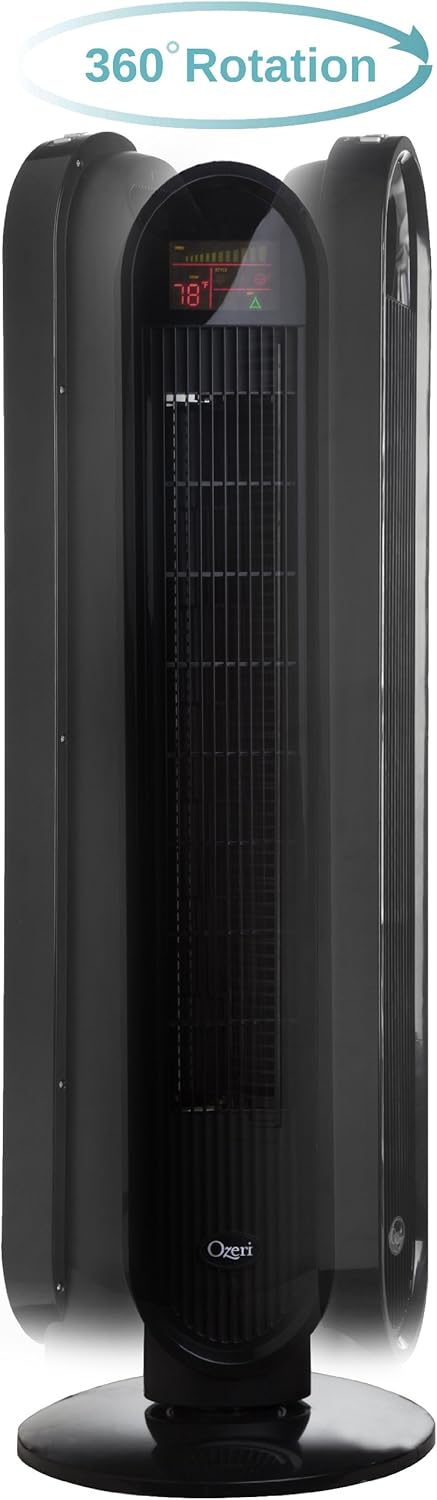
작동 지침
Your Ozeri Tower Fan can be operated using the control panel on top of the unit or the included remote control.
제어판 기능:

- 전원 버튼: 팬을 켜거나 끕니다.
- 속도 버튼: Cycles through 3 whisper-quiet speed settings. The LCD display will show the current speed level.
- 모드 버튼: Selects between 3 preprogrammed airflow patterns (e.g., normal, natural, sleep).
- 발진(OSC) 버튼: Activates or deactivates the oscillation feature. You can select oscillation angles of 60, 90, 120, or 360 degrees for partial to complete air circulation.
- 타이머 버튼: Sets the 8-hour programmable timer in 30-minute increments.
- 자동 버튼: Engages the auto mode, which adjusts fan speed based on room temperature.
LCD 디스플레이:

The multi-colored LCD displays all active fan functions and the current room temperature, allowing for easy monitoring and control.
원격 제어:
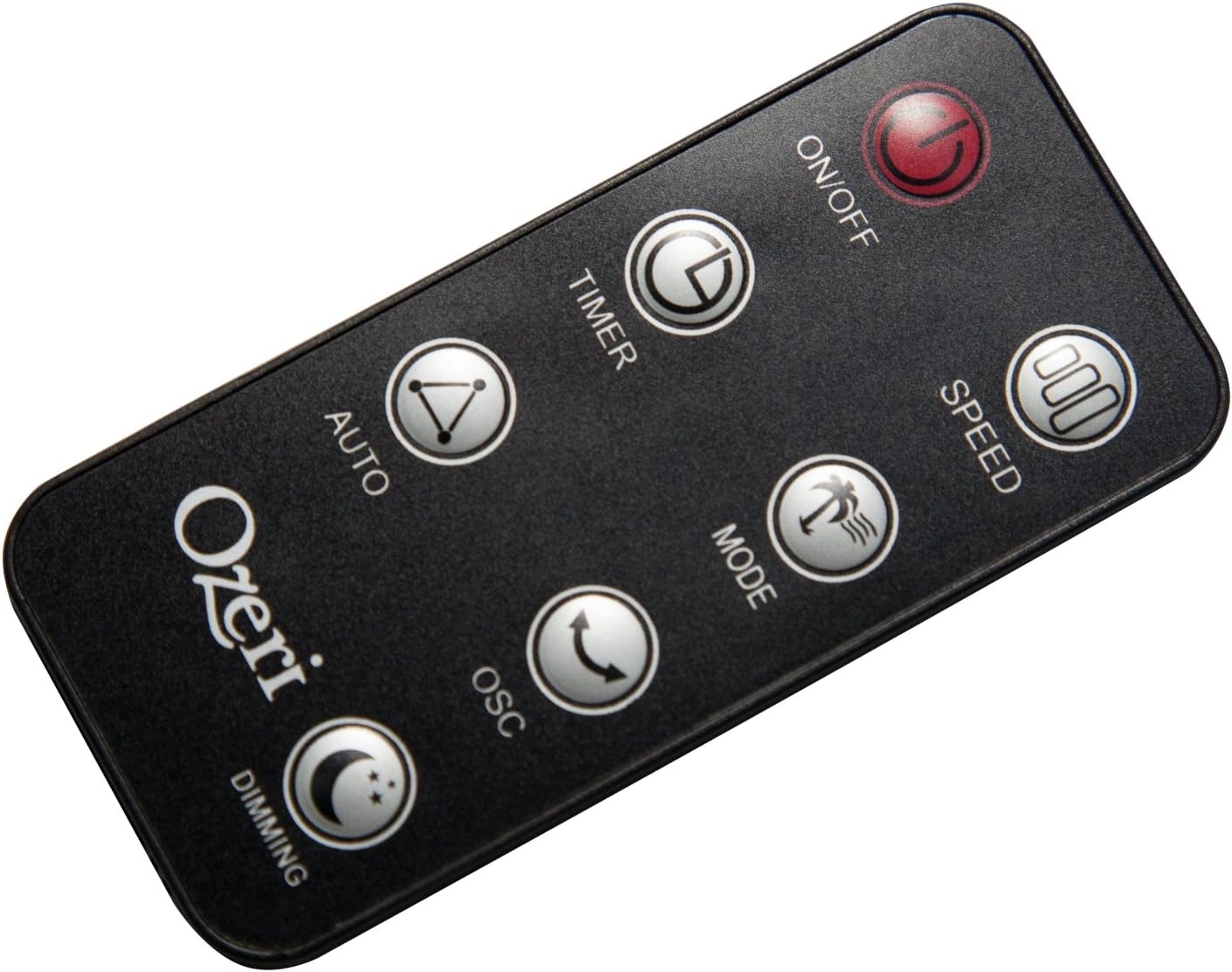
The extended-range remote control provides convenient access to all fan features from a distance. It includes buttons for On/Off, Speed, Timer, Mode, Auto, Oscillation, and Dimming (for the LCD display). The remote can be stored in a dedicated slot on the fan unit.

공식 제품 비디오:
Video: This official product video demonstrates the Ozeri 360 Oscillation Tower Fan, highlighting its micro-blade noise reduction technology and various features.
유지
Regular cleaning ensures optimal performance and longevity of your fan:
- 청소하기 전에는 항상 선풍기의 플러그를 뽑으세요.
- 부드러운 d를 사용하세요amp 외부 표면을 닦을 때는 천을 사용하세요. 연마성 세제나 용제는 사용하지 마세요.
- 브러시 부착물이 달린 진공 청소기를 사용하여 공기 흡입구와 배출구 그릴에서 먼지를 조심스럽게 제거하세요.
- 팬을 물에 담그거나 모터 하우징에 물이 떨어지지 않도록 하십시오.
- 사용하지 않을 때는 팬을 서늘하고 건조한 곳에 보관하십시오.
문제 해결
팬에 문제가 발생하면 다음의 일반적인 문제와 해결 방법을 참조하세요.
- 팬이 켜지지 않음: 전원 코드가 작동하는 콘센트에 제대로 꽂혀 있는지 확인하십시오. 선풍기나 리모컨의 전원 버튼이 눌러져 있는지 확인하십시오.
- 약한 공기 흐름: Check the fan speed setting and increase it if necessary. Ensure the air intake and exhaust grilles are not obstructed by dust or other objects.
- 선풍기에서 평소와 다른 소음이 납니다. Turn off and unplug the fan. Inspect for any foreign objects caught in the grilles or internal components. If the noise persists after clearing any obstructions, contact customer support.
- 원격 제어가 작동하지 않음: Ensure the remote control batteries are correctly installed and not depleted. Point the remote directly at the fan's receiver.
명세서
| 특징 | 세부 사항 |
|---|---|
| 상표 | 오제리 |
| 모델 번호 | 오즈F5 |
| 색상 | 검은색 |
| 선풍기 디자인 | 플로어 팬 |
| 전원 | 코드식 전기 |
| 특징 | Oscillating (60, 90, 120, 360 degrees) |
| 속도의 수 | 3 |
| 왓tage | 60 와트 |
| 기류 용량 | 분당 5000입방 피트 |
| 권tage | 127 볼트 |
| 제어 방법 | Remote Control, Electronic Touch Controls |
| 재료 | 플라스틱 |
| 품목 무게 | 9 파운드 |
보증 및 지원
This Ozeri Tower Fan comes with a 1-year no questions asked warranty. For warranty claims, technical support, or any inquiries, please refer to the contact information provided on the Ozeri official web사이트 또는 구매 문서.