
1. 서론
The Weston 65-0501-W Professional Advantage Vacuum Sealer is designed for efficient food preservation. This appliance removes air from specially designed bags and containers, creating an airtight seal to extend the freshness of various food items. Its robust construction and powerful vacuum pump are suitable for both home and professional use.
주요 특징은 다음과 같습니다.
- Powerful, Pro Performance: Heavy-duty construction with 23" Hg vacuum strength for maximum air removal.
- Quick and Easy Operation: Simple one-touch vacuum-to-seal operation in automatic mode.
- Versatile Controls: Vacuum seal food, marinate meats, and remove air from vacuum canisters.
- Designed for Continuous Use: Fan-cooled motor prevents overheating during repetitive tasks.
- Fits a Variety of Bag Sizes: Seals bags and rolls up to 11 inches across, compatible with Foodsaver and Ziploc bags.
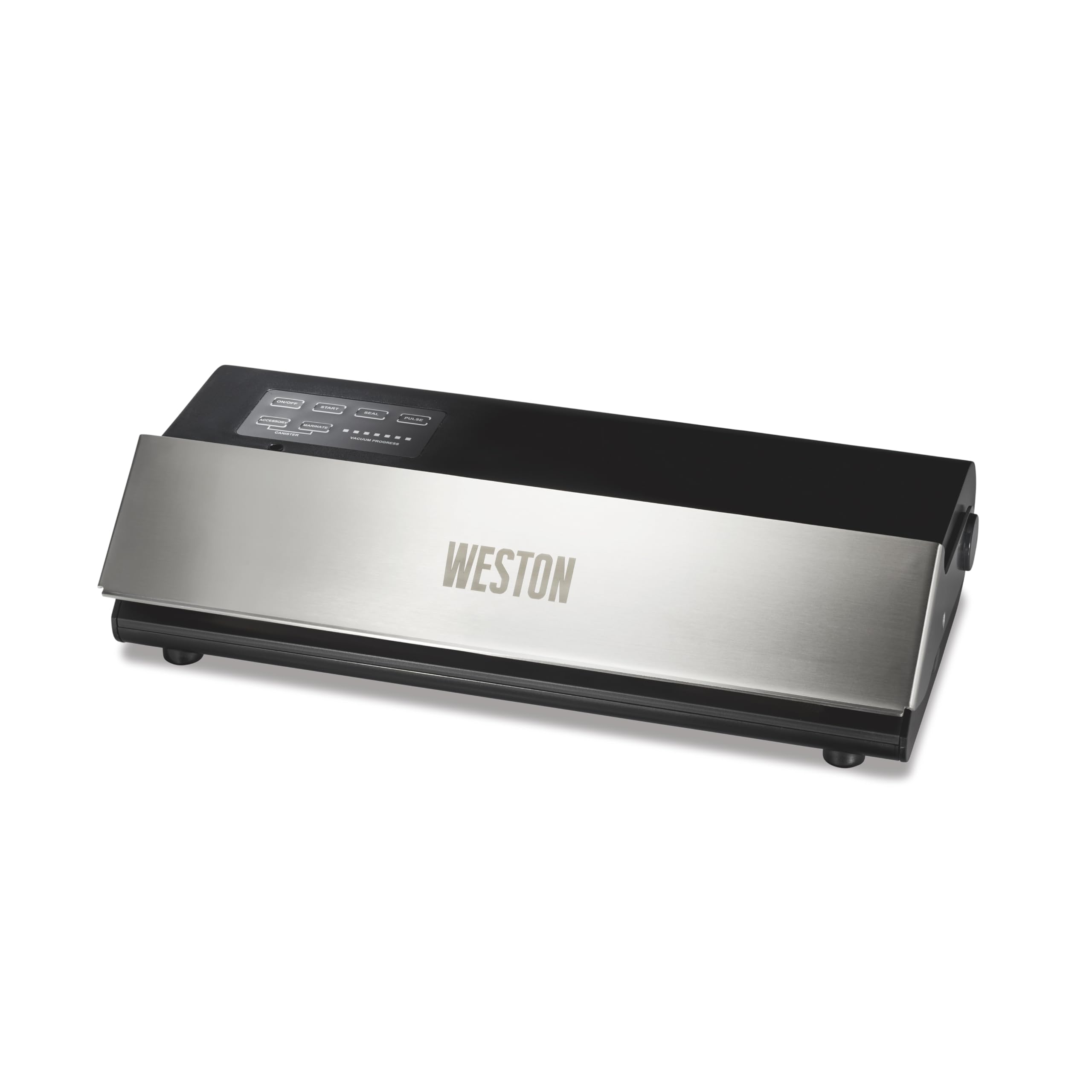
Image: Weston 65-0501-W Professional Advantage Vacuum Sealer in use, preserving various foods.
2. 중요 안전 지침
안전한 작동을 보장하고 부상이나 손상을 방지하려면 다음 안전 지침을 읽고 따르십시오.
- 항상 접지된 전기 콘센트에 기기를 연결하세요.
- 기기, 전원 코드 또는 플러그를 물이나 다른 액체에 담그지 마십시오.
- Keep hands clear of the sealing area during operation, as the sealing bar becomes hot.
- 기기를 사용하는 동안 어린이를 면밀히 감독하십시오.
- 전원 코드나 플러그가 손상된 경우, 또는 제품이 오작동하거나 어떤 식으로든 손상된 경우에는 제품을 작동하지 마십시오.
- Use only Weston-approved accessories and bags for optimal performance and safety.
- Ensure the appliance is placed on a stable, flat, heat-resistant surface during use.
3. 패키지 내용
포장을 풀 때 모든 구성품이 들어 있는지 확인하세요.
- Weston 65-0501-W Professional Advantage Vacuum Sealer Unit
- 전원 코드
- Starter pack of 15 vacuum bags (five 6" x 10" bags, five 8" x 12" bags, and five 11" x 16" bags)
- 사용자 설명서

Image: The vacuum sealer shown with a bag of chicken, highlighting the inclusion of 15 vacuum bags.
4. 초기 설정
- 진공 포장기와 모든 부속품의 포장을 풀어줍니다.
- Place the unit on a clean, dry, and flat surface.
- 전원 스위치가 OFF 위치에 있는지 확인하십시오.
- 전원 코드를 표준 전기 콘센트에 꽂으세요.
- Press the ON/OFF button to power on the unit. The indicator light will illuminate.
5. 사용 설명서
5.1. 일반 운영
The Weston Professional Advantage Vacuum Sealer features an intuitive control panel. The lid can be opened by lifting the front panel. Ensure the lid is securely closed before initiating any vacuum or sealing process.

Image: Control panel of the Weston vacuum sealer, showing various function buttons and vacuum progress lights.
5.2. 롤을 이용해 가방 만들기
If using a roll of vacuum sealer material, you will first need to create a bag by sealing one end:
- Cut the desired length of bag material from the roll.
- Place one end of the cut material into the sealing channel.
- 뚜껑을 단단히 닫으세요.
- Press the 'SEAL' button. The unit will heat and seal the end of the bag.
- Once the sealing process is complete (indicated by the light turning off), open the lid and remove your newly formed bag.

Image: The vacuum sealer sealing a bag, illustrating the process of creating a custom-sized bag from a roll.
5.3. Vacuum Sealing Food (Automatic Mode)
For most food items, the automatic vacuum and seal function is ideal:
- Place the food item into a vacuum sealer bag, leaving at least 3 inches of space from the top edge.
- Ensure the inside of the bag's open end is clean and dry.
- Insert the open end of the bag into the vacuum channel.
- 뚜껑이 딸깍 소리가 날 때까지 꽉 닫으세요.
- Press the 'START' button. The unit will automatically remove air and then seal the bag.
- Once the process is complete, the vacuum progress lights will turn off. Open the lid and remove the sealed bag.
Video: Official demonstration of the Weston 65-0501-W Professional Advantage Vacuum Sealer in action, showing the vacuum and sealing process.

Image: A display of different foods successfully vacuum-sealed, showcasing the versatility of the Weston sealer.
5.4. Manual Seal Mode (Pulse)
For delicate items like crackers or baked goods, use the 'PULSE' button to control the vacuum process manually:
- Place the delicate food item into a vacuum sealer bag.
- Insert the open end of the bag into the vacuum channel and close the lid.
- Press and hold the 'PULSE' button to start the vacuum. Release the button when the desired vacuum level is reached (before crushing delicate items).
- 즉시 '봉인' 버튼을 눌러 봉지를 봉인하세요.
- 밀봉한 후 뚜껑을 열고 봉지를 꺼내세요.
5.5. Using Accessories (Canister/Marinate)
The vacuum sealer is compatible with external accessories like vacuum canisters for marinating or storing liquids:
- Connect the accessory hose (sold separately) to the 'ACCESSORY' port on the unit and to your vacuum-sealable canister.
- 용기 뚜껑이 제대로 고정되었는지 확인하세요.
- Press the 'CANISTER' button for general vacuuming or 'MARINATE' for a pulsed vacuum cycle designed for marinating.
- The unit will automatically stop when the appropriate vacuum level is achieved for canisters.
6. 유지관리
6.1. 청소
- 청소하기 전에는 항상 장치의 플러그를 뽑으세요.
- 광고로 장치의 외부를 닦습니다.amp 천. 연마성 세척제는 사용하지 마십시오.
- Clean the vacuum channel and sealing bar area regularly to prevent food particles from affecting performance.
6.2. Replacing Seals and Heater Strip Tape
Over time, the foam gaskets (upper and lower) and heater strip tape may wear out, leading to reduced vacuum performance. Replacement kits are available from Weston. The replacement process typically involves:
- Carefully remove the old foam gaskets and heater strip tape.
- Clean the areas where the new components will be placed.
- Install the new foam gaskets, ensuring they are seated correctly and smoothly.
- Apply the new heater strip tape, ensuring it is flat and covers the heating element.
Proper replacement of these parts is crucial for maintaining the unit's sealing effectiveness.
7. 문제 해결
If you encounter issues with your vacuum sealer, consider the following common solutions:
- Poor Vacuum or Weak Seal: Check the foam gaskets for wear or damage. Ensure they are clean and properly seated. Verify that the bag material is suitable for vacuum sealing (textured or embossed bags are required for out-of-chamber sealers). Make sure the bag opening is clean and dry, free from food particles or moisture.
- 봉투가 제대로 밀봉되지 않음: Ensure the lid is closed firmly and latched. Check the heater strip tape for damage or misalignment. If creating a bag from a roll, ensure the initial seal is free of ripples.
- 단위가 응답하지 않음: Check if the unit is properly plugged into a working electrical outlet and the ON/OFF button is pressed.
- Incorrect Button Usage: Differentiate between the 'START' button (automatic vacuum and seal) and the 'SEAL' button (seals without full vacuum, or after manual pulse). The 'PULSE' button allows for manual control of vacuum pressure.
- Liquids Entering Vacuum Chamber: For moist foods, pre-freeze them for 30-45 minutes to solidify juices before vacuum sealing. This prevents liquids from being drawn into the vacuum chamber, which can compromise the seal.
- Sharp Edges Puncturing Bag: When sealing items with sharp edges (e.g., bones, hard pasta), use the 'PULSE' mode to control the vacuum and prevent the bag from clinging too tightly, or wrap sharp edges in a paper towel before sealing.
8. 사양
| 특징 | 세부 사항 |
|---|---|
| 상표 | 웨스턴 |
| 모델 번호 | 65-0501-W |
| 재료 | 스테인리스 스틸, 스틸 |
| 색상 | 스테인레스 스틸과 블랙 |
| 제품 크기(L x W x H) | 18인치 x 10인치 x 6인치 |
| 품목 무게 | 7.45 파운드 |
| 전원 | AC |
| 작동 모드 | 수동 |
| 왓tage | 210 와트 |
| 진공 강도 | 23인치 Hg |
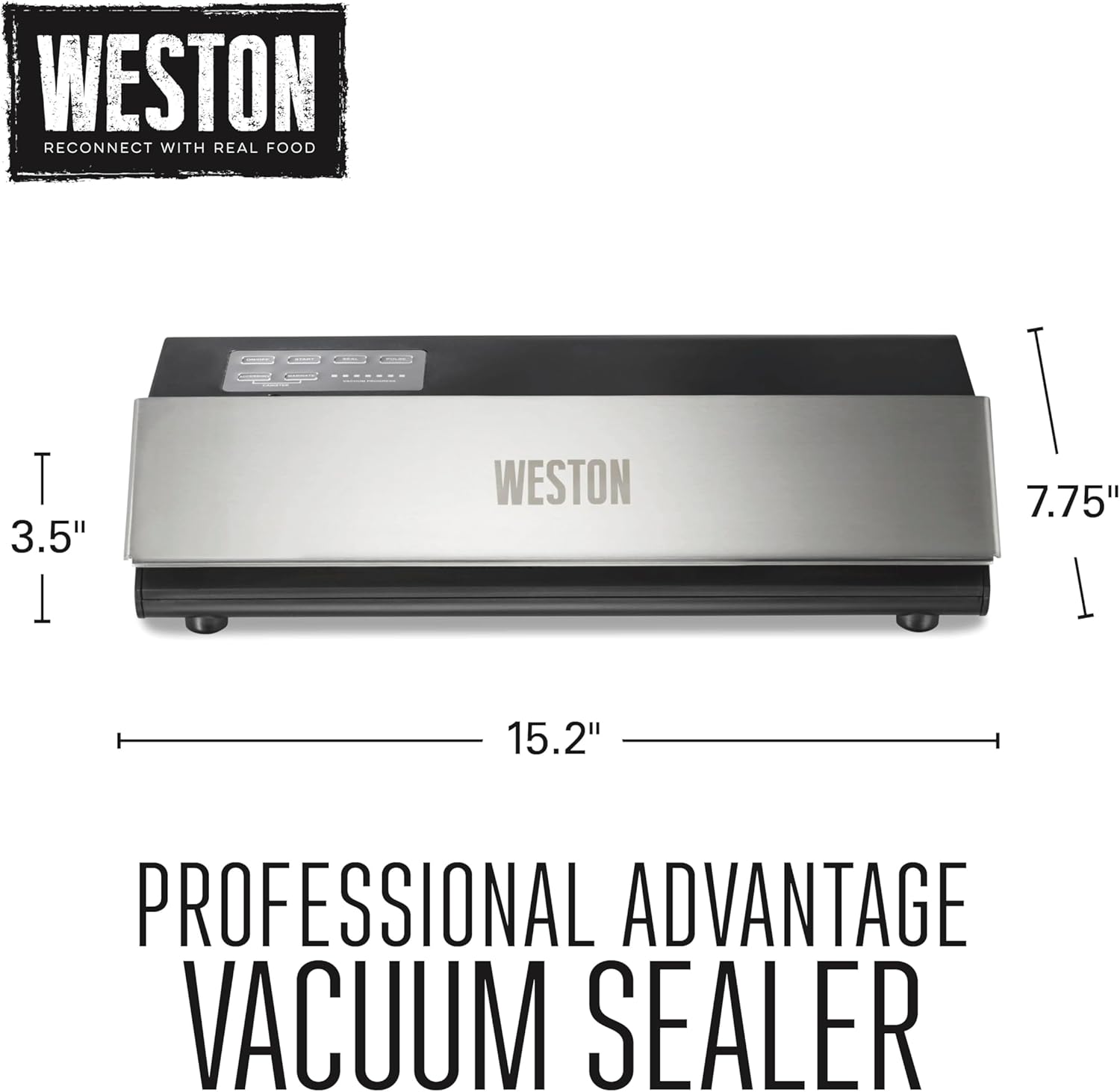
이미지: 차원적view of the Weston Professional Advantag전자 진공 실러.
9. 보증 및 지원
9.1. 보증 정보
The Weston 65-0501-W Professional Advantage Vacuum Sealer comes with a One (1) Year Warranty. Please retain your proof of purchase for warranty claims.
9.2. 고객 지원
For technical assistance, troubleshooting, or to inquire about replacement parts, please contact Weston customer support. Refer to the official Weston web가장 최신의 연락처 정보는 해당 사이트나 제품 포장에서 확인하세요.
온라인 리소스 및 FAQ도 다음에서 사용할 수 있습니다. Weston Products web대지.