
1. 서론
The MOOG MiniFooger Analog Delay is a high-quality effects pedal designed for guitar and bass, delivering over 650ms of rich, blooming analog delay. As part of the Minifooger family, this pedal embodies legendary Moog quality, tone, and versatility in a compact, rugged housing built for reliable performance.
This pedal features a 100% analog signal path, true bypass switching, and an extremely low-noise design, ensuring no negative impact on your instrument's tone. Its meticulous design incorporates premium components, a discrete JFET input stage, and a vintage compander circuit for superior delay tone. A dedicated expression input further expands the pedal's capabilities, allowing for dynamic control over key parameters.
2. 설정
Follow these steps to properly set up your MiniFooger Analog Delay pedal:
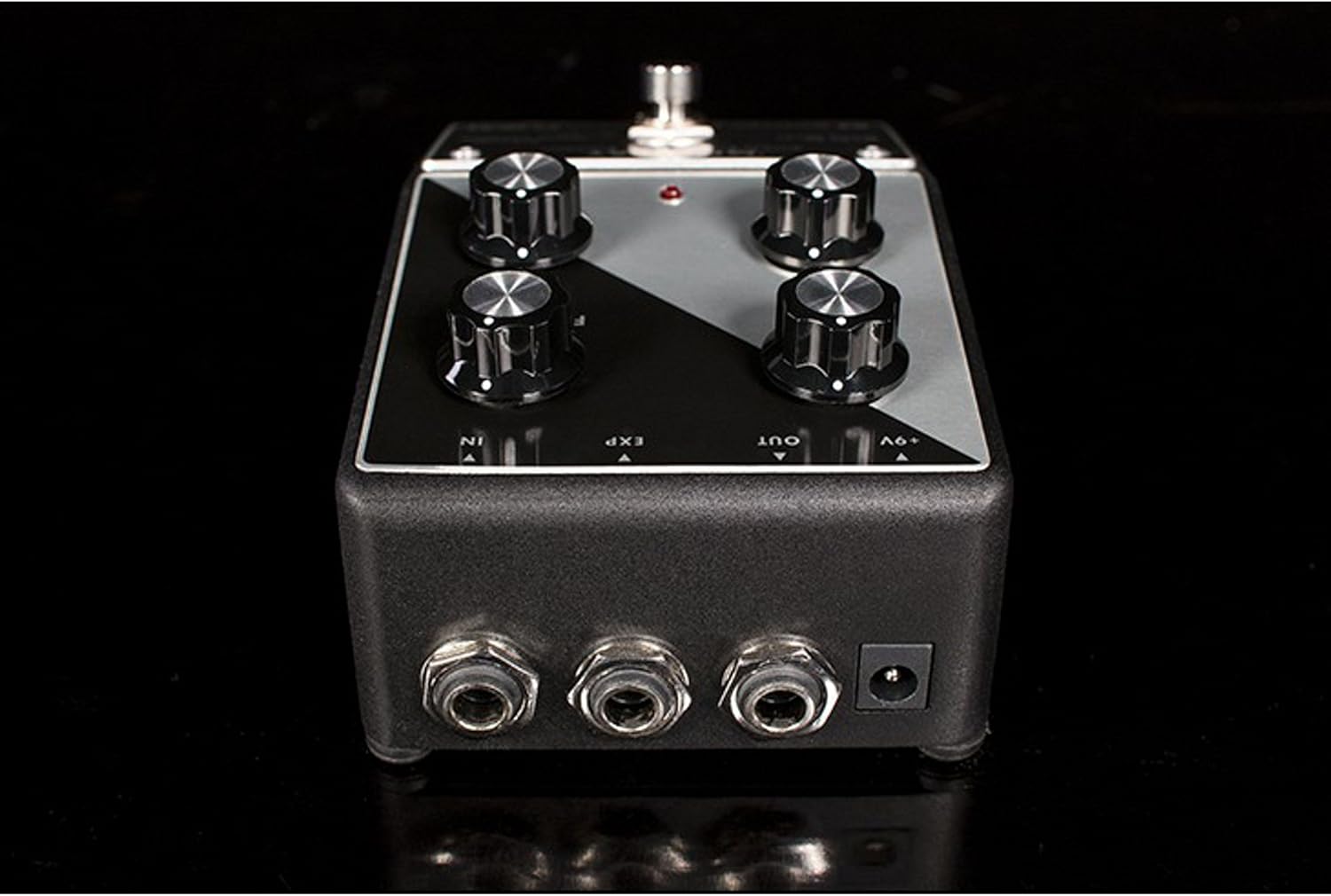
- 전원 연결: Connect a 9V DC power supply (center negative) to the '+9V' jack on the rear of the pedal. The pedal can also be powered by a 9V battery (included), which can be accessed by removing the bottom plate.
- 오디오 입력: Connect your instrument (guitar or bass) to the 'IN' jack on the rear of the pedal using a standard 1/4-inch instrument cable.
- 오디오 출력: Connect the 'OUT' jack on the rear of the pedal to your amp표준 1/4인치 악기 케이블을 사용하여 신호 체인의 다음 페달이나 리파이어를 연결합니다.
- 익스프레션 페달(선택 사항): For dynamic control, connect a Moog EP-3 or similar expression pedal to the 'EXP' jack on the rear of the pedal.
3. 사용 설명서
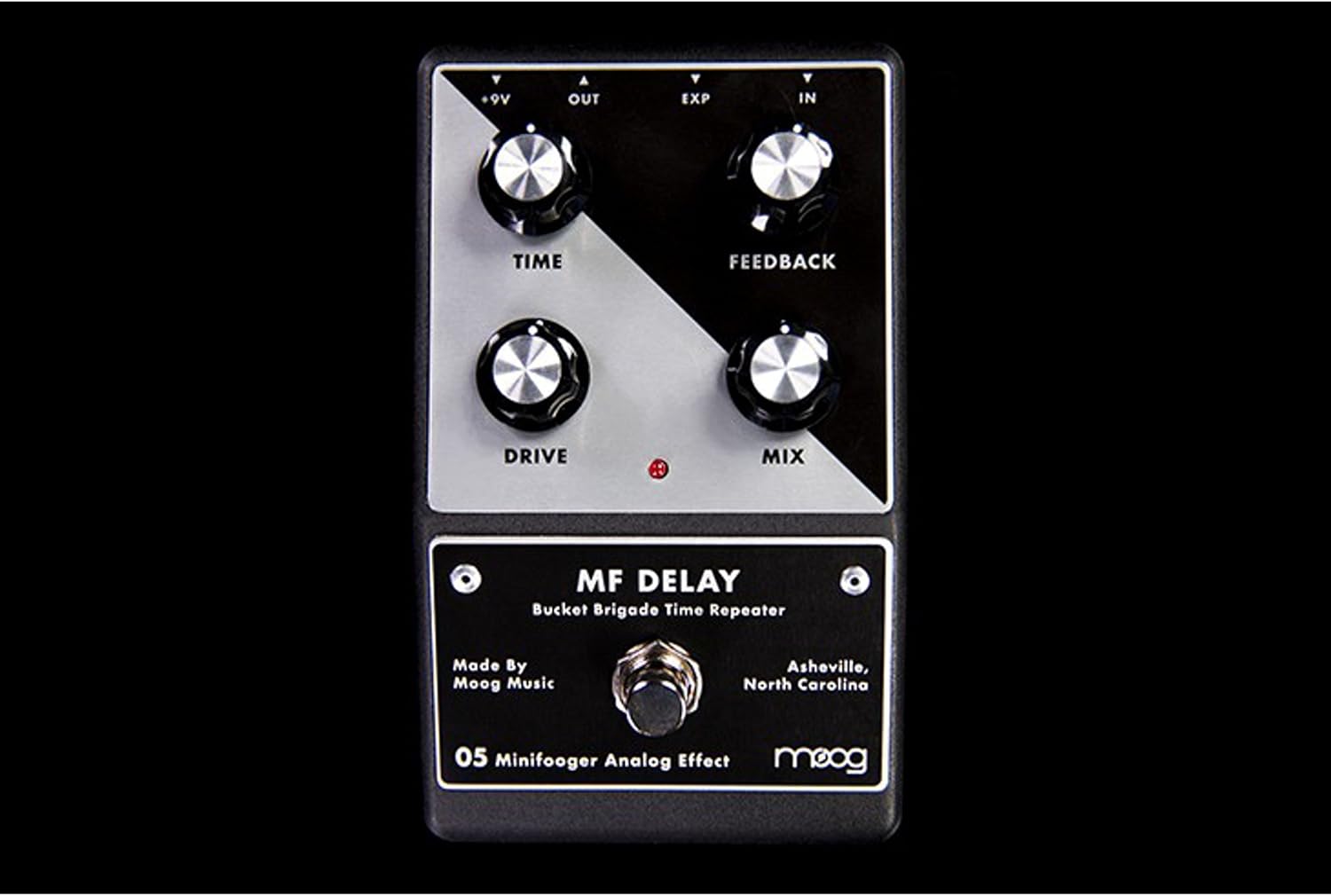
The MiniFooger Analog Delay features four primary control knobs and a footswitch for intuitive operation:
- 시간: This knob controls the delay time, ranging from very short slap-back echoes to over 650 milliseconds of rich, sustained delay.
- 피드백: Adjusts the number of repeats. Turning this knob clockwise increases the number of echoes, allowing for long, decaying trails or even self-oscillation at higher settings.
- 드라이브: This control adds a wide range of classic drive, boost, and color to your signal. It can be used to add warmth, grit, or a significant boost to the delayed signal.
- 혼합: Blends the dry (unaffected) signal with the wet (delayed) signal. Turn counter-clockwise for more dry signal, and clockwise for more wet signal. The mix control allows the dry signal to be completely eliminated if desired.
- 풋스위치: Engages or bypasses the delay effect. The MiniFooger Analog Delay features true bypass, ensuring your signal remains unaffected when the pedal is disengaged.
Expression Pedal Functionality
The expression pedal input allows for hands-free control over either the 시간 or 피드백 parameter. By default, the expression pedal controls the delay 시간. To switch the expression pedal's function to control 피드백, an internal switch needs to be adjusted.
To change Expression Pedal Control:
- Ensure the pedal is disconnected from power and your instrument.
- Carefully remove the screws from the bottom plate of the pedal.
- Locate the small switch inside the pedal, typically labeled for expression control.
- Toggle the switch to the desired position (TIME or FEEDBACK).
- Carefully reattach the bottom plate and secure the screws.
Note: If you are uncomfortable performing this internal adjustment, please consult a qualified technician.
4. 유지관리
To ensure the longevity and optimal performance of your MiniFooger Analog Delay pedal, follow these maintenance guidelines:
- 청소: Use a soft, dry cloth to clean the exterior of the pedal. Avoid using abrasive cleaners or solvents, as these can damage the finish and internal components.
- 저장: Store the pedal in a dry, temperate environment away from direct sunlight, extreme temperatures, and excessive humidity.
- 배터리 교체: If using battery power, replace the 9V battery when the pedal's performance degrades or the indicator light dims. To replace, carefully remove the bottom plate, disconnect the old battery, and connect a new 9V battery, ensuring correct polarity.
- 케이블 연결: Periodically check all cable connections for wear and tear. Loose or damaged cables can lead to signal loss or noise.
5. 문제 해결
If you encounter issues with your MiniFooger Analog Delay, refer to the following troubleshooting tips:
- 소리가 안 나거나 신호가 약함:
- 전원 공급 장치가 올바르게 연결되어 있고 정상적으로 작동하는지 확인하십시오.
- 모든 계기 케이블의 연결 상태와 손상 여부를 점검하십시오.
- 귀하의 악기와 amplifier가 올바르게 작동하고 있습니다.
- Check the 'MIX' knob setting; if set fully counter-clockwise, only the dry signal will pass.
- 원치 않는 소음 또는 윙윙거리는 소리:
- Ensure you are using a regulated 9V DC power supply.
- 케이블이나 연결 부분에 결함이 있는지 확인하십시오.
- 페달을 다른 전원 콘센트나 다른 전원 공급 장치에 연결하여 테스트해 보세요.
- Delay Not Functioning Correctly:
- Check the 'TIME' and 'FEEDBACK' knob settings.
- If using an expression pedal, ensure it is connected correctly and the internal switch is set to the desired parameter.
If these steps do not resolve the issue, please contact MOOG customer support for further assistance.
6. 사양
| 특징 | 세부 사항 |
|---|---|
| 상표 | 무그 |
| 모델 번호 | MFS-DELAY-02 |
| 제조업체 부품 번호 | MOOGMFDELAY |
| 오디오 출력 효과 | 지연 |
| 신호 형식 | 비슷한 물건 |
| 지연 시간 | Over 650ms (Bucket Brigade) |
| 힘 | 9V DC (center negative), 35mA |
| 컨트롤 타입 | Knob (TIME, FEEDBACK, DRIVE, MIX) |
| 우회로 | 진정한 우회 |
| 품목 치수 | Approximately 7 x 7 x 7 inches (packaging dimensions, actual pedal is smaller) |
| 한국어: | 094922450074, 040232216664 |
| GTIN | 00094922450074, 094922450074 040232216664 |
7. 보증 및 지원
MOOG products are manufactured to high standards and come with a limited warranty. For specific warranty terms and conditions, please refer to the warranty card included with your product or visit the official MOOG web대지.
For technical support, service, or any questions regarding your MiniFooger Analog Delay pedal, please contact MOOG customer support through their official web사이트 또는 제품 포장에 제공된 연락처 정보를 참조하세요.